
godot
 godot copied to clipboard
 godotengine
Add `AutoVolume` option to `AudioPlaybackTrack` to prevent to override `AudioStreamPlayer` volume
Context: #49099
https://www.youtube.com/watch?v=0ztTcX7Z-Do
In a BlendTree, AudioTrack will change the volume of the AudioStreamPlayer implicitly when blending. This is useful for damping sounds like footsteps, but it can be a problem if you want to play sound effects with NodeOneshot, or if you are controlling the volume externally. So I added an option to the AudioStreamPlayer to allow or disallow the BlendTree to change the volume.
Implemented an option in AudioPlaybackTrack to handle that whether to allow AnimationTree to override AudioStreamPlayer volume.


Includes little code style fixes and loop_wrap’s undo redo bug fixes in animation track editor.

I don't think this needs a full review from the audio team, but I do want to mention that AutoVolume seems like a confusing name for what this option does. I can't think of anything better though.

If there is a better name for this option, the change is fully acceptable :) I respect the decision of the maintainer.
Rebased for resolving conflicts.
Discussion in Contributors Chat with ellenhp:
ellenhp 2021/12/4 AM1:06(JST) I didn't intend to block the PR. Quite the opposite. I was just trying to say that it doesn't touch any part of the audio system that I have knowledge on. The "AutoVolume" comment I made was just a suggestion. If you can't think of anything better and I can't think of anything better and nobody chimes in, I think it's probably fine 🙂
@akien-mga Please review when you have time.
Need to add to some methods in AnimationTrackEditor; superseded by #56902.
I managed this in #56902, but reduz is not that positive about retargeting at least for 4.0, so I don't know if it will be merged by 4.0 or not. In the meantime, I will salvage these for bug fixes separately from that.
I'm reconsidering; I think the original purpose of the volume being adjusted by BlendTree was because the volume needed to be log interpolated rather than linearly interpolated. So, I think we should have a Log-adopted Volume in AudioStreamPlayer and abolish the implicit volume modification by BlendTree. Thoughts? @ellenhp
My understanding of psychoacoustics, which could be entirely wrong, is that loudness/volume ramps sound better when you think of it on a log scale. So, "decrease volume by 3db every second" would sound good, even though if you look at that kind of thing as physical sound power it's an exponential decay curve not linear at all. If we can already do a linear ramp of the volume of a player in decibels then I think we have everything we need?
Does that make sense? Can you try it out and see how it sounds? I really don't understand anything about the animation system.
@ellenhp The blend animation blends the values linearly between each track, except with respect to the volume of the AudioPlaybackTrack, which implicitly overrides the volume of the AudioStreamPlayer. You can see it in https://github.com/godotengine/godot/pull/55218/files#diff-47d98bbc16960ace8510b2cfa795da0e87601cc3f22a6f2e5155cfe01c750952L1426
real_t db = Math::linear2db(MAX(blend, 0.00001));
    if (t->object->has_method(SNAME("set_unit_db"))) {
    t->object->call(SNAME("set_unit_db"), db);
} else {
    t->object->call(SNAME("set_volume_db"), db);
}
And you can see the problem caused by implicit blend as in #49099.
AudioStreamPlayer has a property called Volume, which is linear, so if you blend two volumes with ValueTrack, they will blend linearly. If AudioStreamPlayer has a loudness scale property, then this implicit blending with Math::linear2db is no longer necessary and we can use ValueTrack.
Oh, so the problem is blending of two animations together? Not just lerping the volume through time? Because I think lerping the volume (in decibels) through time is actually preferable to lerping sound pressure level (which is what a linear unit corresponds to). I'm opposed to creating a linear volume property on the AudioStreamPlayer nodes though, because I don't want to have two different properties that control the same thing with different response curves. That's confusing. Maybe there's another way we can handle this?
This is very complicated because it involves a crossover between physics, psychoacoustics and game engine design, so I think we should make sure we're using these terms correctly:
https://en.wikipedia.org/wiki/Loudness
I read this and realized I was using "loudness" when I meant "sound pressure level" which was probably confusing. Can you give this a read and then restate your comment with these terms if necessary?
AudioStreamPlayer has a property called Volume, which is linear, so if you blend two volumes with ValueTrack, they will blend linearly. If AudioStreamPlayer has a loudness scale property, then this implicit blending with
Math::linear2dbis no longer necessary and we can use ValueTrack.
I'm pretty sure this is wrong. AudioStreamPlayer only has volume_db which is logarithmic.
@ellenhp Ah yes, RMS and db are completely different values. I was confusing them and commenting on them, sorry.
BTW, if AudioStreamPlayer's volume is on a logarithmic scale, then there is already no point for AnimationTree to implicitly override it, and I think that feature should be discontinued.
This causes an implicit fade-out when playing long sound effects in NodeOneShot, as shown in #49099. If you agree, I will simply send a PR later to discontinue this process.
I'm not entirely familiar with the animation system, but my intuition is that we can use the same logic we use for other properties and it'll work great with volume_db. Maybe make a testing project to confirm?
But yes, I think I agree with that plan.
My only worry is that I'm misunderstanding things and recommending a bad course of action. I really want to emphasize that I don't understand animation in Godot. Reduz is probably the one who should review this since he understands animation and audio.
@ellenhp Here is a sample project.
First, currently AudioPlaybackTrack implicitly changes the volume when blending. (The video has sound, if the video is muted, unmute it.)
https://user-images.githubusercontent.com/61938263/165187070-5e8d45de-45d8-4adf-af79-98b7a8501d49.mov
Make sure that the Blank and Ping animations do not change the volume.

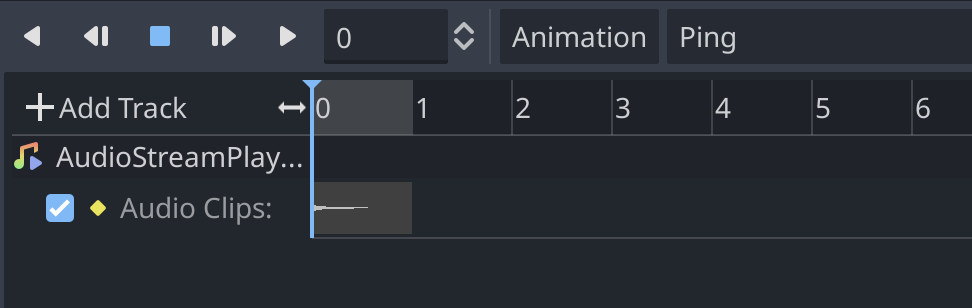
If we remove the code that implicitly changes the volume (https://github.com/TokageItLab/godot/commit/e12ec5fa201028523b15b5540e7d09bde9e2e395), you can see the video below:
https://user-images.githubusercontent.com/61938263/165187343-015df9c6-37c6-4b0f-bd37-8fc982bc3721.mov
This is ideal behavior in some cases. For example, NodeOneShot blends internally, so if you have a long sound effect and the animation is shorter than the sound effect, or if the NodeOneShot fade-out bites into the sound effect, the implicit blending will break the sound effect. (Ref: #49099, https://www.youtube.com/watch?v=0ztTcX7Z-Do)
Therefore, the volume should be set explicitly by the user.
Make sure RESET and PingWithVolume have a track that changes the volume.
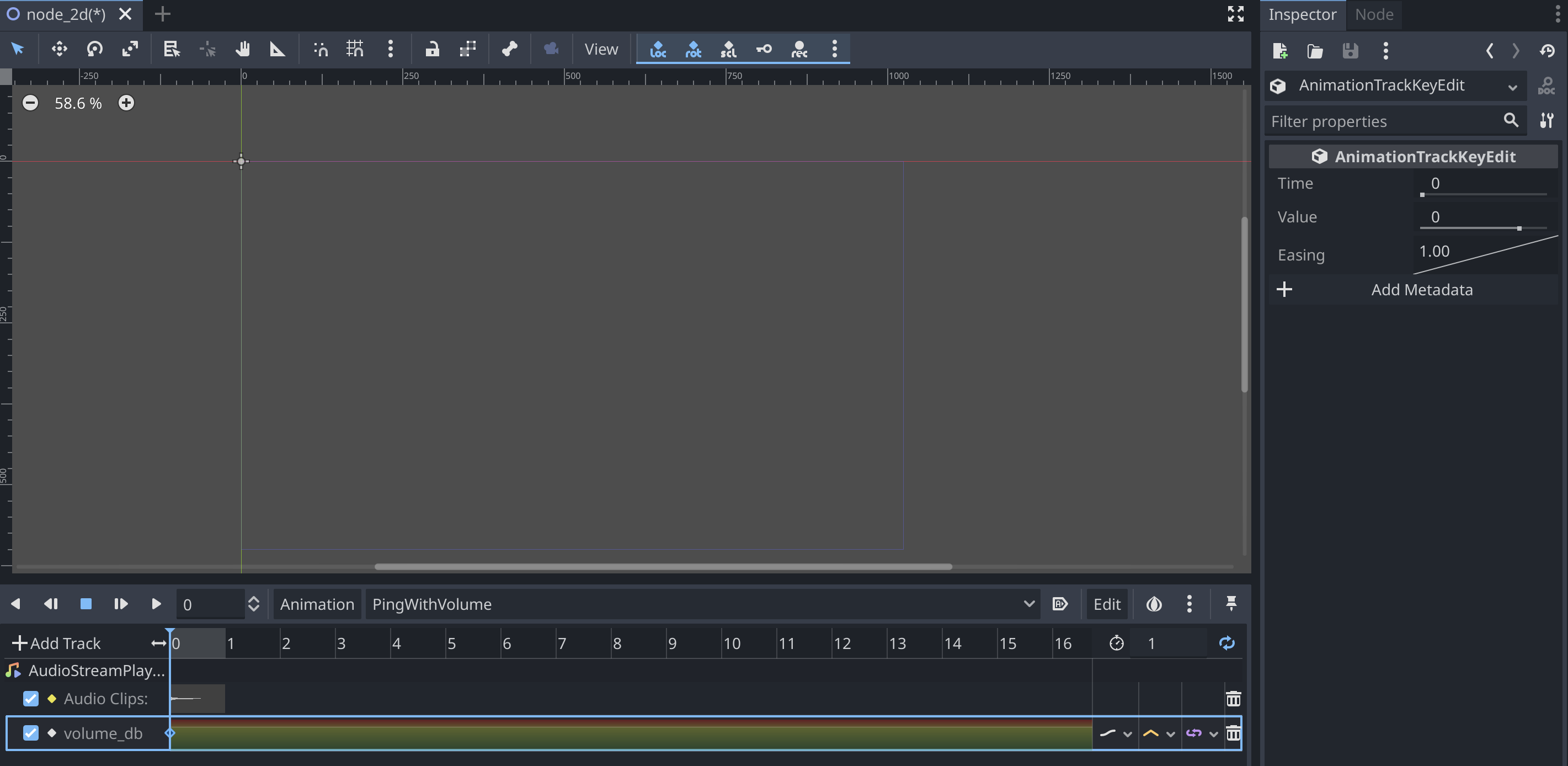
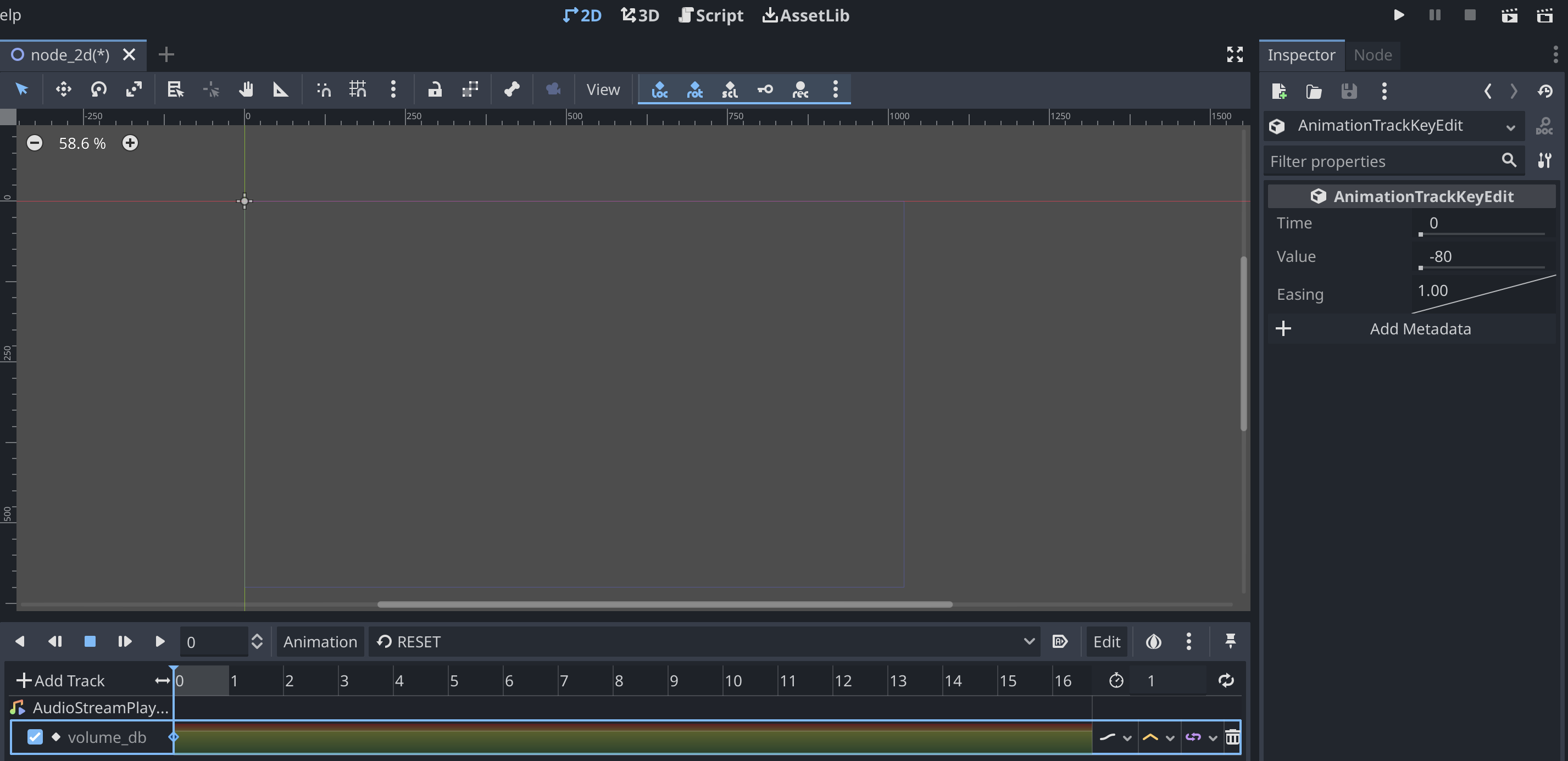
RESET is -80db (=lower limit of hint value) and PingWithVolume is 0db. Then, volume changes rapidly.
https://user-images.githubusercontent.com/61938263/165187926-11228e5d-e2e2-4cf1-94ee-1ddf8ed30746.mov
The problem is that the db value does not have a lower limit as an intuitive value, so what I said above is that from a UI/UX perspective it would be better to be able to handle the volume with a value of 0~1.
Rebased & fixed. @reduz I think that it is ready to go.
Preview (please turn on volume):
https://user-images.githubusercontent.com/61938263/179770012-5c42cb75-95de-4650-a824-ada7d53dd673.mp4
test project: volume_blend_test.zip
On one side I understand why this is wanted, the current code is not very good because it has to be fixed from AudioStream/AudioServer so the streams are faded correctly. But I am not certain that this is the best solution. The volume should just blend correctly instead, as this feels more like a hack to me.

I think the right solution for this would be for the AnimationTree (or Player) to instantiate an AudioStreamPlayback for each clip (and cache it), and have a lower level API in StreamPlayers to hand them out with a volume and position, but this is quite a good amount of work to do.
@reduz Do you think that it is the right way to simply remove this implicit volume overwrite and implement a log-scale adjustable volume interface in StreamPlayer and let the user arbitrarily adjust the volume with ValueTrack? In the meantime, I think implicit volume overwrite should be eliminated since it is blocking sound effect placement.
@TokageItLab I am not sure, but defintely I think StreamPlayer needs more work to make this work as intended.
@reduz I mean, why not just have the user explicitly create a track called [ValueTrack]AudioStream:Volume? There is no need for BlendTree to change the volume of the AudioStream internally, and the implementation should be obsoleted.
The only thing that makes sense in the current implementation is that the blending is done in the linear2db() space, and the video I posted in https://github.com/godotengine/godot/pull/55218#issuecomment-1109119373 has the problem that without the linear2db(), the volume changes are too abrupt.
Wouldn't sufficient to implement a VolumeEditMode on the AudioStream side, like Node3D's RotationEditMode, and let it set the volume value through linear2db()?
@TokageItLab because the main problem here is that you do want to play more than one stream at the same time and blend them properly, this is not possible now even if the user does something manually.
@reduz Do you mean caching and playing back multiple audio source in one AudioStream and adjust volume? That is currently not possible, but at least I think that this implicit volume overwriting should be removed, even when multiple AudioStreams are placed, as it prevents the audio from playing back.
@reduz It may indeed be necessary to change to a lower layer to get the blending correctly, but this PR is necessary for cases where we do not want to do the blending.
As I have said many times, the current implicit blending prevents us from using AudioTrack if we want to play sound effects in our animation. It forces us to use MethodTrack.
For now, we need to implement this AutoVolume option to prevent that implicit blending. The PR for correct blending can be send in the future.
As reduz said above it needs to be implemented at a lower layer. Close this PR and track the issue at #65750.