

 glushchenko
Previewing does not displayed indenting
Description
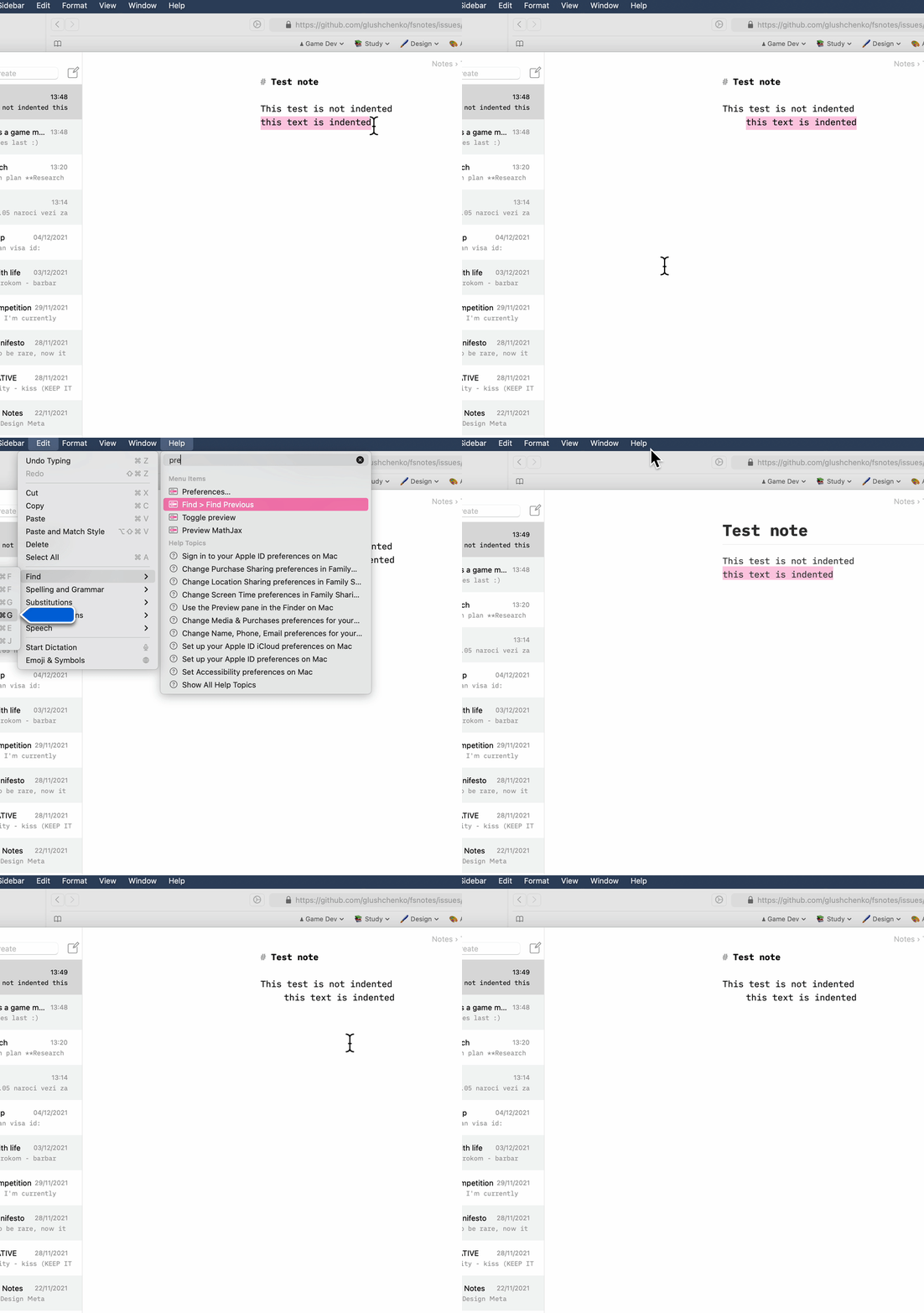
When previewing a file that has indented text (shift right/left in the format menu) that shift is not displayed inside of the preview.
To Reproduce
- Create a new note
- Indent a text using "shift right"
- Click preview
- See error
Expected behavior
The text should be indented as well
FSNotes version
Version 5.1.3 (506)
macOS/iOS version
macOS 12.01
Additional context
No response

The preview interprets a note as Markdown. Like HTML, Markdown strips leading whitespace (unless preceded by a blank line, in which case it becomes a code block). So IMHO not a bug.

Hm okay. Is there a way for me to get indentation inside of the composed markdown documents?
I don't think so. Without CSS, HTML doesn't really do indentation. But please refer to the "specification" I linked.
FSNotes used the Common mark spec, which is here: https://spec.commonmark.org/0.30/
You might want to try...
# Indenting

* like
  * this

blockquotes:

Like
> this

raw ` ` HTML:

like
    this

code blocks:

        like
        this
here's a more full list example
1.  List item one.

    List item one continued with a second paragraph followed by an
    Indented block.

        $ ls *.sh
        $ mv *.sh ~/tmp

    List item continued with a third paragraph.

2.  List item two continued with an open block.

    This paragraph is part of the preceding list item.

    1. This list is nested and does not require explicit item continuation.

       This paragraph is part of the preceding list item.

    2. List item b.

    This paragraph belongs to item two of the outer list.
Or abandon Markdown (default) and use plain text for your notes?

Thanks for the response! In my notes I use a combination of gifs and indenting a lot, yet gif playback does not work inside of the non-preview mode and indenting does not work inside of the preview :p
Regardless, thank you for the info!
@Brin-o editing mode uses Native maOS controls, preview mode uses a Web View.
Please file a new issue for GIF playback in edit mode.