glpi

glpi copied to clipboard
 glpi-project
fix(lock): Display all lock available
Actually, GLPI displays only the locks of the current itemtype.
But some data are related to Ìtem_XXXX relationship who do not have their own form (like Computer)
and GLPI allow user to update it directly from current itemtype
It is frustrating to see the lock in the OS tab but not in the Lock tab
Actually is see two relationship in this case :
-
Item_OperatingSystem -
Item_Disk
So this PR :
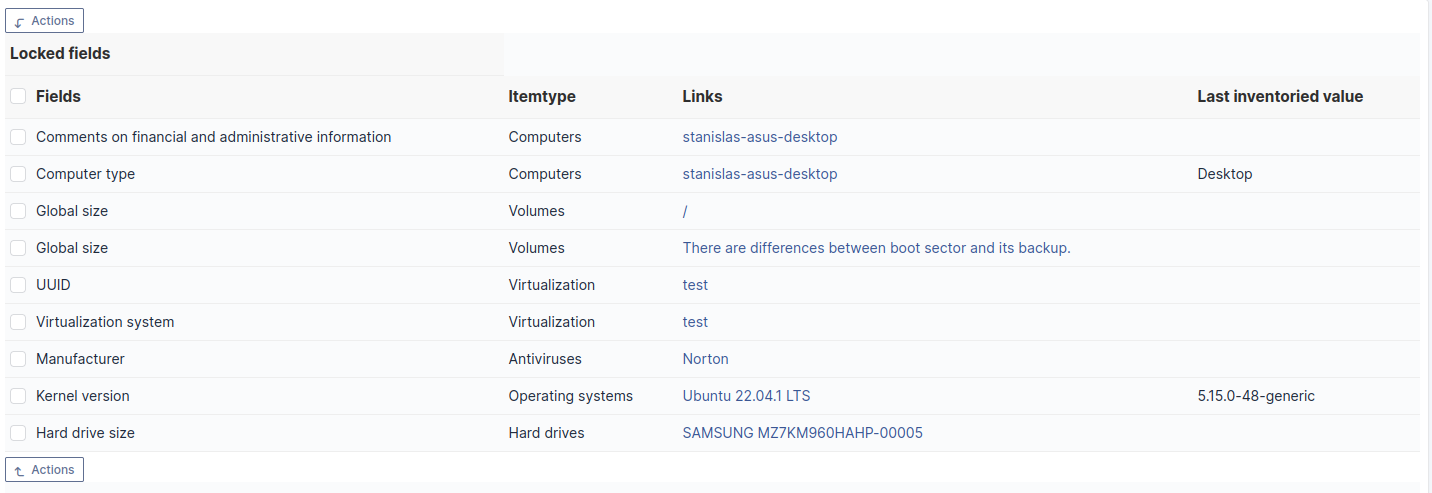
- compute related
lock(Item_OperatingSystemandItem_Disk) for currentitemtype - display
itemtypeandvaluefromglpi_lockedfieldtable - add
Item_OperatingSystemto$CFG_GLPI['inventory_lockable_objects'](missing) - Fix
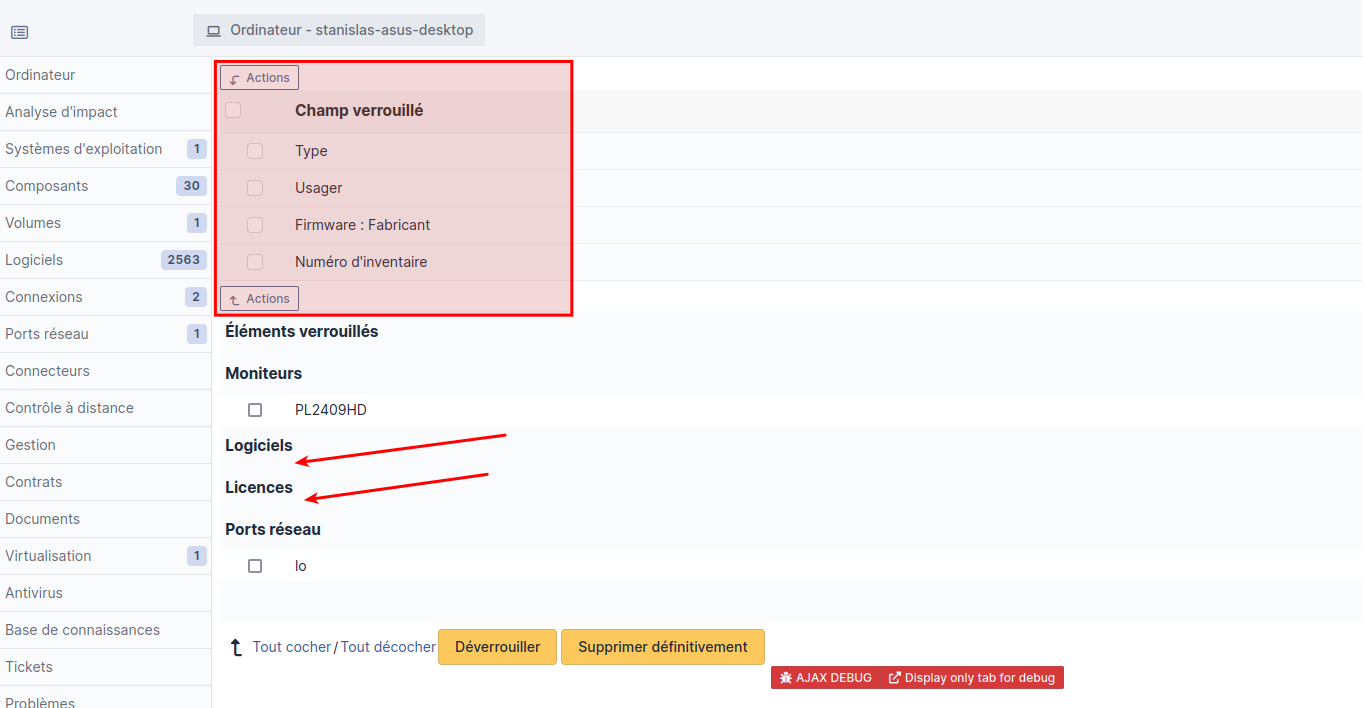
Locked itemsdisplay (Software / licenseheader/massiveActiondisplay if there is no deleted item)
Before
After
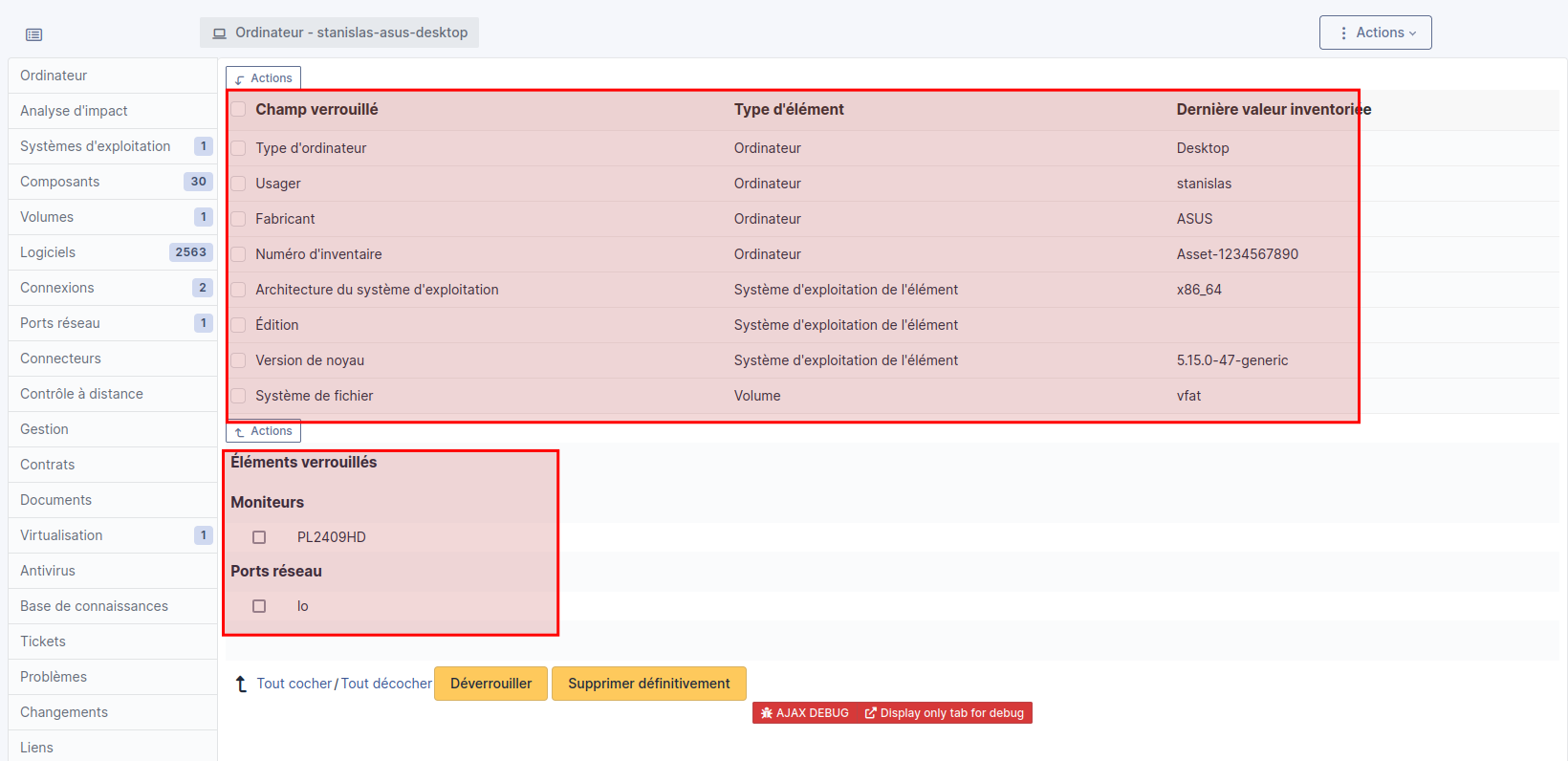
If Locked items part is empty

| Q | A |
|---|---|
| Bug fix? | yes/no |
| New feature? | yes/no |
| BC breaks? | no |
| Deprecations? | no |
| Tests pass? | yes |
| Fixed tickets | #number |

Redefined inventory_lockable_objects with all objects that have the is_dynamic column
ex : item_DeviceProcessor, DatabaseInstance, ComputerAntivirus.
and can be linked to an asset
by ìtemtype_id (ie: computers_id) or itemtype / items_id