

 github
Mention that no one else will know the current state of permission grants
Code of Conduct
- [X] I have read and agree to the GitHub Docs project's Code of Conduct
What article on docs.github.com is affected?
https://docs.github.com/en/support/learning-about-github-support/about-github-support#granting-github-support-temporary-access-to-a-private-repository
What part(s) of the article would you like to see updated?
Granting GitHub Support temporary access to a private repository
If GitHub Support needs to access a private repository to address your support request, the owner of the repository will receive an email with a link to accept or decline temporary access. The owner will have 20 days to accept or decline the request before the request expires. If the owner accepts the request, GitHub Support will have access the repository for five days.
Should include a paragraph saying:
Note Once granted, there is no way for any other admin (or even you) to know in the future when the grant was made. Nor is it possible for you to know when it expires. Similarly, it isn't possible for any admin to know if a request was rejected (or when). You should use some other logging system in order to record this information so that you can keep track for your organization's sake.
Additional information
No response

👋 @jsoref Thanks so much for opening an issue! I'll triage this for the team to take a look :eyes:

👋 Hey @jsoref, I spoke with the team and found out that when Support unlocks a repo, the expected behavior includes the generation of several possible audit log events, including staff.repo_lock and repo.staff_unlock to name a couple. The repo owner can see these in their security log. The same applies to organizations and Enterprise accounts as well, with this last link holding a table of these events. We are working on updating the other two (versioned) articles to include this table, but haven’t gotten there just yet.
Is there a specific case/discussion you can point us to where these events were not recorded?
Fwiw, searching for repo.staff_unlock doesn't work. Searching for action:repo.staff_unlock works.
https://docs.github.com/en/authentication/keeping-your-account-and-data-secure/reviewing-your-security-log doesn't mention this event or any indication of how to know that this would be the event.
Completion for action: doesn't immediately show it.
In fact, the filter system shows up to five items and doesn't indicate that there may be others (the docs should explain that you can't get a complete list of things by using the completion, and instead if you want a list that you need to refer to the docs):
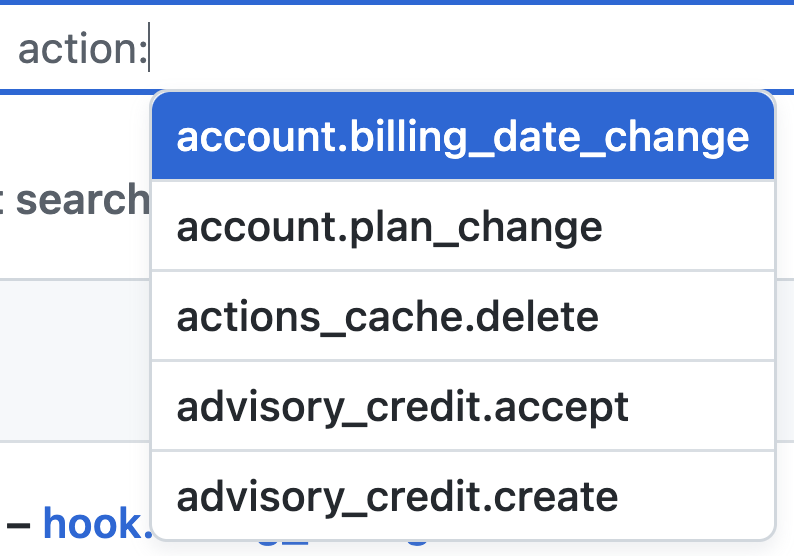
Note that the logged event doesn't indicate who authorized it, just "someone":
GitHub staff temporarily unlocked [{org}/{repo}](https://github.com/{org}/{repo}) with permission from a repository admin.
on {date}
The point isn't that the event isn't recorded. It's that no one would know to look for it in the first place.
And the documentation should make these things clear, as well as precisely how to find these log entries. It isn't sufficient to have to file a new ticket to ask for info, nor is it sufficient to have to file a ticket to docs, or search the docs issues to find your note about repo.staff_unlock.
https://docs.github.com/en?query=repo.staff_unlock
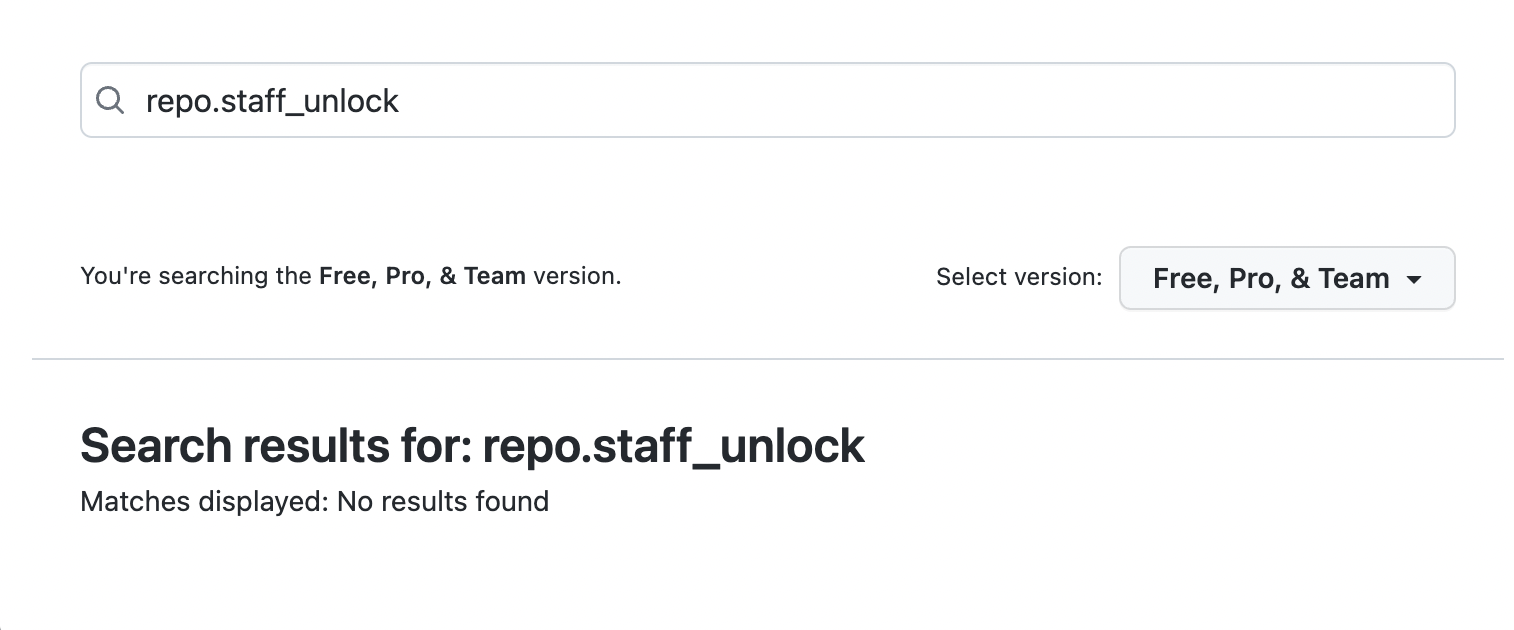
https://cs.github.com/?q=repo%3Agithub%2Fdocs%20repo.staff_unlock%20NOT%20path%3A%2F%5Etranslations%5C%2F%2F&scopeName=All%20repos&scope=
Shows that it's only documented for enterprises: https://github.com/github/docs/blob/804f3ecc3d6f641f40f17f4dfdb8371d5885b4ca/content/admin/monitoring-activity-in-your-enterprise/reviewing-audit-logs-for-your-enterprise/audit-log-events-for-your-enterprise.md#staff-category-actions
(For the 🥜 gallery, I'm not in an enterprise, but we have a log entry that corresponds to this.)
Hey @jsoref I've talked with the team about your most recent feedback on this issue, and we've decided to continue the discussion about these doc updates internally. Thanks so much for sharing your explanations and experience ✨. FWIW, the action: dropdown suggestions for the audit log keys (that are available to search) is something the team is currently improving. Since I have copied the details of this issue to an internal issue, I'll close this now, and thanks again for working to improve our docs! 💖
