
docs
 docs copied to clipboard
 github
Ambiguous instructions for publishing GitHub Actions
Code of Conduct
- [X] I have read and agree to the GitHub Docs project's Code of Conduct
What article on docs.github.com is affected?
https://docs.github.com/en/actions/creating-actions/publishing-actions-in-github-marketplace#publishing-an-action
What part(s) of the article would you like to see updated?
https://docs.github.com/en/actions/creating-actions/publishing-actions-in-github-marketplace#publishing-an-action
The section Publishing an action, at step 2 says the following.
When a repository contains an action metadata file (action.yml or action.yaml), you'll see a banner to publish the action to GitHub Marketplace. Click Draft a release.
IMHO, this part of the document is outdated. I could not see any banner.
Additionally, at step 3, it says the following.
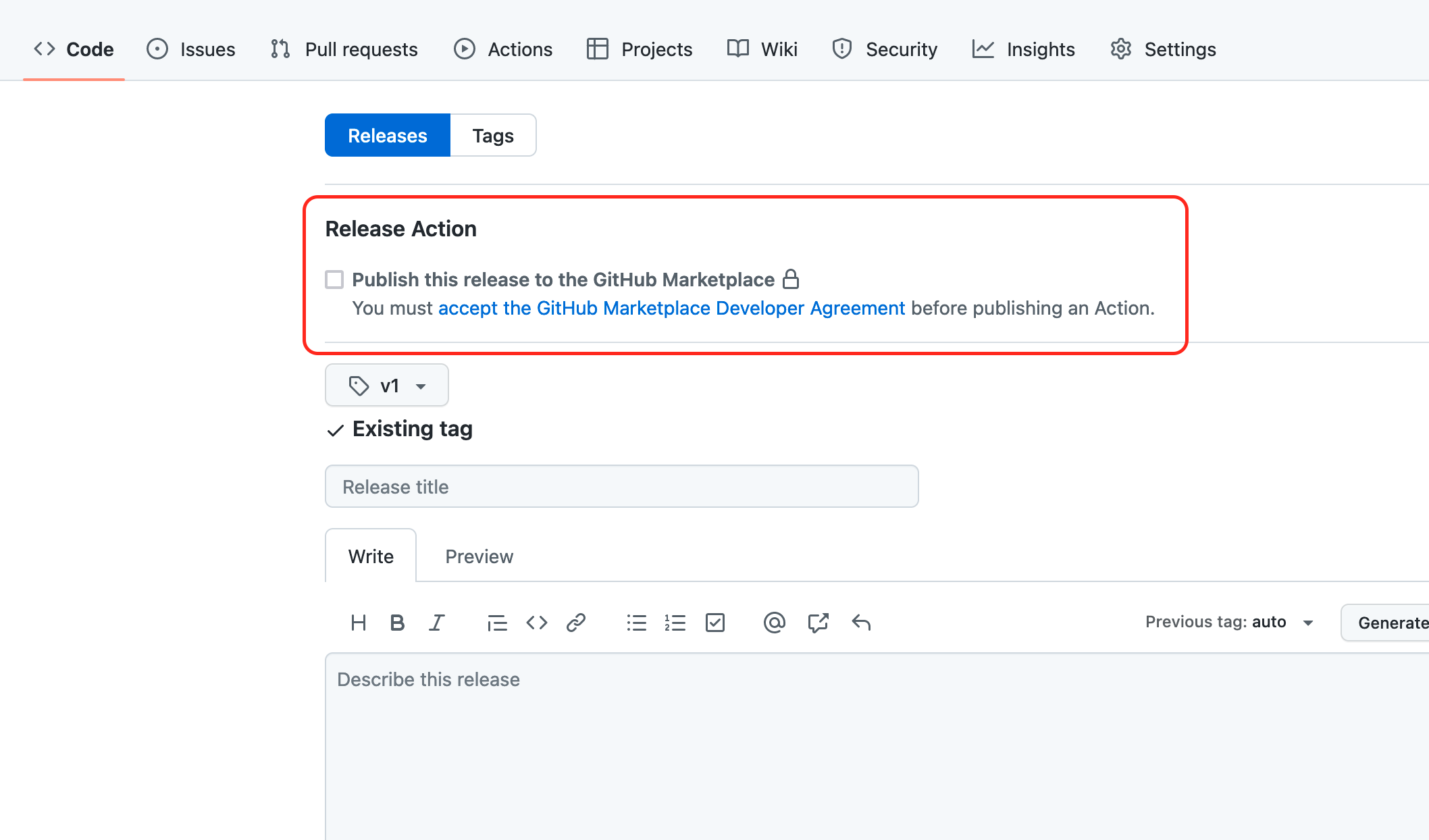
Select Publish this action to the GitHub Marketplace. If you can't select the Publish this action to the GitHub Marketplace checkbox, you'll need to read and accept the GitHub Marketplace agreement first.
Although a bit different, the checkbox for publishing the Action to the marketplace is only shown when the repository contains an action.yml file. It is not available when using an action.yaml.
Additional information

Thanks for opening this issue. A GitHub docs team member should be by to give feedback soon. In the meantime, please check out the contributing guidelines.
![welcome[bot] avatar](https://avatars.githubusercontent.com/in/4141?v=4 "Published by a pub.dev verified publisher")
@nhedger Thanks so much for opening an issue! I'll triage this for the team to take a look :eyes:


Sorry for the delay, @nhedger, and thanks for reporting this; I'll open a PR to correct the information about the banner.
About the action.yml vs action.yaml issue: there is an internal bug open for this. The option to publish to the Marketplace will be there if you create a repository with action.yml or action.yaml, but if you later rename that file to the other file extension (e.g. renaming action.yml to action.yaml), the prompt to publish to the Marketplace disappears. If this bug is affecting you, contact Support and they should be able to help you out.
