
SingleFile
 SingleFile copied to clipboard
 gildas-lormeau
Add options to customize the look of SingleFile by injecting custom stylesheets
Can support to custom CSS/Style of annotation-editor page ?
- Implementation plan/UI: 👇
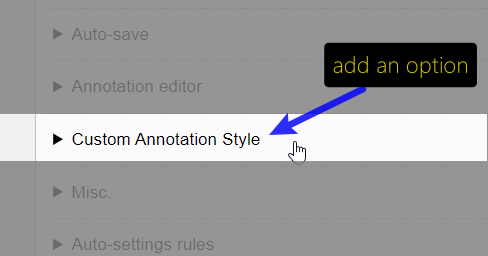
For SingleFile, custom CSS should only be on the annotation-editor page, If custom CSS can be supported , the users can customize the toolbar style ... or .single-file-cut-hover, .single-file-cut-outer-hover, .single-file-remove-highlights-mode .single-file-highlight:hover etc. ...
Like many other extensions that provides an option for custom CSS
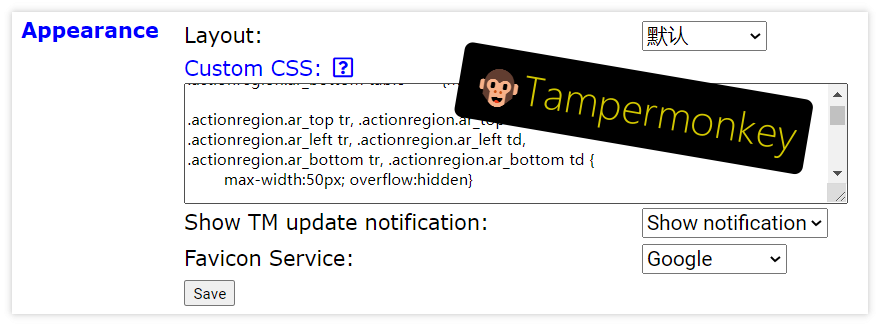
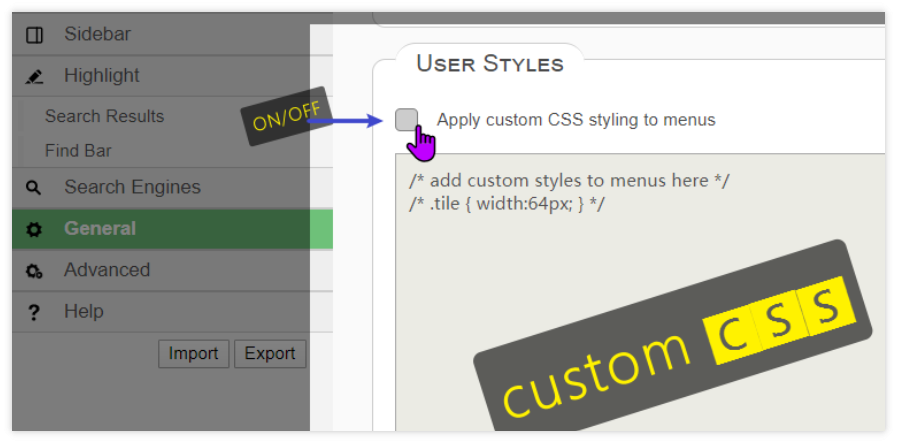


Well, I'm wondering how many users would use this feature.
May not use it but cannot be without :) In fact, it should be said: of course, this feature belongs to advanced users who understand CSS, or of course, they can share CSS with others people, but the important point is that SingleFile have already enough users , so there maybe potential demand in it.
May not use it but cannot be without :)
SingleFile is open-source, anyone can fork it, change what he does not like, and send me a pull request or even publish his fork.
Out of curiosity, what changes would you apply if you could inject styles (easily)?
^_^ I personally don’t understand any language code/programming except CSS (because the basic CSS does not require logic, the threshold is very low.)...so...
The default styles of SingleFile are standard and universal, applicable to all users, no problems at all, and my changes only more suitable for myself. because now is no CSS customization, I didn't think about how to change the appearance style for me.
For example, increase the spacing between several commonly used toolbar buttons, e.g. ... .note {font-size:17px} etc., if it is realized, I will share it after writing it.
Thank you for the feedback. I think that if I implement this feature, I wouldn't restrict it to the annotation editor. It might also be interesting to inject styles in the UI elements of SingleFile (the progress bar, the log panel, the shadow on the document), and maybe change the icon too.
I wouldn't restrict it to the annotation editor. It might also be interesting to inject styles in the UI elements of SingleFile (the progress bar, the log panel, the shadow on the document), and maybe change the icon too.
This feature can actually be used to create/share different(many different types of) UI-themes. 💪👍You are right, that's great/perfect! That is the best/good for consistency!
Well, I'm wondering how many users would use this feature.
I'm extremely interested in this feature, especially for CLI capture. I can hide a lot of elements I deem to be clutter when looking through the archived pages.

@ImportTaste You're not referring to the same feature. The purpose of this feature is not to modify the style of the saved page. What you want to achieve is already possible by using the option --browser-script. You can use it to inject a script that would in its turn inject in JavaScript an inline stylesheet stored as a string.
@ImportTaste I added an option --browser-stylesheet to inject a stylesheet after the page is loaded.
@ImportTaste I added an option
--browser-stylesheetto inject a stylesheet after the page is loaded.
You're awesome. Thank you.
I added an option
--browser-stylesheetto inject a stylesheet after the page is loaded.
Excuse me, how to use option --browser-stylesheet ?
It works similarly to --browser-script. You can for example create a file named my-stylesheet.css which would contains the rules you would like to apply before the page is saved and run single-file https://www.example.com --browser-stylesheet=my-stylesheet.css.
I added an option
--browser-stylesheet
for the latest repo, I want to try, but can't find this option.
create a file named
my-stylesheet.css
I see.
single-file https://www.example.com --browser-stylesheet=my-stylesheet.css
I don't understand this sentence,
Do you mean to open single-file https://www.example.com --browser-stylesheet=my-stylesheet.css in the browser's address bar?
have you written relevant help documents, or examples.
I added an option
--browser-stylesheetfor the latest repo, I want to try, but can't find this option.
I confirm you have to update the code
single-file https://www.example.com --browser-stylesheet=my-stylesheet.cssI don't understand this sentence, Do you mean to open
single-file https://www.example.com --browser-stylesheet=my-stylesheet.cssin the browser's address bar? have you written relevant help documents, or examples.
I'm referring to SingleFile launched from the command line interface instead of running as an extension, see https://github.com/gildas-lormeau/SingleFile/tree/master/cli
launched from the command line
Aha. I don't understand those complicated ones, thanks for your reply.
It may sound complicated but it's not so complicated if you follow the manual installation procedure for example.