

 ghseeli
Add shadeless material
The image as plane plugin proposes to use a shadeless material, which basically does not reflect the light and respects then quite accurately the color of the image. The shader is not trivial (it's like 10 nodes, one can check by creating a new image on a plane with a shadeless material), and it would therefore be cool to propose in latex2blender a way to automatically add this material.

Thank you for the suggestion! As I mentioned in #10, I am pretty busy at the moment, but I can look into doing something like this with @peterkj1 later. In the meantime, if you want to take a stab at it, feel free to make a pull request!

PS I realized I forgot to make a "release" of the most recent version of latex2blender that incorporates #7 . Is it possible to do what you are suggesting with the "Use Custom Material" option?
Thanks for your answer, and no worries there is no rush. It may be possible to use "Use Custom Material" to reproduce this, but one would first need to create the material:
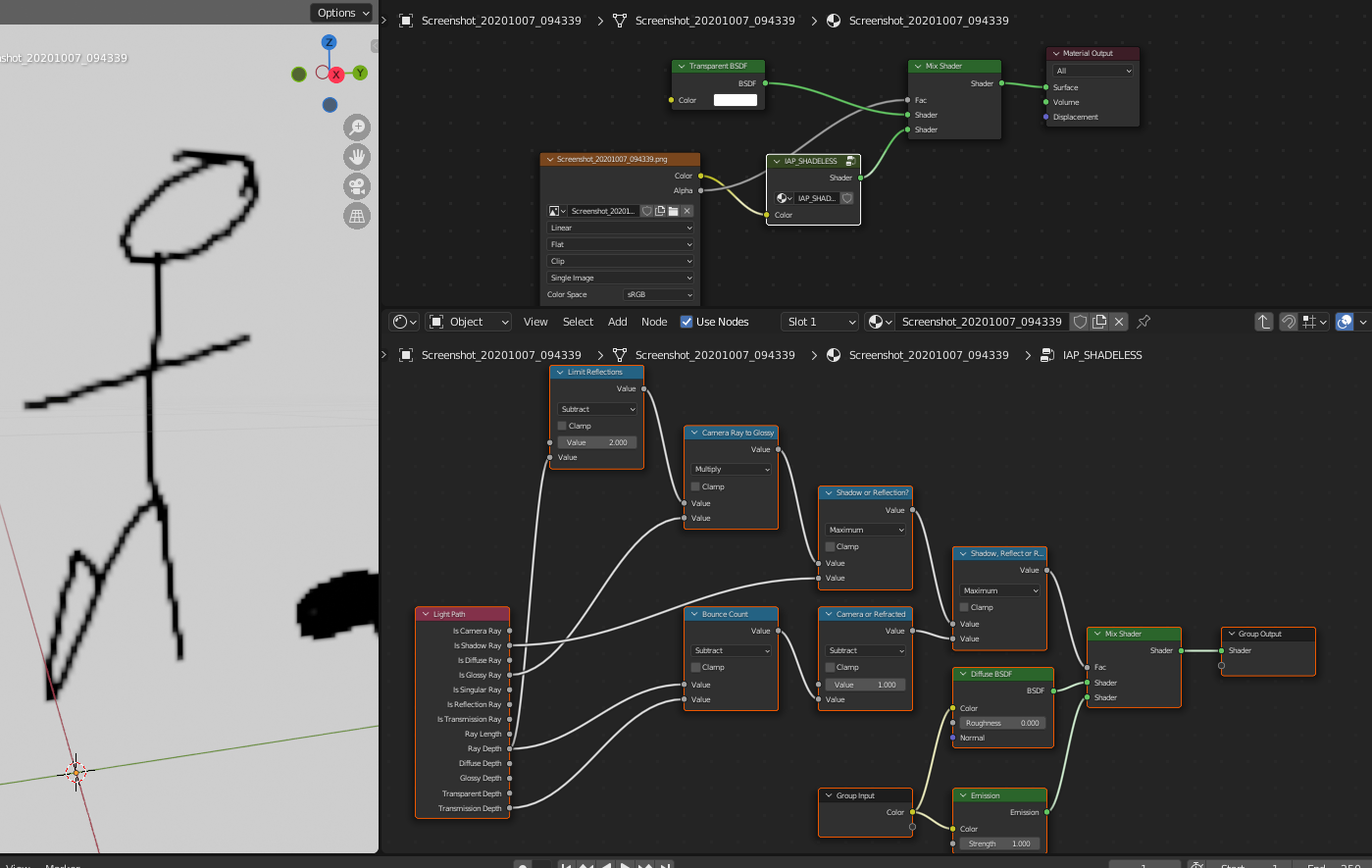
That said, if we import first an image using Image as plane, checking the Shadeless option, then a Groupe node is created and it can easily be turned into a material, usable with Use Custom Material:

So there is also a workaround, just it could be nice to have it directly without relying on Image as Plane. But this is low priority I guess.