

 getsentry
Improve source maps UX for Remix SDK

I have been having issues with this too, any help would be great. I have been currently doing this in my Github Action and the source maps don't work.
        uses: getsentry/action-release@v1
        env:
          SENTRY_AUTH_TOKEN: ${{ secrets.SENTRY_AUTH_TOKEN }}
          SENTRY_ORG: ${{ secrets.SENTRY_ORG }}
          SENTRY_PROJECT: ${{ secrets.SENTRY_PROJECT }}
        with:
          environment: development
          sourcemaps: ./build ./public/build
          version: ${{ env.VERSION }}
Example from tutorial on client side:
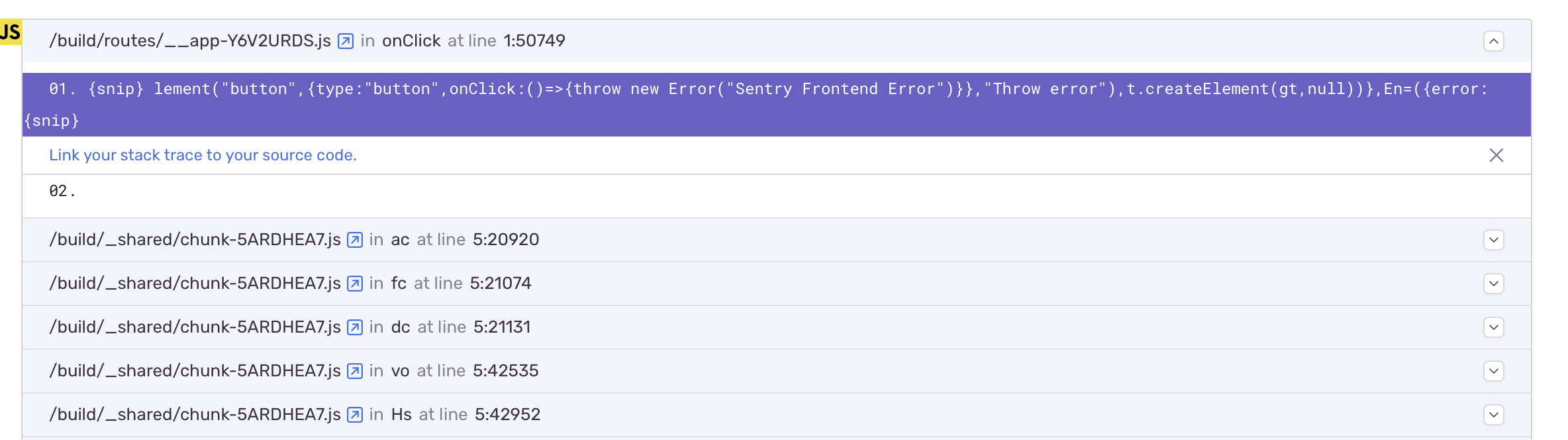
and in loader:


Hey @charklewis thanks for writing in. Did our troubleshooting page manage to help you here? https://docs.sentry.io/platforms/javascript/sourcemaps/troubleshooting_js/
If you look at the Remix sourcemaps upload script, you can see what options we pass in for sentry-cli on upload. Maybe that can help you improve your sourcemaps? https://github.com/getsentry/sentry-javascript/blob/master/packages/remix/scripts/sentry-upload-sourcemaps.js
@AbhiPrasad thanks for the prompt reply. Are you able to share an example of how I would achieve this using the official Github Action? There appears to only be one place to specify the url prefix.
Or if this isn't possible, are you able to share an example of uploading the source maps with the correct prefixes using the cli?
I have confirmed the source maps are uploading, but just not linking correctly to the code.
@AbhiPrasad I was able to get the source maps working using the sentry-upload-sourcemaps util created by the sentry team (I got the reference here).
I can now confirm source maps are uploading, however the server side mapping of the source maps doesn't work. It works perfectly for errors thrown on the client.
Below is an example of what an error looks like for an error thrown in a loader. Do you know how I can resolve this?

@AbhiPrasad I have confirmed this is due to the source maps not being uploaded for the server build. Is this expected or a bug in the sentry-upload-sourcemaps util?
@charklewis how are you generating server-side sourcemaps - are you emitting them to public/build?
@AbhiPrasad for more context, when building a remix project there are two build folders that are generated.
- ~/build
- ~/public/build
The first is for the server that is running the remix app. This code handles the routing, actions, loaders, essentially is like a node app. The source maps for this are ignored in thesentry-upload-sourcemaps util.
The second is the react code that is SSR. These source maps are included in the util and work perfectly in Sentry.
Hmm, perhaps we need to widen the sourcemaps so we upload from ~/build, since sentry-cli offers the ability to an array of paths to include: https://github.com/getsentry/sentry-javascript/blob/9339a73b7b0e115af86b7754f6c783440cd251c1/packages/remix/scripts/createRelease.js#L13
Do you have time to submit a PR? Otherwise I we can look at this later on.
@AbhiPrasad I haven't had a chance to look at this yet 😓 have you had any success?
@AbhiPrasad have you had a chance to look at this? I can test any preview or experimental fixes if they are ready.
For anyone who has the same problem. This is the script that i used on deploy to get sourcemaps working:
# you might wanna set this by yourself
VERSION=`sentry-cli releases propose-version`
# remix build with sourcemaps
NODE_ENV=production npx remix build --sourcemap

# start creating the release
sentry-cli releases new "$VERSION"
sentry-cli releases set-commits "$VERSION" --auto
# upload server sourcemaps
sentry-cli releases files "$VERSION" upload-sourcemaps ./ --ignore node_modules --ignore public --url-prefix="/app"
# upload client sourcemaps (fully separate them by setting dist to client)
sentry-cli releases files "$VERSION" upload-sourcemaps ./public --dist "client"
sentry-cli releases finalize "$VERSION"

# remove source maps so we don't leak them
rm ./public/**/*.map
rm ./build/**/*.map
To get this working you need to:
- install
@sentry/cliglobally - Set sentry envs like the org and project and auth. the cli will tell you what is missing
- Set
--url-prefixto the location of your app. Maybe you can remove this – might be a docker thing … - Add
dist: "client",to your sentry config only inentry.client.tsx

@fiws This was super helpful! I have started to use this over the provided function for the remix sentry package.
It seems like server source maps are not uploaded as part of sentry-upload-sourcemaps. Only public files are uploaded by default.
Uploading server source maps manually in the step after works for me. For example:
yarn sentry-upload-sourcemaps --release $SENTRY_RELEASE
yarn sentry-cli releases files "$SENTRY_RELEASE" upload-sourcemaps ./build --dist "server" --url-prefix '/usr/server/app/remix/build'
Note: I'm also setting dist here as well as in entry.server.ts. I don't think it's actually required.

We should update the upload script to use debug ids as per https://docs.sentry.io/platforms/javascript/sourcemaps/uploading/cli/
duplicated with https://github.com/getsentry/sentry-javascript/issues/8556

For anyone else still having issues getting Sentry's sourcemaps with Remix working, I posted the solution I used here: https://github.com/remix-run/remix/discussions/4343#discussioncomment-8043982
This fixed it for me. Instead of doing (in
package.json)"build": "remix build --sourcemaps && sentry-upload-sourcemaps --release $SENTRY_RELEASE",
I do the following:
"build": "remix build --sourcemap",
"upload-sourcemaps": "sentry-upload-sourcemaps --release $SENTRY_RELEASE --urlPrefix \"~/client-build/\" --buildPath \"public/build\" && sentry-upload-sourcemaps --release $SENTRY_RELEASE --urlPrefix \"~/server-build/\" --buildPath \"build\" --deleteAfterUpload false"
and then during the build process, I do
npm run buildandnpm run upload-sourcemaps. I also do not delete the*.mapfiles inbuild/since as mentioned above, it should be safe to leave the server source maps in that folder. My source maps (.tsfiles) now show up in Sentry. I don't see where theurlPrefixreally impacts things, but it can't hurt.
The only other issue that affects me is that Sentry wraps Remix's
requestHandlerin@sentry/remix. Remix throws a 404 Error when someone visits a route that isn't declared; however, Sentry doesn't treat a 404 Error as a valid response and instead passes a 500 error to the client. This is annoying but I haven't figured out how to solve this yet. If anyone has any tips, I'd appreciate that.
[info]ErrorResponseImpl {
[info]  status: 404,
[info]  statusText: 'Not Found',
[info]  internal: true,
[info]  data: 'Error: No route matches URL "/error"',
[info]  error: Error: No route matches URL "/error"
[info]      at getInternalRouterError (/app/node_modules/@remix-run/router/router.ts:4483:5)
[info]      at Object.query (/app/node_modules/@remix-run/router/router.ts:2933:19)
[info]      at handleDocumentRequestRR (/app/node_modules/@remix-run/server-runtime/dist/server.js:180:35)
[info]      at requestHandler (/app/node_modules/@remix-run/server-runtime/dist/server.js:105:24)
[info]      at /app/node_modules/@sentry/src/utils/instrumentServer.ts:476:36
[info]      at /app/node_modules/@sentry/src/async/hooks.ts:47:14
[info]      at AsyncLocalStorage.run (node:async_hooks:346:14)
[info]      at Object.runWithAsyncContext (/app/node_modules/@sentry/src/async/hooks.ts:46:25)
[info]      at Object.runWithAsyncContext (/app/node_modules/@sentry/src/hub.ts:689:36)
[info]      at /app/node_modules/@sentry/src/utils/instrumentServer.ts:439:36
[info]}
[info][Error: Unexpected Server Error]
[info]GET /error 500 - - 78.008 ms
Hopefully this helps someone else, or someone can point out something I'm doing incorrectly!
