

 getsentry
Cannot readable stack trace in angular sentry
Is there an existing issue for this?
- [X] I have checked for existing issues https://github.com/getsentry/sentry-javascript/issues
- [X] I have reviewed the documentation https://docs.sentry.io/
- [X] I am using the latest SDK release https://github.com/getsentry/sentry-javascript/releases
How do you use Sentry?
Self-hosted/on-premise
Which package are you using?
@sentry/angular
SDK Version
7.7.0
Framework Version
7.7.0
Link to Sentry event
No response
Steps to Reproduce
I did the following instruction in angular.json:
"sourceMap": { "scripts": true, "hidden": true }
in main.ts:
import {enableProdMode} from '@angular/core';
import {platformBrowserDynamic} from '@angular/platform-browser-dynamic';

import {AppModule} from './app/app.module';
import {environment} from './environments/environment';
import * as Sentry from '@sentry/angular';
import {BrowserTracing} from '@sentry/tracing';

Sentry.init({
  dsn: environment.sentryDsn,
  environment: 'development',
  release : environment.release,
  integrations: [
    new BrowserTracing({
      tracingOrigins: ['localhost', environment.ApiUrl],
      routingInstrumentation: Sentry.routingInstrumentation
    })
  ],
  tracesSampleRate: 1,
});

if (environment.production) {
  enableProdMode();
}

document.addEventListener('DOMContentLoaded', () => {
  platformBrowserDynamic().bootstrapModule(AppModule)
    .catch(err => console.error(err));
});
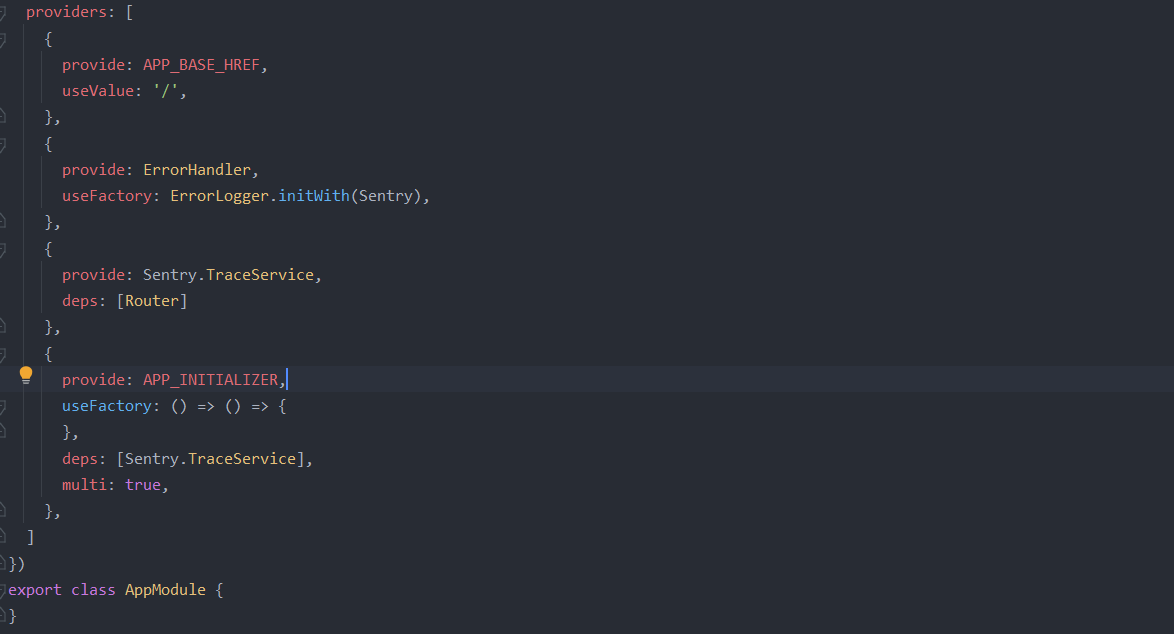
in app.module.ts:
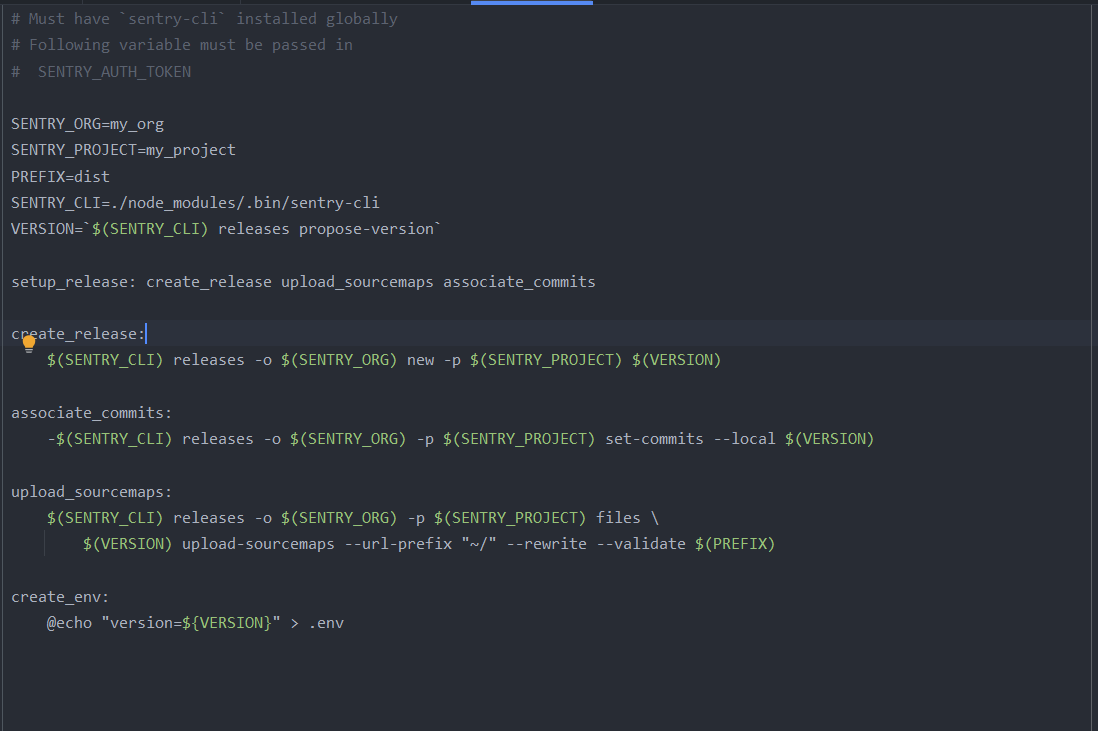
And my Makefile is:
Expected Result
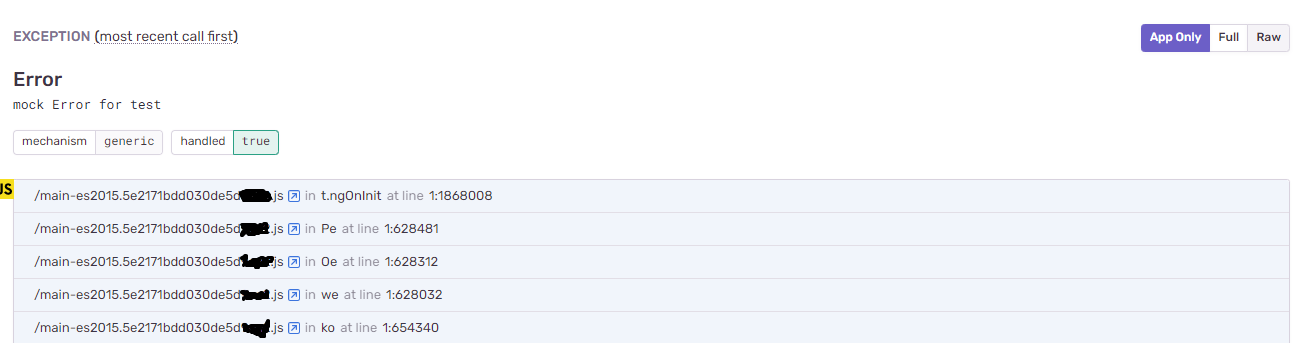
Expected result is which line of code produce error
like this:

Actual Result
The output from Makefile is complete and finish without any error And release is done and all sourceMaps is uploaded on sentry Dashboard, But Still doesn`t recognize where error is trigger exactly

Hi @smrb76 and thansk for writing in!
I took a quick look at your SDK config and I just wanted to ask if you followed our Angular setup guide? The reason I'm asking is because it seems to me that your app.module.ts registers the ErrorHandler a little differently than recommended.
However, since you're getting errors but not the correct source maps, I think the problem is more related to the sourcemaps (upload) configuration. Have you tried following our sourcemaps troubleshooting guide? Maybe sentry-cli sourcemaps explain can help out there.
Often for example, the prefix isn't set correctly (I see, you set it to /~ and I'm wondering if this is correct). Maybe try changing this to ~ (which is what I do for my Angular projects). Note that this is always very specific to how you set up your Angular project (structure), which build tools you're using, etc.
Let me know if this helps!

Thanks for your response Lukas @Lms24
I think there is problem at sourceMap PATHs
after build project(ng build) , my project output is
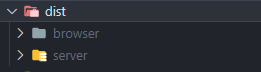 Because I Use Angular SSR and i need sentry in SSR Environment For this Reason my SDK Config changed a little
in app.module.ts:
Because I Use Angular SSR and i need sentry in SSR Environment For this Reason my SDK Config changed a little
in app.module.ts:
 And app.server.module.ts:
 And Error-logger.ts:

My Question is : How to set urlPrefix ?Should i use stripPrefix? How?
Thanks for the information. I agree, the problem is probably related to your sourcemaps filename/path config. Again, I can't exactly tell you what to set here because I don't know how your build directory structure looks. Also, I strongly recommend checking all our sourcemaps materials:
- Sentry CLI upload guide
- Validating Sourcemaps
- Best Practices (this mostly talks about the webpack plugin but the options should also apply to sentry-cli
-
Troubleshooting
- I highly recommend running
sentry-cli sourcemaps explainas instructed in the guide
- I highly recommend running
- Blog Post on common pifalls
Also, I'd recommend checking the filenames of the uploaded files in Sentry UI (Project Settings -> Sourcemaps)
A final idea: Have you tried researching how other Angular SSR (Universal?) users are uploading sourcemaps? Perhaps there's already someone who figured it out with a similar setup to yours
This issue has gone three weeks without activity. In another week, I will close it.
But! If you comment or otherwise update it, I will reset the clock, and if you label it Status: Backlog or Status: In Progress, I will leave it alone ... forever!
"A weed is but an unloved flower." ― Ella Wheeler Wilcox 🥀
![github-actions[bot] avatar](https://avatars.githubusercontent.com/in/15368?v=4 "Published by a pub.dev verified publisher")