
collect
 collect copied to clipboard
 getodk
Redesign map buttons
Closes #3202
What has been done to verify that this works as intended?
Why is this the best possible solution? Were any other approaches considered?
How does this change affect users? Describe intentional changes to behavior and behavior that could have accidentally been affected by code changes. In other words, what are the regression risks?
Do we need any specific form for testing your changes? If so, please attach one.
Does this change require updates to documentation? If so, please file an issue here and include the link below.
Before submitting this PR, please make sure you have:
- [ ] run
./gradlew checkAlland confirmed all checks still pass OR confirm CircleCI build passes and run./gradlew connectedDebugAndroidTestlocally. - [ ] verified that any code or assets from external sources are properly credited in comments and/or in the about file.
- [ ] verified that any new UI elements use theme colors. UI Components Style guidelines

The button changes look good to me. It's hard for me to judge how disruptive the changes to order will be so as you suggested, let's merge early in the next release cycle and get feedback. I think a good outcome is that save is always at the bottom near the thumb.
Since we're not pushing to get this into the current release, how about also updating the look of the "Record a Point" button in geotrace/shape manual selection? Also fine if you'd rather file a separate issue, maybe there's more thinking to do there.
~Not sure whether it's related to these changes but placement by tapping doesn't work with osmdroid at all. Not in placement-map, not in geotrace/shape. Haven't tried other engines.~ https://github.com/getodk/collect/issues/5168
Again, not sure it's related but the placement-map appearance has accuracy at the top with a while background whereas trace and shape use the primary color. I prefer the white background.

One change this makes is not allowing vertical scroll on buttons to accommodate short screens.
I think that's ok. We know there are folks using small devices but my guess is that the would be less likely to do map-related work: it's just not practical to view maps without a little bit of context. This is something we can ask about when we do our first beta for the next release.
In landscape mode or probably in case of small screens it doesn't look good:
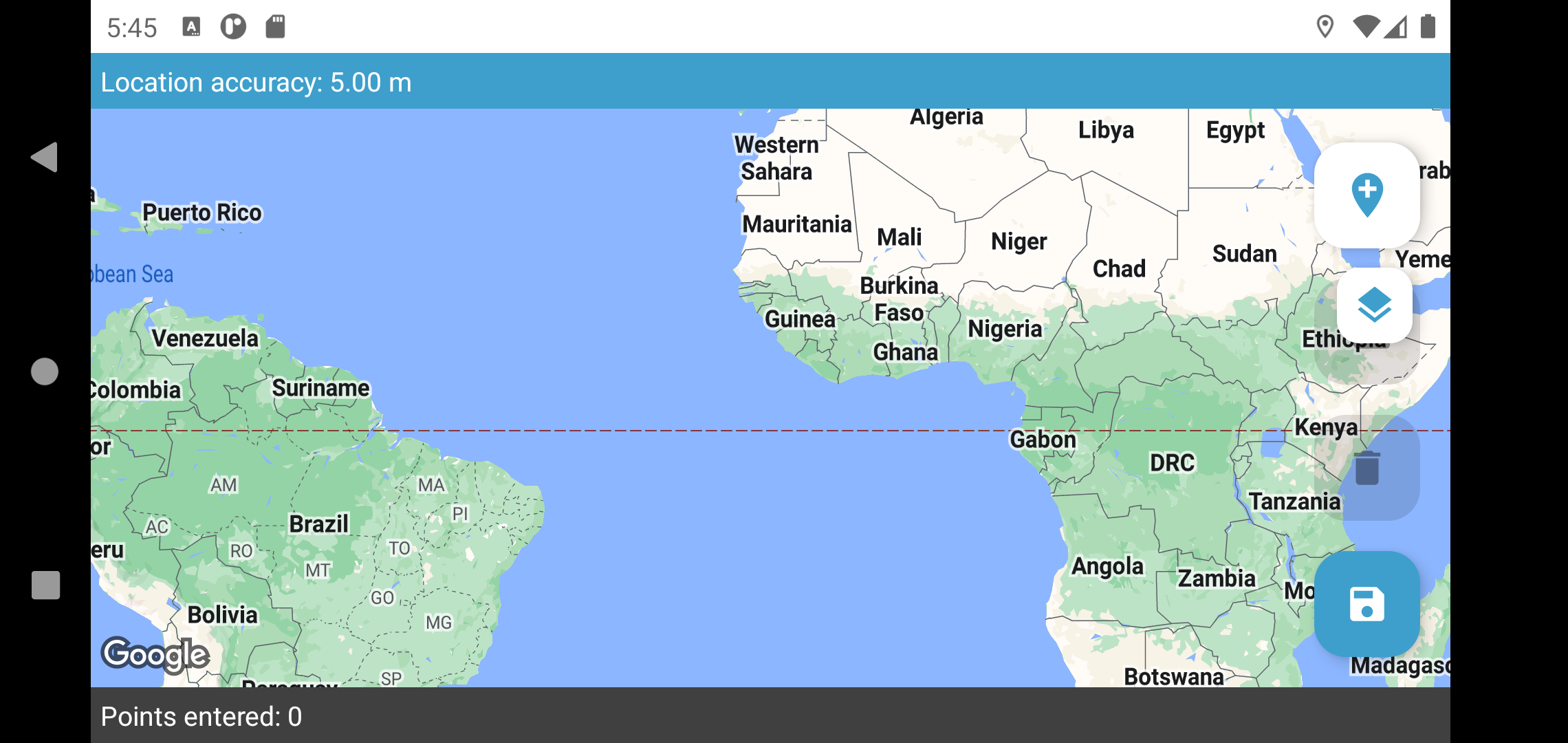

In landscape mode or probably in case of small screens it doesn't look good:
Good catch. I played around with smaller screens a lot, but not landscape. Interestingly, Google Maps seems to show/hide FABs selectively in different UIs (map vs location etc) in landscape. I'll have a play with doing something like that.
@lognaturel @grzesiek2010 I've added a layout specifically for landscape for geoshape/geotrace that puts the larger FABs in a horizontal row rather than a vertical column. Let me know what you think - I can do the same thing for the other map views if we feel like this works well.
I've added a layout specifically for landscape for geoshape/geotrace that puts the larger FABs in a horizontal row rather than a vertical column. Let me know what you think - I can do the same thing for the other map views if we feel like this works well.
It looks good to me.
I’ve noticed that a disabled button is barely visible if the dark mode is applied when the map in the background is grey or light green or if the light mode is applied on e.g. Control room offline layer which is dark.
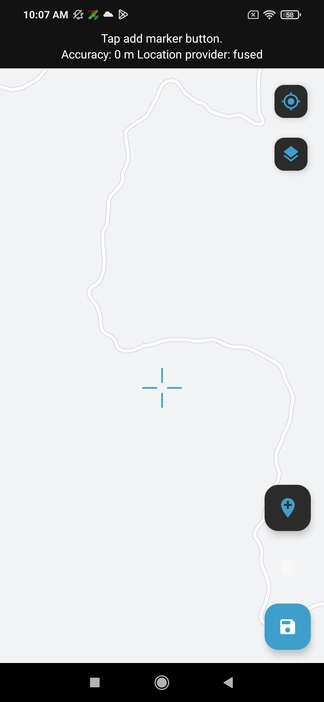
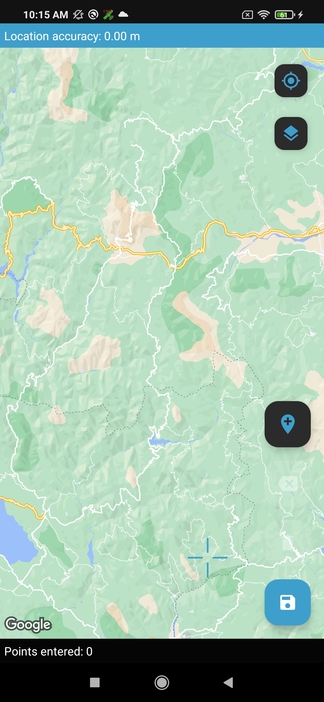
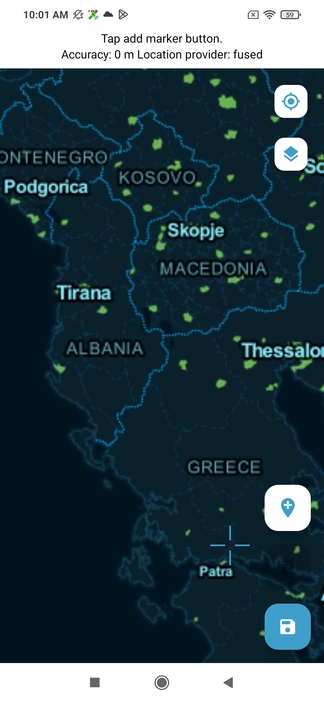

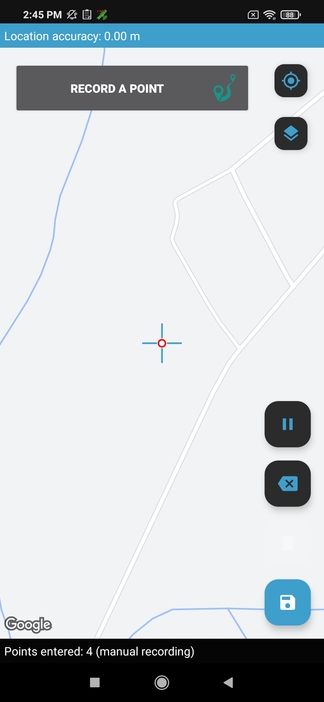
Record a point button has the previous design (different style than other map buttons).
@dbemke ah this is fascinating. We don't actually switch theming on the maps, so dark theming really doesn't work on the buttons. Event the visible map buttons look really out of place. I'll have a quick look at seeing if we can switch theming for the maps, but I doubt we'll be able to for all 3 engines. I think we'll probably need to look at forcing a light theme on screens with maps.
@dbemke ok I've made it so that the map buttons use light theming even when dark theme is enabled (as the map itself is always light). The one exception is the manual record button in geo shape/trace. That currently uses an old button style, and I think we'd need to redesign it for it to be worth forcing the light theme.
On light maps the light theme looks nice and a disabled button is visible but it possible to change the style of the map e.g. in Google maps satellite or hybrid style there's dark green in the background.
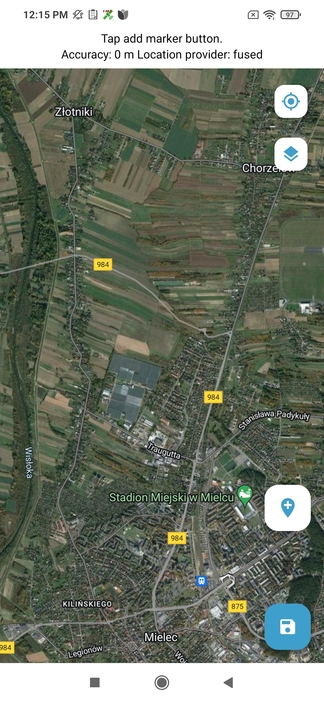
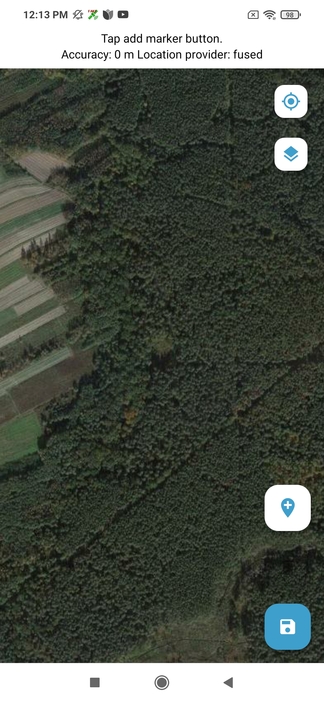
@dbemke I've tweaked the transparency of disabled buttons to hopefully make them more (but not too) visible on in geo shape/trace. Take a look and let me know what you think. If it's good enough, I can make that change in the other map views as well.
@seadowg I've checked different backgrounds (light and dark) and now disabled buttons are visible in every case.
Tested with Success!
Verified on Emulator with Android 13
Verified Cases:
- Issue from the comments is no longer reproducing;
- All map views;
- Enabled and Disabled buttons;
- Different map sources;
- Light and Dark mode;
- Horizontal and Vertical View;
- Buttons arrangement;
- Overall UI look;
- Quick regression check on GeoPoint widgets, Submissions Select map and External map widgets;
- Offline Layers
- RTL language
