

 getkirby
Blueprint: columns inside a fields section
You can often have a page with some sections where you have some hero image and other content fields. It would be nice to be able to put the image on one side and have all other fields beside it.
You can kind of accomplish this with the width option:
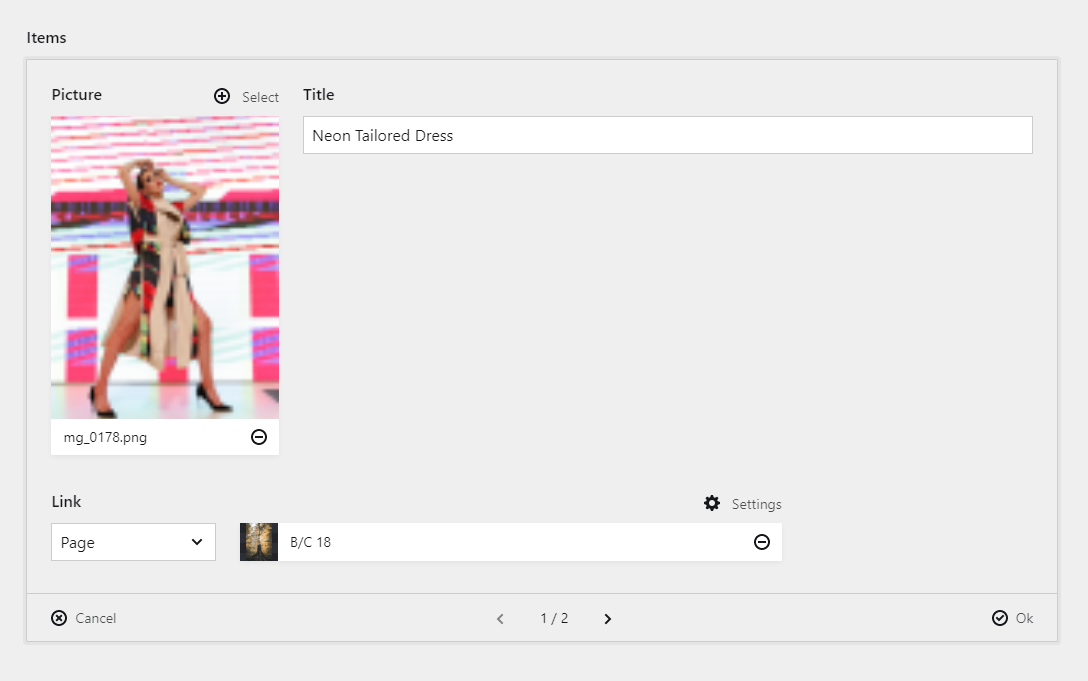
But as you can see, you can only put one field next to the image. All the rest go below it.
You can do that by specifying a column with a fields section that contains just the image and another column that contains the fields. Apart of being annoying and verbose to specify in the blueprint, it's very limited:
- What if you have multiple images where you want to put files next to them? You need to define a column for each pair of image and field. Although you can do that, you would likely have a pages section, which also needs to be in a column, which then makes this impossible.
- In structures, which is the current use case, you just can't do that.
My proposal to add a columns value to the fields section type:
title: Collection
columns:
  main:
    width: 3/4
    sections:
      fields:
        type: fields
        columns:
          sidebar:
            width: 1/3
            fields:
              picture:
                type: files
          main:
            width: 2/3
            fields:
              heading:
                type: text
Another option is to have a column field type:
title: Collection
columns:
  main:
    width: 3/4
    sections:
      fields:
        type: fields
        fields:
          sometext: # full width
            type: textarea
          sidebar: # column with image
            width: 1/3
            type: column
            fields:
              picture:
                type: files
          main: # column with fields
            width: 2/3
            type: column
            fields:
              heading:
                type: text
              description:
                type: text
          anothertext: # full width
            type: textarea
The end result should be something like this:
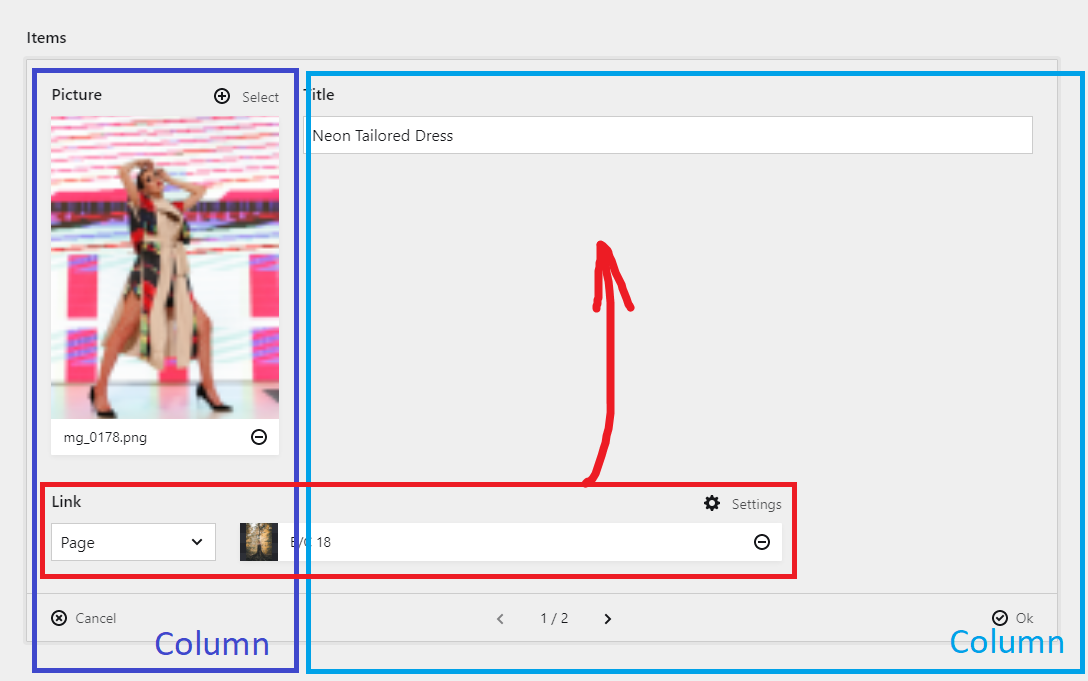

Why not?
title: Collection
columns:
  …
  side:
    width: 1/4
    sections:
      fields_side:
        type: fields
        fields:
          picture:
            type: files
  main:
    width: 2/4
    sections:
      fields_main:
        type: fields
        fields:
          heading:
            type: text

@distantnative because you can't do that in a structure. In my original post, I'm using one.
Also, what if I want a files field and a few text fields beside it, but then I want more fields below? I have to define 3 columns with 3 separate fields sections. If you can do that with a special "field," it'd be easier and doable in structures.
Ok, the structure field part understood.
Regarding the markup, I think it’d be pretty much the same whether you have 1 column > 1 field section > 3 fields > 3 columns > x fields or 3 columns > 3 field sections > x fields
@distantnative in terms of markup - yes. I'm talking about the YAML configuration for the blueprint - you'd need separate columns and sections.