getAlby
Incorrect password entry for existing email on the "Your Alby Lightning Wallet" web page does not give an error notification
Bug description
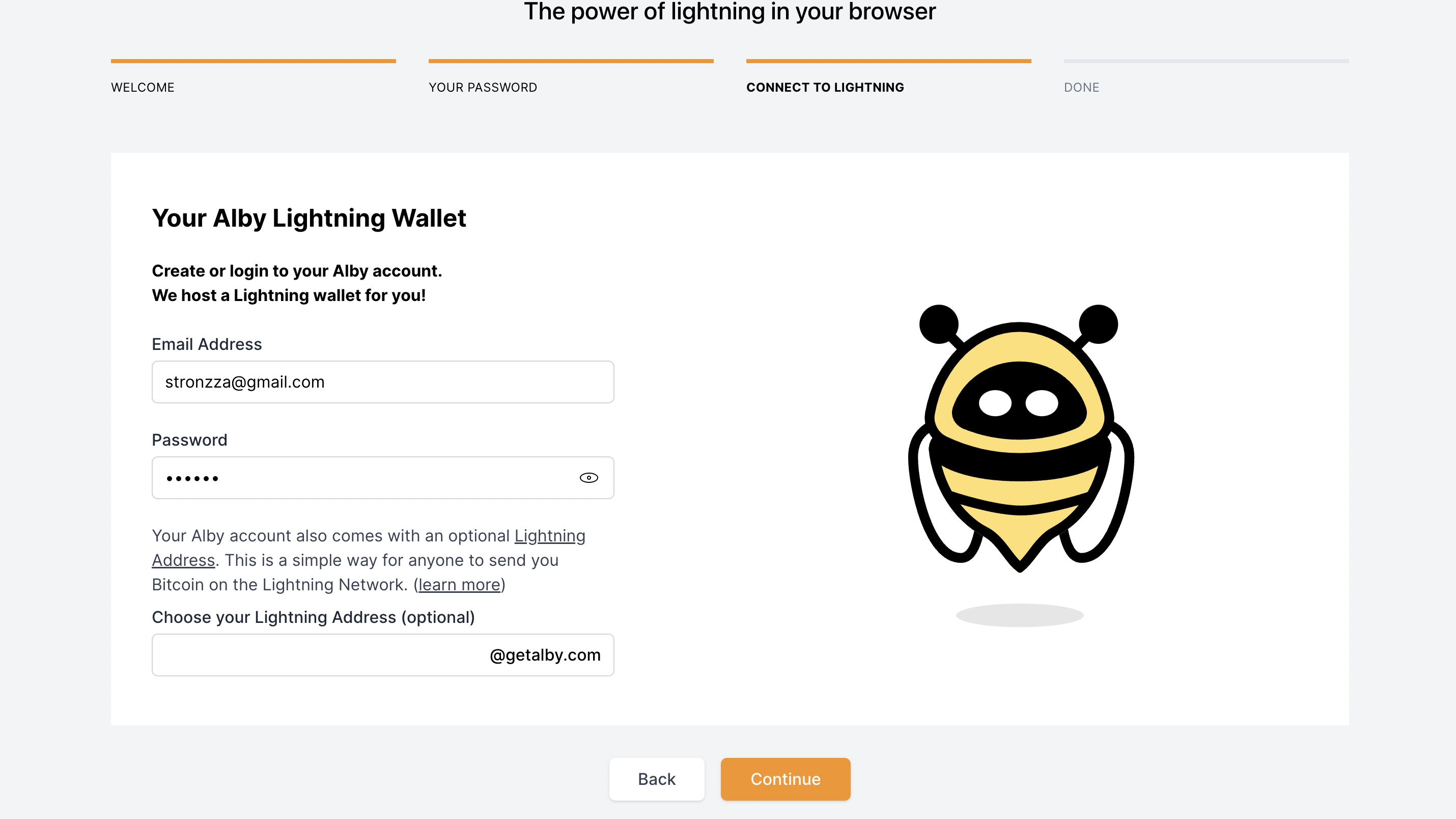
The system does not give an error notification on incorrect password entry on the "Your Alby Lightning Wallet" web page
Screenshots
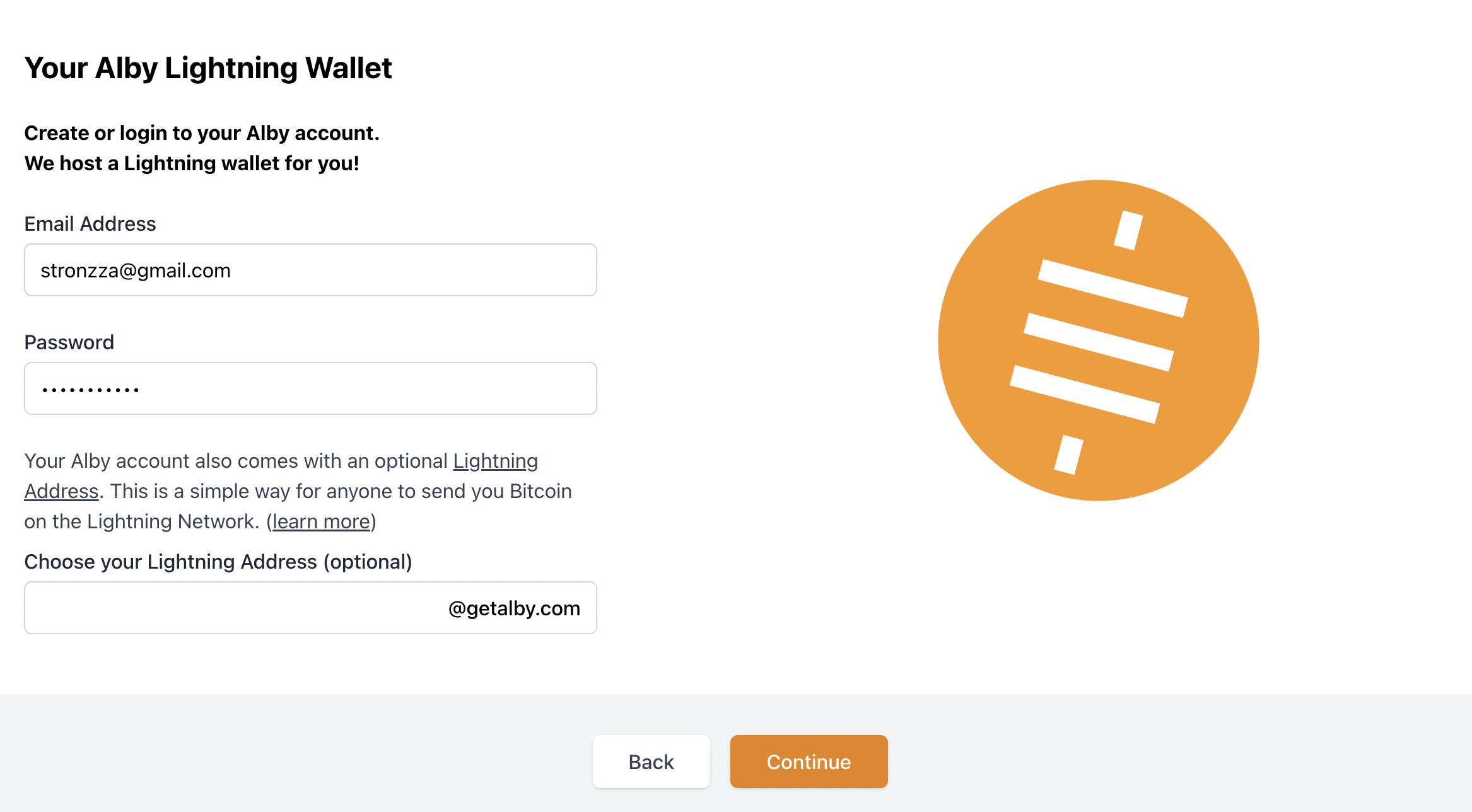
Steps to reproduce the behaviour:
- Visit to getalby.com
- Click on "Install Alby"
- Click "Add extension to Chrome"
- Click "Get started"
- Choose and confirm password
- Choose Alby Wallet
- Input existing email
- Input incorrect password
Expected behavior
System does not give a wrong password respond
Alby information
Alby Version: [v1.12.0] Alby installed through Google Chrome
Device information:
OS: [macOS Monterey 12.0.1 ] Browser [chrome] Browser Version [Chrome Version 103.0.5060.114]
Are you working on this issue?
No


In version [v1.13.0] when Alby is installed we have a notification of taken email (ref. #1162 , but no instructions on password recovery
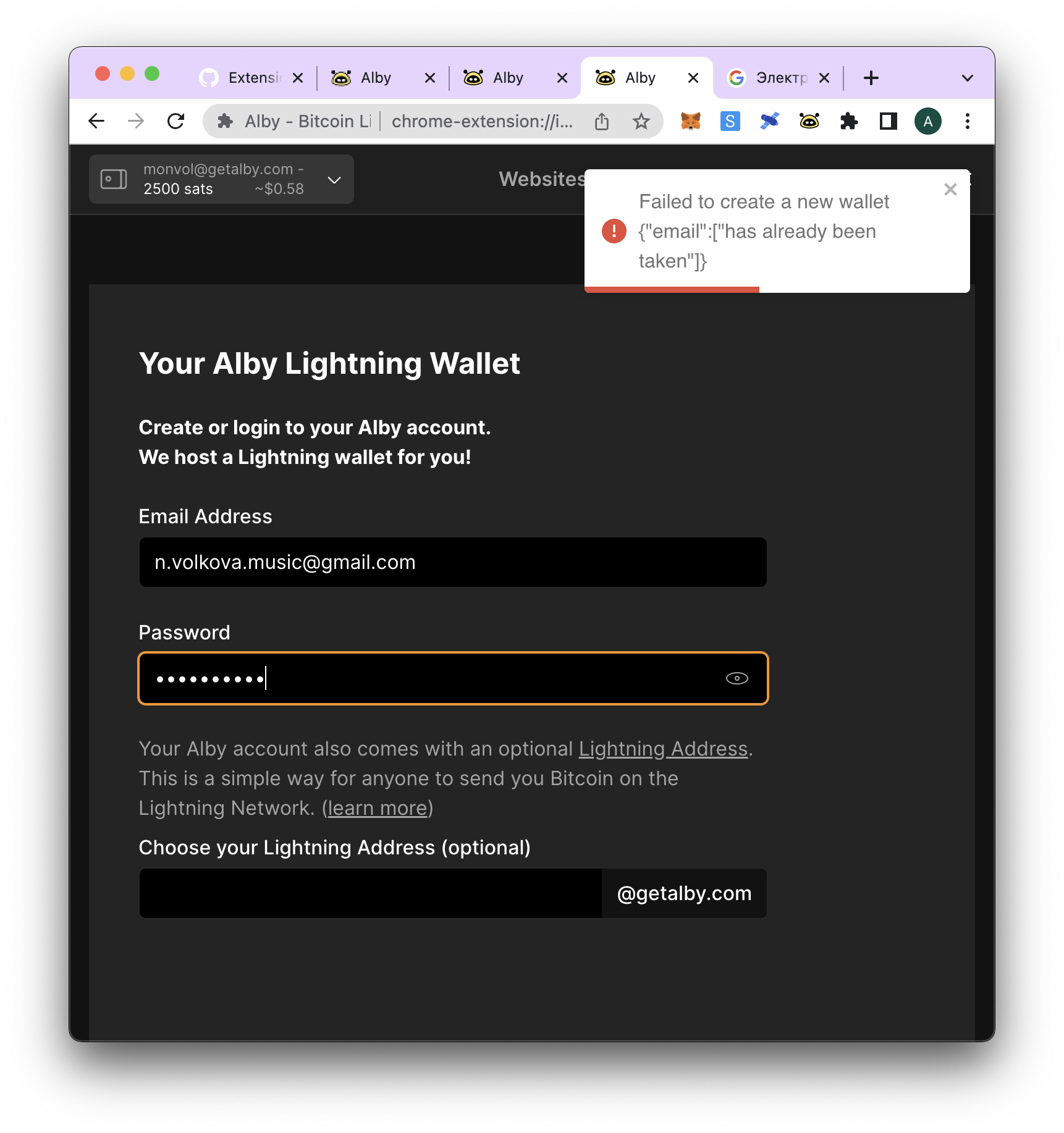
when we are installing Alby and trying to log in with existing email it still do not get any error message