geoserver
[GEOS-10058] Welcome Page Layout
See https://github.com/geoserver/geoserver/wiki/GSIP-202 proposal for details, prior discussion on https://github.com/geoserver/geoserver/pull/6113
Available for testing: https://sourceforge.net/projects/geoserver/files/GeoServer/2.22-M0/
Available for testing:
docker pull docker.osgeo.org/geoserver:2.22-M0
mkdir data_directory
docker run -it -p 80:8080 docker.osgeo.org/geoserver:2.22-M0
Known issues:
- Disabling global services does not hide service links as expected
- Service capabilities heading is displayed at bottom of page (even if no service capabilities are listed from csw, ogcapi, etc...)
Notes and Feedback
-
Reviewed the the existing
CapabilitiesHomePageLinkProviderwhich was setup to return a component; but in reality the component was always aCapabilitiesHomePagePanelwhich does not have enough visibility to see ServiceInfo objects. Decided to setup aServiceDescriptionProviderextension to return a data structure (ServiceDescriptino and ServiceLinkDescription) which can be processed for display. We can deprecateCapabilitiesHomePageLinkProviderwhen transition is complete. -
Experimenting with using page properties to include workspace and layer information in URL (
ne,ne/roads,?workspace=ne,?workspace=ne&layer=roads) so we can share a URL to a workspace's services. The logic for how this is handled in dispatcher is spread out in a number of locations. -
@bradh provided api and javadoc feedback -- resolved
-
@aaime asks that the look be more in keeping with geoserver standard appearance; or even the original proposal.
Changed to use of standard headings, normal font size, and reduced the size of most everything.
-
@MichelGabriel asked that the web services be a link, rather than just the text
-
Used
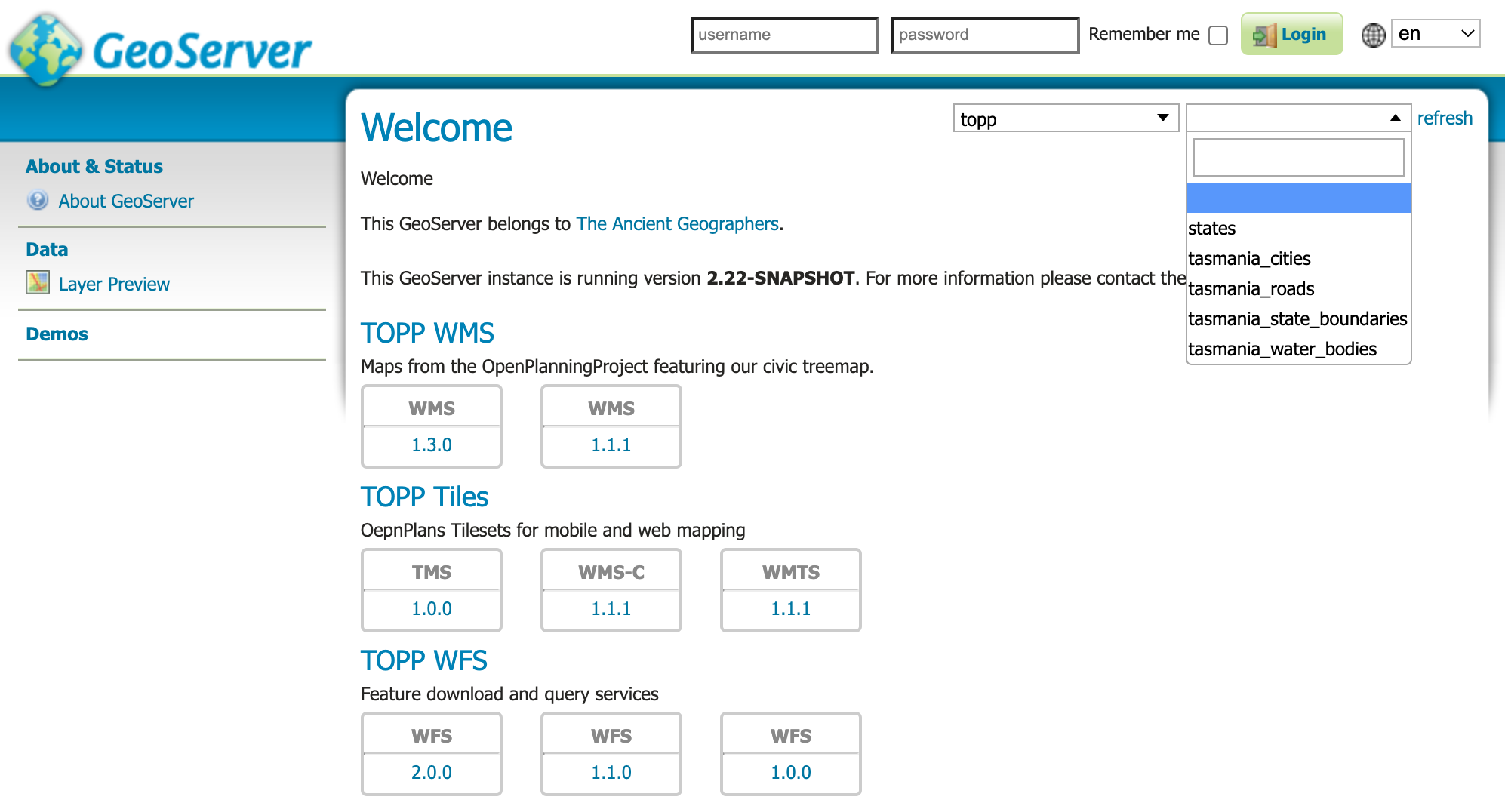
Select2DropDownChoiceto list workspaces, layer groups and layers for selection. Had some trouble with SecurityCatalogImpl which was ignoring workspace and layer read permissions, and setting read to false when user was not an admin. While this was fixable it broke too many security tests, and I found another way to do it - GeoServerHomePage clears the AdminRequest thread locale if it is operating as an anonymous page.
The result is much improved
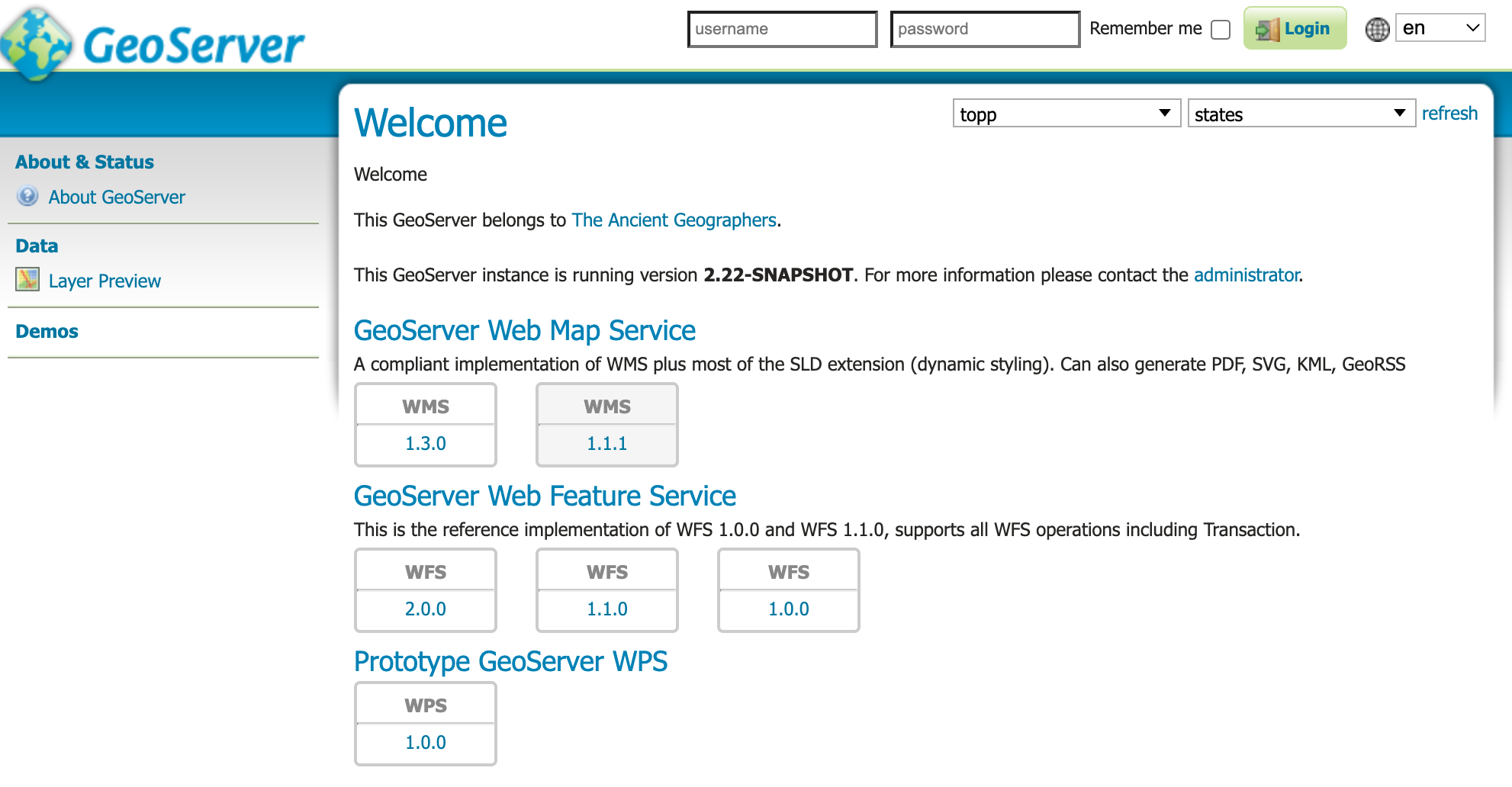
Workspace specific:
Checklist
- [x] I have read the contribution guidelines.
- [x] I have sent a Contribution Licence Agreement (not required for small changes, e.g., fixing typos in documentation).
- [x] First PR targets the
mainbranch (backports managed later; ignore for branch specific issues). - [ ] All the build checks are green (see automated QA checks).
For core and extension modules:
- [x] New unit tests have been added covering the changes.
- [ ] Documentation has been updated (if change is visible to end users).
- [ ] The REST API docs have been updated (when changing configuration objects or the REST controllers).
- [x] There is an issue in the GeoServer Jira (except for changes that do not affect administrators or end users in any way).
- [ ] Commit message(s) must be in the form
[GEOS-XYZWV] Title of the Jira ticket. - [ ] Bug fixes and small new features are presented as a single commit.
- [ ] Each commit has a single objective (if there are multiple commits, each has a separate JIRA ticket describing its goal).

Added select control for workspace and layers; but the catalog.getLayers() is not returning content unless logged in....
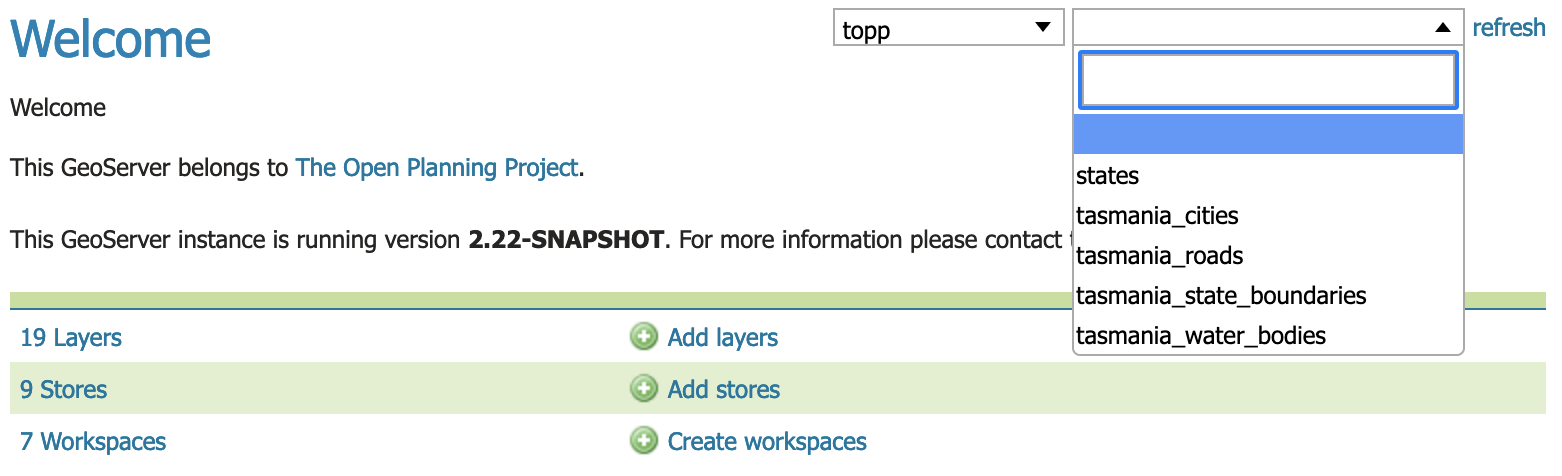
Looks indeed much better. Maybe there should be a bit more vertical space between one services section and the next one?
Wondering how the new page interacts with:
- OGC API modules (currently they seamlessly integrate in the list, how does it look after the change?)
- Logged in page, which often contains warnings, and tools to create new stores/layers on the spot

- OGC API modules (currently they seamlessly integrate in the list, how does it look after the change?)
Here is with csw and ogcapi - they use the updated CapabilitiesHomePagePanel which has had geoserver.css styles adjusted to visually match.
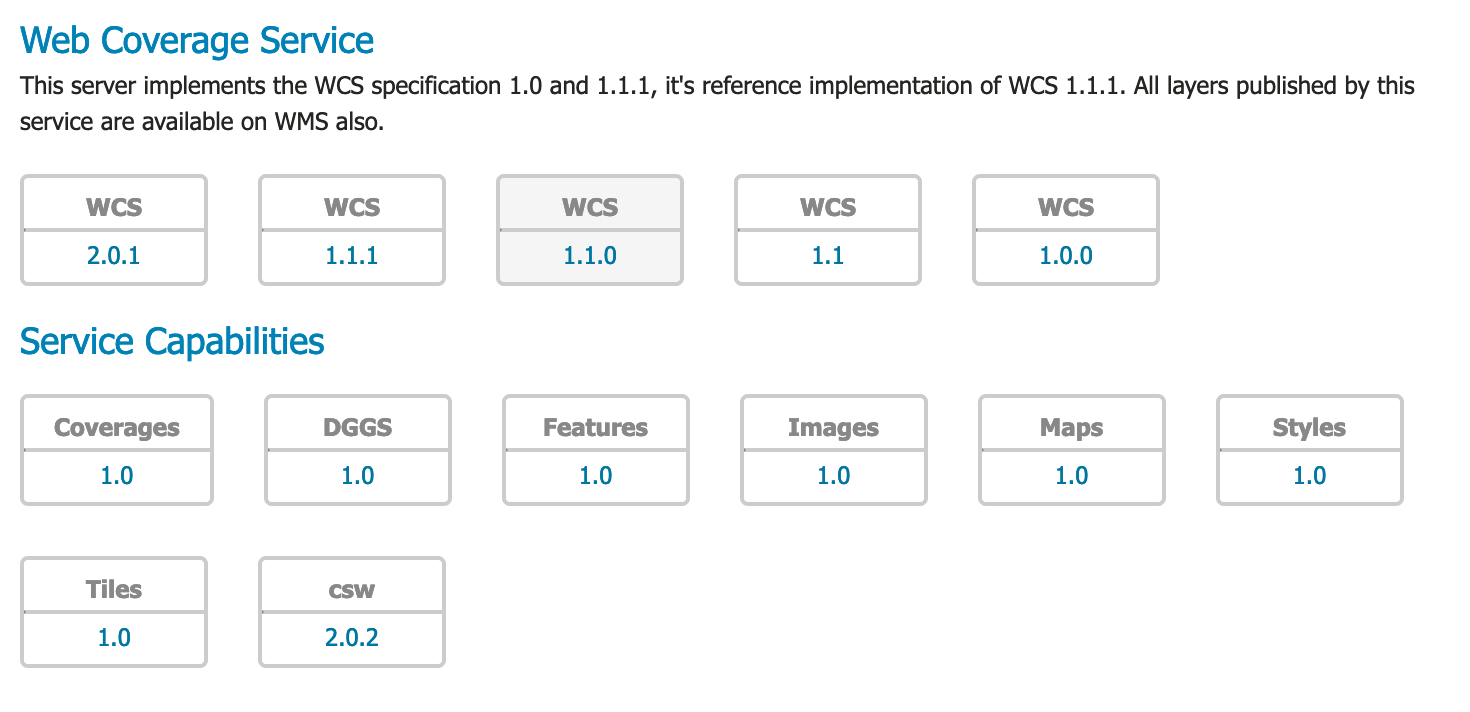
Because wicket components are being produced I could not process it into useful "other" panel; although now that I look at it I may talk to Michel to see if something could be done.
Update: Michel helped and it looks happier, reused the service capabilities header as an "other".
Logged in page, which often contains warnings, and tools to create new stores/layers on the spot
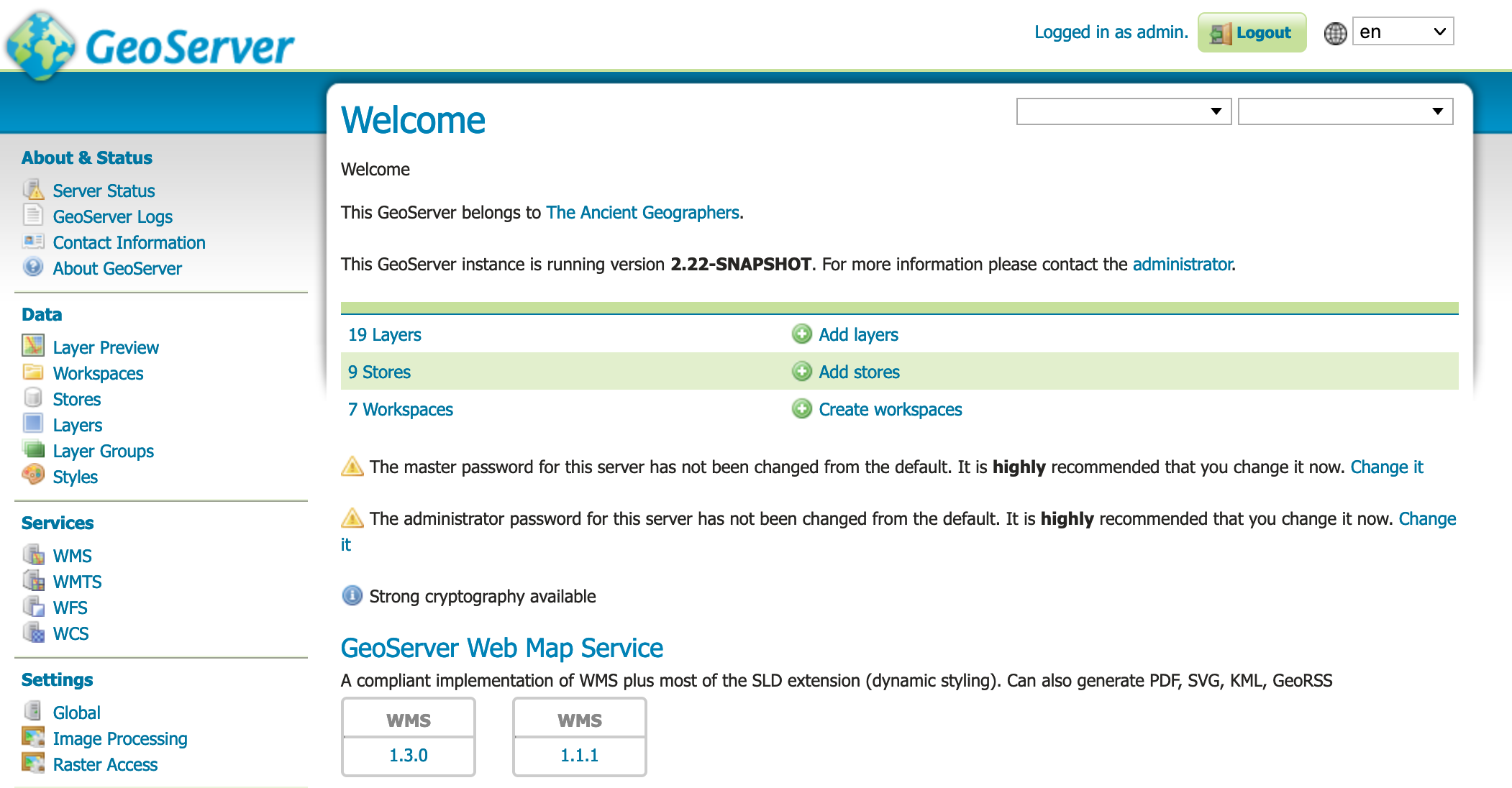
Just rebased to get a small fix in without making the commit history difficult.
I've left some feedback in https://osgeo-org.atlassian.net/browse/GEOS-10634

Toying with the home page, I've noticed the list of "extra services" does not reduce based on the currently selected layer:
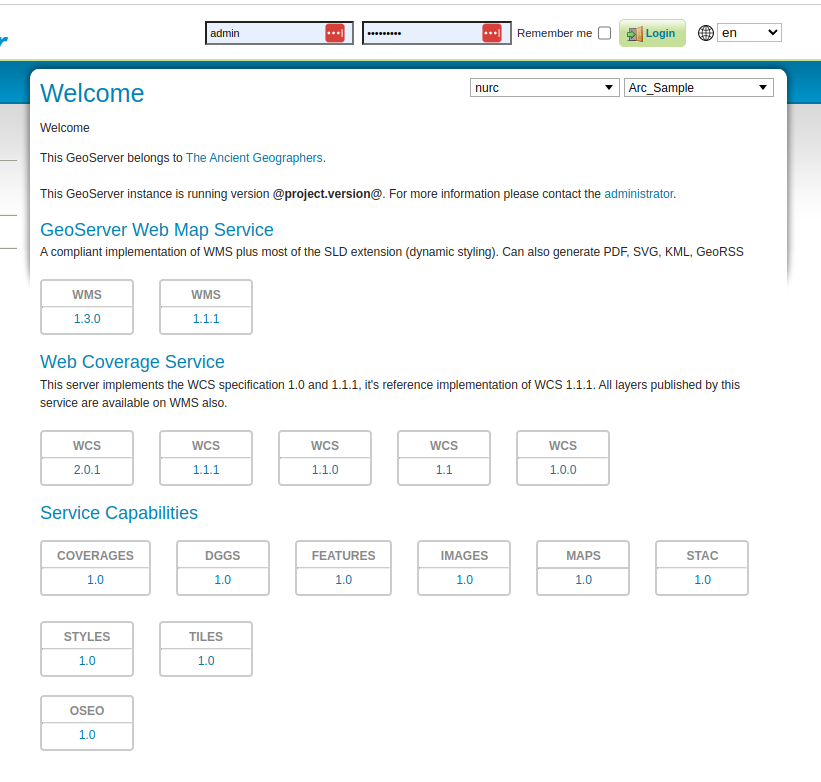
"Service capabilities" could use a static explanation (something saying this are "other services" I suppose?) and its contents is not sensitive to the type of layer just selected.
The boxes for the service links still seem pretty bulky to me...
Ah, noticed that the REST API is linked when logged in, nice touch.
After a bit of fiddling the other services decided to reorg themselves in a column (but I have no local changes??), which is not looking nice:
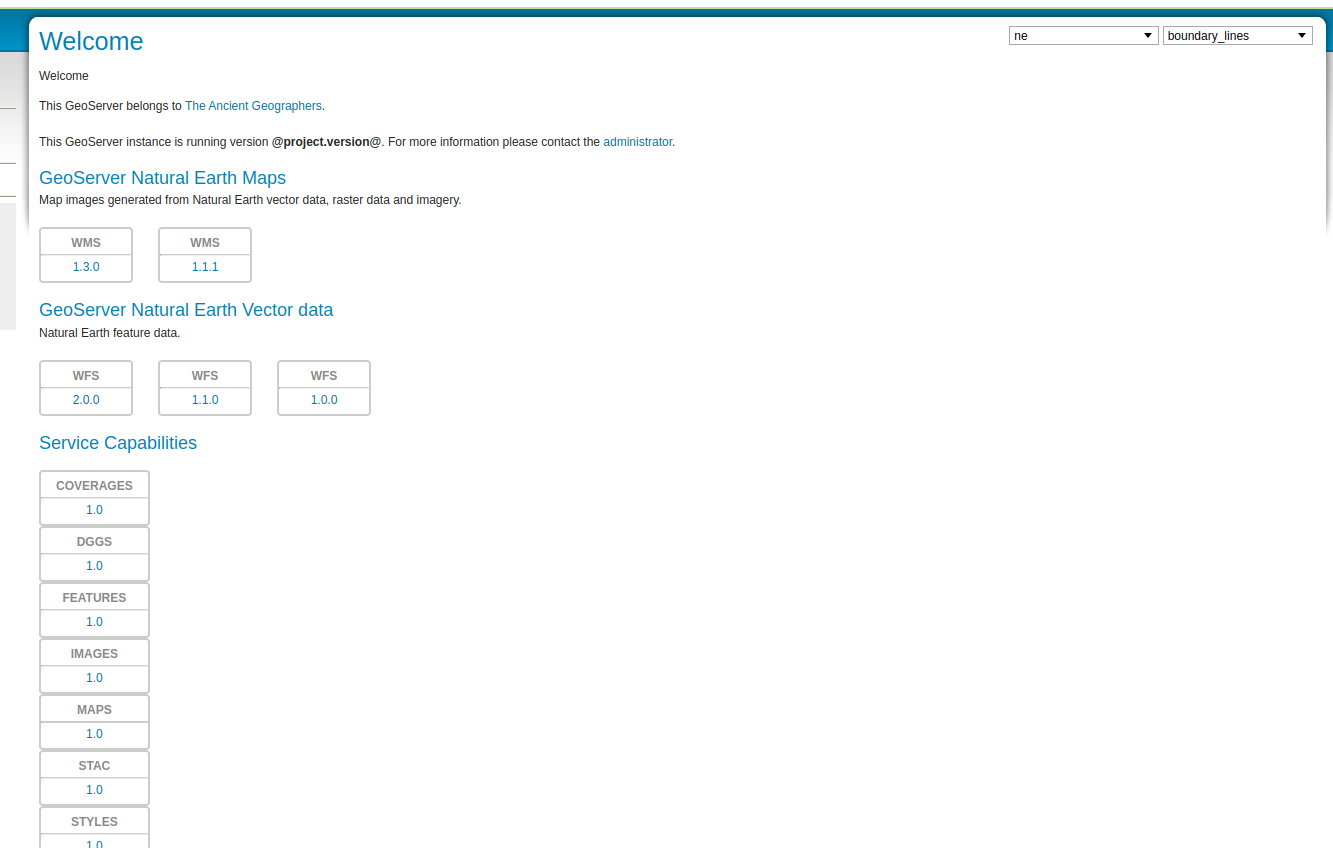
Checks have now legit compile failures:
Error: 1,400 [ERROR] Failed to execute goal org.apache.maven.plugins:maven-compiler-plugin:3.8.0:compile (default-compile) on project gs-web-core: Compilation failure
Error: 1,400 [ERROR] /home/runner/work/geoserver/geoserver/src/web/core/src/main/java/org/geoserver/web/GeoServerHomePage.java:[295,55] illegal start of type
About the new NE map, labels at this scale denominator would have plenty of space, I keep on wondering if labels are broken as I zoom in and out:
They show up at the next zoom level, where the generalization of country borders is too visible:
The net result is that it's difficult to see a "nice map".
I am sure more can be done during RC phase; for now I would like to focus on the functionality and we can circle back to the styling during RC.
Initial Notes and Feedback
-
Reviewed the the existing
CapabilitiesHomePageLinkProviderwhich was setup to return a component; but in reality the component was always aCapabilitiesHomePagePanelwhich does not have enough visibility to see ServiceInfo objects. Decided to setup aServiceDescriptionProviderextension to return a data structure (ServiceDescriptino and ServiceLinkDescription) which can be processed for display. We can deprecateCapabilitiesHomePageLinkProviderwhen transition is complete. -
Experimenting with using page properties to include workspace and layer information in URL (
ne,ne/roads,?workspace=ne,?workspace=ne&layer=roads) so we can share a URL to a workspace's services. The logic for how this is handled in dispatcher is spread out in a number of locations. -
@bradh provided api and javadoc feedback -- resolved
-
@aaime asks that the look be more in keeping with geoserver standard appearance; or even the original proposal.
Changed to use of standard headings, normal font size, and reduced the size of most everything.
-
@MichelGabriel asked that the web services be a link, rather than just the text
-
Used
Select2DropDownChoiceto list workspaces, layer groups and layers for selection. Had some trouble with SecurityCatalogImpl which was ignoring workspace and layer read permissions, and setting read to false when user was not an admin. While this was fixable it broke too many security tests, and I found another way to do it - GeoServerHomePage clears the AdminRequest thread locale if it is operating as an anonymous page.
The result is much improved
Workspace specific:
GeoServer 2.22-M0 Milestone Notes and Feedback
Available for testing: https://sourceforge.net/projects/geoserver/files/GeoServer/2.22-M0/
Available for testing:
docker pull docker.osgeo.org/geoserver:2.22-M0
mkdir data_directory
docker run -it -p 80:8080 docker.osgeo.org/geoserver:2.22-M0
Known issues from 2.22-M0 testing:
- [x] Disabling global services does not hide service links as expected
- [x] Service capabilities heading is displayed at bottom of page (even if no service capabilities are listed from csw, ogcapi, etc...)
Issues address in response to testing and feedback:
- Select2DropDownChoice updates check object, input and raw input to determine updated workspace name or layer name
- Refactor large init method into smaller methods each focused on a section of the page
- Admin overview summary now updates to reflect current selection
- Replace "Welcome / Welcome" (Title / Description) with a dynamic description that updates to describe what is being shown on the page of the form.
- global services were not disabling or hiding services
Issues identified:
- [x] GEOS-10664 WMTSGetCapabilities providerSite use of online resource
- [x] GEOS-10668 HTML page default for WFS 1.0.0 GetCapabilities OnlineResource (when WFSInfo.getOnlineResource() not available)
Non-critical issues:
- [ ] GEOS-10663 Recognize ContactInfo addressDeliveryPoint to address as synonyms and update WFS 1.1 Transformer
Welcome Page with Global Services OFF

Welcome Page with Global Services ON
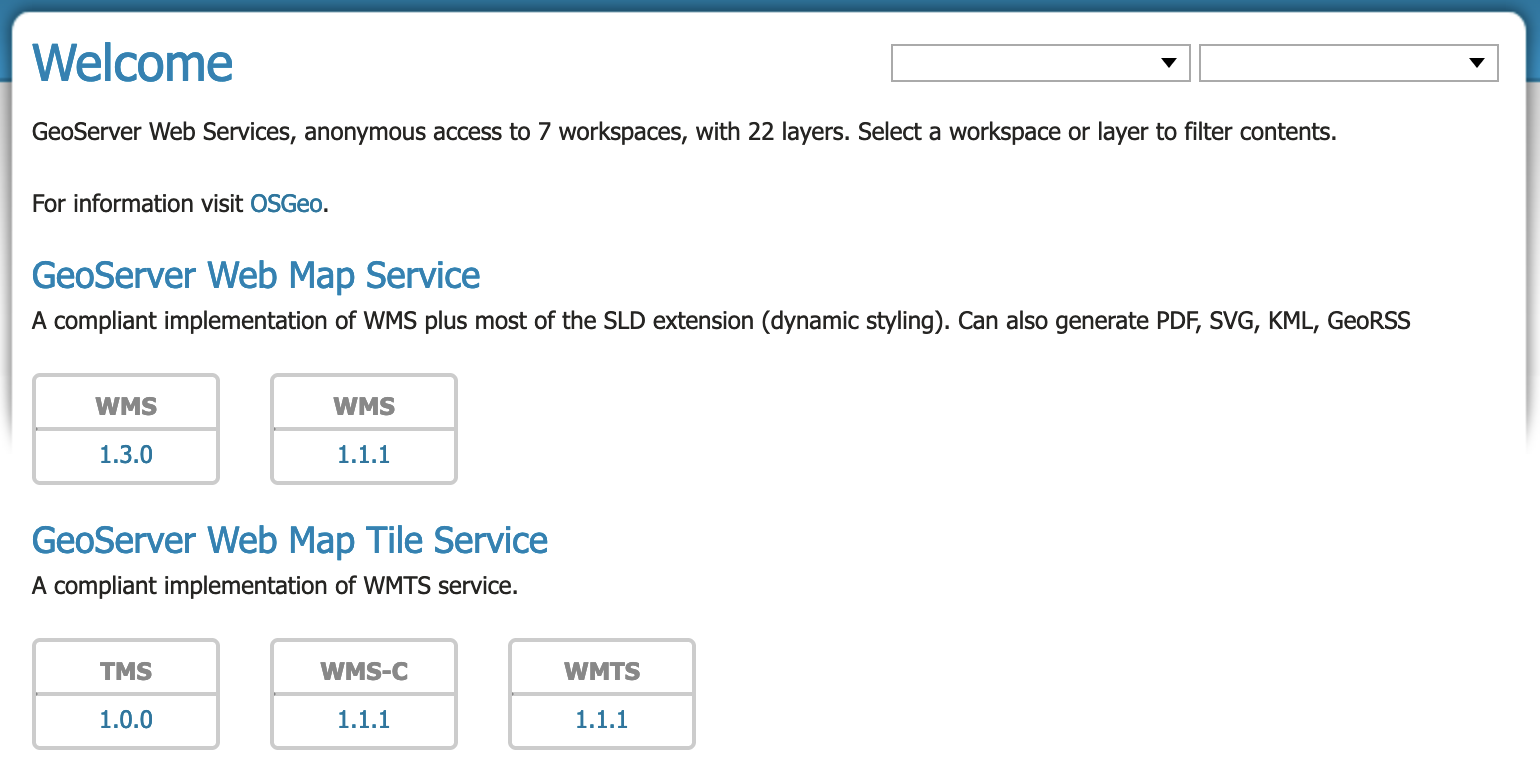
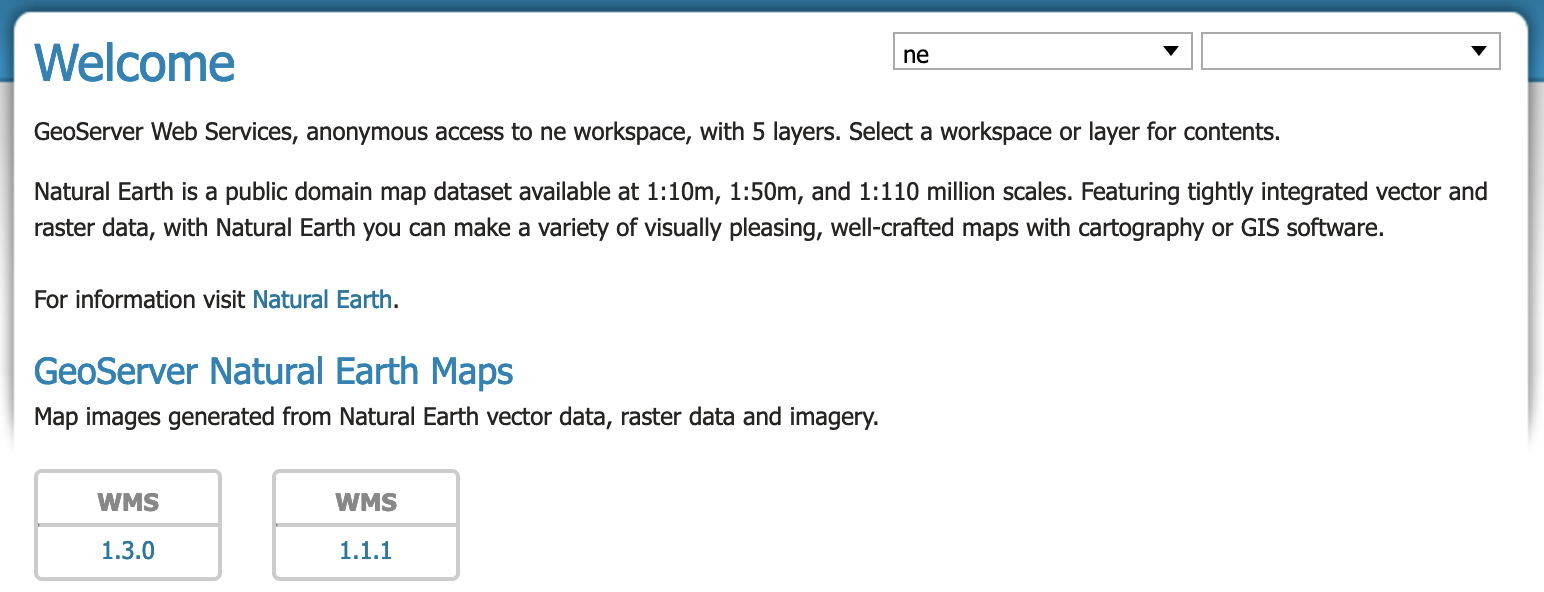
Welcome Page with workspace selected
Workspace settings have customized online resource, organization name, and welcome blurb.
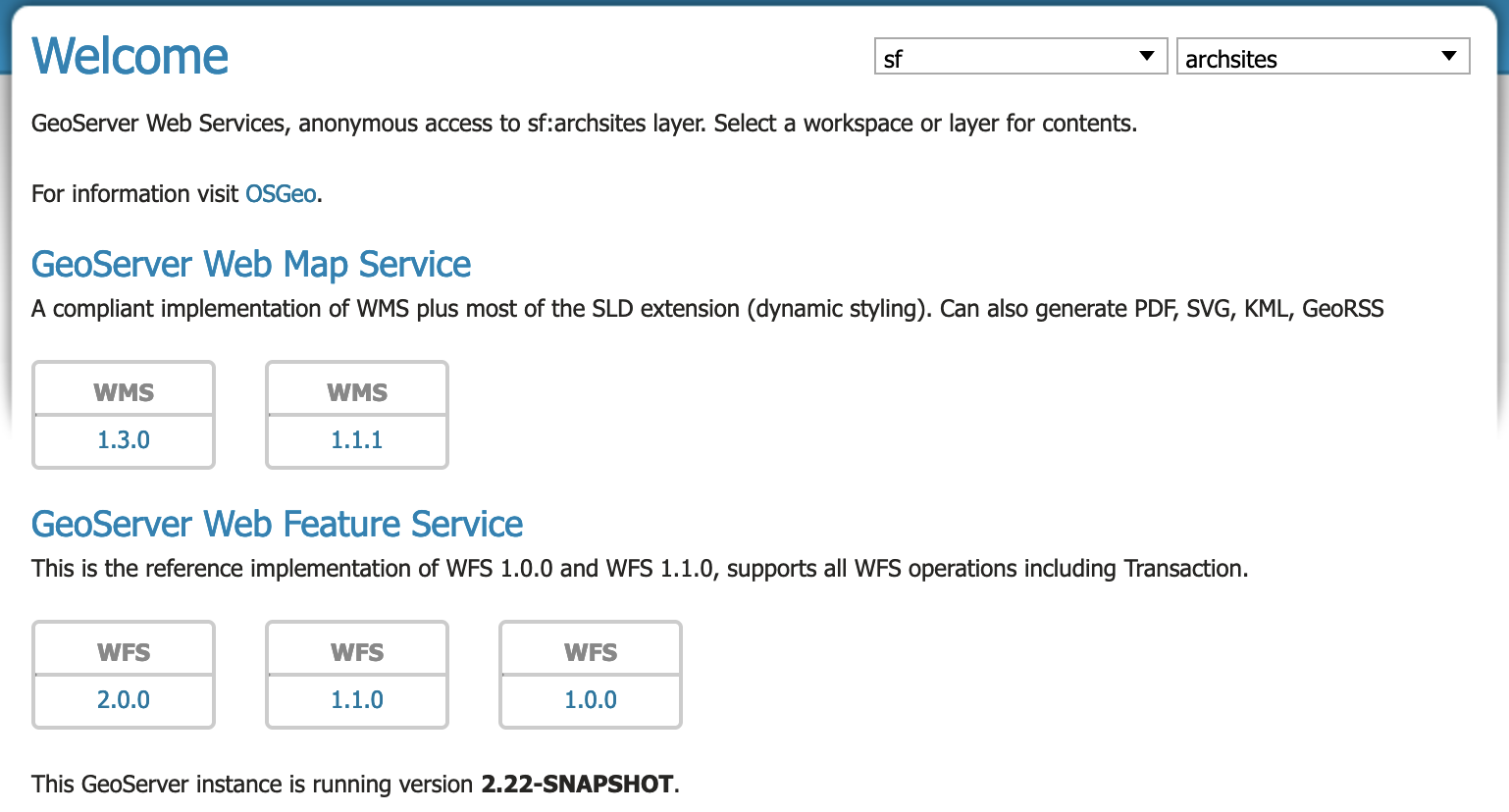
Welcome Page with layer selected
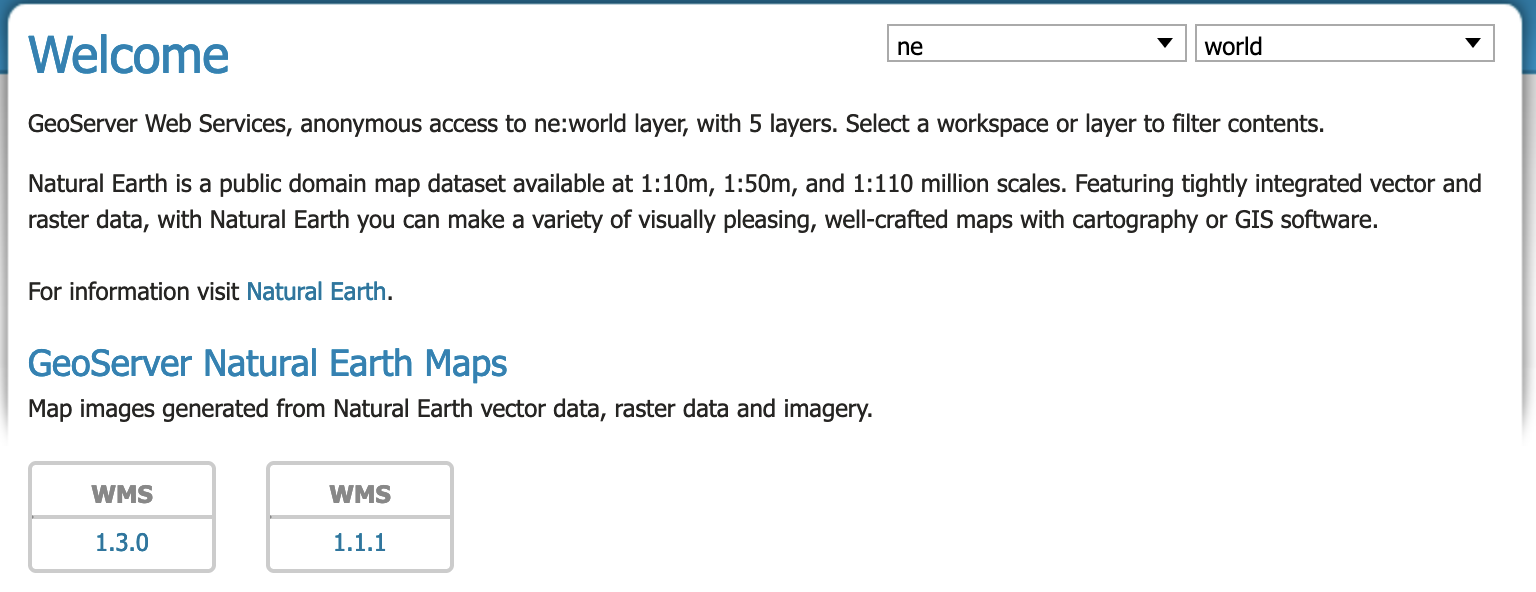
Welcome Page with LayerGroup SINGLE selected

Welcome Page with LayerGroup Named Tree selected
Final checks:
- I remember the last change request from @aaime which was to stack the workspace / layer virtual service selection.
- Addressed Andrea's request to factor out admin check, moved to
GeoServerSession.isAdmin() - Removed the
data/release/workspaces/neinto #6198 so any feedback on cartography would not hold up this functionality PR.
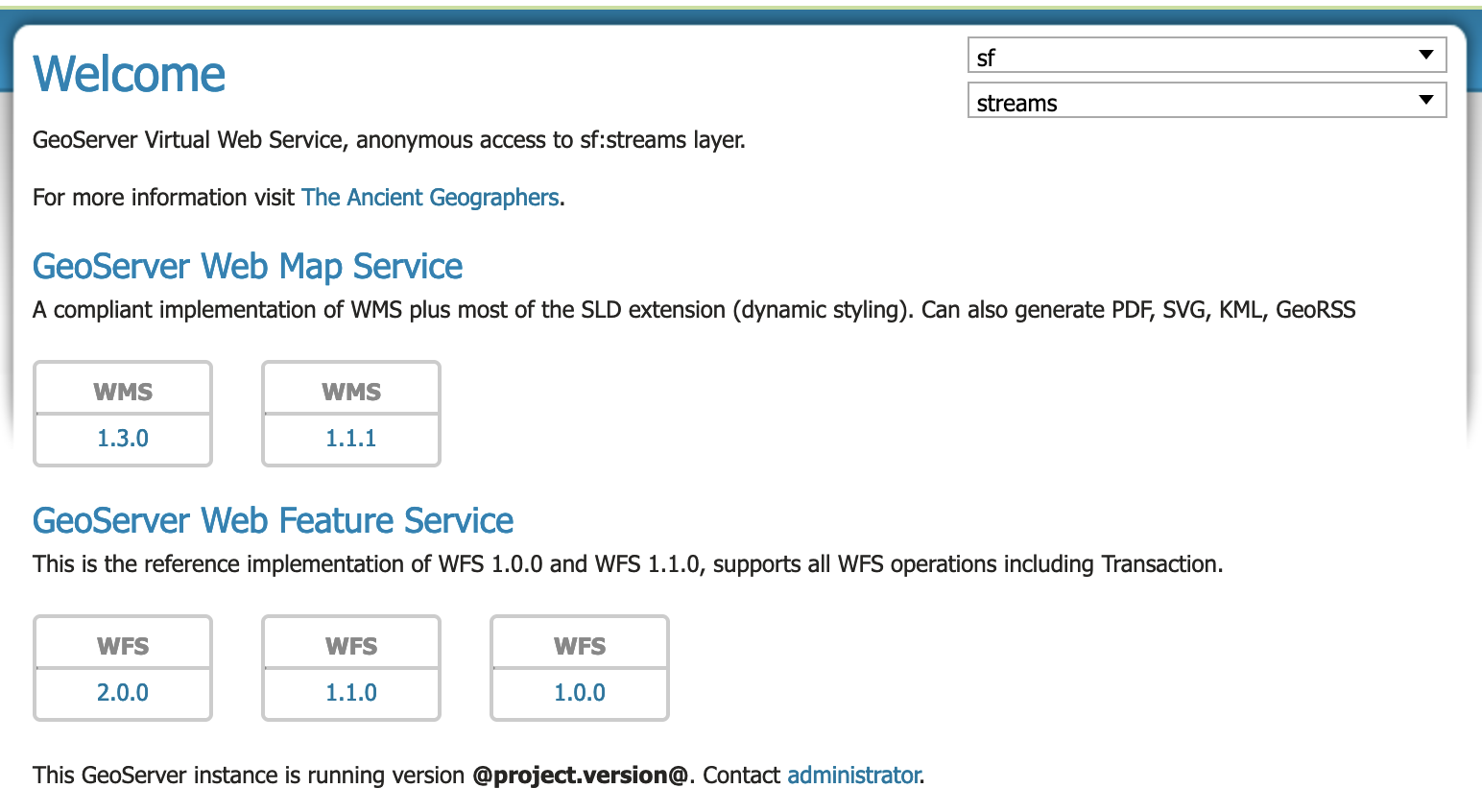
Like the stacking of the dropdowns, wondering if a little label or an icon would help people to figure out what they are... maybe just the icons used in the menu, with a hover message telling what they are, e.g.:
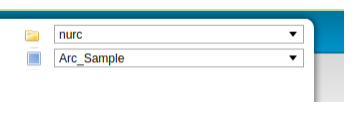
Anyways, nicer but not that important. What is still quite bad is the list of service capabilities for OGC APIs, all stacked in the same column even when using a full-screen window (1920x1080):
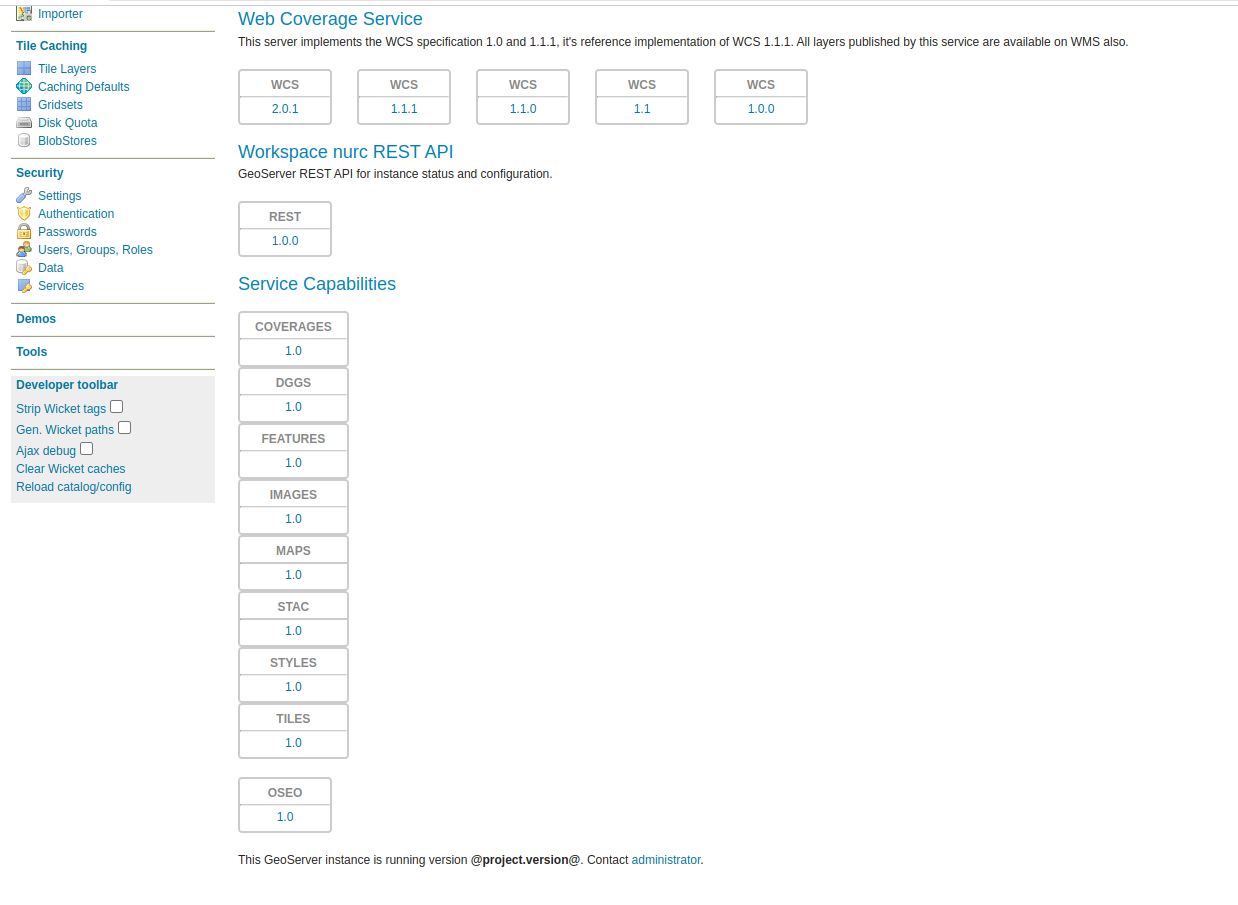
Anyways, nicer but not that important. What is still quite bad is the list of service capabilities for OGC APIs, all stacked in the same column even when using a full-screen window (1920x1080):
Darn I thought I tested that to use the same presentation as the service descriptions above; I will fix that and merge later today.
Hold on it works for me:
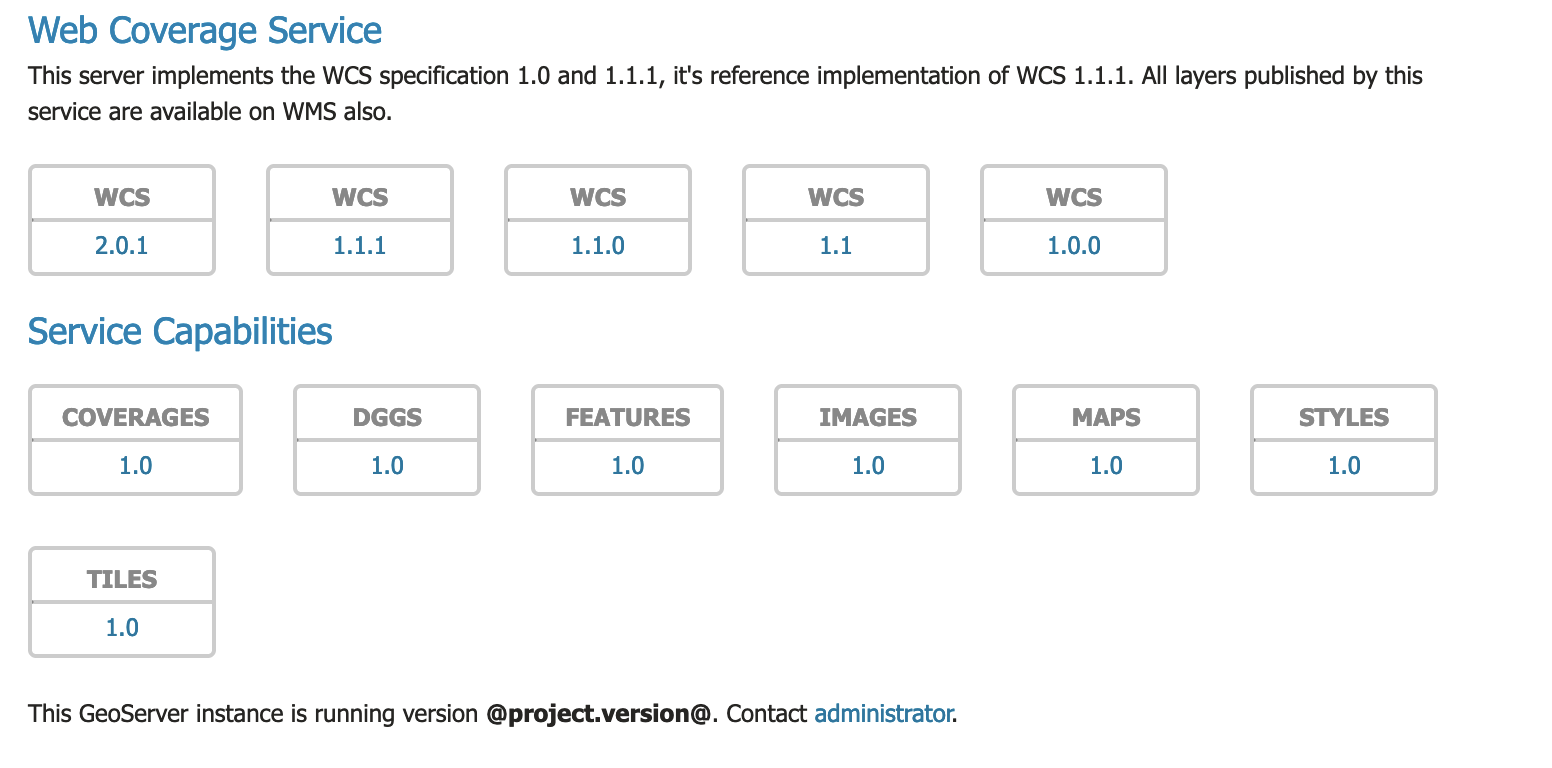
@aaime I double checked that all the models were detached improving page load time.
I am not sure what has gone wrong with your display of Service Capabilities; is something caching geoserver.css ? I tested on firefox, chrome and safari with the same result.
The developer toolbar is a set of commands coming in handy when developing against the Wicket UI, it activates when the following system variable is provided to the Java runtime:
-Dwicket.configuration=development
It has been there since the first Wicket UI implementation, I searched for docs but it does not seem to be documented.
I've tried again and guess what? The layout issue does not appear unless the wicket development mode is activated LOL (I have it always on).
PMD ain't happy:
2022-09-27T05:35:17.3788360Z 05:35:17,378 [INFO] PMD Failure: org.geoserver.web.GeoServerHomePage:393 Rule:UnusedLocalVariable Priority:3 Avoid unused local variables such as 'layersModel'..
I've tried again and guess what? The layout issue does not appear unless the wicket development mode is activated LOL (I have it always on).
"Does not seem to be documented" <-- lol!
So the development tools must be modifying the DOM structure a bit throwing off the css styling?
Clicking "strip wicket tags" and reloading the page fixes the display.
Wicket tags:
<div id="capabilities">
  <h3>Service Capabilities</h3>

  <div>
    <div class="flex-display">
  <div>
      <a href="../ogc/coverages">
        <div class="link-bordered">
          <span class="serviceProtocol">COVERAGES</span>
          <hr>
          <span class="serviceVersion">1.0</span>
        </div>
      </a>
      <div class="spacer"></div>
  </div><div>
      <a href="../ogc/dggs">
        <div class="link-bordered">
          <span class="serviceProtocol">DGGS</span>
          <hr>
          <span class="serviceVersion">1.0</span>
        </div>
      </a>
      <div class="spacer"></div>
  </div>
Normal
<div id="capabilities">
  <h3 wicket:id="serviceCapabilities">Service Capabilities</h3>

  <div wicket:id="providedCaps">
    <div wicket:id="capsList" class="flex-display"><wicket:panel>
  <div wicket:id="services">
      <a wicket:id="link" href="../ogc/coverages">
        <div class="link-bordered">
          <span wicket:id="service" class="serviceProtocol">COVERAGES</span>
          <hr>
          <span wicket:id="version" class="serviceVersion">1.0</span>
        </div>
      </a>
      <div class="spacer"></div>
  </div><div wicket:id="services">
      <a wicket:id="link" href="../ogc/dggs">
        <div class="link-bordered">
          <span wicket:id="service" class="serviceProtocol">DGGS</span>
          <hr>
          <span wicket:id="version" class="serviceVersion">1.0</span>
        </div>
      </a>
      <div class="spacer"></div>
  </div>
So the development tools must be modifying the DOM structure a bit throwing off the css styling?
I have no clue, most of what they do is to change configs in Wicket itself.
PMD ain't happy:
2022-09-27T05:35:17.3788360Z 05:35:17,378 [INFO] PMD Failure: org.geoserver.web.GeoServerHomePage:393 Rule:UnusedLocalVariable Priority:3 Avoid unused local variables such as 'layersModel'..
Unused local variable my fav PMD warning; okay it is addressed.
So the development tools must be modifying the DOM structure a bit throwing off the css styling?
I have no clue, most of what they do is to change configs in Wicket itself.
Looks like it inserted a <wicketpanel>, going to try and adjust my css rules (no luck so far)
Update: Checking in browser inspect page <wicket:panel> is treated as a <div> and is throwing off the flex-display.
Do not think this is a blocker, my secret css trap is a match for Andrea's secret wicket-toolbar snare

From today's meeting:
- [x] Include serviceCapabilities even if global services are off so ogg-api services (for example) are listed
Update: Checking in browser inspect page wicket:panel is treated as a
and is throwing off the flex-display.As far as I can see, the
<wicket:panel>is the first<div>after the the<div class="flex-display">, which means that's the one who will be the child (the flex item), and all the other blocks will be displayed normally (in this case in one small column).A lot of layouting with css depends on the order of elements in the DOM