
bash-colors-256
 bash-colors-256 copied to clipboard
 gawin
gawin
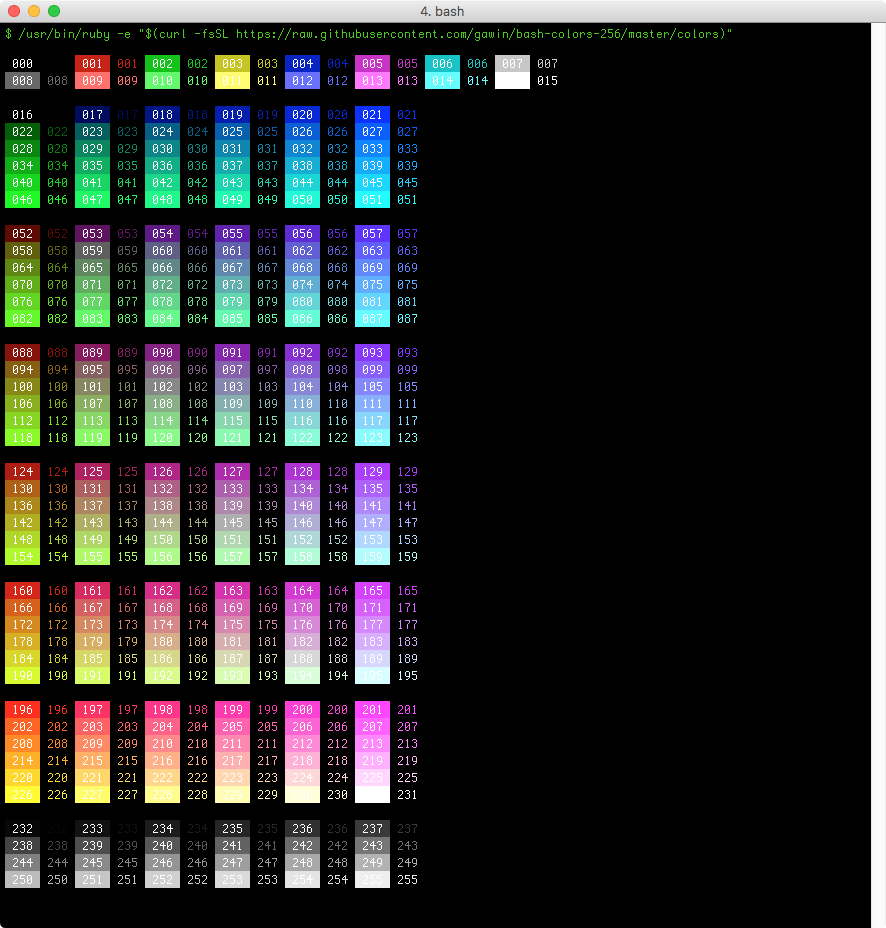
Bash colors 256 shows all 256 color codes.
256 xterm colors
256 xterm colors is a small script to show all 256 colors in your terminal. If you are on a Mac, iTerm2 has beautiful color support.
How to run
Simply copy this into your terminal, it will download and show 256 pretty colors with a single command:
/usr/bin/ruby -e "$(curl -fsSL https://raw.githubusercontent.com/gawin/bash-colors-256/master/colors)"
Example screenshot
Common issues
Although most terminals now have xterm-256color set by default, some terminals still don't.
You can easily verify if the TERM variable is set correctly using this command:
echo $TERM
In case it is not set correctly you can export your TERM as xterm-256color. Add this line in your ~/.profile or ~/.bashrc configuration:
export TERM=xterm-256color
License
MIT License. Copyright 2011-2017 Gawin. https://gaw.in
 gawin
gawin