

 gambitph
Block Patterns - Add Block notice is shown on Patterns menu preview
Describe the bug Related to https://github.com/gambitph/Stackable/issues/2371 but issue only shows for the preview. It works well if Pattern is added in the page/post.
Note: Please also include the other Custom Patterns plugins for the fix.
Here are some example plugins used to create Patterns:
-
Blockmeister
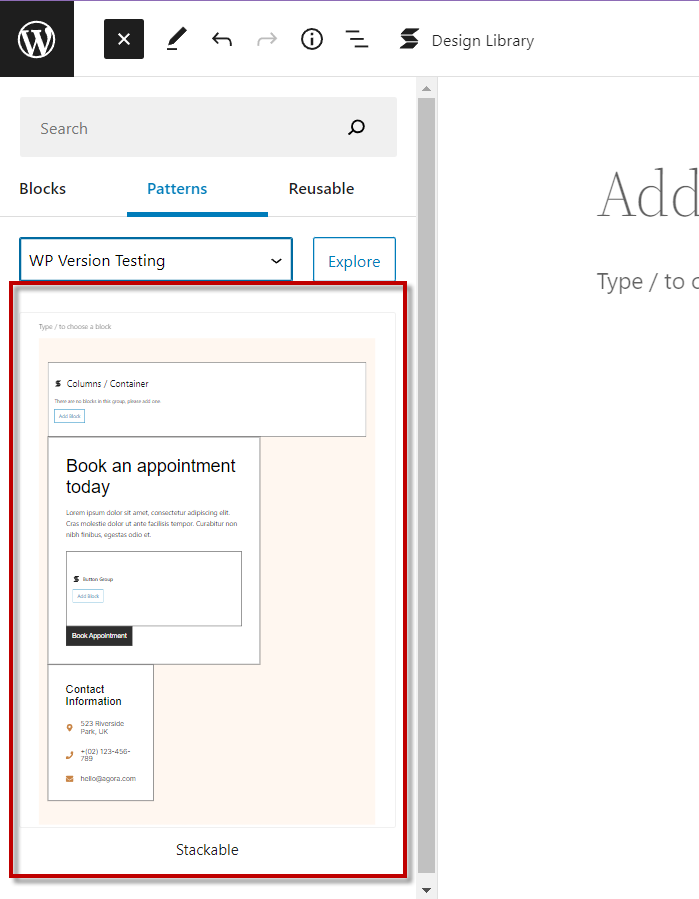
-
Custom Block Patterns
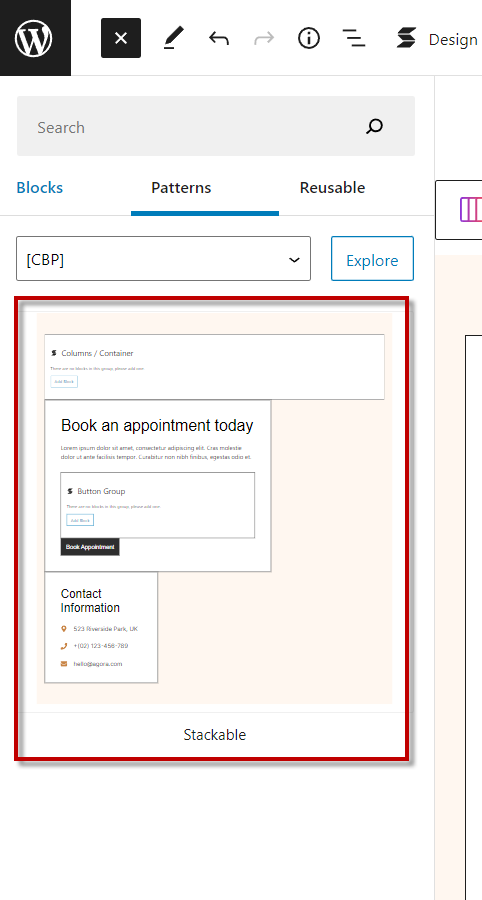
To Reproduce Steps to reproduce the behavior: Blockmeister:
- Install and Activate Blockmeister plugin
- Add a Pattern using Stackable blocks (much better to use columns or buttons which have an add block notice)
- Add new page and add a Pattern block through: block inserter > Patterns tab
- In dropdown, go to your site as option (e.g. WP Local Testing Site)
- See the preview for the Pattern you created
- Check if the Add Block notice is shown
Custom Block Patterns:
- Install and Activate Custom Block Patterns plugin
- Add a Pattern using Stackable blocks (much better to use columns or buttons which have an add block notice)
- Add new page and add a Pattern block through: block inserter > Patterns tab
- In dropdown, select [CBP]
- See the preview for the Pattern you created
- Check if the Add Block notice is shown
Expected behavior A clear and concise description of what you expected to happen.
Screenshots BLOCKMEISTER
https://user-images.githubusercontent.com/103395655/190536725-1ed708bd-dd56-4fe8-a9e6-f27e0bd18082.mp4
CUSTOM BLOCK PATTERNS
https://user-images.githubusercontent.com/103395655/190536828-05cafb8e-188f-4f1f-ba8e-85d318845606.mp4
