
Stackable

Stackable copied to clipboard
 gambitph
[WPML] When editing page in translated language, it shows Block Errors for Image block
Describe the bug When I translated a page with Image block and I edit the translated page, it shows block errors (Attempt Block Recovery) and also errors in console.
Note: This issue requires WPML plugins.
To Reproduce Steps to reproduce the behavior:
- Add a new page
- Add any blocks with Image (e.g. Image, Image Block, Team Member, etc.)
- Publish page and translate to any language you want (Page > Language > Translate this Document in editor)
- Complete and publish translation
- Wait for the translation to load
- When the refresh icon turns to pencil, you can now view page (Page > Language > Translate this Document in editor)
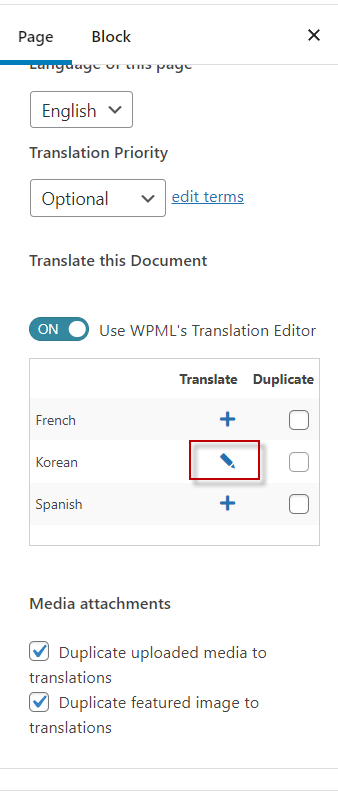
- In the View page, change the language to the translated language
- Click the Edit in the toolbar above View Page

- Click "Edit anyway"

- Check backend editor if there are block errors
- Check console if there are any errors
Expected behavior It should not show block errors when editing the translate page.
Screenshots
https://user-images.githubusercontent.com/103395655/171075207-8c62eccc-0f7b-4091-b338-d9b9d77ad46a.mp4
