Stackable

Stackable copied to clipboard
 gambitph
[WP-6.0 New Feature] Stackable blocks should be vertically center aligned if inside a Group/Row/Stack
Describe the bug Stackable blocks should be vertically center aligned if inside a Group/Row/Stack.
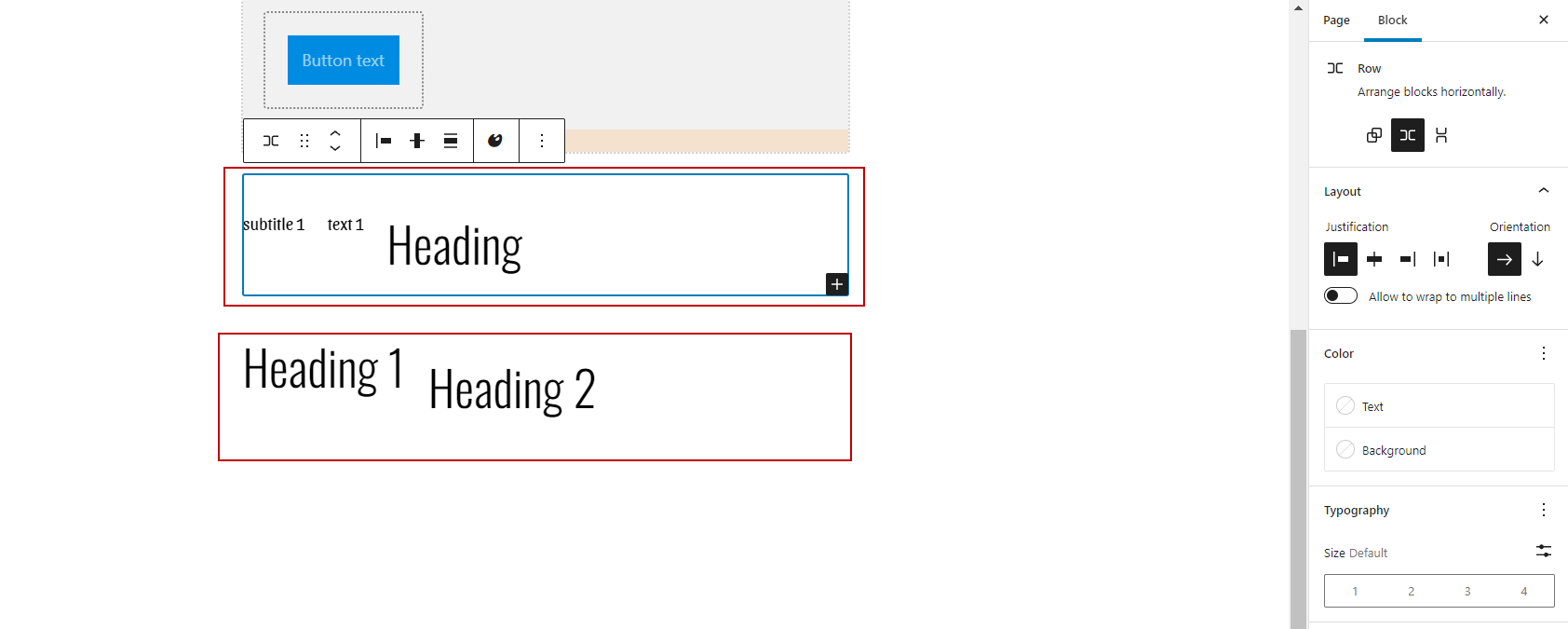
What's currently happening: There's a bug that if you add two or more blocks and add it inside a Row, the first and next block's alignment looks like it's Align Top even though it's not set in the Inspector but the last block looks okay.
What should happen: Stackable blocks should be vertically center aligned if inside a Group/Row/Stack
To Reproduce Steps to reproduce the behavior:
- Add a new page
- Add these three (3) stackable blocks:
- 1 subtitle
- 1 text
- 1 heading OR
- add two headings
- Select the blocks created
- In the Toolbar, click Group or Row or Stack
- Add two Rows: one for the 3 blocks, one for the two headings
- Click Row again since the issue is more noticeable here
- Check if all blocks aren't aligned to center vertically (only the last block)
Expected behavior Stackable blocks should be vertically center aligned if inside a Group/Row/Stack.
Screenshots
https://user-images.githubusercontent.com/103395655/170006558-7436b799-048f-445f-9a75-886a13098164.mp4