Stackable

Stackable copied to clipboard
 gambitph
Stackable settings issue - V3 button blocks are missing in Settings > Enable & Disable Blocks and Getting Started tab
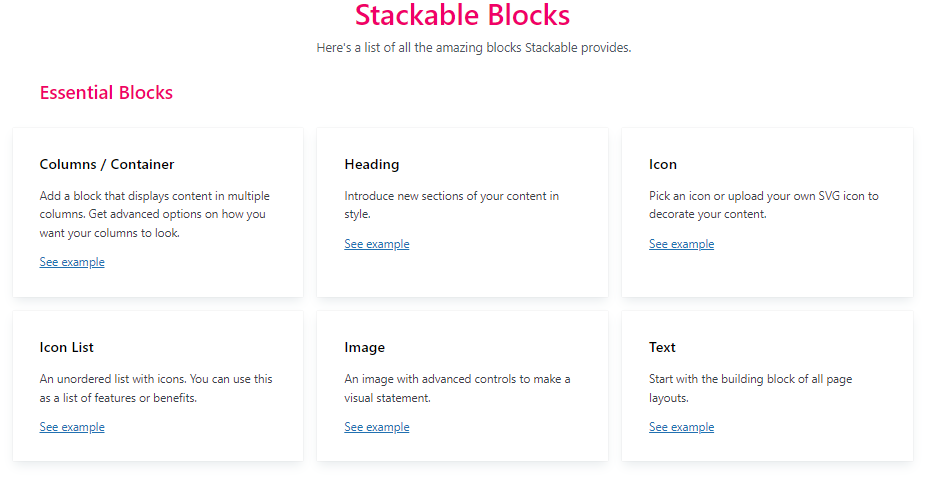
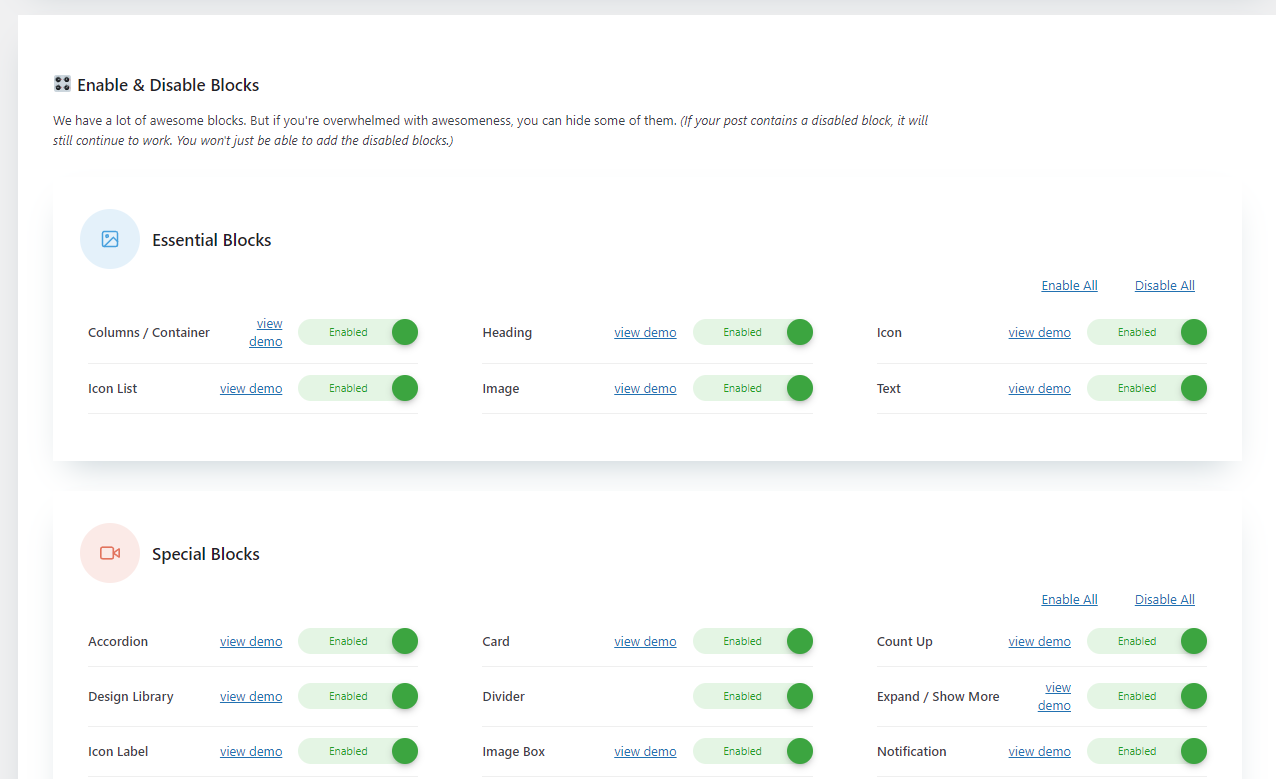
Describe the bug In Enable & Disable Blocks settings and Getting Started tab, these blocks are missing:
- Essential Blocks:
- Button
- Icon Button
- Special Blocks:
- Social Buttons
- Load More
- Pagination
To Reproduce Steps to reproduce the behavior:
- Go to Settings > Stackable
- In Stackable settings, go to Enable & Disable Blocks
- Check to see if button blocks listed from the description above is missing
- Go to Getting Started tab
- Check to see if button blocks listed from the description above is missing
Expected behavior Button blocks should be included in Enable & Disable Blocks settings and Getting Started tab
Screenshots
Enable & Disable Blocks settings
Getting Started tab