

 fwcd
fwcd
Debugging maven project
This a picture of my workspace root

And this is my launch.json

And this the debug console output

And this is a breakpoint I put but nothing happens


You need to provide the fully qualified name of your main class in launch.json:
"mainClass": "com.marcobeheler.HelloWorld"


of course see the target folder again the file "account-statements-1.0-SNAPSHOT-jar-with-dependencies.jar" is the build result and this is the result

Do you have any idea about what's the problem?Can you suggest things else to fix or to check?
Listen to me I have an idea . I saw all the issues is using gradle and the example is using gradle, too. So, I said maybe the problem with maven . So, Can you make a maven example and test the debugger with it and tell me the result . If the extension worked, the problem must be mine . But if not you must revise your code and make an update to fix the problems .
@minkir014 Feel free to contribute with a PR by digging into the dependency resolution code yourself if you have any ideas on how to solve the issue.
I guessed what the error may be you say that there must be directory target\classes\kotlin\main. I don't have this directory. I want to ask you if it must be this target or another In my project the directory of compiled classes are target\classes\com\marcobeheler .
I noticed that you have kotlin attach so I started a maven debug from terminal and chose attach with the right port
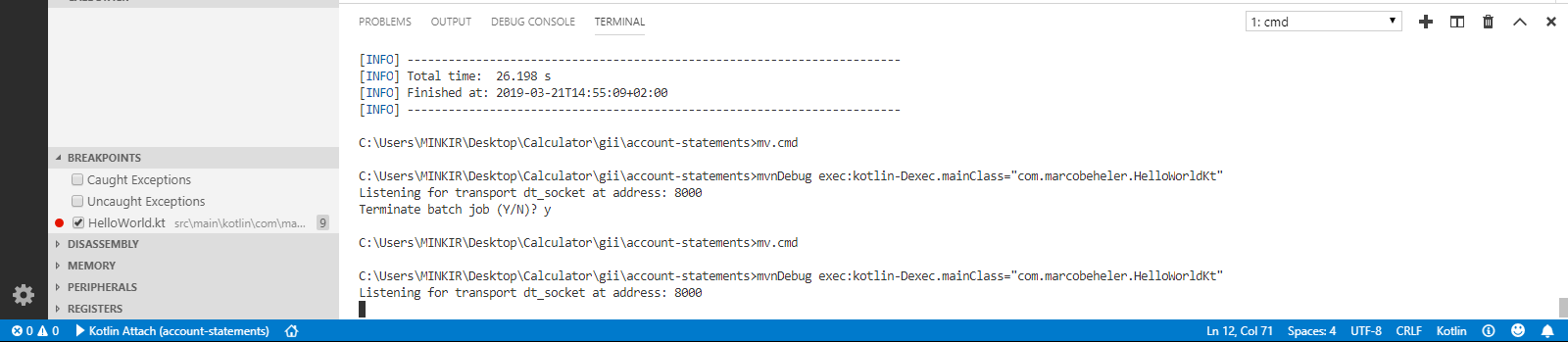
but the debugger loads for a long time and not start

this is my launch.json
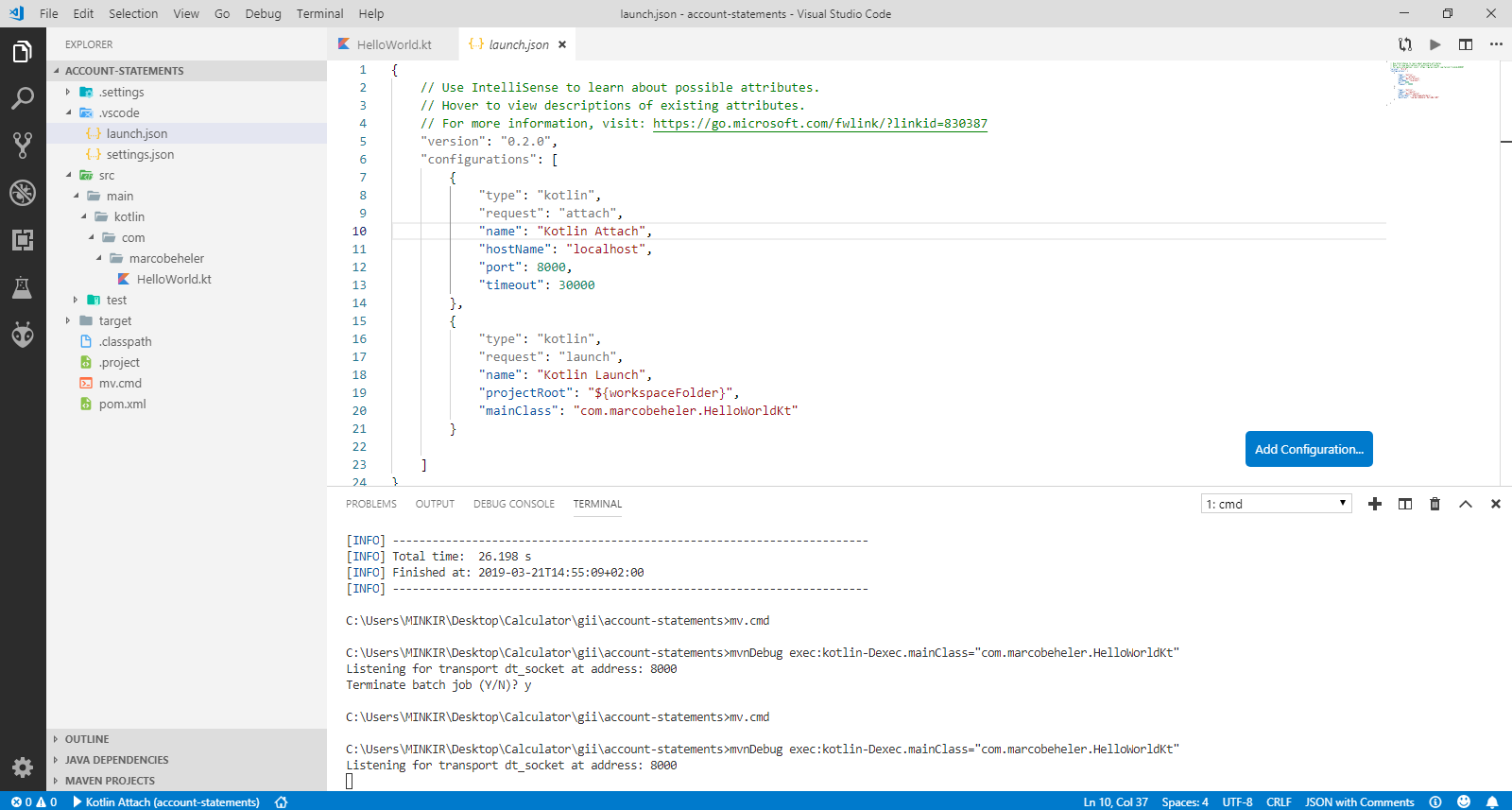
and this debug console result
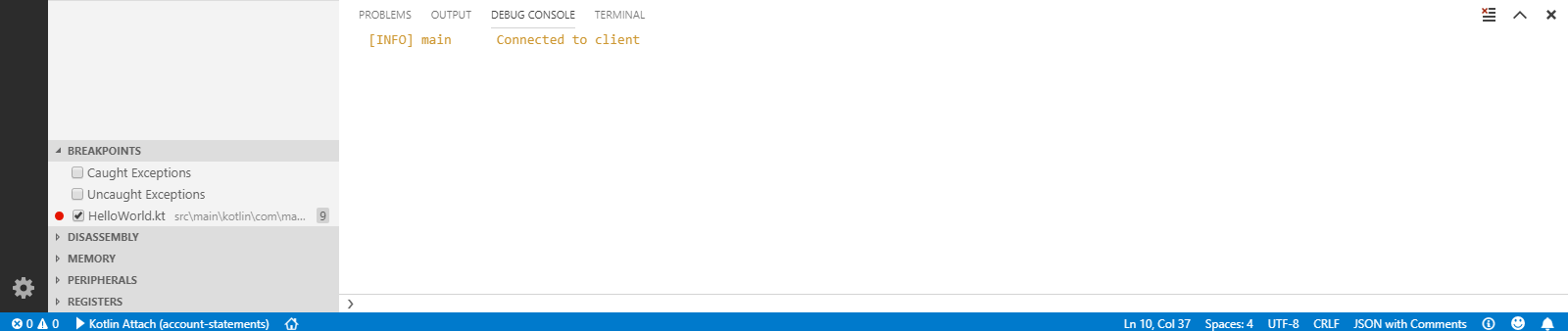
So, please don't ignore me. Answer me as fast as you can because it's a need, please.
For the problem of classes needing to be in target\classes\kotlin\main I modified my pom.xml (I'm using Maven) to include:
<outputDirectory>target/classes/kotlin/main</outputDirectory>
This should be inside your
This compiles classes to the expected folder. But I get another error after that: Exception in thread "main" java.lang.NoClassDefFoundError: kotlin/jvm/internal/Intrinsics

Did this issue get resolved?
I also get "Exception in thread "main" java.lang.NoClassDefFoundError: kotlin/jvm/internal/Intrinsics" when trying to debug.

Okay so this might not be related to this maven thing, but in my gradle.build.kts i have this:
 * This file was generated by the Gradle 'init' task.
 *
 * This generated file contains a sample Kotlin application project to get you started.
 */
import com.github.jengelman.gradle.plugins.shadow.tasks.ShadowJar


plugins {
    id("com.github.johnrengelman.shadow") version "5.1.0"
    // Apply the Kotlin JVM plugin to add support for Kotlin.
    //id("org.jetbrains.kotlin.jvm") version "1.3.61"
    //kotlin("jvm") version "1.3.61"

    // Apply the application plugin to add support for building a CLI application.
    application
}

repositories {
    // Use jcenter for resolving dependencies.
    // You can declare any Maven/Ivy/file repository here.
    jcenter()
    mavenCentral()
}

dependencies {
    // Align versions of all Kotlin components
    implementation(platform("org.jetbrains.kotlin:kotlin-bom"))

    // Use the Kotlin JDK 8 standard library.
    implementation("org.jetbrains.kotlin:kotlin-stdlib-jdk8")

    // Use the Kotlin test library.
    testImplementation("org.jetbrains.kotlin:kotlin-test")

    // Use the Kotlin JUnit integration.
    testImplementation("org.jetbrains.kotlin:kotlin-test-junit")
    implementation(kotlin("stdlib"))
}

application {
    // Define the main class for the application.
    mainClassName = "test1.AppKt"
}
tasks.withType<ShadowJar>() {
    manifest {
        attributes["Main-Class"] = "test1.AppKt"
    }
}
There is also a shadow jar thingy in there, because i actually want to make a jar i can open with java. However, look at these commented lines:
//id("org.jetbrains.kotlin.jvm") version "1.3.61"
//kotlin("jvm") version "1.3.61"
gradle build or gradle shadowJar or anything really would just crash because none of these lines, which are needed, are not present. However, the debugger works just fine without them.
Uncomenting one or another breaks the debugges in the same way ragutislt had his issue, but fixes gradle to be working as it should be. Also, when i uncomment both lines, the same effect (debugger working, gradle is not) is obtained, and the debugger says:
[WARN] async1    Could not resolve Gradle dependencies using any resolution strategy!
[INFO] async1    Starting JVM debug session with main class test1.AppKt
Hello world.
[INFO] async0    Exiting JDI session
[INFO] eventBus  VMEventBus event poller terminated by disconnect: null
[INFO] eventBus  Sent exit event
Looking at the [WARN] line there. It seems that whenever the debugger cannot read the build file properly, it just starts working.
