

 fury-gl
DrawPanel Feature: Adding Rotation of shape from Center
Adding a RingSlider2D to interactively rotate any shape from the center.
Demo:
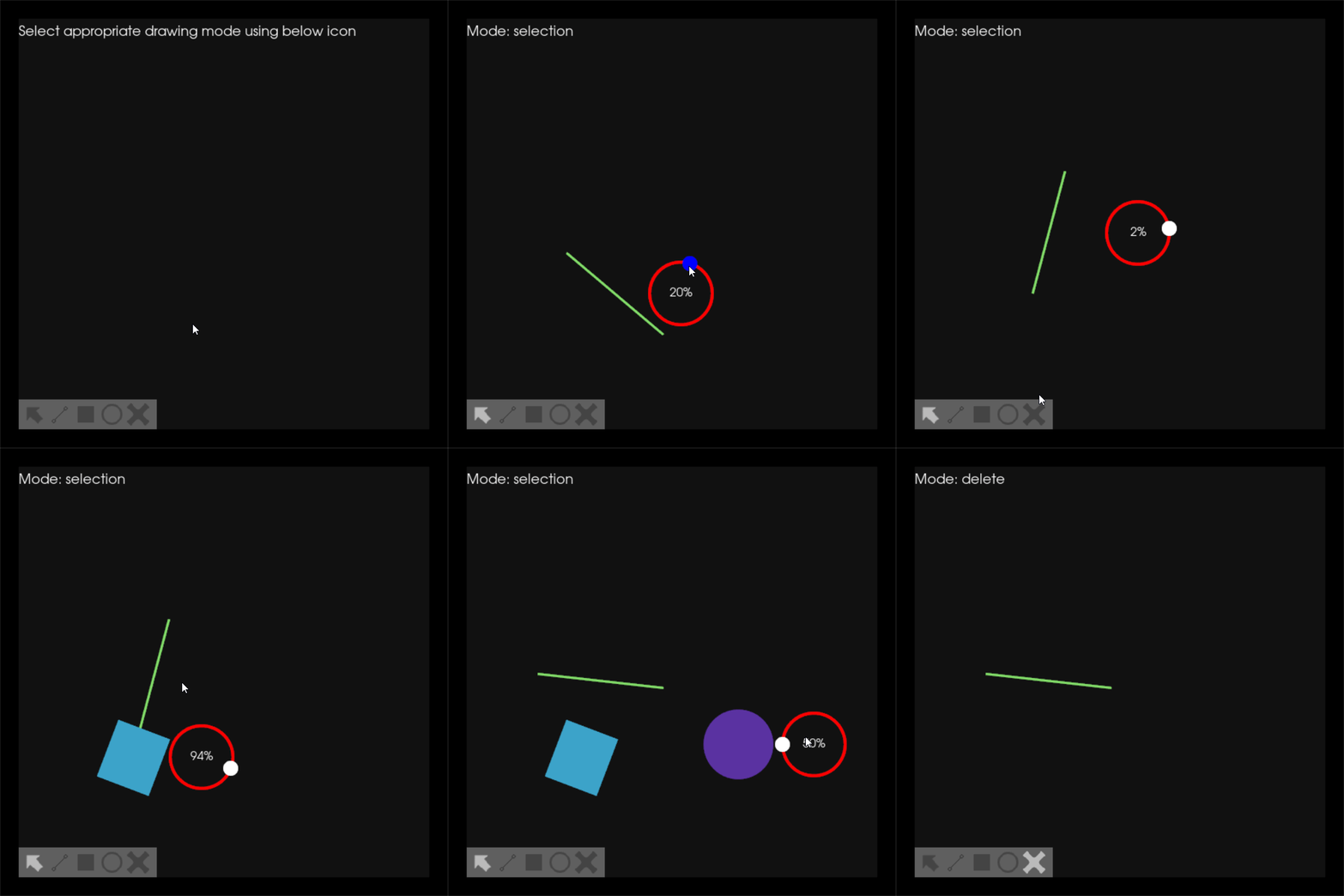

Hello @ganimtron-10, Great job! I didn't review the code yet, but after playing with it for a while, I have two comments:
- If the line was created with a slope, the rotation slider does not alight with the degree. Not sure if this should be left like this (maybe for compound shapes such as polyline I think).
- When rotating a shape it might get out of the
DrawPanelbut when I move it it automatically gets bounded. maybe a solution for this is to update the position with the same position when rotation applied and see if it works.
Non-related to the subject of this PR
- When I try to delete a small line created by mistake I have a really hard time. maybe consider to make the eraser erases what it touches if you keep pressing the button
- I really missed "bring to top and back to bottom" feature.
- sometimes user might want to do nothing, so I tried to hide the rotation slider in order to take a screenshot but I can't get rid of it unless I go to drawing mode and click and have a shape drawn.

Also the rotation degree should be visible inside the slider not a percentage.
Hello @m-agour , Thank you for such a wonderful review.
- If the line was created with a slope, the rotation slider does not alight with the degree. Not sure if this should be left like this (maybe for compound shapes such as polyline I think).
- When rotating a shape it might get out of the
DrawPanelbut when I move it it automatically gets bounded. maybe a solution for this is to update the position with the same position when rotation applied and see if it works.
Will address these changes in next commits.
- When I try to delete a small line created by mistake I have a really hard time. maybe consider to make the eraser erases what it touches if you keep pressing the button
Thanks for the idea. I was thinking to find an approach to solve this but wasn't able to get anything useful.
- I really missed "bring to top and back to bottom" feature.
Yeah! This is currently the main issue with the DrawPanel. I am working on it, will be fixed soon.
- sometimes user might want to do nothing, so I tried to hide the rotation slider in order to take a screenshot but I can't get rid of it unless I go to drawing mode and click and have a shape drawn.
This is now fixed with the new commit. Now if you press anywhere else on the screen it will disappear.
Hello @ganimtron-10! Thanks for updating this PR. We checked the lines you've touched for PEP 8 issues, and found:
There are currently no PEP 8 issues detected in this Pull Request. Cheers! :beers:
Comment last updated at 2022-08-29 15:55:15 UTC

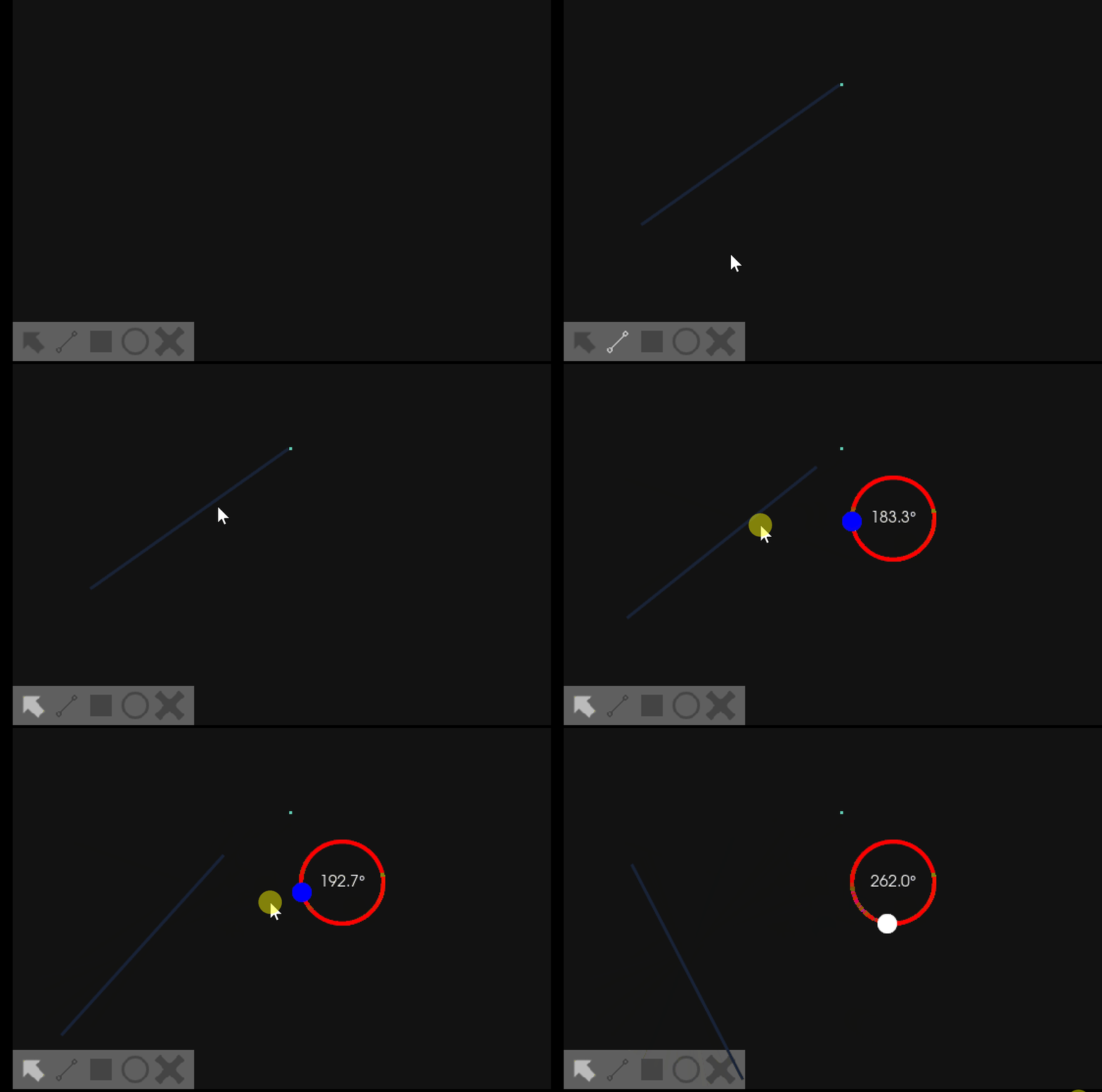
Hi @ganimtron-10 Thank you for creating the PR. Before I looked into the code I ran your script and I found while I rotate the line it moves from its original position. Maybe it's better to separate the 'rotation' feature from the 'move' feature:
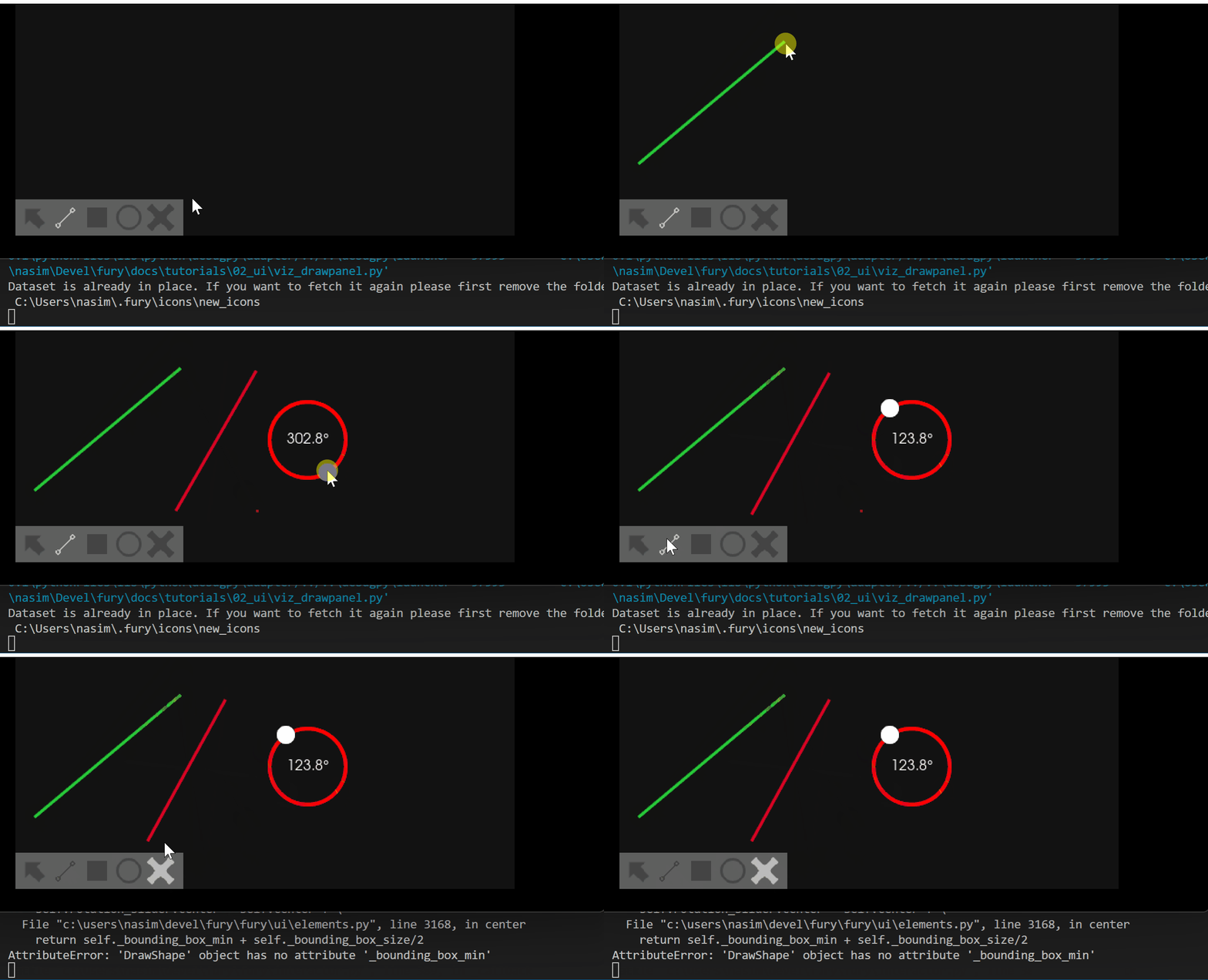
While I created a line, a dot was created after the line (as you see in above gif file). This is the error I received when I I tried to delete the dot:

Hello @skoudoro @nasimanousheh @Garyfallidis , This PR is ready for review. Thanks!
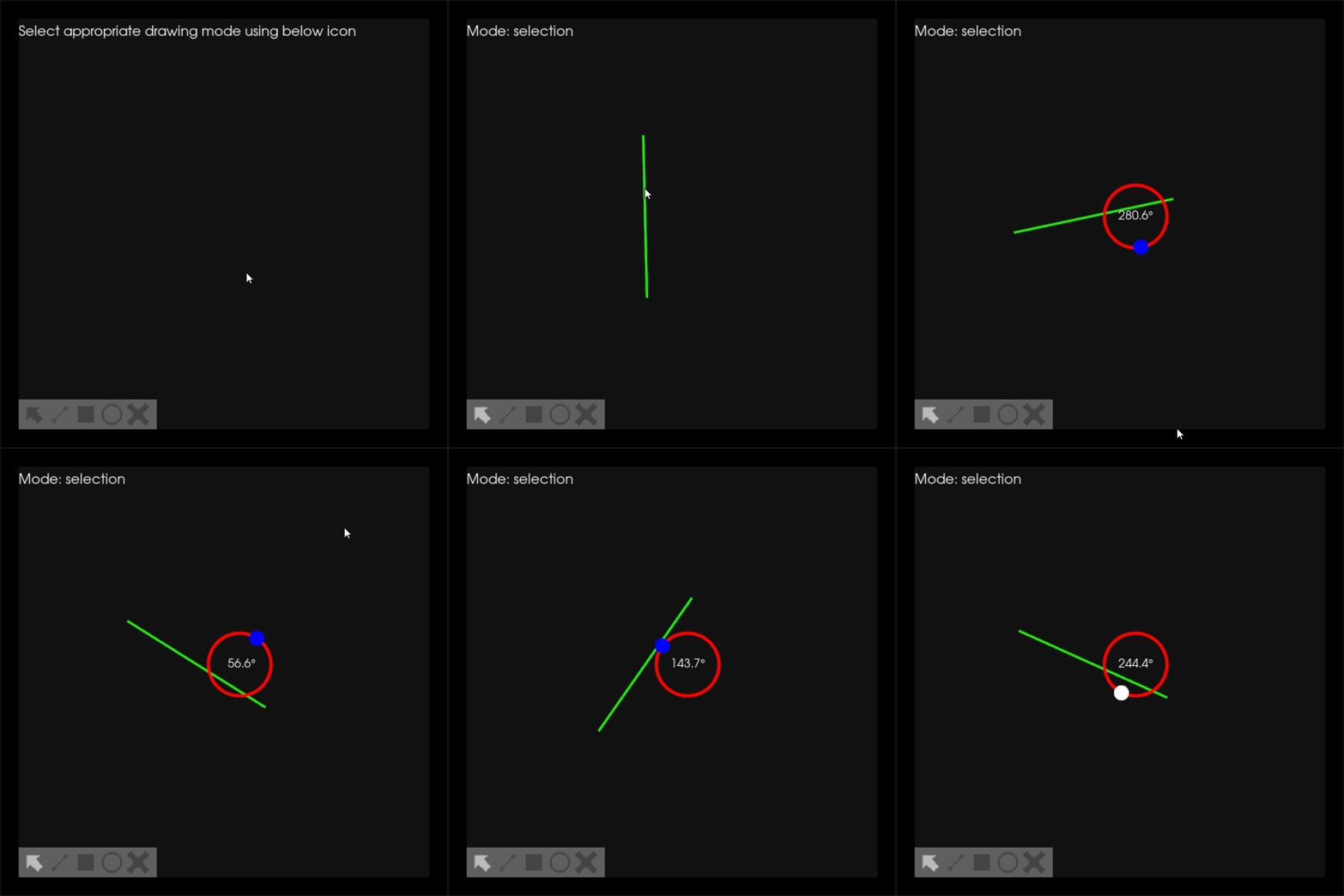
Hello @skoudoro @nasimanousheh @Garyfallidis , I have updated this PR and made sure all things work as intended. PTAL.
Thanks!
Hi @ganimtron-10, Thank you for updating the PR.
-
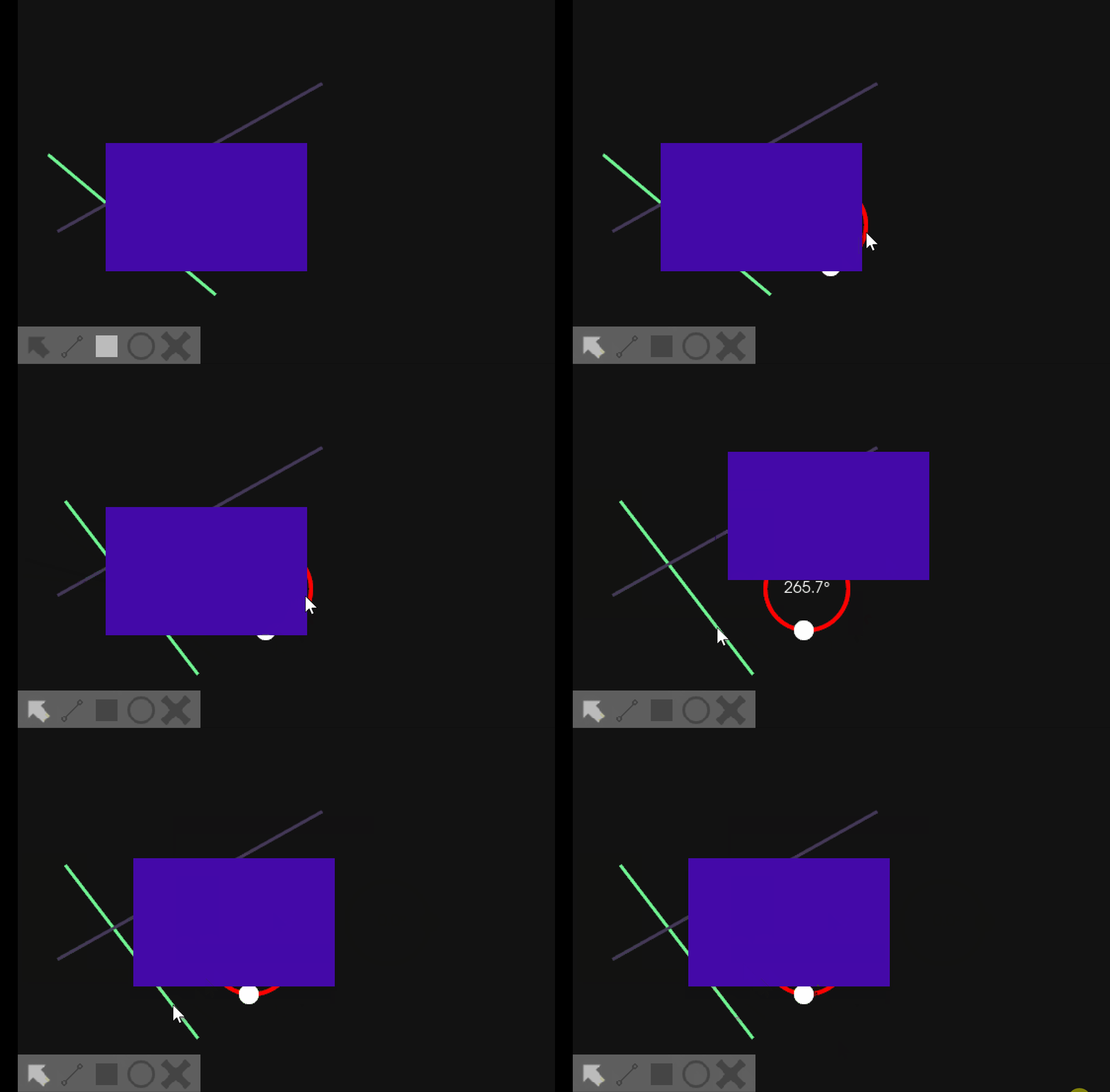
The "rotation_slider" actor should always be front of all other shapes when you call it. Here the slider is hidden behind the square.
-
The "rotation_slider" actor should be removed when mode is changed (for example from rotation to delete mode), but here when I change the mode, the rotation slider is still on the scene.
Hello @nasimanousheh , I have updated this PR as per the changes discussed in the meeting. PTAL. Thanks!
Codecov Report
Merging #623 (5f495f7) into master (26318ec) will decrease coverage by
1.23%. The diff coverage is0.00%.
:exclamation: Current head 5f495f7 differs from pull request most recent head ba97d98. Consider uploading reports for the commit ba97d98 to get more accurate results

@@            Coverage Diff             @@
##           master     #623      +/-   ##
==========================================
- Coverage   51.63%   50.39%   -1.24%
==========================================
  Files         105      120      +15
  Lines       22829    26978    +4149
  Branches     2531     2986     +455
==========================================
+ Hits        11788    13596    +1808
- Misses      10657    12922    +2265
- Partials      384      460      +76
| Impacted Files | Coverage Δ | |
|---|---|---|
| fury/gltf.py | 0.00% <0.00%> (ø) |
|
| fury/io.py | 0.00% <0.00%> (ø) |
|
| fury/lib.py | 0.00% <0.00%> (ø) |
|
| fury/transform.py | 0.00% <0.00%> (ø) |
|
| fury/ui/elements.py | 0.00% <0.00%> (ø) |
|
| fury/ui/tests/test_elements.py | 0.00% <0.00%> (ø) |
|
| fury/utils.py | 0.00% <0.00%> (ø) |
|
| fury/fury/ui/tests/test_containers.py | 64.76% <0.00%> (-28.96%) |
:arrow_down: |
| fury/fury/tests/test_window.py | 71.42% <0.00%> (-14.95%) |
:arrow_down: |
| fury/fury/window.py | 73.98% <0.00%> (-9.28%) |
:arrow_down: |
| ... and 41 more |
![codecov[bot] avatar](https://avatars.githubusercontent.com/in/254?v=4 "Published by a pub.dev verified publisher")

Hello @skoudoro ,
This PR just lacks the improved test for DrawShape.
Other all changes are done.

Hi @ganimtron-10,
Tests failing on windows are expected and not due to your PR.
Tests failing on macOS are linked to your PR. Can you increase the snapshot window size? it might be a resolution problem between the different OS.
Hello @skoudoro , I think there are some issues with the colors, maybe my calculated color values don't match the current color due to which the tests are failing. I tried playing around with various resolutions but the results are still same.
Thank you for the update @ganimtron-10. We still have the issue with macOS. I really do not know why, I can not generate the issue.
For now, let's just skip this OS, we will come back on it later. You can look here to see an example: https://github.com/fury-gl/fury/blob/master/fury/tests/test_actors.py#L230