

 fury-gl
Fine-tuning of the OpenGL state
VTK it’s powerful, but sometimes we need to get more control about how OpenGL will render the actors. For example, enforcing deep-test to keep disabled during a draw call of a specific actor. This can be useful when we need to increasse the performance or create specific visualization effects in order to understand a certain data, like to enhance the visualization of clusters in a network. Because I need to have this kind of control to draw my networks I send some messages to @filipinascimento asking him if there is a way to perform that with FURY.
Unfortunately, It seem's that VTK doesn't expose the opengl context. @filipinascimento and I dived in the Vtk documentation and we found some ways to achieve the opengl state control.
VTK wraps a lot of opengl context methods through the GetState from a vtkXOpenGLRenderWindow objectclassvtkOpenGLState Therefore, we can control the opengl state globally using vtkglEnable for each variable. I belive one exception it's depth-test state. It looks like VTK always enable depth-test before the draw calls, Rendering/OpenGL2/vtkOpenGLRenderer.cxx#L743
One approach to achieve the control of the opengl state, including depth-test. Essentially, it's to use shader callbacks and render callbacks to enforce a specific opengl state in VTK. I couldn't find any performance issue related to this approach.
Here is my branch with the gl_set functions https://github.com/devmessias/fury/blob/b4ec148e049dac09bcc8392aa2528c453d2a0fcb/fury/window.py#L1170-L1211
with the following example https://github.com/devmessias/fury/blob/opengl_context_state/docs/examples/viz_fine_tuning_gl_context.py
The behavior it's very simple and doesn't change any other functions inside FURY
#fury/window.py
def gl_disable_depth(window):
    '''This it will disable any gl behavior which has no
    function for opaque objects. This has the benefit of
    speeding up the rendering of the image.

    See more
    --------
    [1] https://www.khronos.org/registry/OpenGL-Refpages/gl4/html/glFrontFace.xhtml
    '''
    glState = window.GetState()
    glState.ResetGLBlendEquationState()
    glState.ResetGLBlendFuncState()

    glState.vtkglDisable(_GL['GL_BLEND'])
    glState.vtkglDisable(_GL['GL_DEPTH_TEST'])
# how to use
def callback(
       _caller, _event, calldata=None,
       gl_set_func=None, window_obj=None):
   program = calldata
   if program is not None:
       gl_set_func(window_obj)
id_observer_normal = add_shader_callback(
       actors, partial(
           callback, gl_set_func=window.gl_disable_depth,
           window_obj=showm.window))
Using this, we can control the state for each actor
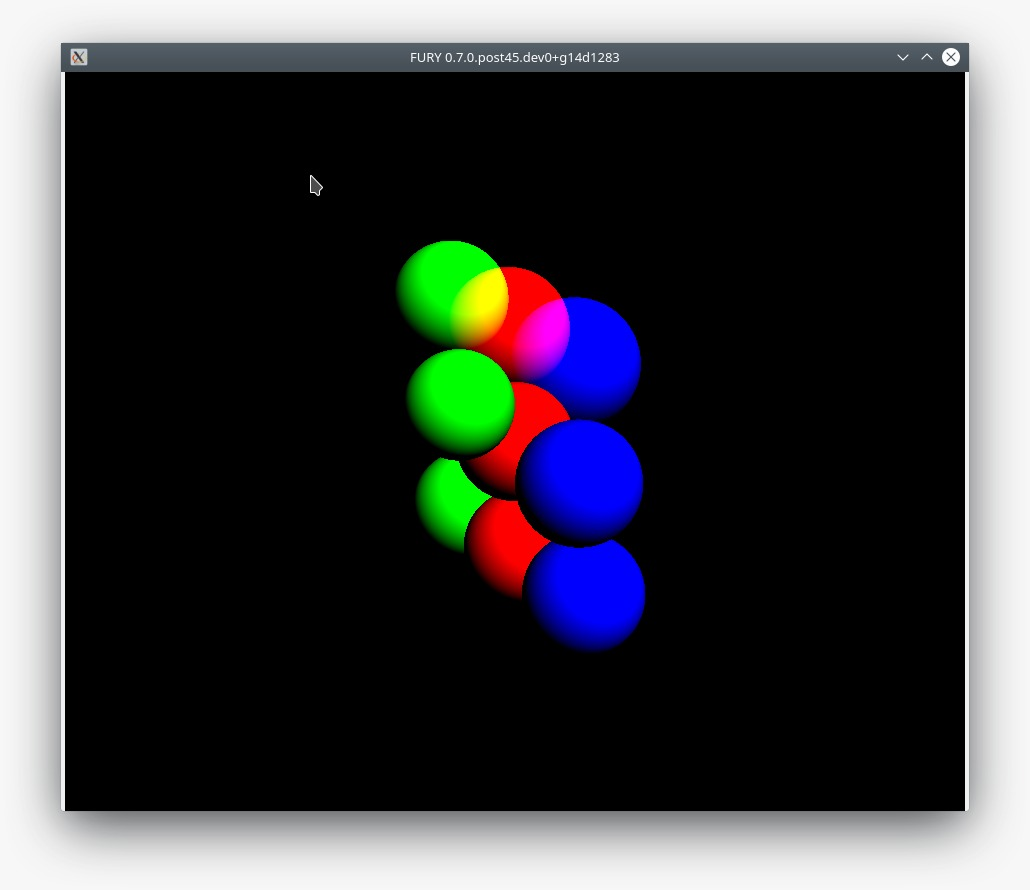 It's also possible to get some effects using cheap additive blending effects
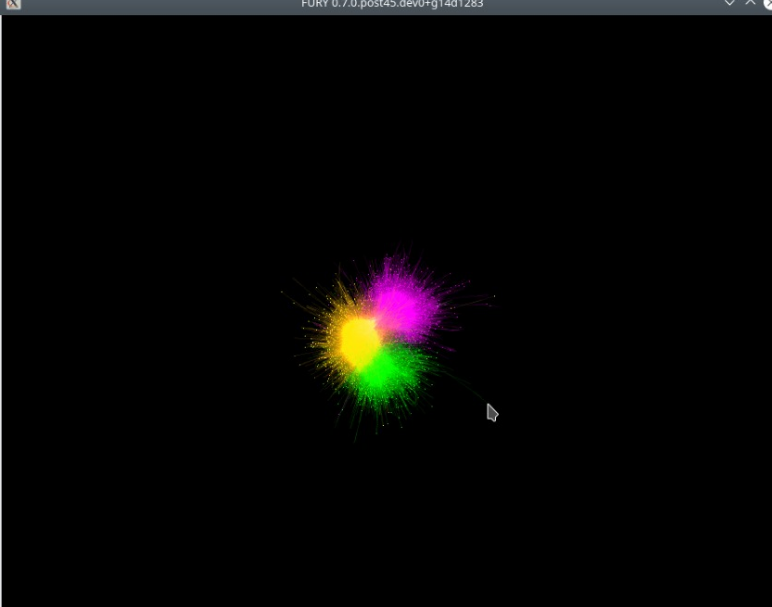
I don't know if there is a better way to achieve this;
If the FURY team agrees I can send a pull-request (at least for the example) or add extra effects using that.
Thanks!

Yes, please make a PR @devmessias. But also experiment with actors that are not using billboards. Try with some of our standard geometry based actors.

