
wysiwyg-editor

wysiwyg-editor copied to clipboard
 froala
Copy table from word and paste at froala editor, table styles and cell styles are not applying at pasted table when choose keep option
I have apply !important css property to override word styling, It applies at froala editor successfully but when we get html of editor, Editor not converting applied style in inline css.
Expected behavior.
(table styles and cell styles should apply)
Actual behavior.
(table styles and cell styles not applying)
Steps to reproduce the problem.
( Scenario 1
- copy a table from word have formatting not applied
- paste copied table at froala editor
- froal editor show a pop up message choose keep option
- select all table cell and apply cell styles observe: cell styles not applying
Scenario 2
- copy a table from word have formatting not applied
- paste copied table at froala editor
- froala editor show a pop up message choose keep option
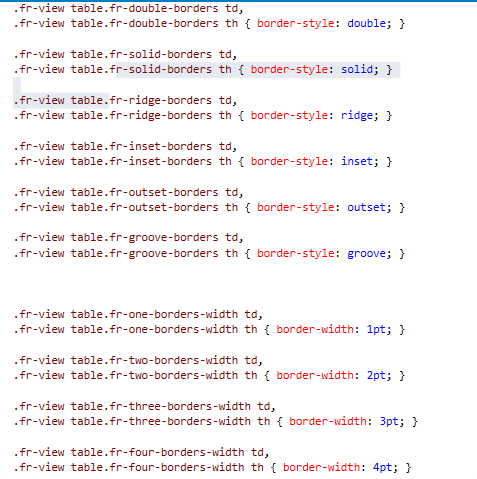
- apply any custom table style first (see css of custom style from attached image) observe: table style not applying Note:when you apply default table style e.g alternate rows and dashed after applying these style custom style working and cell styles also working. For further clarity please find the attached video )
Editor version.
4.012.
OS.
(window 10)
Browser.
(Firefox and chrome)
Recording.
(
https://user-images.githubusercontent.com/39520368/175314273-d7c0fd68-bb0c-4904-997d-f0b12de89d47.mp4
)
