

 fritzing
Short-cut to draw new wire from connected pin with Prototyping Board
Problem
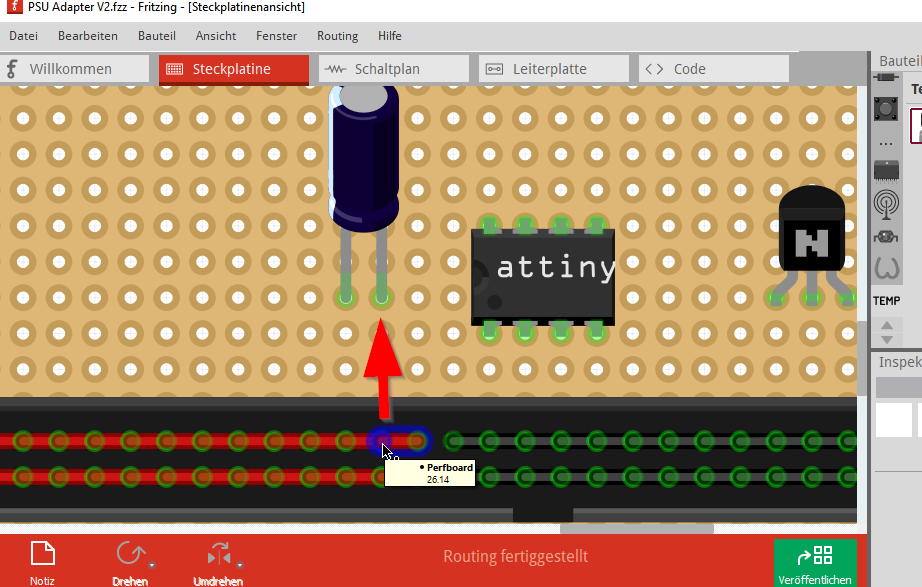
Breadboard view is made for breadboard. :-) If a wire is still connected it is not possible to draw a new connection from that point. You have to use an empty point as a workaround which is annoying for larger circuits using a Protoyping Board.
Proposed Solution
Made an outline where not the wire is moved instead a new wire is drawn from that point as source are simple add a Key-combination which does not move wire instead it creates only new.

This also happens in a normal breadboard. If there is a wire connected to a hole, you will select the end of the wire rather than creating a new wire. A key press could make a new wire, but I am not sure if this is really necesary. In my opinion, holes in a breadboard should only have one cable attach to them. Of course, this has more sense in soldering protoboards, where you could have several wires soldered.

It could make sense to turn the protoboard into a stripboard, where you can connect and disconnect holes by clicking in between:
Aside from this, I think it is quite a normal (essential?) use case to have multiple connections on one hole on perfboard, regardless if you use wires or cables or just solder joints. Many examples can be found with an image search: https://images.app.goo.gl/LbZWBLrbBpT51Tzy7

I think this issue got less important with the release of Fritzing 1.0.4, which gives more precise and repeatable interactions when selecting items.
E.g. I was able to draw all these wires, using the point in the middle as starting point for each. I gets a bit tricky at the end, but you'll immediately see one of the wires highlight if the mouse pointer isn't on the hole. Also, the mouse pointer reliably destincts wether a new wire will be created, a bendpoint will be created, or an endpoint will be picked up.
I still think something like this should be supported, along with the possibility to place and move wires (and parts) entirely via keyboard.
Idea, for this issue:
- Ctrl + Left mouse click : Give priority to connectors, over any items, that might be under the cursor. So this will result in adding a new wire. This would not directly work for bendpoints however: Ctrl+left click already toggles bendpoints vs. bezier points. Workaround: When Ctrl is pressed, connectors get priority over bendpoints of unselected wires. If a wire is already selected, or no connector is nearby, Ctrl keeps the bezier toggle behavior.
Related keys to consider:
-
Space + Left click: same as middle mouse button, move the frame around
-
Arrow keys : Move the the selection.
Not yet implemented, but somewhat related:
-
Ctrl + Space : Like Ctrl + left mouse click
-
Arrow keys : If we don't have a selection, move the cursor
-
Menu key: same as right click, to show a context menu, of the selection