
erpnext
 erpnext copied to clipboard
 frappe
Auto Email Report v13.2.0: Cannot submit Report Filters due to "Missing Values Required: Start Date, End Date"
Description of the issue
Auto Email Report v13.2.0: Cannot submit Report Filters due to "Missing Values Required: Start Date, End Date"
Context information (for bug reports)
Output of bench version
erpnext 13.2.0
frappe 13.2.0
lovia 0.0.1
Steps to reproduce the issue
- Create New Auto Email Report
- Report: "Cash Flow" or "Profit and Loss Statement" or "Balance Sheet" Note: Some reports do have Start Date and End Date filter fields shown properly, but these three reports do not show them.
- Click on "Report Filters"
- Fill Company, Filter Based On: Fiscal Year, Start Year, End Year, Periodicity: Yearly. Notice that "Start Date" and "End Date" is not shown at all.
Observed result
Missing Values Required Following fields have missing values:
- Start Date
- End Date
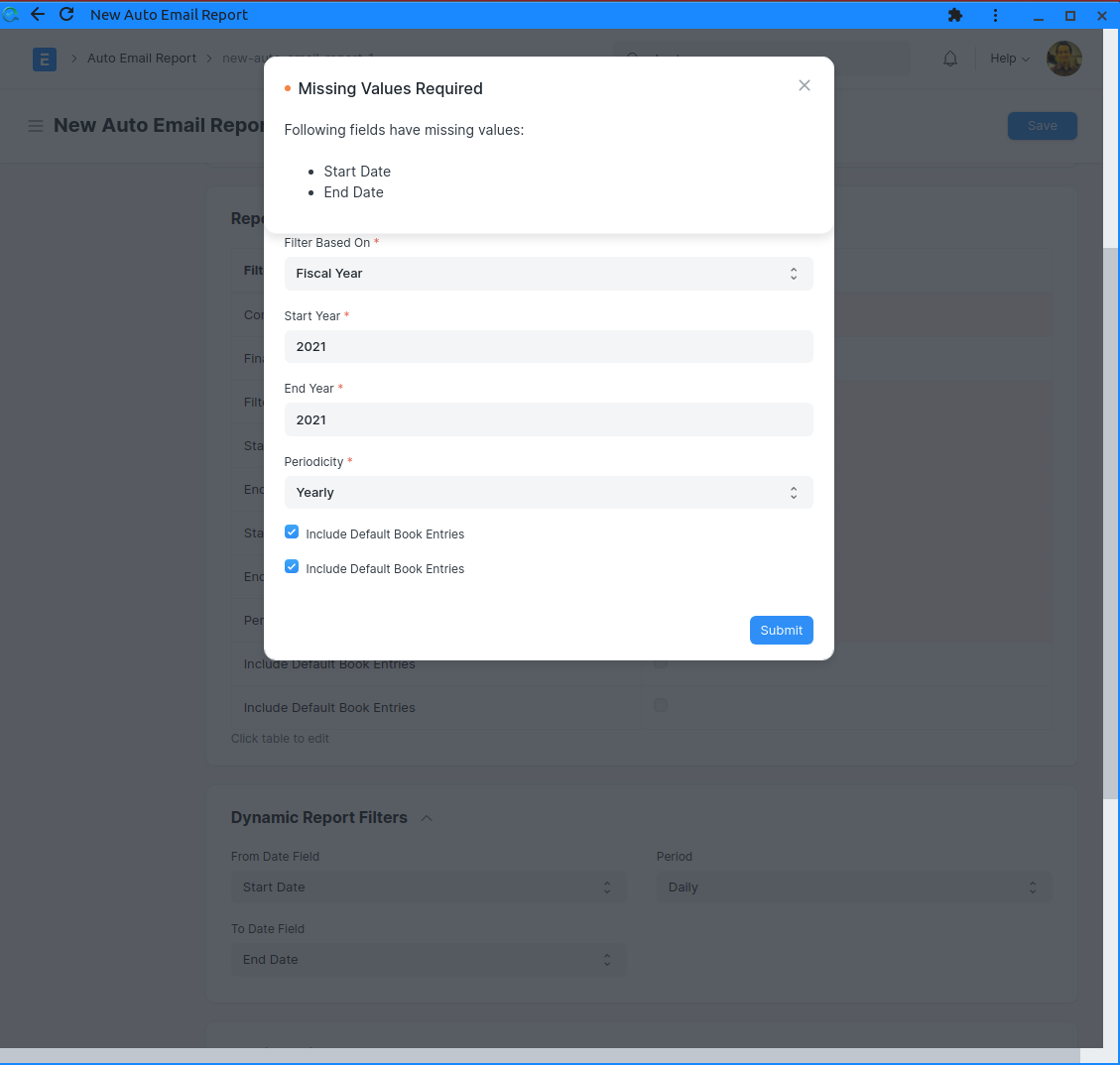
Expected result
If Start Date and End Date is not needed or dynamic, then there should be no error.
If it is needed, then should be shown in "Report Filters" form.
Stacktrace / full error message
This is likely due to Filter Based On, that can be selected Fiscal Year (default = problematic) and Date Range. However, when selecting Date Range, it doesn't show the Start Date / End Date fields, which probably causes this problem.
Additional information
OS version / distribution, ERPNext install method, etc.
- Ubuntu 20.04

Hey @ceefour I experience the same issue, have you found a solution or workaround?

@ceefour This issue should be resolved, please reopen if the issue still persists
