

 frappe
Issues with Easy Install
Issue: Easy Install
Do the checklist before filing an issue:
- [x] Did you retain the logfile (path of logfile is shared while the script is run)? We definitely need the logfile to debug any easy install related issues.
- [ ] Is this something you can debug and fix? Send a pull request! Bug fixes and documentation fixes are welcome
Distro Information (Required)
- Linux epr 5.10.0-21-amd64 # 1 SMP Debian 5.10.162-1 (2023-01-21) x86_64 GNU/Linux
- PRETTY_NAME="Debian GNU/Linux 11 (bullseye)" NAME="Debian GNU/Linux" VERSION_ID="11" VERSION="11 (bullseye)" VERSION_CODENAME=bullseye ID=debian HOME_URL="https://www.debian.org/" SUPPORT_URL="https://www.debian.org/support" BUG_REPORT_URL="https://bugs.debian.org/"
Command Run (Required)
python3 easy-install.py --prod --email [EMAILPLACEHOLDER] and sudo python3 easy-install.py --prod --email [EMAILPLACEHOLDER]
Log File (Required)
2023-02-21 14:16:46,786 - INFO - Running Production Setup
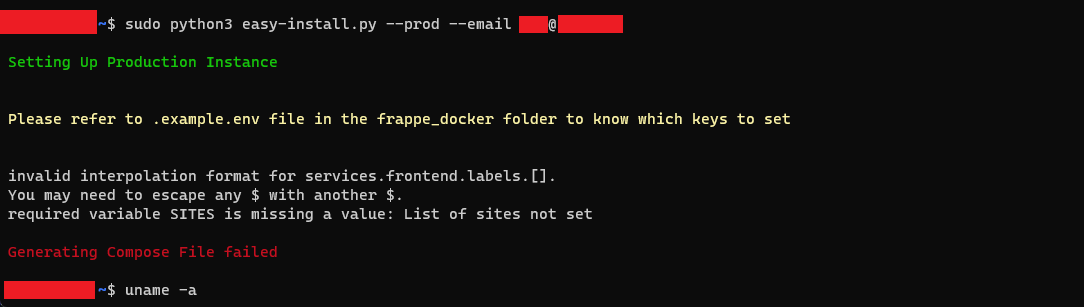
2023-02-21 14:16:47,339 - ERROR - Docker Compose generation failed
Traceback (most recent call last):
  File "/home/USER/easy-install.py", line 146, in setup_prod
    subprocess.run(
  File "/usr/lib/python3.9/subprocess.py", line 528, in run
    raise CalledProcessError(retcode, process.args,
subprocess.CalledProcessError: Command '['/usr/bin/docker', 'compose', '--project-name', 'frappe', '-f', 'compose.yaml', '-f', 'overrides/compose.mariadb.yaml', '-f', 'overrides/compose.redis.yaml', '-f', 'overrides/compose.https.yaml', '--env-file', '.env', 'config']' returned non-zero exit status 15.
Screenshots
Additional context N?A
Possible Solution N?A


I'm encountering this issue as well running on Ubuntu 22.04 and Python 3.10


Has anyone managed to install fresh with the script? I still get the 404 error when trying to visit http://python3 easy-install.py --prod --email myemail.com
 I did try both scripts in #1424. It does show up when i open the site on the machine it is installed on, but not when i try to access from other machine.

Has anyone managed to install fresh with the script? I still get the 404 error when trying to visit http:// on
python3 easy-install.py --prod --email myemail.com
I have the same issue. I have installed it on actual server I can't access it over internet but if I run curl on the server using internal IP it shows it's running

Has anyone managed to install fresh with the script? I still get the 404 error when trying to visit http:// on
python3 easy-install.py --prod --email myemail.comI have the same issue. I have installed it on actual server I can't access it over internet but if I run curl on the server using internal IP it shows it's running
I haven't been able to do that either. Try following the single server setup tutorial
@azwalzaman I have used the single server docker setup. It kind of works. It says the website is available on site1.localhost so I tried to access it on site1.<external-IP> obviously it did not work. So, I tried using just the external IP and that did not work either. Not sure what I am missing honestly.
@azwalzaman I have used the single server docker setup. It kind of works. It says the website is available on
site1.localhostso I tried to access it onsite1.<external-IP>obviously it did not work. So, I tried using just the external IP and that did not work either. Not sure what I am missing honestly.
You need to set up some DNS records for that (after getting a domain). And you can't access .localhost from a remote server.
@azwalzaman Can you explain a bit more?
I did add this: <internal IP> localhost to my /etc/hosts file
@azwalzaman Can you explain a bit more?I did add this:
<internal IP> localhostto my/etc/hostsfile
Yeah I never had to do that. After following all the steps in the single server setup guide I got a domain, say example.com, and if my ERPNext site was one.example.com I would make a subdomain one.example.com pointing to my server's IP
@azwalzaman I tried the single server docker setup and I am getting 404 page not found.

@azwalzaman I tried the single server docker setup and I am getting
404 page not found.
What did you name your erpnext site? And what did you name your subdomain? (fake examples) Is traefik working properly?
I have added TRAEFIK_DOMAIN=frappe.mydomain.com in the traefik .env file.
and I am getting this from traefik container
Cannot issue for \"one.example.com\": The ACME server refuses to issue a certificate for this domain name, because it is forbidden by policy
I think I should change this
echo "SITES=\`one.example.com\`,\`two.example.com\`" >> ~/gitops/erpnext-one.env`
part and replace it with
echo "SITES=\`frappe.mydomain.com\`" >> ~/gitops/erpnext-one.env
I have added
TRAEFIK_DOMAIN=frappe.mydomain.comin the traefik .env file. and I am getting this from traefik containerCannot issue for \"one.example.com\": The ACME server refuses to issue a certificate for this domain name, because it is forbidden by policyI think I should change this
echo "SITES=\`one.example.com\`,\`two.example.com\`" >> ~/gitops/erpnext-one.env`part and replace it with
`echo "SITES=\`frappe.mydomain.com\`" >> ~/gitops/erpnext-one.env
Yeah, you're supposed to change some of the values in the guide
Yeah, you're supposed to change some of the values in the guide
If i dont have a domain and i just want to use this in my LAN, what do i need to do starting from the easy-install.py?
Yeah, you're supposed to change some of the values in the guide
If i dont have a domain and i just want to use this in my LAN, what do i need to do starting from the easy-install.py?
If you don't have a domain then I would suggest using the pwd.yaml file for testing or instead just don't setup the Traefik part from frappe-docker single server example.
Can confirm the "404 page not found" issue persists on fresh install using easy-install.py . I'm using Ububtu 22 on Google cloud

@sibidharan @k1meister @azwalzaman @athul @alejandroiam @OsricDhoubhadel @sanatv2s @Kartoffelbreili Guys If You Found Solution For This Error Then Please Share

@sibidharan @k1meister @azwalzaman @athul @alejandroiam @OsricDhoubhadel @sanatv2s @Kartoffelbreili Guys If You Found Solution For This Error Then Please Share
Not sure if this is fixed. I used bench manual installation
Can You Explain What Revant ? and if possible can you share your setup file and any link if that you have try and it work
Can You Explain What Revant ? and if possible can you share your setup file and any link if that you have try and it work
I stopped using the script and just did the docker setup myself sorry. Should've been fixed in #1424
The docker setup is nice and easy honestly. I would go for that as well. For me, the issue was that I forgot to add the domain like I had mentioned previously:
echo "SITES=\`frappe.mydomain.com\`" >> ~/gitops/erpnext-one.env
and after that the error went away.
@sibidharan @k1meister @azwalzaman @athul @alejandroiam @OsricDhoubhadel @sanatv2s @Kartoffelbreili Thank you For your Reply Guys
I have try your solution but still Getting Same Error
I'm Doing This Setup In AWS Cloud Ec2 Instance Ubuntu 22.04.2 LTS I have Install Both Docker and Docker compose
rahul@ip-172-31-9-252:~$ docker -v Docker version 23.0.6, build ef23cbc rahul@ip-172-31-9-252:~$ docker compose version Docker Compose version v2.17.2
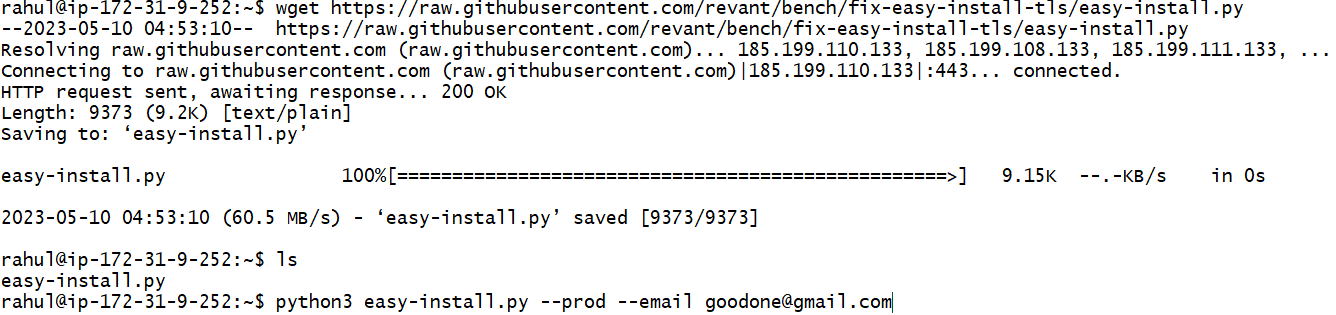
According To @revant He said try His script This One https://github.com/frappe/bench/pull/1424#issuecomment-1434177414
Like I Try
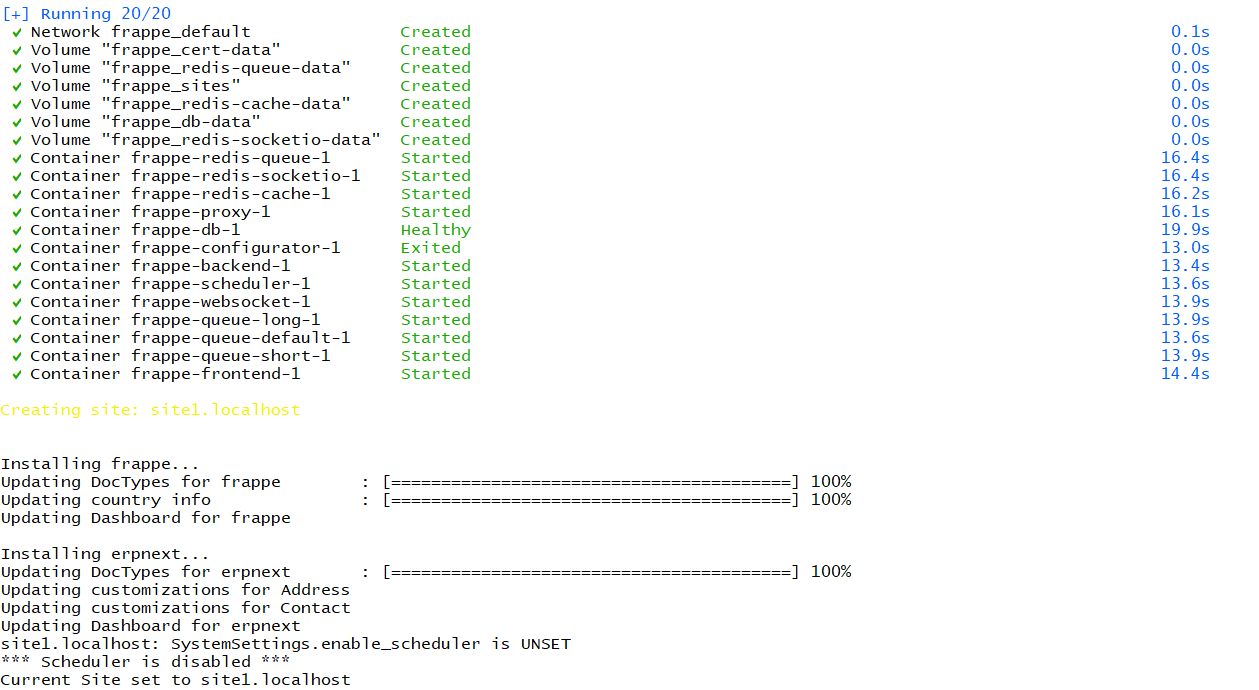
and container are created
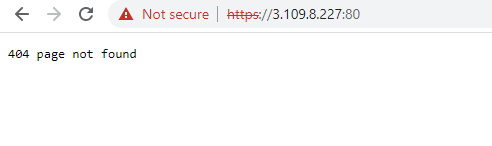
but when access on browser it's give same error
and he also Said about self certificate
how to add like Create a SSL certificate like we usually do okey createing certficate how to add with frappe
Note : I don't change any thing in env file or nor I have purchase domain
If any have complete Steps Then Please Share or can provide solution for above
@sibidharan @k1meister @azwalzaman @athul @alejandroiam @OsricDhoubhadel @sanatv2s @Kartoffelbreili Thank you For your Reply Guys
I have try your solution but still Getting Same Error
I'm Doing This Setup In AWS Cloud Ec2 Instance Ubuntu 22.04.2 LTS I have Install Both Docker and Docker compose
rahul@ip-172-31-9-252:~$ docker -v Docker version 23.0.6, build ef23cbc rahul@ip-172-31-9-252:~$ docker compose version Docker Compose version v2.17.2
According To @revant He said try His script This One #1424 (comment)
Like I Try
and container are created
but when access on browser it's give same error
and he also Said about self certificate how to add like Create a SSL certificate like we usually do okey createing certficate how to add with frappe
Note : I don't change any thing in env file or nor I have purchase domain
If any have complete Steps Then Please Share or can provide solution for above
You can't access it with an IP address. Also, site you used has .localhost but it's on a remote server. That won't work I think
You can't access it with an IP address. Also, site you used has .localhost but it's on a remote server. That won't work I think
This is true. Please setup the A record for your domain / subdomain before starting with the installation procedure.
Yeah, I just used the pwd.yaml to test it out.
I have a question related to the ssl. I hope it's okay to ask here because I don't want to create a new issue. So afaik, the SSL certificate is brought by using caddy from Let's Encrypt, correct? And as per my knowledge Let's Encrypt certificate expires after 3 months. Will caddy renew the certificate automatically or is there something which I will have to do manually? and how will I have to do that?