

 fralx
fralx
an error when building the pro
Hi!
An error occured when i build the pro limereport,just like the picture below shows.I have tried several times,but never succeed...It confused me a lot,please give me some solutions when you are free.Thanks a lot!



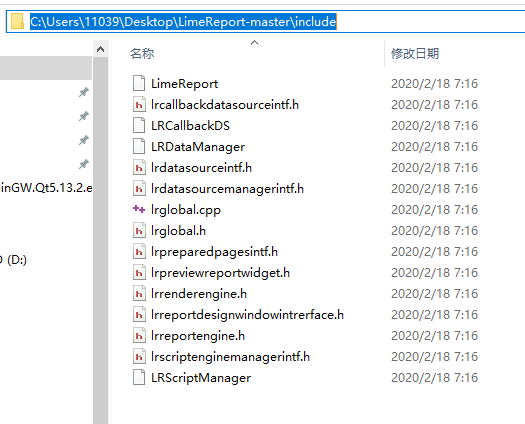
Your first screenshot was created in a time when you build the project from this folder?
Look, at first screenshot, the build system tries to create a file in the D:\LimeReport-master\ on the second you show me C:\Users\11039....
Sorry,it is my error.The thing goes like this.First time ,i build the pro at D:/,but i failded and got the error showed in the first screenshot.Then,i copy the whole folder to the desktop,and tried again,but still got the same error.
Sorry, something wrong was with Github Lets put the project folder on the disk D: And try again :).
emmmm...I have tried several times,but still got the same error.Whatever,thanks for your timely reply.
Hi! As I can see you use Windows and I am confused that "cp" is used. If you add QMAKE_COPY = copy /y to project_folder/limereport/limereport.pro will you get some other result?
I add the sentence here.
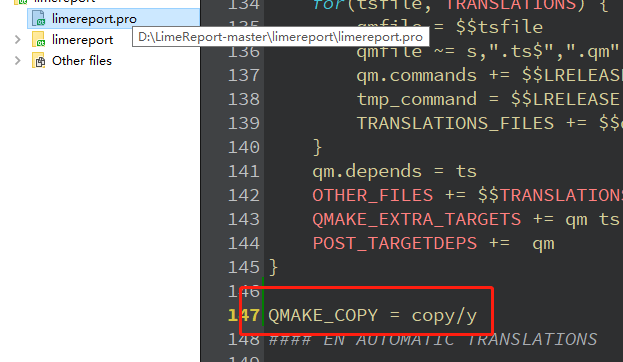 and get the same error.Whether it is because i add the sentence at wrong place?

Yes,i did.Just like the screenshot shows D:\LimeReport-master\limerreport\limereport.pro
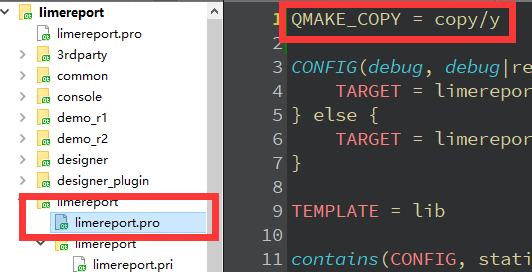 and get the error 
Hi fralx
Many be there is any bug in pro.
I get some build error also , when i use a static QT5.12.6 to build all limereport project .
The only the lib is correctly . Other (demo_r1 demo_r2 console designer )can't be created .
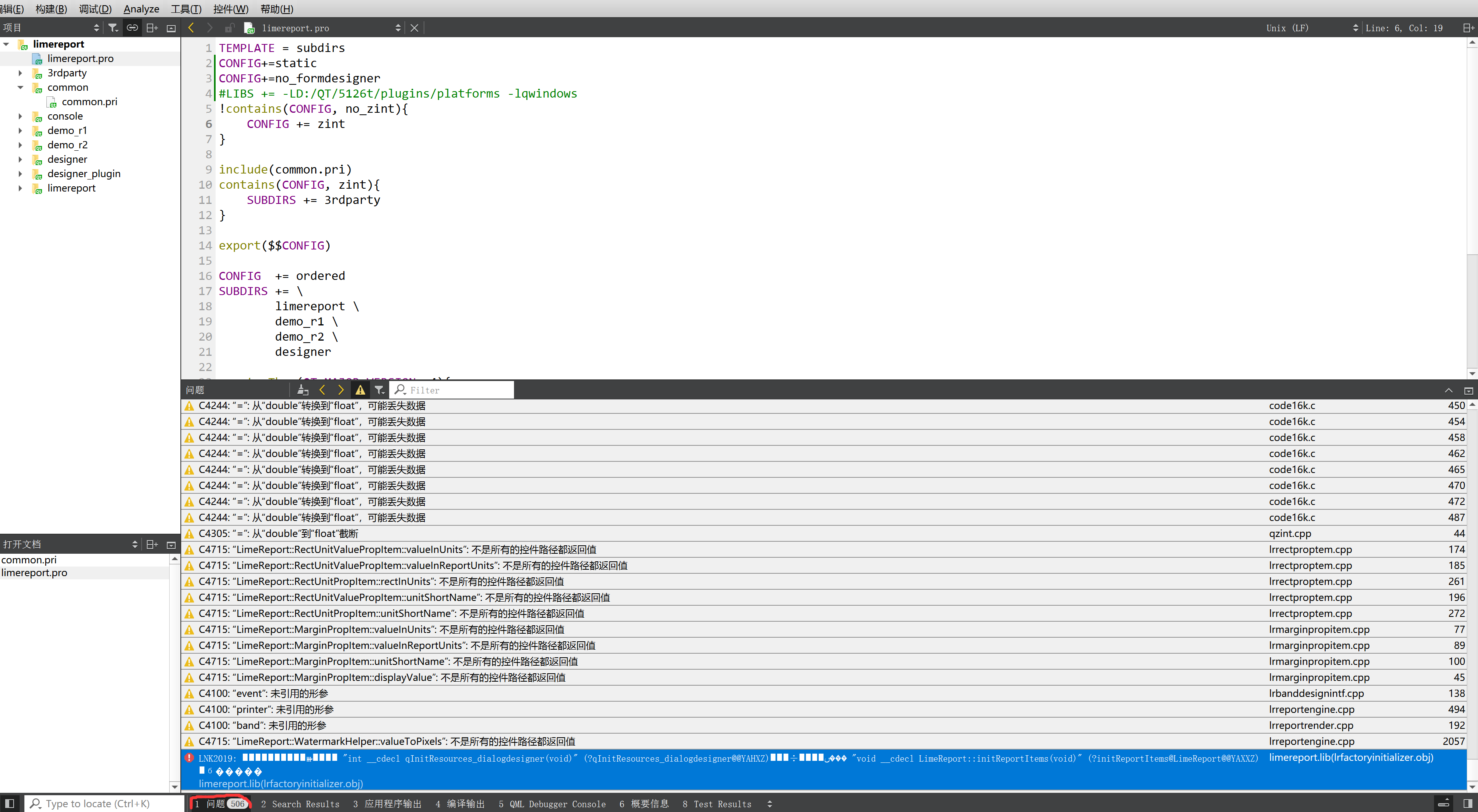
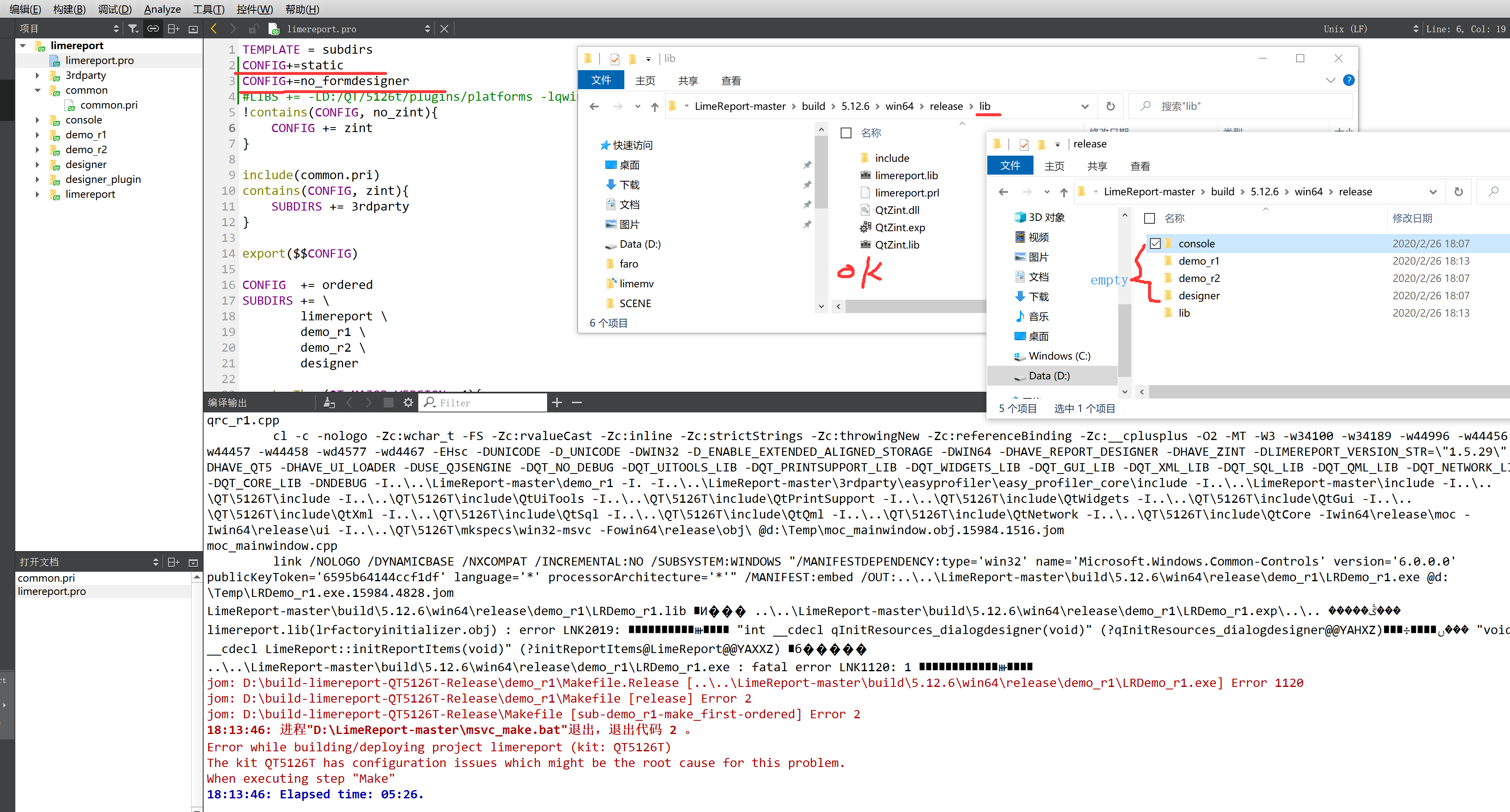

@liufeijin It is not the same error :) @toBeStronger-ys This error looks like the build system uses Linux command-line tools to manipulate files. I think it may be because the MinGW compiler environment is accessible by PATH I need some time to check this theory
@toBeStronger-ys do you use MinGW from Qt installation or you installed it separately?
Is the GitBush environment accessible by the system environment variable PATH?
Could you run GitBush and try to run the command that you can see in Qt creator something like "cp D:\LimeReport-mastre\ ... ..."
sorry, what I installed is gitbash,i don't know whether it is the GitBush you want.
What's more, i also have no idea about what is the correct command, so i run the following commands, and the last command works.
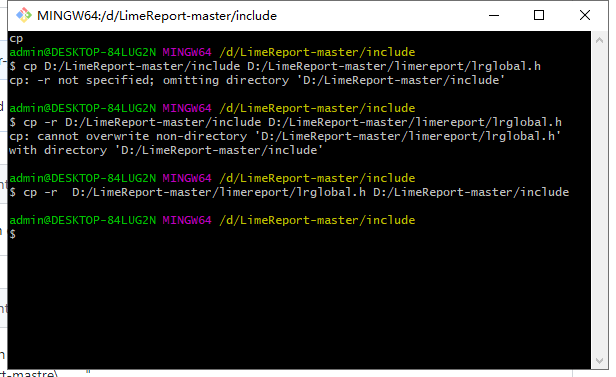
If you run the last command in cmd window will it work? I mean windows command line tools not GitBush
Sorry to reply you so late.It was nearly 12:00 a.m at that time yesterday in China,so i went to bed.
As soon as i get up,i try it it at once,and get the same error message showned in the QT Creator.

I think the simplest way to build limereport dll in your case is - just comment 36-43 lines
    $$PWD/lrglobal.h \
    $$PWD/lrdatasourceintf.h \
    $$PWD/lrdatasourcemanagerintf.h \
    $$PWD/lrreportengine.h \
    $$PWD/lrscriptenginemanagerintf.h \
    $$PWD/lrcallbackdatasourceintf.h \
    $$PWD/lrpreviewreportwidget.h \
    $$PWD/lrreportdesignwindowintrerface.h
in limereport.pro and try to build again. Then you can look at the PATH variable and find the path that makes an accessible Linux environment on your system.