
vscode-dotnet-test-explorer

vscode-dotnet-test-explorer copied to clipboard
 formulahendry
Remote - Containers - Test results
Info:
- Dotnet sdk version: 2.2.402
- Unit test framework and relevants versions of that: xunit 2.4.0
Repro:
- Open vs code
- Open workspace in docker (using Remote - Containers extension)
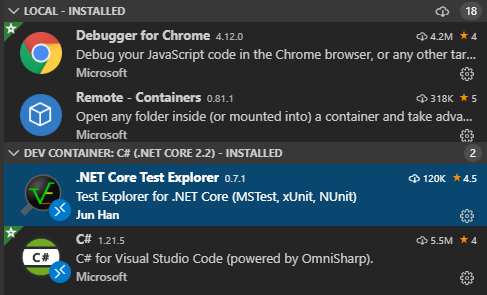
- Install ".Net Core Test Explorer" within the Dev Container
- Nav to the test window
- Select test
- Run selected test
- Wait forever
- Take a look at the logs:
But nothing out of this line: https://github.com/formulahendry/vscode-dotnet-test-explorer/blob/387e0b2acba5e0624cb6c3acf365bfcd89ae2001/src/testCommands.ts#L174Executing dotnet test --no-build --logger "trx;LogFileName=/tmp/test-explorer-U49mqd/0.trx" --filter "FullyQualifiedName={testnamehere}" in {folder here} Process 4989 started Process 4989 finished - Check if
/tmp/test-explorer-U49mqd/0.trxexists, it does.
Seems like chokidar's event is never triggered for a new test result when running inside a docker container.
