

 formulahendry
[Bug] Code run does not show result on vccode out put console
- VS Code Version: 1.54.3
- OS Version: ubuntu 20.04
- Code Runner Version: 0.11.3
Describe the bug Today I realized that Output only shows the empty result in a .js file as seen below. I tried a simple code "console.log ('test');" and shows the result below.
_**[Running] node "/home/jonathan/Documentos/turma_10_tribo_b/trybe-exercises/Bloco 7/7.2/objParte1.js"
[Done] exited with code=0 in 0.14 seconds**_
To Reproduce Steps to reproduce the behavior:
- digit consolo.log('hello');
- i give CTRL+ALT+N
Actual behavior this only appears on the vscode console
[Running] node "/home/jonathan/Documentos/turma_10_tribo_b/trybe-exercises/Bloco 7/7.2/objParte1.js"
[Done] exited with code=0 in 0.14 seconds*
Expected behavior should print what I requested in the console.log
[Running] node "/home/jonathan/Documentos/turma_10_tribo_b/trybe-exercises/Bloco 7/7.2/objParte1.js" hello [Done] exited with code=0 in 0.14 seconds*
Screenshots
If applicable, add screenshots to help explain your problem.
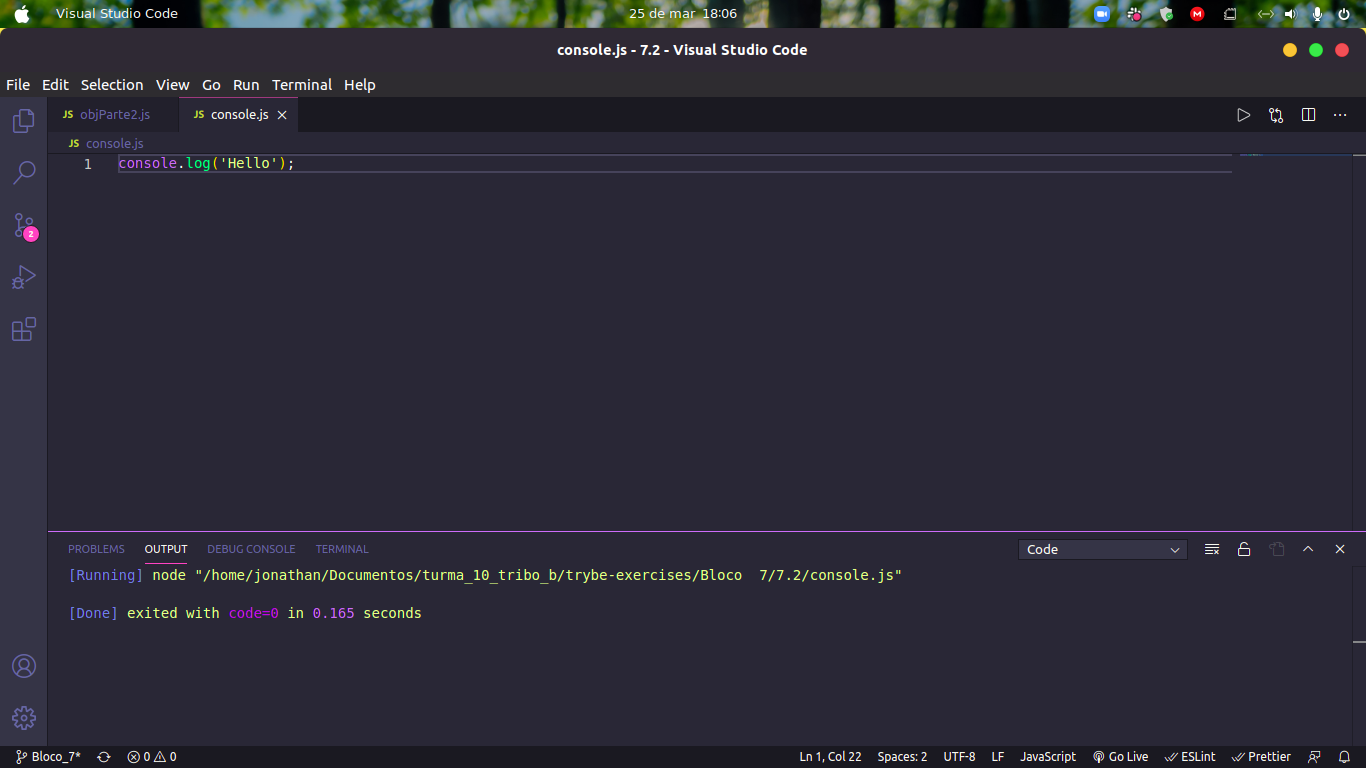
run on the terminal it prints, but on the console it doesn't
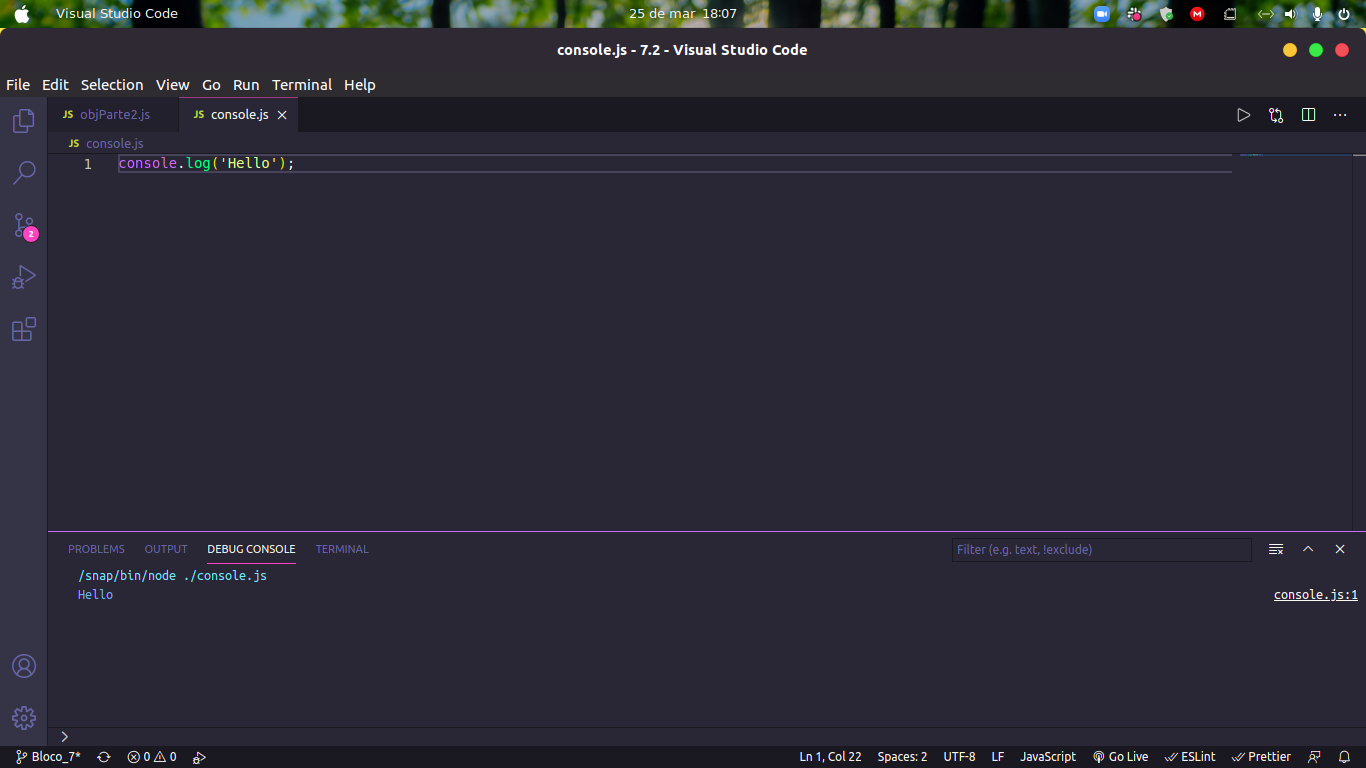

As far as I can tell, by default it only runs the segment that is highlighted. If nothing is highlighted, this... runs nothing. I think you have to select-all before running it.
However, there is a setting which, if set to true, will always run the whole file by default.
"code-runner.ignoreSelection": true
One or both of 2 changes would make this a lot more intuitive:
- if nothing is selected, run the entire file
- add a separate hotkey for "run entire file", since the setting above makes it impossible to run only the highlighted section

I'm having this same issue but with typescript. Here's my test code.
function speak(phrase: string) {
  console.log(speak);
}

speak('Hello World');
And the result
[Running] ts-node "/Users/brane/dev/test-code-runner/run.ts"
[Function: speak]

[Done] exited with code=0 in 1.918 seconds
In my case, I select the code before executing the Run Code command, as @ehaynes99 suggests, but it still does not print the log message. I've also tried removing the string type and running Run By Language and selecting javascript, but it's the same result, just ran under node instead of ts-node.
