

 forge-ext
bug : dynamic workspaces messes up tiling
Describe the bug/issue when a workspace is closed the tiling in the workspaces on it's right is messed up , the 2 workspaces on it's right gets treated like a single workspace (say both workspaces right to the closed one have one not maximized window each , the window in the 1st workspace will occupy half of the screen and leave the other half empty while the 2nd workspace will do the same but on the other half of the screen)
To Reproduce Steps to reproduce the behavior:
- open 3 or more workspaces
- close the first one
Expected behavior workspaces don't get effected
Version Information
- Distro and version: fedora silverblue 37
- Forge version : latest from extension manager : forge 57
- Gnome-shell version (
gnome-shell --version): 43.0
Monitor Setup
- 1 x 1080p
Additional context the issue appeared when #137 got fixed

Hi @allaeddineomc are you using dynamic workspaces? Thanks for the report and how do you close a workspace?

yes , dynamic workspaces , by closing a workspace i mean closing all of it's windows or moving them to other workspaces so it gets closed , are dynamic workspaces an unsupported use case ?
Partially supported, I'll dig into it a little bit more. Can you also please share any logs while the issue is happening?
I can confirm this. Each workspace in dynamic mode has its own windows tiled to the workspace they belong to. Once a workspace is removed, windows are tiled across the next two work spaces as if it were a single workspace.
I am using fixed work spaces as a temporary remedy. Thank you for this awesome extension. I will be happy to provide a log if you could guide me.
System:
  Kernel: 6.0.11-arch1-1 arch: x86_64 bits: 64 compiler: gcc v: 12.2.0
    parameters: initrd=\initramfs-linux.img
    root=PARTUUID=c4185cd7-52c6-4000-b523-ff3fd4de196b rw
  Desktop: GNOME v: 43.2 tk: GTK v: 3.24.35 wm: gnome-shell dm: GDM v: 43.0
    Distro: Arch Linux

Same problem here. When using dynamic workspaces, if a workspace is closed, the tiling "containers" of the two next workspaces seem to get mashed together, and you end up with windows tiled on the sides of otherwise empty workspaces.
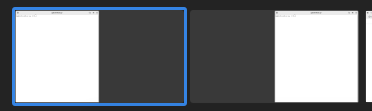

Although this needs no additional confirmation, I stumbled upon this issue too. Glad I found this bug report, I was puzzled why the tiling gets temporarily stuck. With fixed workspaces Forge works perfectly.

I noticed this bug, and not only in Forge but also other tiling managers such as pop-shell. If you then move one of the "resized" windows to the workspace containing the other, they will form a three-column pattern in combination with the window in the next workspace:
*Moving the leftmost window into the next workspace results into this: *

Summary. @allaeddineomc feel free to update the description so it's more visible. Screencast from 2023-12-20 17-25-35.webm
Steps to reproduce
- open two windows on on each workspace
- open the overview
- drag the first window from the first workspace over to a new workspace (on the empty workspace most to the right or between the last workspace and second to last. Effect is the same)
- enter the first workspace
Expected outcome: first and second workspace occupies the entire width
Actual outcome: window from workspace one and two share width

There is a forge-next branch that I was planning to rewrite the window tree. But someone can probably fix the current implementation as well.
why is this bug still a thing its super annoying and the issue has been open for 1,5 year now

@jmmaranan Do you have any insight into what could cause this? I'd be happy to take a look, with some direction.

Hi @uhthomas, I have not had the time to check. You can start looking into how the workspaces are mapped to the tree.
Thanks @jmmaranan! I'll take a look. Could you help me understand how best to enable debug logging, and then also use debug builds? I've read https://github.com/forge-ext/forge/wiki#developing-and-testing-forge, but it's quite terse.
but also other tiling managers such as pop-shell
I can't replicate it with pop-shell.

Hi everyone, decided not to support dynamic workspaces. So I'll close this for now as not planned.
Sorry! It is clear that this is not in the roadmap. Before I fork it, I just want to give a little feedback about this issue and I'm not sure if the problem is the dynamic workspace itself.
After reading the code I made some tests and I'm still confused.
How to reproduce:
Steps to reproduce the behavior:
1. open 3 or more workspaces
2. close the first one
3. When tilling becomes wrong, just open a new windows and the error is gone.
Opening a new windows is triggering the array update.
Sorry! It is clear that this is not in the roadmap. Before I fork it, I just want to give a little feedback about this issue and I'm not sure if the problem is the dynamic workspace itself.
After reading the code I made some tests and I'm still confused.
How to reproduce:
Steps to reproduce the behavior:
1. open 3 or more workspaces
2. close the first one
3. When tilling becomes wrong, just open a new windows and the error is gone.
Opening a new windows is triggering the array update.
So it would need to detect when a workspace is deleted and then update?
