
salesforcedx-vscode
 salesforcedx-vscode copied to clipboard
 forcedotcom
Apex debugger: variables in the Watch window and in the Debug Console window don't evauluate
Summary
When debugging using the Apex debugger, as I step through the code, I see local variables are added, but when I evaluate the variables in the Watch window, or in the Debug Console window, just the name of the variable appears, and not its value.
Steps To Reproduce:
- Add the following code:
@IsTest
public class test1 {
    @IsTest(SeeAllData=True)
    static void accountTest() {
        Account[] oldAccountsArray = [SELECT Id, Description FROM Account ORDER BY CreatedDate ASC LIMIT 5];
        List<Account> oldAccountsList = [SELECT Id, Description FROM Account ORDER BY CreatedDate ASC LIMIT 5];
        Map<Id,Account> mapOfOldAccounts = new Map<Id,Account>(oldAccountsArray);
        Account firstOldAccount = oldAccountsArray[0];
        System.debug('Well?');
    }
}
- Deploy the source
- Click the "Debug Test" link
- Debug the code, and add
oldAccountsArray, oldAccountsList, mapOfOldAccounts, and firstOldAccount1to the Watch window
Result:

Expected: I expected to be able to evaluate the variables, and also be able to expand container-type variables (lists, arrays, etc...)
- Go to the Debug Console window, and enter each of the local variables there.
Result:
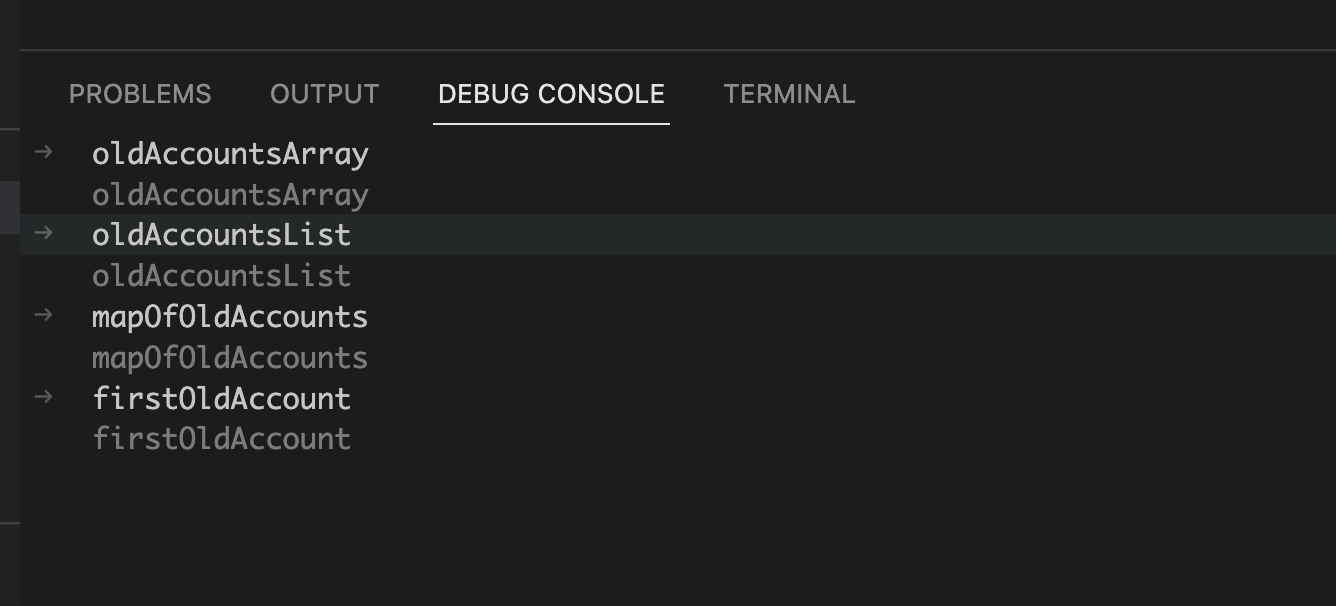
Expected: I expected to be able to evaluate the variables, and also be able to expand container-type variables (lists, arrays, etc...)

Note: this was discovered while looking into https://github.com/forcedotcom/salesforcedx-vscode/issues/4131, which is related to this.
![git2gus[bot] avatar](https://avatars.githubusercontent.com/in/19654?v=4 "Published by a pub.dev verified publisher")
I just hit this bug
Is there any solution for this? Nobody has been able to properly watch variables in VS Studio for over 18 months now?
