
salesforcedx-vscode
 salesforcedx-vscode copied to clipboard
 forcedotcom
New Lightning Web Components fail to deploy from .js file without closing and reopening
Summary
After creating a Lightning Web Component, attempting to deploy it by right clicking the .js file in the editor panel will fail. This appears to be due to a name mismatch where the file is correctly named on disk, but incorrectly named in the editor.
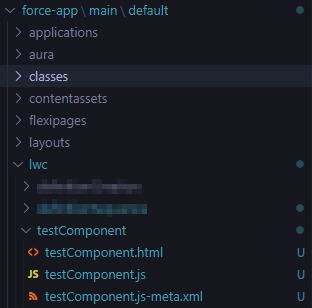
The name given to the component during creation, if starting with a capital letter, will be transformed to start with a lower case character. This works for the file on disk and can be seen in the navigation tree in VS Code.
However, after creating the component the editor panel will automatically open the .js file, but without this transformation to the name, and will still keep the leading upper case letter. Somehow, VS Code is still able to determine that the file in the editor is the same as the file in the navigation tree and allow editing, but when the file is right clicked in the editor and deployed, it will fail with an ambiguous error code 1.
Simply closing the file and reopening it is all that it takes to correct the name in the editor. It is a rather minor issue and kind of petty to report, however I thought it would be good to bring up none-the-less. As a first-time LWC dev, this caught me off guard for a while because I did not realize the name discrepancy, and I was just assuming that you were not allowed to deploy an entire LWC from the JS file, unlike the older Aura components.
Steps To Reproduce:
- Follow routine steps to authorize an org and create a project with manifest (bug not tested on DX projects, but I would suspect it is project-type-agnostic?).
- Create a new Lightning Web Component. Make sure the project name leads with a capital letter.
- Attempt to deploy the component by right clicking in the .js file in the editor panel.
Expected result
The Lightning Web Component should deploy to the org.
Actual result
The Lightning Web Component fails to deploy with exit code 1.
Additional information
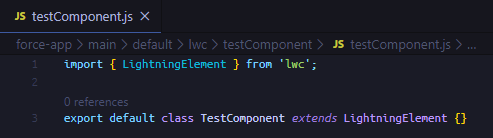
Editor tab opened automatically after creation, with name not matching the file on disk:

Navigation tree, with actual file names:
Console output from deploy attempt, before closing and reopening file:

File closed and reopened from navigation tree, with name matching file on disk now:
Console output from deploy attempt, with name matching file on disk now:

VS Code Version: Version: 1.45.1 (user setup) Commit: 5763d909d5f12fe19f215cbfdd29a91c0fa9208a Date: 2020-05-14T08:27:35.169Z Electron: 7.2.4 Chrome: 78.0.3904.130 Node.js: 12.8.1 V8: 7.8.279.23-electron.0
SFDX CLI Version: sfdx-cli/7.60.0-e2bb2907cb win32-x64 node-v10.15.3
OS and version: Windows_NT x64 10.0.17763

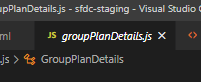
I'm having the same issue, but it persists when I close and reopen the file. When I first click on a file and is "soft opens" the filename is correct:
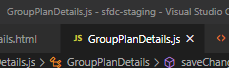
However, as soon as I save, it recapitalizes the file in the editor, but the actual filename remains camelCase.
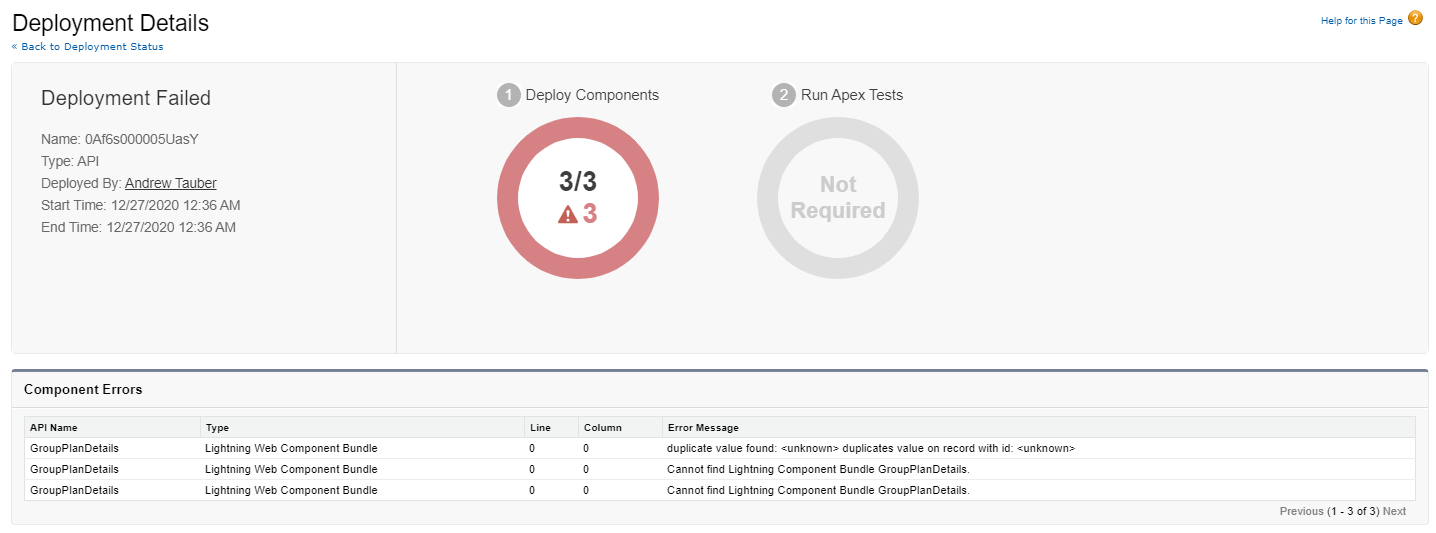
When I check the deployment status page, I see this:

Were you ever able to solve this? I initially created a LWC with an uppercase first letter and had this error. I deleted from source and org (verifying under Lightning Components in Setup that it was deleted) and then tried to create the LWC again with a lowercase first letter and continued to get this error.

I am still able to reproduce this. This issue may be due to an issue with VS Code: https://github.com/microsoft/vscode/issues/141190#issuecomment-1020883350

