
Pluto.jl
 Pluto.jl copied to clipboard
 fonsp
fonsp
Pluto hangs when using MATLAB.jl
Pluto hangs when using MATLAB.jl
Pluto notebook that calls MATLAB commands runs indefinitely. Perhaps it is an issue with parsing the terminal output?
Minimum example: https://gist.github.com/fcdimitr/c48cc6f6c4764a61b555f0c985bf76c0
I noticed the issue with version v0.18.4, it was working with v0.18.0

I just tried running your notebook on latest Pluto and I don't notice this:
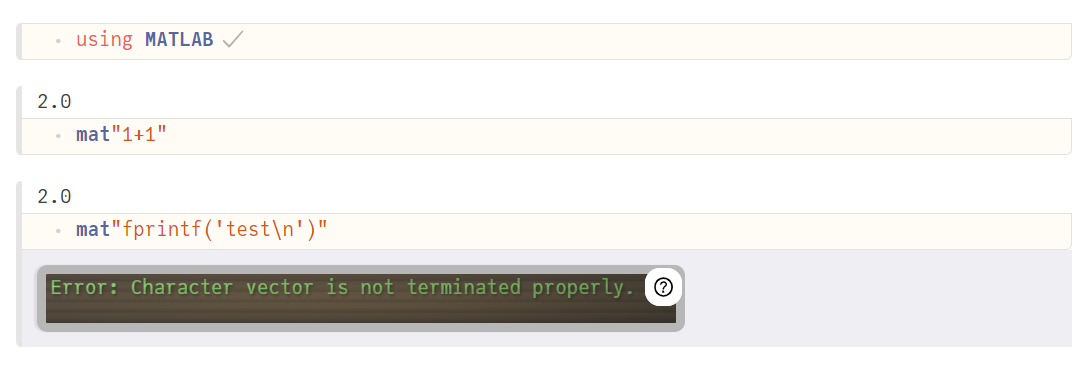
Edit: I am on windows 10 with Julia 1.7.1 and using Chrome

Thank you for testing it on Windows!
The issue appears on my side on both Linux (Ubuntu) and macOS 11 (Monterey).
I do not have access to a Windows machine to try it.
Edit: I was using Safari and Julia v1.7.2
I am retesting with a simpler version; only trying to start a MATLAB session with a 0-length buffer to store MATLAB output text:
using MATLAB
MATLAB.default_msession_ref[] = MSession(0; flags="-nodisplay -nosplash -nodesktop");
This command alone freezes Pluto indefinitely on macOS with Julia v1.7.2

The same command works as expected through REPL.
Thanks to @lungben for the following workaround:
You could try to deactivate multiprocessing in Pluto: https://github.com/fonsp/Pluto.jl/blob/15a94f415dba4fbad753ddac5153fa9286ce0eb2/src/Configuration.jl#L106
Pluto.run(workspace_use_distributed=false)
Might be linked to #2001. I believe that disabling workspace_use_distributed will also disable terminal forwarding, which would explain why it fixes the problem.

I don't have a matlab license so it won't be easy for me to work on this. @fcdimitr be sure to subscribe to #2001, if we make a candidate PR to fix that issue, try it out on the matlab notebook.