

 fm-sys
Improve scoped storage efficiency
Previous logic:
- Write to temp file
- Copy temp file to destination folder
- Delete temp file
- Post notification
New logic:
- Write to media store database directly
- Post notification
The advantages of this improvement:
- It's 2x faster than old logic.
- It can save physical storage lifetime, just like how SSD works.
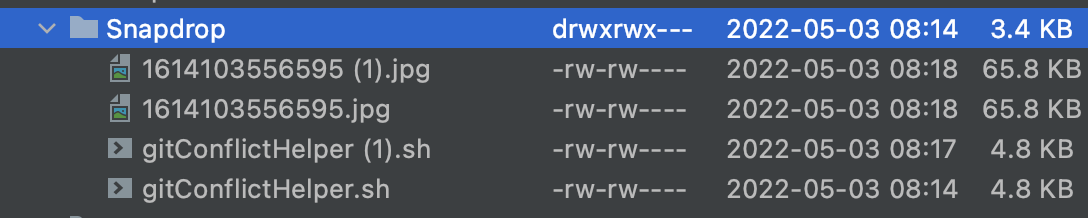
Test result:

Hi, thanks for the PR!
Two questions for clarification:
- What will happen if someone sends me a file I do not want (e.g. in a public network)?
- Is it necessary to change the download folder to
downloadsFolder + "/Snapdrop"? If not, I would favor to leave it as is...

Is it necessary to change the download folder to downloadsFolder + "/Snapdrop"?
Nope. I have removed path /Snapdrop on new commit. Reverted.
What will happen if someone sends me a file I do not want (e.g. in a public network)?
Current Snapdrop logic do not have a confirmation JSAPI (@JavascriptInterface), so the flow is as follows:
- An anonymous user sends a file in public network.
- File is received by Snapdrop app, and write it into temp file.
- After the temp file is downloaded 100%, then ask user whether to save or ignore the received file.
- If the user wants to save it, then rename and move it to
Downloadfolder. - If the user wants to ignore it, then the temp file stays in cache directory for an unknown time. It could make the storage full if users never clean up caches in their devices.
Above logic is not a good approach, the following actions are much better:
- An anonymous user sends a file in public network.
- JSAPI confirmation is triggered, then file data (name, mime type, size) are received, and ask the user to save or ignore it.
- If the user selects ignore, nothing will happen.
- If the user selects save, then start downloading the file.
- File is received by Snapdrop app, and write it into media store directly.
And the logic of current changes on this PR is:
- An anonymous user sends a file in public network.
- File is received by Snapdrop app, and write it into media store directly.
- After the file is downloaded 100%, then ask user whether to save or ignore the received file.
- The only difference of selecting save/ignore is, option "save" will show notification & snackbar. The file still persists in storage, even though the user selects ignore.
Current Snapdrop logic is a bad approach, because it will download the file before asking the user. It will be a redundant if the file is downloaded but the user selects ignore. There should be a JSAPI to ask user whether to save/ignore before downloading files, do you know what is it?
Current Snapdrop logic is a bad approach, because it will download the file before asking the user.
I totally agree that this logic has downsides. One of the good things however is, that snapdrop is able to show e.g. image previews
Unfortunately, we are dependent on https://github.com/RobinLinus/snapdrop and they have decided to go that way...
Oh, and the current Snapdrop logic is even a bit more complicated. Currently, the file is actually stored three times.
- As blob content inside the webview
- As temp file
- Finally a public user-visible file is created out of the temp file
Maybe we can directly stream the blob into a SAF file. We had some trials in #76, but somehow we ended up with the current logic.
One of the good things however is, that snapdrop is able to show e.g. image previews
Instead of receiving full size of the file, snapdrop server should generate thumbnails to achieve this. So we can avoid redundancy in transferring files.
Our best workaround for now is listening "ignore" option from the dialog. If the user selects ignore, we should remove the downloaded files from media store database. So we can still achieve "2x faster transfer rate" as I pointed above. In the future, we need to make an improvement to start downloading files after the user confirmed "save" on the dialog. Now, how to listen ignore?
Is it really the network transfer rate which will get improved, or rather the delay which is currently necessary for moving the file?
From users perspective, they see it as single transfer rate. But from our perspective as developer, we see it as download rate + moving file to media store rate. Thus removing "moving file to media store" will make the transfer rate 2x faster from the user perspective.
Our best workaround for now is listening "ignore" option from the dialog. If the user selects ignore, we should remove the downloaded files from media store database.
Yes, probably this is the best way to go.
Furthermore media store allows us to easily rename files and change the MIME type, right? Maybe, we could store the files as snapdrop-data.temp and rename the file as soon as the user selects "download".
Still not perfect, but maybe something to consider. What do you think?
We can't rename files in media store database, but we can hide/unhide the file from the user with MediaFile.isPending in SimpleStorage. Now back to previous question, how to listen "save/ignore/download"?
We can't rename files in media store database, but we can hide/unhide the file from the user with MediaFile.isPending in SimpleStorage.
That sounds even better 👍
Now back to previous question, how to listen "save/ignore/download"?
We already modify the website quite a bit via JS. See: https://github.com/fm-sys/snapdrop-android/blob/master/app/src/main/assets/init.js
We could just add an OnClickListener to the relevant html button via js and let it call the JavascriptInterface
I'm not an expert in Javascript. Maybe you can create a new branch that modifies init.js, and I will change this PR's target branch to the newly branch you've created. So you can test this PR with the new JavascriptInterface. How about that?
One more question, can we modify the confirmation dialog in init.js to write files after the user selects save? I wish we can reverse the current logic, to avoid writing unneeded files to the user's storage.
I'm not an expert in Javascript. Maybe you can create a new branch that modifies
init.js, and I will change this PR's target branch to the newly branch you've created. So you can test this PR with the newJavascriptInterface. How about that?
Sure 👍 Might take some days though...
One more question, can we modify the confirmation dialog in
init.jsto write files after the user selects save? I wish we can reverse the current logic, to avoid writing unneeded files to the user's storage.
I fear this will not be possible unfortunately.
Hi, just want to say that I haven't forgotten your PR. However, I'm quite busy currently... sorry!
Here we go, I had almost forgotten that I had planned to do something here... https://github.com/fm-sys/snapdrop-android/commit/9d1a09ab3ff2b5fe9f43b5c4c23c0bc3bc3e9a83
Added new changes to handle ignoreClickedListener. Please check it @fm-sys
The pipeline is green now. Please help to check it, or merge if you've approved it, @fm-sys. Thanks in advance.