

 flxzt
flxzt
Blank/Flashing UI and Unresponsive Drawing Canvas on Startup (Windows 10) - Version 0.13.1
Description
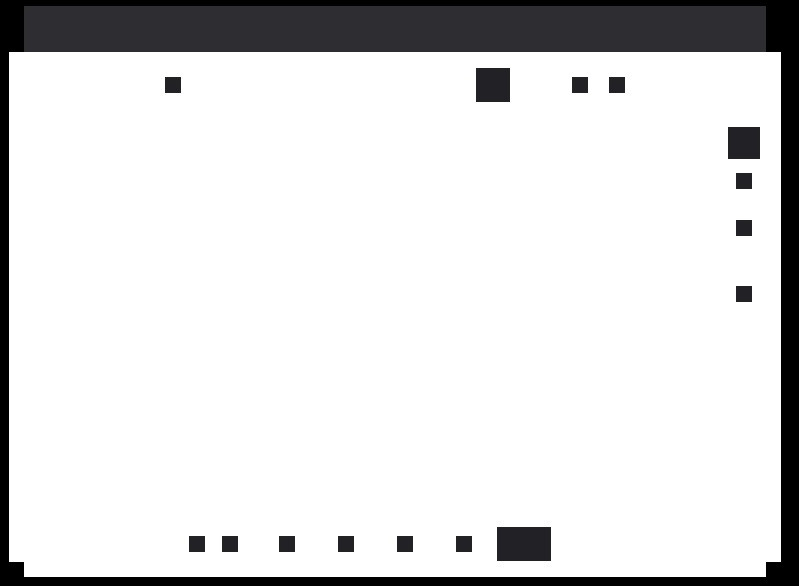
Upon launching Rnote version 0.13.1 on Windows 10, the main application window appears mostly blank/white. The areas where UI controls (buttons, toolbars, etc.) should be located intermittently flicker. The application is partially functional if I click from memory where the buttons should be, but the core functionality of drawing on the canvas is completely broken – no strokes appear when dragging the pen/mouse.
Steps to Reproduce
- Install and launch Rnote version 0.13.1 on Windows 10.
- Observe the main application window.
- Attempt to draw on the canvas.
Expected Behavior
The UI should render completely and correctly. Drawing on the canvas with a pen or mouse should produce visible strokes.
Actual Behavior
- The main window is predominantly white/blank.
- UI elements flicker intermittently in their correct positions.
- The application responds to clicks in the areas where buttons are supposed to be (e.g., clicking the top-left corner might open the file menu if targeted correctly), proving the logic is running.
- The primary issue: The drawing canvas is completely unresponsive. No ink/strokes are rendered when attempting to draw.
Additional Information / Context
- This issue is specific to version 0.13.1. Rolling back to version 0.11.0 resolves all problems, and the application functions normally.
- The issue occurs on a fresh launch, not after a specific action.
- A screenshot illustrating the problem is attached below. The blank window with faint, flickering UI outlines is visible.
Version: 0.13.1 OS: Windows 10 Previous Working Version: 0.11.0
Screenshot:
Note: This issue description was structured and formatted with AI assistance.

Gtk4 changed its gpu renderer on windows and that was active on rnote version 0.12. There's not a whole lot that can be done on our side except waiting on gtk to fix/improve the renderer (it probably will change at least once more till the next gtk version though).
See if you find any report of similar bugs for your specific hardware here https://gitlab.gnome.org/GNOME/gtk/-/issues/?sort=updated_desc&state=opened&label_name%5B%5D=Windows&or%5Blabel_name%5D%5B%5D=gpu%20renderer&or%5Blabel_name%5D%5B%5D=Intel&or%5Blabel_name%5D%5B%5D=NVidia&or%5Blabel_name%5D%5B%5D=OpenGL&first_page_size=20

@Doublonmousse
Thank you very much for your help. Since I am using an older laptop that has both Intel and NVIDIA graphics cards, this problem occurred. My issue was resolved by switching the program's execution graphics card from Intel to NVIDIA. Now it runs almost without any problems, and only some of the UI animations are a bit laggy.