
chewie
 chewie copied to clipboard
 fluttercommunity
option to not grey out video
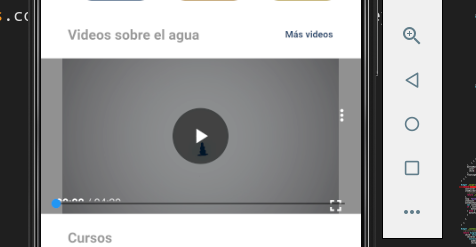
When using new MaterialControls the whole video screen is dimmed (greyed out) when video is paused or any interactions are happening.
This makes it really hard to see details on the video frame when video is paused or stepped trough.
Please add an option to disable dimming for the video.
PS: I tried to copy MaterialControls code but wasn't been able to remove this dimming. Suspecting that might be outside of control of the customControls.

It is true, the previous controls were super better, now that dimmed color is horrible and I have an error in expanding the video, after it expands it does not return to its original state that is to say in the small container where I put it.
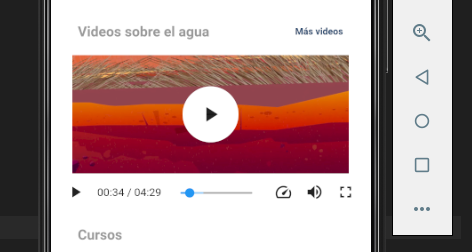
imagen 1
actual controls horrible imagen 2
Is there a way to return to the previous controls like image 1?
Cheers

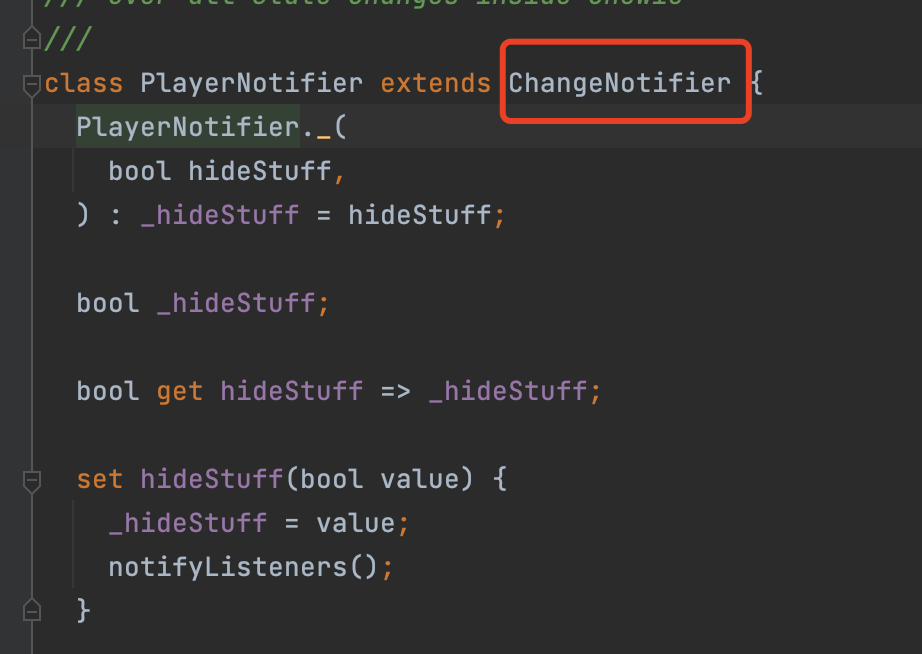
I found it was caused by playernotifier
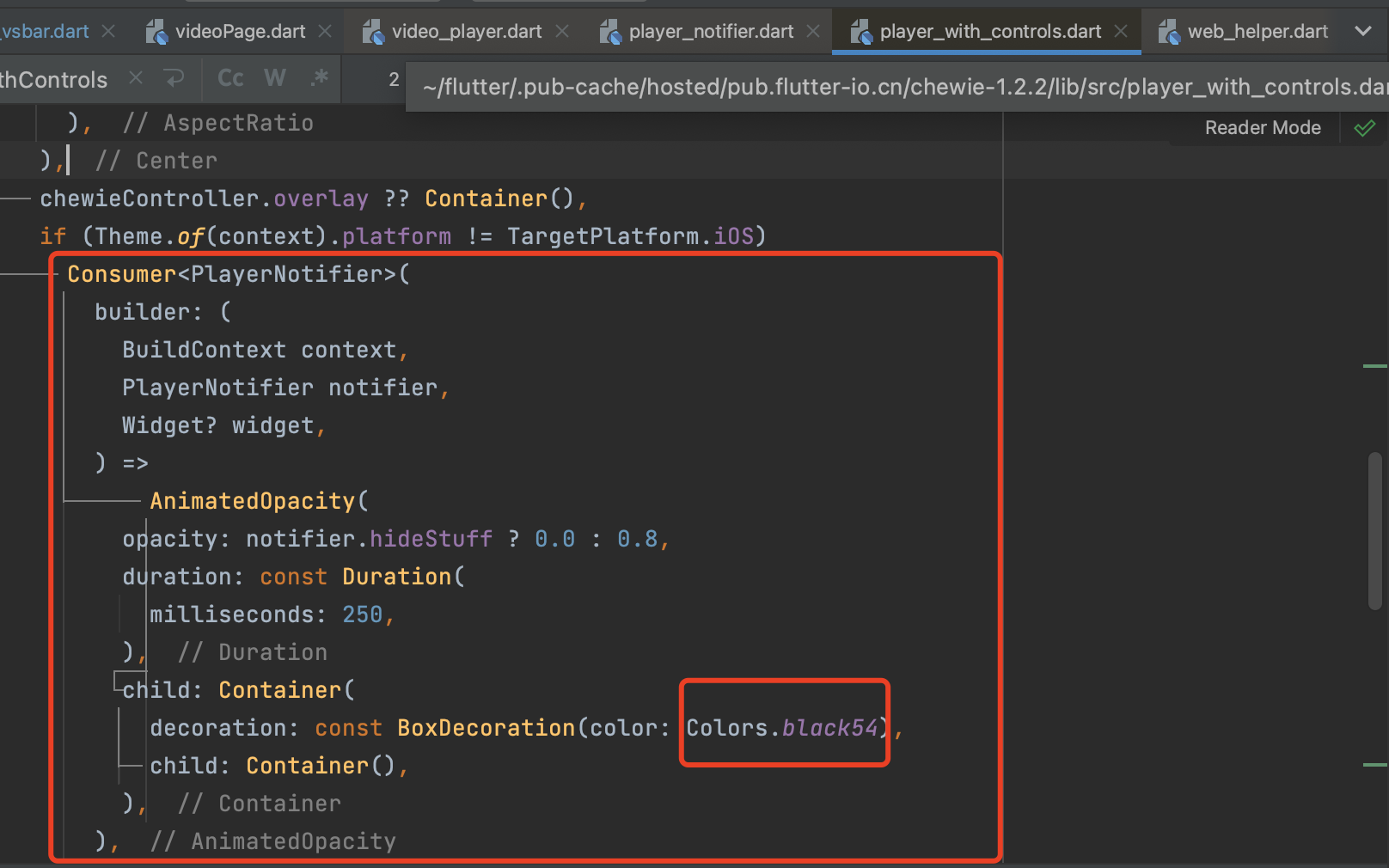 1.The easy way is to use the old version of materialcontrols.(https://github.com/gj2569355373/share)
2.You can also download the Chewie source code for modification.
1.The easy way is to use the old version of materialcontrols.(https://github.com/gj2569355373/share)
2.You can also download the Chewie source code for modification.

I found it was caused by playernotifier
1.The easy way is to use the old version of materialcontrols.(https://github.com/gj2569355373/share)
2.You can also download the Chewie source code for modification.
Thanks, but actually the Provider isn't the "error".
As you mention it's a "design" topic which in the past was introduced to behave like Youtube. But thank you, that you found a missing feature, that if you once tap on the dimmed background, the dimming should disappear. And re-appear if tapped again.
So this behavior should be changed.
I'll do that asap.

@Ahmadre could we please have an option to disable this "design" completely, so no dimming will be happening ever.
I can see how that could be nice on a large screen. But on the phone with a limited screen real estate this dimming makes the whole video player experience quite bad.
Another "design" piece is the large play button in the middle of the player, which is covering pretty much the most important part of the video where action is happening (on a small screens up to 2/3 of the whole area), so you can't use player to do a step-through.
@Ahmadre could we please have an option to disable this "design" completely, so no dimming will be happening ever.
I can see how that could be nice on a large screen. But on the phone with a limited screen real estate this dimming makes the whole video player experience quite bad.
Another "design" piece is the large play button in the middle of the player, which is covering pretty much the most important part of the video where action is happening (on a small screens up to 2/3 of the whole area), so you can't use player to do a step-through.
sure: I will add an option to that 👌🏼
Was the option to turn off the dimming effect implemented as @Ahmadre set out to do?


