
website
 website copied to clipboard
 flutter
Update guide and screenshots on 'Creating flavors for Flutter' page for XCode 14.2
Page URL
https://docs.flutter.dev/deployment/flavors/
Page source
https://github.com/flutter/website/tree/main/src/deployment/flavors.md
Describe the problem
The manual doesn't seem to reflect the current Xcode 14.2.
What do "Select Runner > New Scheme" and "In the Runner project, click Manage Schemes…" mean? I have found these actions in the "Product" menu.
What does this mean: "Note: Your configurations should be based on your Debug.xconfig or Release.xcconfig file, not the Pods-Runner.xcconfigs. You can check this by expanding the configuration names." I didn't understand it. BTW: should it be "Debug.xconfig" or "Debug.xcconfig"?
After the step "Double click the free scheme. In the next step (as shown in the screenshot), you’ll modify each scheme to match its free build configuration:" I'm stuck. I don't see Debug-free and Release-free, but only Debug and Release. So I probably did something wrong earlier. But what?
Expected fix
Give precise commands, so everybody with Xcode 14.2 can follow, doing it for the first time in his life.
Additional context
No response


What do "Select Runner > New Scheme"

You're right though, it would be clearer to say where it is in the menu Product > Scheme > New Scheme
"In the Runner project, click Manage Schemes…" mean
I don't see that wording anywhere, but it's talking about the same dropdown.
What does this mean: "Note: Your configurations should be based on your Debug.xconfig or Release.xcconfig file, not the Pods-Runner.xcconfigs. You can check this by expanding the configuration names." I didn't understand it.
That wording is right below the description and screenshot of Under the Info tab at the end of the Configurations dropdown list: Expand the configuration names. There's a dropdown. It needs to be "Debug" or "Release".
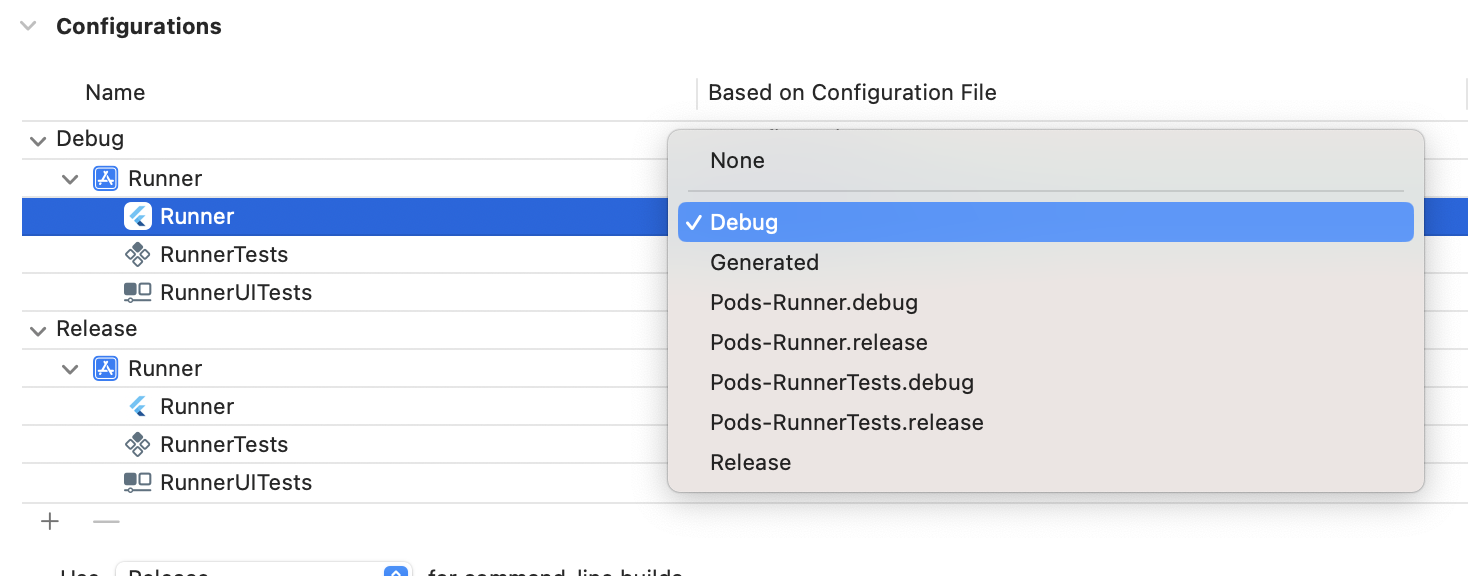
BTW: should it be "Debug.xconfig" or "Debug.xcconfig"?
It should be Debug.xcconfig
I don't see Debug-free and Release-free, but only Debug and Release. So I probably did something wrong earlier. But what?
I'm guessing you missed the step right before that text, steps 4 says "To match the free flavor, add -free at the end of each new configuration name."
