

 flutter
Theme Inspection
The Flutter Inspector should make inspecting themes in Flutter as easy as inspecting what CSS styles apply to an HTML element.
We are far away from that currently. Currently if you know exactly where to look you can sometimes see what the rendering styles are but you cannot determine why the rendering styles are the way they are.
Potentially the correct Kernel transformer combined with static analysis of the code for a Widget could let us determine what themes applied to Widget and even what values from the Theme were used.
Example use case from @willlarche
I have an icon and I need to make sure it's not black but dark brown. You can't tell really with the naked eye. But when I inspect it, I don't get the info on its color anywhere I look:
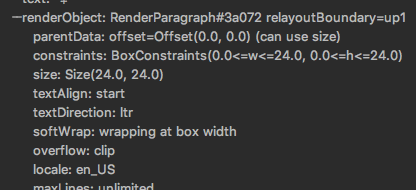
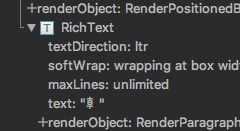
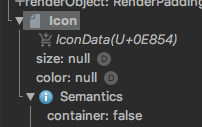 And it's themed so chances are the 'default' isn't what's being shown. Would love to know which theme is giving me that value.

This has been "On Deck" for about 2 years now... Any chance it is in the works for a future release?

@jacob314 will this become possible through evaluation with the console work you are doing in the inspector?
