

 flutter
How do I find the cause of the Jank Slow Frame?
Hello, I have several frames that take more than 500 ms to complete, I am trying to find out why, in which line of dart code does this slow exist in my app, but it does not tell me in which line this is happening or what is running.
In my widget, I only have one container, nothing more, because the slowness is caused by the dart code, but I would like devtools to tell me what line is making it take too long, this makes it freeze for 2 or 3 seconds, maybe already devtools brings it but I can't find it, I hope you can help me please
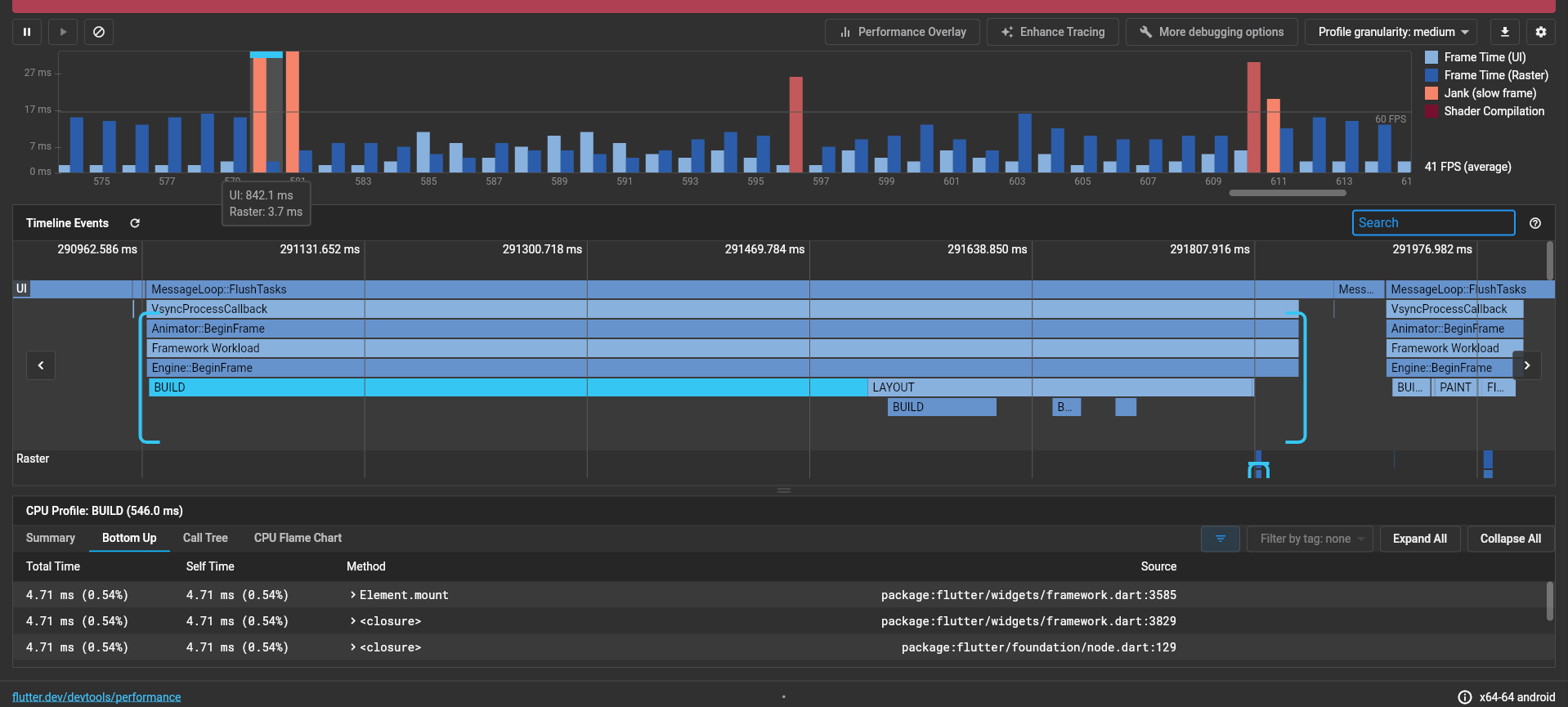

In this slow frame, it looks like the Build part of the frame is what is slow. After determining this, one flag you can turn on to help is the Track Widget Builds flag. Click on "Enhance Tracing" above, enable "Track Widget Builds", and then reproduce the janky activity in your app. This will add an additional timeline event to the time for each widget built.
You'll also see "Track Layouts" and "Track Paints" in the Enhance Tracing menu. These options can be used if you come across a frame where Layout or Paint are the main contributor to time on the UI thread. Please let us know if these options help! thanks.

In this slow frame, it looks like the Build part of the frame is what is slow. After determining this, one flag you can turn on to help is the Track Widget Builds flag. Click on "Enhance Tracing" above, enable "Track Widget Builds", and then reproduce the janky activity in your app. This will add an additional timeline event to the time for each widget built.
You'll also see "Track Layouts" and "Track Paints" in the Enhance Tracing menu. These options can be used if you come across a frame where Layout or Paint are the main contributor to time on the UI thread. Please let us know if these options help! thanks.
muchas gracias por leer mi caso, acabo de probar con los cambios que me dijiste y no logro encontrar ninguna linea de mi codigo, todas las lineas son codigo nativas de flutter
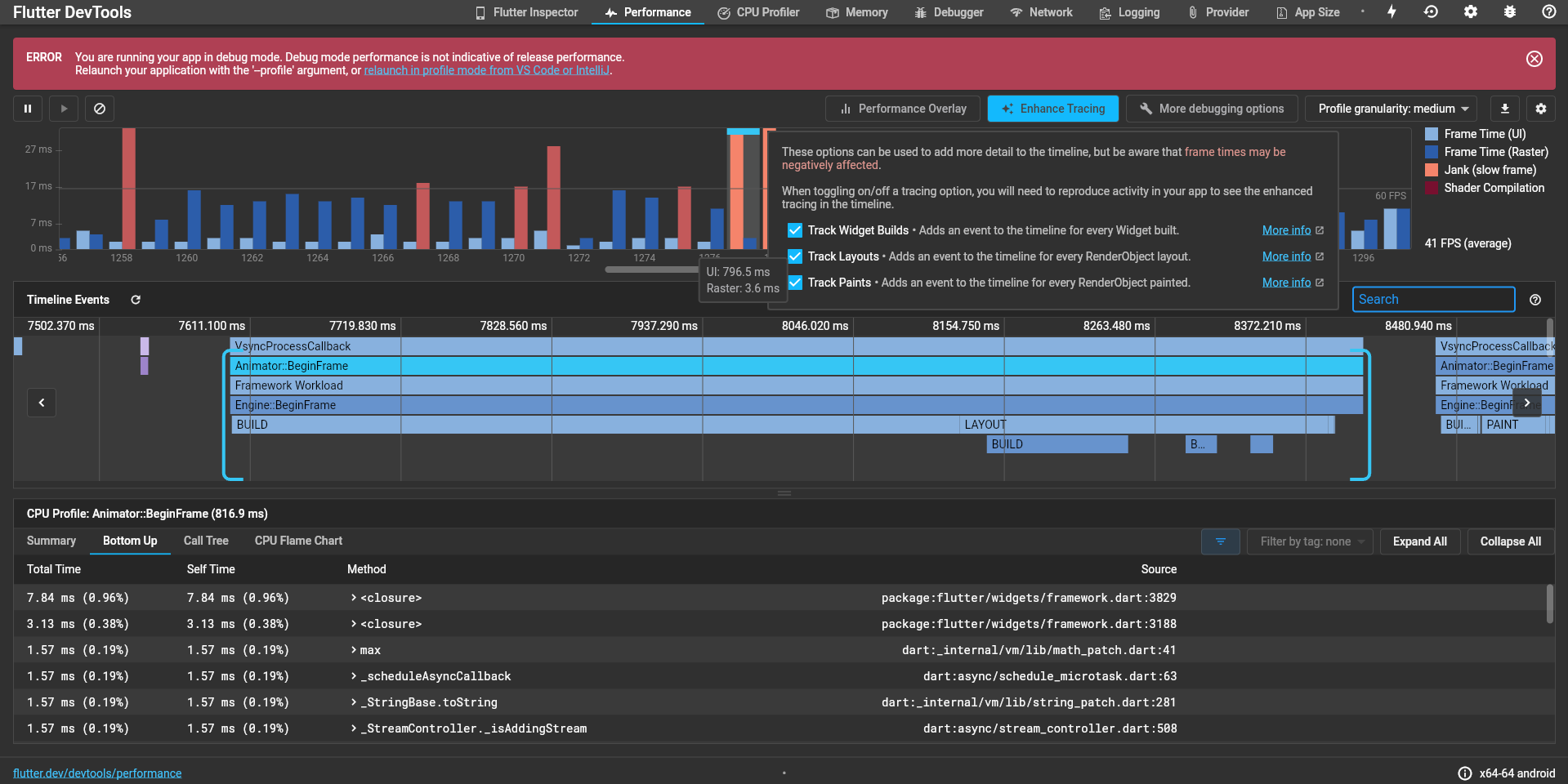
I would like devtools to tell me, look, it is taking 800ms because you are executing this line of code, the slowness is due to the fact that I am doing an http query and several filters with several .obs lists, but there are many lines and I would like to know what exact line it is taking so long, I don't know if it is possible for devtools to tell me that
Did you reproduce the janky activity in your app once you enabled Track Widget Builds? You should see additional timeline events below the BUILD event: https://docs.flutter.dev/development/tools/devtools/performance#track-widget-builds.
Narrowing down a BUILD event to the Widgets that contributed will help with guiding you to your problem. Another thing you can do is collect a CPU profile to understand what is going on during your slow frame / slow widget builds. You can click the BUILD event here to load a CPU profile for that time range, or you can use the CPU profiler tab to profile your whole app, but you will not be able to see the profile in the context of your slow frame with the latter method.
Hello Kenzieschmoll. I tried following the Flutter I/O doc regarding tracking the cause of slow build-up and jank or shaders in my app but I still could not translate my graphs into literal words on what to do.
May you please help me know how to fix slow performance in simpler terms, your help will be highly appreciated.

Without additional information we're not able to resolve this issue, so it will be closed at this time. You're still free to add more info and respond to any questions above, though. We'll reopen the case if you do. Thanks for your contribution!
![github-actions[bot] avatar](https://avatars.githubusercontent.com/in/15368?v=4 "Published by a pub.dev verified publisher")