

 flutter-form-builder-ecosystem
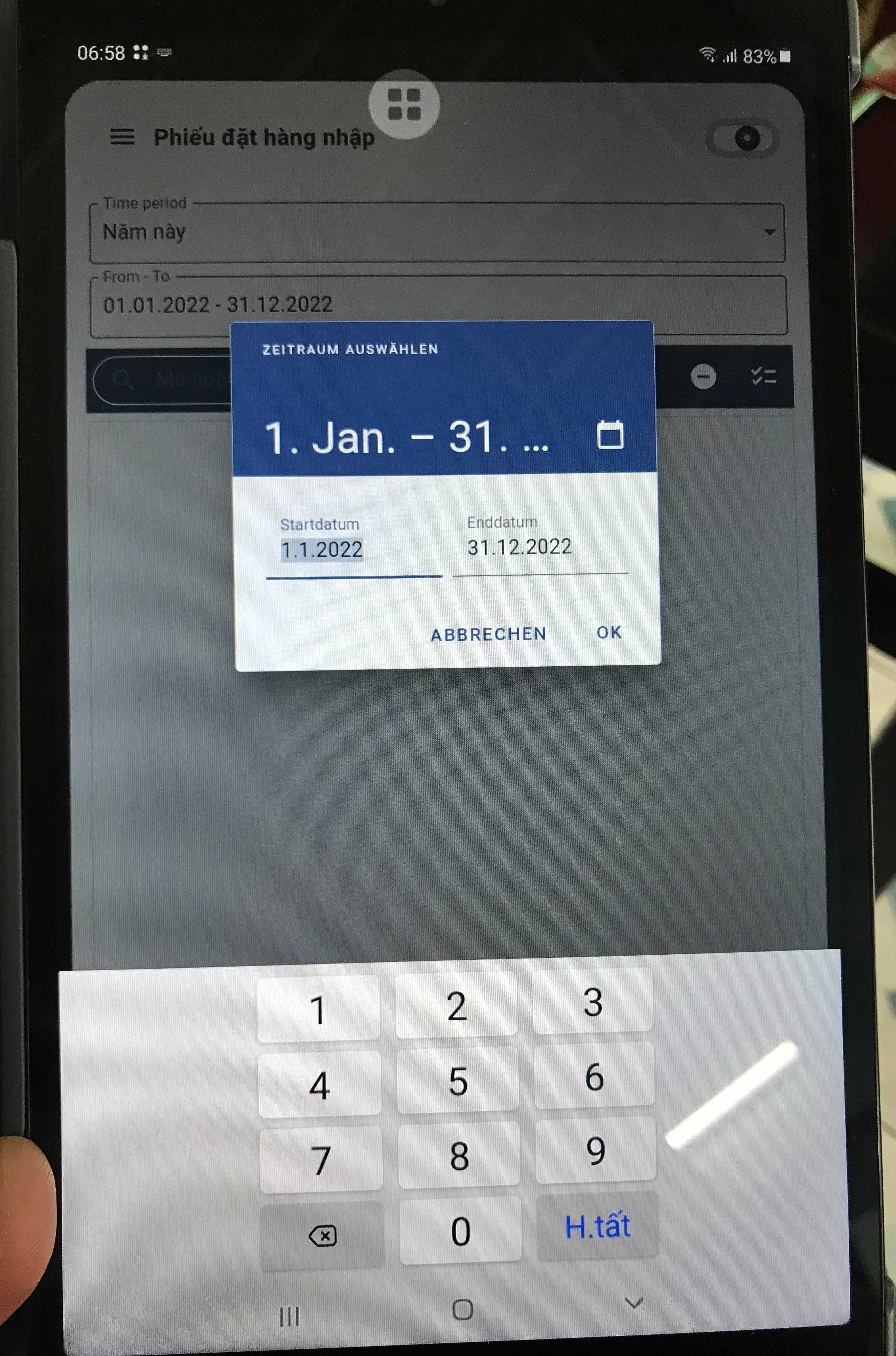
[FormBuilderDateTimePicker] with samsung keyboard number display only

To change the input mode for your FormBuilderDateTimePicker, use the initialEntryMode attribute, like so:
FormBuilderDateTimePicker(
    name: 'date',
    initialEntryMode: DatePickerEntryMode.calendar,
    initialValue: DateTime.now(),
}
Note: The calendar icon on the top right allows you to switch between the different input modes.

@danvick my code:
FormBuilderDateTimePicker( name: 'date', inputType: InputType.date, keyboardType: TextInputType.datetime, initialValue: control.phieumuahang.ngayPhieu, format: f.getDateFormat(), locale: const Locale('de', 'DE'), ),
initialEntryMode default is DatePickerEntryMode.calendar, when i click on the top right icon only the numeric keypad shows.
it only works on samsung devices, but on other devices it shows the correct datetime keyboard.
Hi @ducdac This package use the default inputs from material to build the form inputs. I found some issues related in flutter repository:
- https://github.com/flutter/flutter/issues/71670
- https://github.com/flutter/flutter/issues/62401
- https://github.com/flutter/flutter/issues/59685
I think that this problem is originated by flutter dependency
