

 fluks
fluks
feature: multiple redirects from single menu item
in the case of grabbing archived versions of pages for example, much of the time i open several tabs at once for the different archive services ( View Page Archive & Cache does this ) - while this is not super important to me, it might be a nice feature to add if it's not too difficult

I archive pages and search archived pages with many services quite often too, so I can see this could be useful.
The first obstacle is to come up with a good UI on the options page. Maybe another button to add a multi redirection and it could have pointers to reference normal redirections?
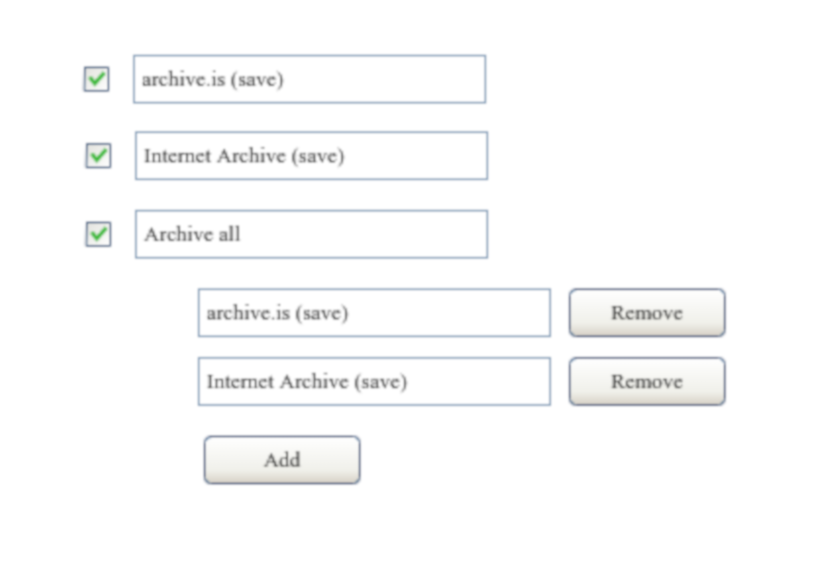
Or should the subredirections have all the same fields as normal redirections? It's not that bothersome to add all the fields multiple time.
I don't know yet if I'm going to do this.

i don't know how best to implement this, but i like your screencap where one can add an arbitrary 'category' with the redirects below it
Or should the subredirections have all the same fields as normal redirections?
in order to provide the most flexibility, i think that might be the better way to go??? so in your screencap where you have the 'archive all' menu item, that would function as an identifier -- a label -- and nothing more (other than internally of course) and all the subs would all open separate tabs when the 'archive all' menu item is clicked - from a coding POV i think that sounds fairly simple, but i don't really know
What do you think if the browser action popup wouldn't close, when you redirect a page? Then you could make multiple redirections more easily. Not as easy as in your request, but it would be an improvement. I think this can't be done with the context menu, so you have to navigate to the page you want to redirect.
What do you think if the browser action popup wouldn't close, when you redirect a page?
in this case need be an optional setting in my opinion

What do you think if the browser action popup wouldn't close, when you redirect a page?
in this case need be an optional setting in my opinion
If you redirect in the current tab, it should close of course immediately after mouse button is pressed, but maybe not if you redirect to new tabs, I think it's so easy to close the toolbar popup that a setting might not be necessary?
I open many times in new tabs using middle click, with this behavior add 1 click each time, I vote to add an setting :)