

 fluidd-core
Selection of console using mouse click-hold-drag doesn't work
Fluidd Version
1.23.0-f67487f
Browser
Chrome, Edge
Device
Desktop PC
Operating System
Windows
What happened
When I try to select a bunch of console text using the mouse cursor with a click-hold and drag motion beyond the top or bottom of the console viewport, the selection should continue to select until I release the mouse button. When attempting to do this, the selection drops out seemingly randomly. Inevitably, the selection achieved by this is significantly less than expected.
Here's a quick animated gif showing an example of what I'm trying to describe. You can see through most of the animation that I was holding the mouse button.
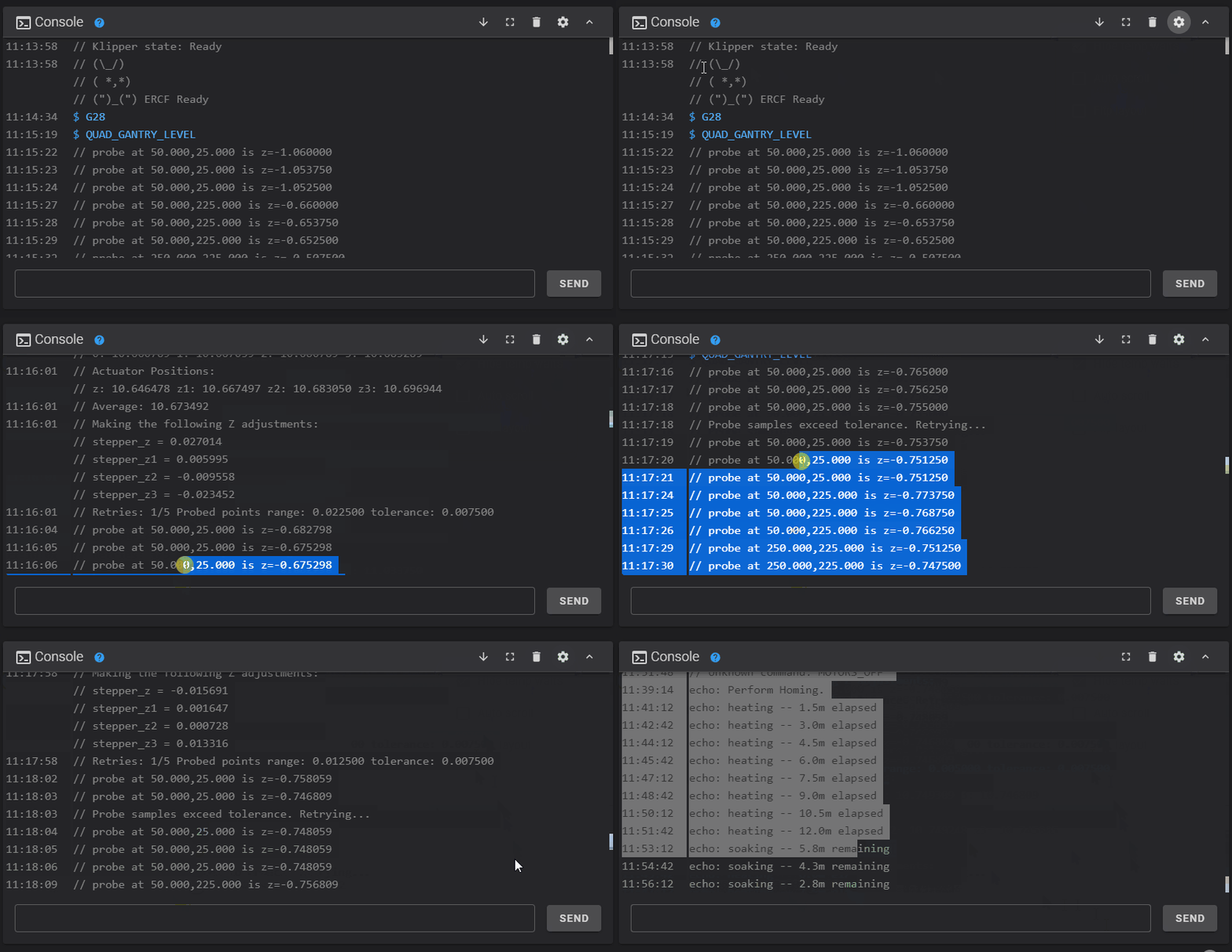
This problem does not occur in Mainsail but it does happen in both Edge and Chrome on my desktop PC with Fluidd.
What did you expect to happen
While holding the mouse button, the start selection of text (where you initially clicked) should not change during the duration you are holding the mouse button. When you let go, it should contain all the text from when the mouse button was depressed until it was released. In the case of KlipperScreen this does not happen (tested in Mainsail and Fluidd).
How to reproduce
- In the console, click and hold the left mouse button on some text.
- Drag the mouse cursor beyond the top or bottom of the console viewport so that the screen begins to scroll.
- Watch as the selection continues to change as you hold the mouse button (this should not happen)
Additional information
No response

@spikeygg thank you for reporting this.
I believe this issue is a byproduct of the fact we are using a virtualizing list here in order to keep memory usage as low as possible.
I have confirmed the issue and we will see what we can do to improve this situation ASAP.
