

 flatpak
Add OpenMandriva logo (as distro with flatpak support) and install instruction
Hi.
OpenMandriva support flatpack but I not see OMV logo on your website. Can u add OpenMandriva icon and flatpak install instruction?
Install instruction:
for current stable OpenMandriva Lx3:
su or sudo urpmi flatpak
for upcoming OpenMandriva Lx4 (in Cooker now)
su or sudo dnf install flatpak

Do these commands enable Flathub also? Are any other steps required to get the full Flatpak experience, such as to get Flatpak working in KDE Discover?

Hi. Flatpak installation is possible via console like in above post or via nice RPMDrake GUI (available in OpenMandriva Control Center - Install and Remove Software).
Well, Flathub repo must be added manually.
flatpak remote-add --if-not-exists flathub https://flathub.org/repo/flathub.flatpakrepo
and then reboot system. Not sure if reboot is needed but better to do it. Thats all.
I'm not a Discover fan, I prefer the installation from the console. In this way I install few flatpak apps like atom, fedora media writer, spotify, discord and few games. All works fine.
Discover is default installed in OpenMandriva, so when download flatpack files and simple double click on it - discover displays the installation window.
Draft instructions:
1. Install Flatpak
To install Flatpak on OpenMandriva Lx3, run the following in a terminal:
$ sudo urpmi flatpak

Or, to install on OpenMandriva Lx4:
$ sudo dnf install flatpak

2. Add the Flathub repository
Flathub is the best place to get Flatpak apps. To enable it, run:
$ flatpak remote-add --if-not-exists flathub https://flathub.org/repo/flathub.flatpakrepo

3. Restart
To complete setup, restart your system. Now all you have to do is install some apps!
It would be good to have some confirmation that Discover will work for Flatpaks, after following these instructions.
It would be good to have some confirmation that Discover will work for Flatpaks, after following these instructions.
Anyone?
I'm so sorry. I had a lot on my mind and completely forgot about this topic.
It would be good to have some confirmation that Discover will work for Flatpaks, after following these instructions.
Yes. Flatpak work fine after doing this.
However, for Lx4 there is a small change. "Discover" is no longer installed by default in system. So we need install it:
dnf install discover
Thats all. I'm sorry again.
I checked on OpenMandriva Lx 4.1 {2020-05-plasma}. Bring Discover 5.17.5 installed without the Flatpak plugin. Flatpak and the Discover backend can be installed from Dnfdragora {software manager} also present in OMLx 4.
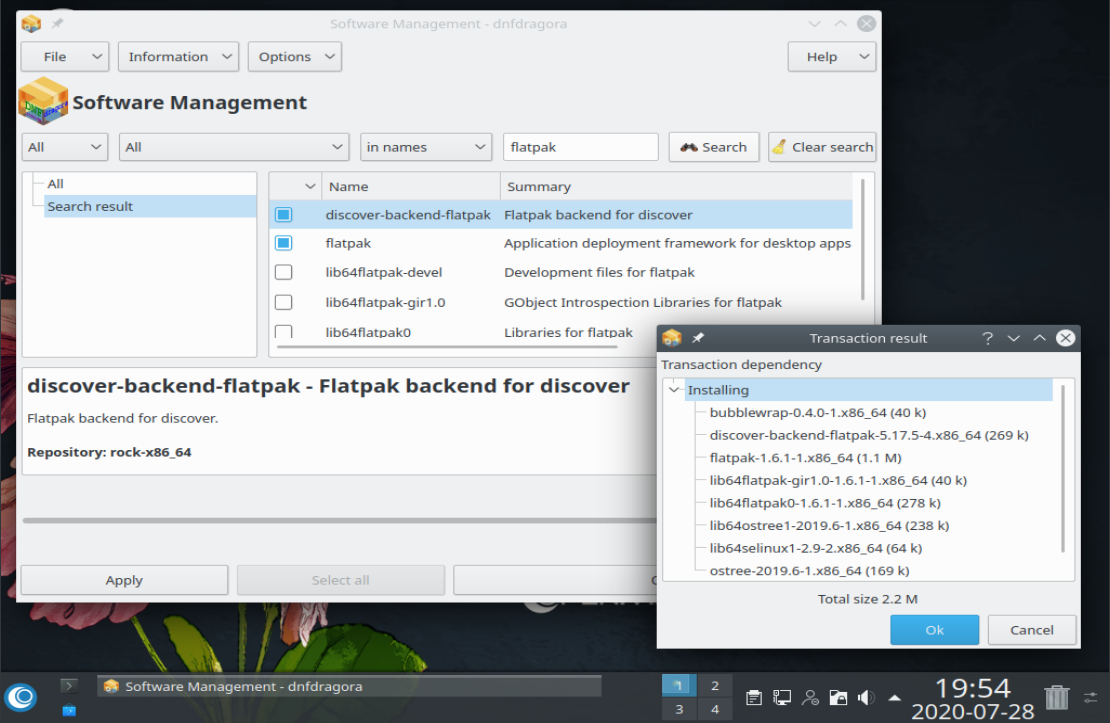
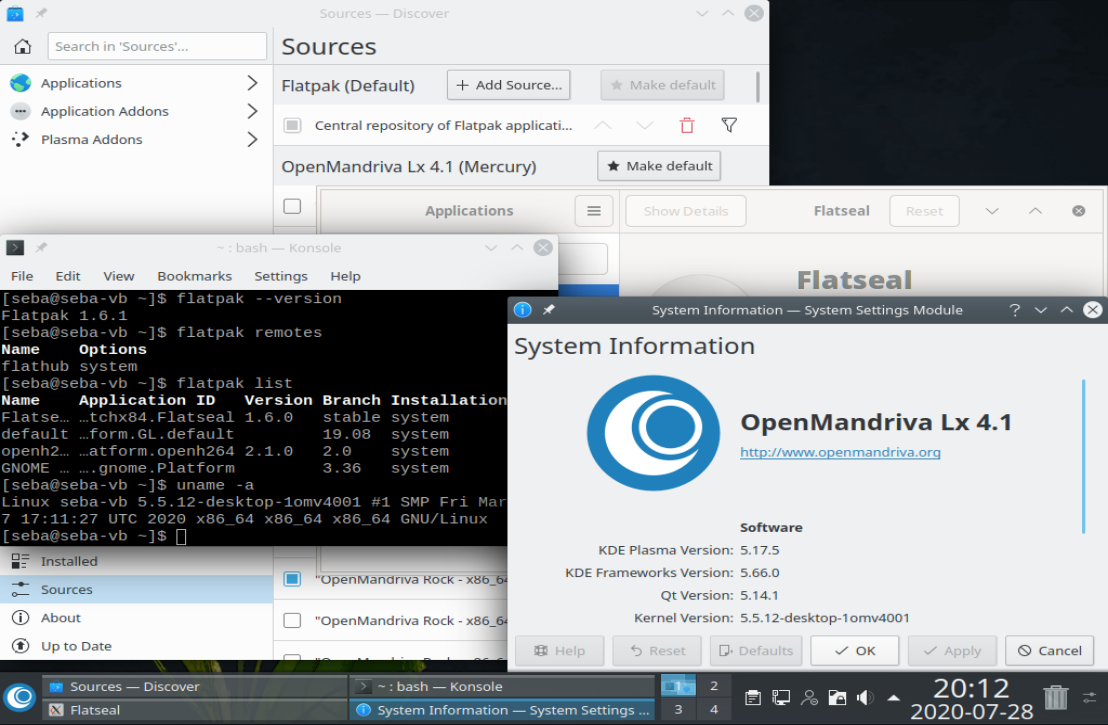
To configure Flatpak support in Discover requires adding the Flathub repository: Discover> Sources> Add source:
https://flathub.org/repo/flathub.flatpakrepo
and mark Flatpak as Default. It is suggested to restart the system
svg logo

@allanday / @AngryPenguinPL
update
Although the last update of the series 3 version 3.03 received updated packages that allow the installation of apps in flatpak format in a graphical way [Plasma/Discover 5.12.6]. According to the OpenMandrivaLx forum, series 3.03 [launched in 2017] has reached the end of its life.
The package configuration according to the release is like this:
OpenMandriva 4.0 > plasma-desktop-5.15.5-1 / Discover: nope / DNF dragora: dnfdragora-1.1.2-2 OpenMandriva 4.1 > plasma-desktop-5.17.5-2 / Discover: discover-5.17.5-4 / DNF dragora: dnfdragora-1.1.2-5 OpenMandriva 4.2 > plasma-desktop-5.20.5-1 / Discover: discover-5.20.5-1 / DNF dragora: dnfdragora-1.1.2-6 OpenMandriva 4.3 > plasma-desktop-5.23.5-2 / Discover: discover-5.23.5-2 / DNF dragora: dnfdragora-2.1.2-2
I tried OpenMandrivaLx 4.0, and installing the Flatpak backend installs Discover.
I tried OpenMandrivaLx 4.1 and when using 'https://flathub.org/repo/flathub.flatpakrepo' I get the error 'Unacceptable TLS certificate'. But using https://dl.flathub.org/repo/flathub.flatpakrepo it works.
I also tried OpenMandriva 4.2 and after the installation of the Flathub repository there is no need to go back to Discover configuration to enable it.
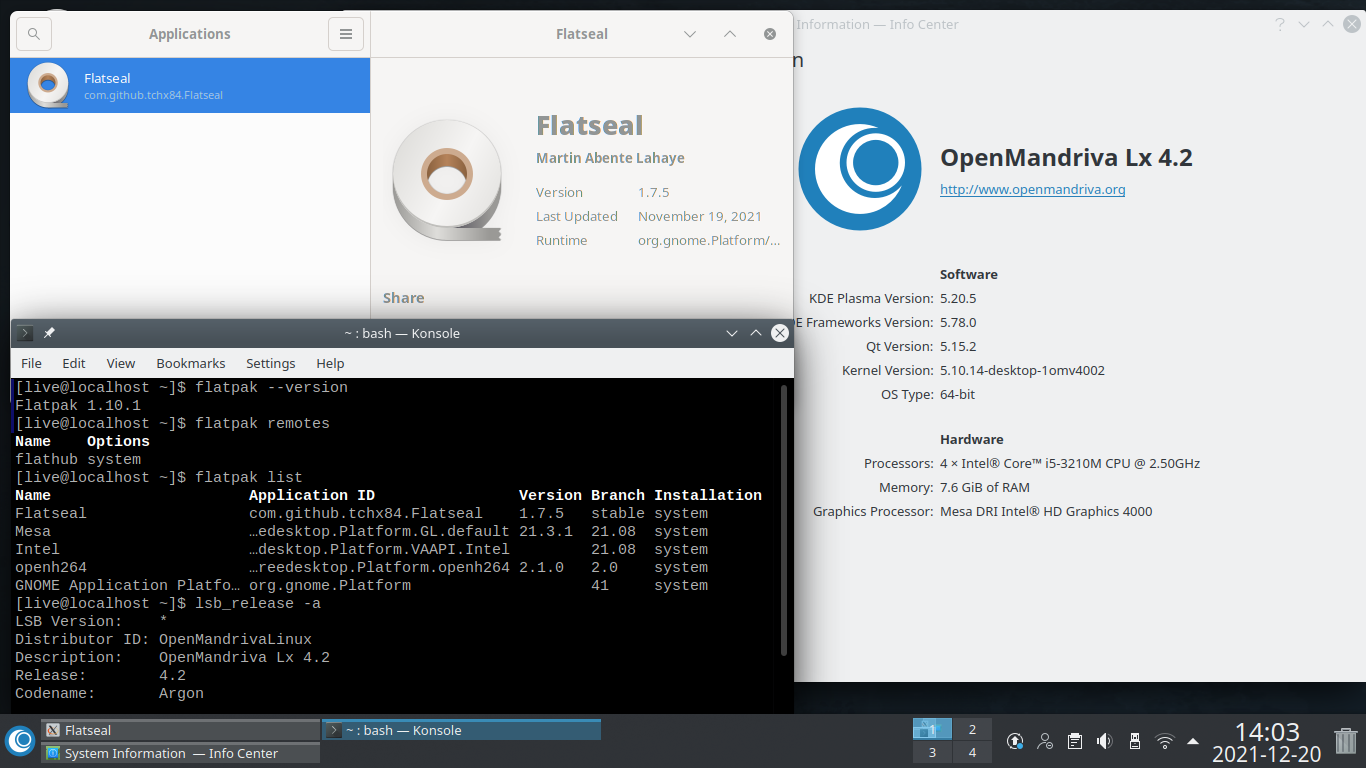
OpenMandriva Lx 4.3 :

Therefore the instructions in Quick Setup should be something like:
- Install Flatpak
The flatpak package is available in the OpenMandriva Lx repositories, it can be installed using the DNF dragora Software Manager or by running the following in the terminal
sudo dnf install flatpak
- Install the Software Flatpak plugin If you use the Discover software center, it is also a good idea to install the Discover Flatpak backend. To do this, run:
sudo dnf install discover-backend-flatpak
- Add the Flathub repository Flathub is the best place to get Flatpak apps. To enable it, run:
flatpak remote-add --if-not-exists flathub https://dl.flathub.org/repo/flathub.flatpakrepo
- Restart To complete setup, restart your system. Now all you have to do is install some apps
Note: it is possible (depending on the version of OpenMandriva Lx) that you may need to manually enable Flatpak support in Discover. To do this open Discover and click on Sources, then click on Add source and add the following URI: https://dl.flathub.org/repo/flathub.flatpakrepo, verify that the Flatpak checkbox is checked, then restart Discover.
I just tried the rolling version, OpenMandriva ROME, and it actually has Flatpak + Discover + Flathub all set up by default.
