

 flameshot-org
ubuntu 24.04 , not able to use the shortcut key to call flameshot for taking screenshots.
Flameshot Version
flameshot -v Flameshot v12.1.0 (Debian 12.1.0-2build2) Compiled with Qt 5.15.12
Installation Type
apt
Operating System type and version
ubuntu 24.04.1 Desktop
Description
I've been using a custom shortcut key, Ctrl+1, to call the "flameshot gui" command for taking screenshots on Ubuntu 22.04.
Recently, I upgraded to Ubuntu 22.04.1 and reinstalled my laptop. I tried to set up the same custom shortcut key for flameshot, but it's not working and I'm getting an error. I tried manually running "flameshot gui" in the terminal window, and it worked fine.
I then checked the /var/log/syslog file and found an error message when trying to use the shortcut key
2024-09-02T13:59:58.348562+08:00 chchang-ThinkPad-T470p systemd[2202]: Started app-gnome-flameshot-852640.scope - Application launched by gsd-media-keys.
2024-09-02T13:59:58.503497+08:00 chchang-ThinkPad-T470p xdg-desktop-por[4074]: Failed to associate portal window with parent window
2024-09-02T13:59:58.504938+08:00 chchang-ThinkPad-T470p xdg-desktop-por[3919]: Failed to show access dialog: GDBus.Error:org.freedesktop.DBus.Error.AccessDenied: GDBus.Error:org.freedesktop.DBus.Error.AccessDenied: Only the focused app is allowed to show a system access dialog
2024-09-02T13:59:58.520813+08:00 chchang-ThinkPad-T470p flameshot[852640]: flameshot: error: Unable to capture screen
2024-09-02T13:59:58.529360+08:00 chchang-ThinkPad-T470p flameshot[852640]: flameshot: error: Unable to capture screen
2024-09-02T13:59:58.600501+08:00 chchang-ThinkPad-T470p flameshot[852640]: flameshot: info: Screenshot aborted.
Steps to reproduce
No response
Screenshots or screen recordings
No response
System Information
- ubuntu 24.04.1
- monitor
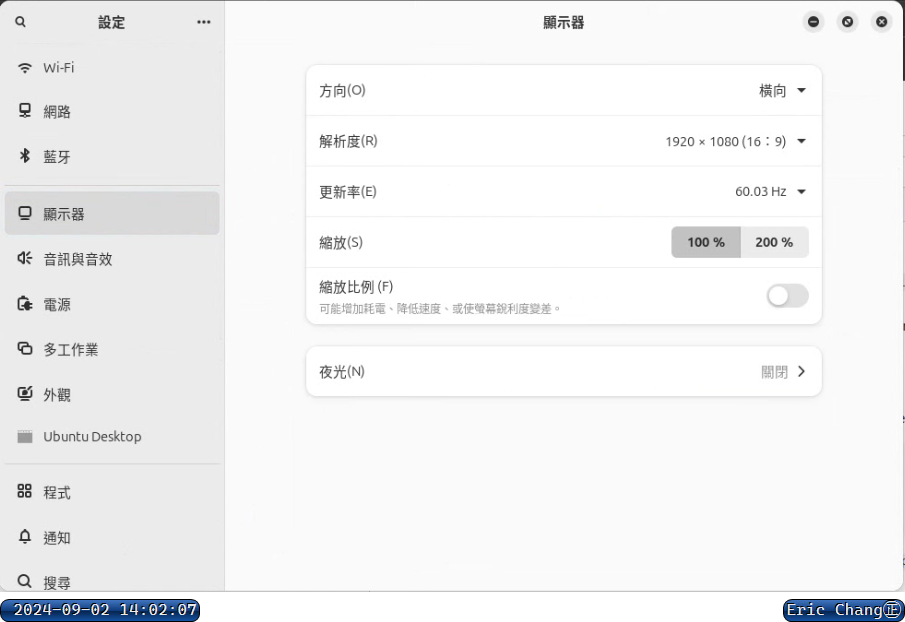
- wayland , GNOME 46

The system prompted me to update to Ubuntu 24.04.1 LTS. After the update, I can normally use flameshot gui in the command line.
However, I cannot use the shortcut key.
I have already bound flameshot gui to Alt + A in Settings > Keyboard > View and Customise Shortcuts > Custom shortcuts.
the /var/log/syslog file:
2024-09-02T18:25:56.414396+08:00 HP-680 systemd[3262]: Started app-gnome-flameshot-9041.scope - Application launched by gsd-media-keys.
2024-09-02T18:25:56.479808+08:00 HP-680 xdg-desktop-por[4183]: Failed to associate portal window with parent window
2024-09-02T18:25:56.480580+08:00 HP-680 xdg-desktop-por[4095]: Failed to show access dialog: GDBus.Error:org.freedesktop.DBus.Error.AccessDenied: GDBus.Error:org.freedesktop.DBus.Error.AccessDenied: Only the focused app is allowed to show a system access dialog
2024-09-02T18:25:56.489617+08:00 HP-680 flameshot[9041]: flameshot: error: Unable to capture screen
2024-09-02T18:25:56.495023+08:00 HP-680 flameshot[9041]: flameshot: error: Unable to capture screen
2024-09-02T18:25:56.579197+08:00 HP-680 flameshot[9041]: flameshot: info: Screenshot aborted.


Same here; see also this discussion: https://github.com/flatpak/xdg-desktop-portal/issues/1070
This comment provides a nice workaround (TLDR, QT_QPA_PLATFORM=wayland is required as environment variable for the shortcut to work, so you have to wrap the call into a one-liner script and configure that as custom shortcut):
https://github.com/flatpak/xdg-desktop-portal/issues/1070#issuecomment-1771302632

Have you try this solution?
https://github.com/flameshot-org/flameshot/issues/3498#issuecomment-2026731686

Same here; see also this discussion: flatpak/xdg-desktop-portal#1070
This comment provides a nice workaround (TLDR,
QT_QPA_PLATFORM=waylandis required as environment variable for the shortcut to work, so you have to wrap the call into a one-liner script and configure that as custom shortcut): flatpak/xdg-desktop-portal#1070 (comment)
My environment variable is set to "QT_QPA_PLATFORM=wayland;xcb", it was needed for some other app (I think it's qBittorrent). That's why flameshot was still not working.
Running flameshot with own variable worked:
QT_QPA_PLATFORM=wayland flameshot

temporary solution, you can use a bash shell script, here I named bash "ss.sh"
and the keyboard buttons work...
chmod +x ./ss.sh
Ubuntu 20.04

Without creating additional files, this can be done directly from the Gnome Keyboard Custom Shortcuts configuration by setting the command to sh -c "QT_QPA_PLATFORM=wayland flameshot gui"
This has been tested with Ubuntu 24.04 with flameshot installed via the repositories.

Without creating additional files, this can be done directly from the Gnome Keyboard Custom Shortcuts configuration by setting the command to
sh -c "QT_QPA_PLATFORM=wayland flameshot gui"This has been tested with Ubuntu 24.04 with flameshot installed via the repositories.

thank you bro , it solves my problem , its very nice of you ,thank you

temporary solution, you can use a bash shell script, here I named bash "ss.sh"
and the keyboard buttons work...
chmod +x ./ss.sh
Ubuntu 20.04


Thank you, it worked perfectly

Elegant solution presented by ilhamwahyu-ni, it's a workaround but it works perfectly!

This is decent solution rather just setting up a shortcut to run a command to take screenshot using flameshot, I have found worked for lot nerd like me
Solution : https://github.com/flameshot-org/flameshot/issues/3700#issuecomment-2315845118

Without creating additional files, this can be done directly from the Gnome Keyboard Custom Shortcuts configuration by setting the command to
sh -c "QT_QPA_PLATFORM=wayland flameshot gui"This has been tested with Ubuntu 24.04 with flameshot installed via the repositories.
WORK VERY WELL

Without creating additional files, this can be done directly from the Gnome Keyboard Custom Shortcuts configuration by setting the command to
sh -c "QT_QPA_PLATFORM=wayland flameshot gui"This has been tested with Ubuntu 24.04 with flameshot installed via the repositories.
This works!
but, on my end, shortcuts are not working.
Once I'm done selecting the area I want to capture and also added some annotations. I'm pressing CTRL+C to copy to clipboard, it won't work. I have to click the icon.
Also, canceling a screenshot via ESC key is not working.
I'm using the default shortcuts of flameshot.
Distributor ID: Ubuntu Description: Ubuntu 24.04.1 LTS Release: 24.04 Codename: noble

Without creating additional files, this can be done directly from the Gnome Keyboard Custom Shortcuts configuration by setting the command to
sh -c "QT_QPA_PLATFORM=wayland flameshot gui"This has been tested with Ubuntu 24.04 with flameshot installed via the repositories.
This fixed print screen shortcut problem and ESC key problem. Thanks!
Ubuntu 24.04.2 LTS x86_64

A better solution should be system level command redirection if you install the package by Ubuntu's apt (not installed by snap or flatpak). We should always make the calling of flameshot to be redirected to QT_QPA_PLATFORM=wayland flameshot. This could be achieved by Linux's system env PATH parsing rule.
Confirm binary realpath
Firstly please confirm flameshot realpath:
which flameshot
It should shows /usr/bin/flameshot. (If you install by sudo apt install flameshot)
Confirm PATH order
Please run command echo $PATH, it shows somethings like below
/usr/local/sbin:/usr/local/bin:/usr/sbin:/usr/bin:/sbin:/bin:/usr/games:/usr/local/games:/snap/bin
We only care about /usr/local/bin and /usr/bin.
We could see that the /usr/local/bin has higher priority compared to /usr/bin because it appears in an earlier position, it's the default behavior if you haven't changed the PATH definition.
Create a binary definition to redirect
Let's create a file /usr/local/bin/flameshot:
cat <<EOF | sudo tee /usr/local/bin/flameshot > /dev/null
#!/bin/bash
QT_QPA_PLATFORM=wayland /usr/bin/flameshot "\$@"
EOF
Then add execute permissoin for it:
sudo chmod +x /usr/local/bin/flameshot
Now let's confirm the flameshot command will be redirected to /usr/local/bin/flameshot. Please run which flameshot again, it should shows /usr/local/bin/flameshot.


Without creating additional files, this can be done directly from the Gnome Keyboard Custom Shortcuts configuration by setting the command to
sh -c "QT_QPA_PLATFORM=wayland flameshot gui"This has been tested with Ubuntu 24.04 with flameshot installed via the repositories.
Спасибо, заработало. Почему всё так сложно? )))

Without creating additional files, this can be done directly from the Gnome Keyboard Custom Shortcuts configuration by setting the command to
sh -c "QT_QPA_PLATFORM=wayland flameshot gui"This has been tested with Ubuntu 24.04 with flameshot installed via the repositories.
It works like charms! Also, it fixes the issue Ctrl+C is not working in the selection mode. Now everything is working intended. Thanks!

- Crea un lanzador local que sobreescriba el del sistema:
mkdir -p ~/.local/share/applications cp /usr/share/applications/org.flameshot.Flameshot.desktop ~/.local/share/applications/ nano ~/.local/share/applications/org.flameshot.Flameshot.desktop
Busca la línea que comienza con Exec=
antes ´Exec= flameshot´
modificala de la siguiente manera Exec=env QT_QPA_PLATFORM=wayland flameshot
existen varias a todas agregale el env QT_QPA_PLATFORM=wayland
guarda el archivo con ctrl+o luego enter y luego ctr+x
- Actualiza la caché de aplicaciones: update-desktop-database ~/.local/share/applications/
Cierra Flameshot completamente (si está en la bandeja del sistema) y vuelve a abrirlo desde el menú de aplicaciones. Ahora debería funcionar correctamente tanto desde el programa como desde el atajo.
Nota: Si Flameshot se actualiza vía repositorios, es posible que tengas que repetir estos pasos si la actualización sobreescribe el archivo modificado
