

 flameshot-org
Use last region does not remember monitor on Windows
Flameshot Version
Flameshot v12.1.0 (96c2c82e) Compiled with Qt 5.15.2 winnt: 10.0.19045 windows: 10
Installation Type
Linux, MacOS, or Windows Package manager (apt, pacman, eopkg, choco, brew, ...)
Operating System type and version
Windows 10
Description
When you have the "use last region" option checked, the size of the region and the position is correctly remembered but with a multi monitor setup (3 in my case) the region is always placed one monitor to the right so I have to move it back to the previous monitor if I want to take a screenshot there again. If you take the screenshot on the right most monitor, the selection will completely disappear Also tested this on my Fedora Linux machine (2 monitors) and the screen, position and size is remembered correctly.
Steps to reproduce
- Check "use last region" checkbox
- Take a screenshot (with print key)
- Select region on a monitor
- Copy screenshot to clipboard
- Take another screenshot/press print key
- Region size and position should be remembered but it will jump one monitor right
- If the selection does not reapper, choose another monitor to take a screenshot of and repeat step 2 - 5
Screenshots or screen recordings
- Take a screenshot, select region on middle monitor and copy it to clipboard

- Take another screenshot and the region moved one monitor to the right

System Information
Windows 10 22H2 (OS Build 19045.2364)
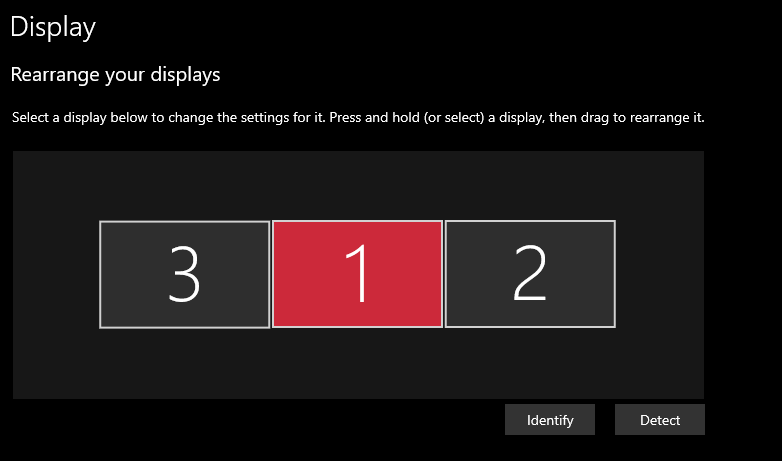

Same here, related with DPI. Tried with all the compatibility options, none fixes it:
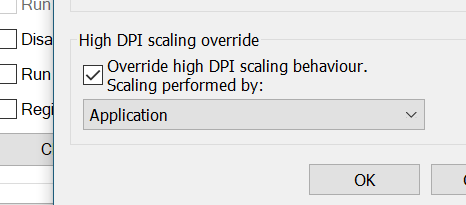
It is always placed to the right and eventually goes off screen.
Windows 10 22H2
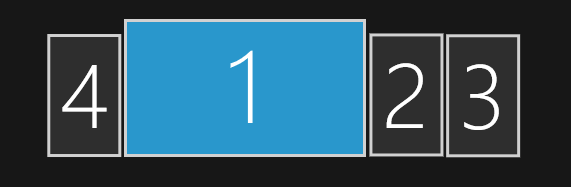

For me, the selection just moves downwards ~500px each time.
Windows 10 21H2

For me, the selection just moves downwards ~500px each time.
Windows 10 21H2
which dpis each monitor?
2 and 3 are 24 inch displays, 1 is a 14 inch. All of them are 1920x1080. So, 1 is 157.35 ppi and 2/3 are 91.79 ppi.
I'm seeing this issue as well on a three monitor setup. If I take a screenshot on Monitor 3, then the next time I take a screenshot, the selection is the same area and relative location but on Monitor 1. If I make a selection on Monitor 1 or Monitor 2, then the next time I take a screenshot, there is no area selected.


I made some interesting new observations with a new setup, which might be helpful.
Flameshot v13.0.1 (48f8d1fd) Compiled with Qt 6.8.1 winnt: 10.0.26100 Windows 11 24H2 Build 26100.4652
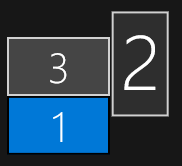
This is the screen layout:
When taking a screenshot of the top left area on the left screen, like this
And then taking another screenshot, the selection moves one screen to the right, but now it moved to the bottom left area of the centre screen, completely ignoring the fact that the left screen is offset in relation to the others
I'm taking a screenshot of the Flameshot window by using the builtin Windows Screenshot tool after opening the Flameshot window. The integrated windows function adds the black bars above the left screen and below the centre and right one, making it very obvious that the relative position of the Flameshot selection actually just moves to the right, ignoring where on the screen the selection was.