

 flameshot-org
When I run an application in Wayland, the image of the second monitor is copied to the first monitor.
Flameshot Version
Flameshot v12.1.0 (-) Compiled with Qt 5.15.5
Installation Type
User repository (AUR)
Operating System type and version
Arch Linux
Description
When I run an application in Wayland, the image of the second monitor is copied to the first monitor. Unable to take a screenshot. (Intel processor, Nvidia graphics card)
Steps to reproduce
- I press Ctrl+PrScr (Flameshot runs on this key).
- There is a bug, more details in the attached video.
Screenshots or screen recordings
https://user-images.githubusercontent.com/53097257/200051570-968d7d02-0ead-4759-a319-ec148e98090e.mp4
System Information
Operating System: Arch Linux KDE Plasma Version: 5.26.2 KDE Frameworks Version: 5.99.0 Qt Version: 5.15.7 Kernel Version: 6.0.6-zen1-1-zen (64-bit) Processors: 16 × Intel® Core™ i7-10700K CPU @ 3.80GHz Memory: 62.7 ГиБ of RAM Graphics Processor: NVIDIA GeForce RTX 3070 Ti/PCIe/SSE2 Manufacturer: Micro-Star International Co., Ltd. Product Name: MS-7C80 System Version: 1.0

I get the same issue in Sway, it seems to be taking a full screenshot of the entire wayland session but then attempting to show that screenshot on just the active monitor, which doesn't have room to fit the whole thing

it seems to be taking a full screenshot of the entire wayland session
This is literally how Flameshot works. It takes a full screenshot and then show it in an overlay and let the user to select a region and annotate

Yes, but when using multiple monitors, the full Wayland session is much bigger than what can fit on one monitor. The problem here is that the Flameshot window only occupies one monitor, rather than stretching across the entire session.
For me on Sway, this is all that I see of Flameshot, because the Flameshot window only shows on my primary display. I only see the top left corner of my session, and everything else is cut off. You can see in wdisplays how much else is being cut off:
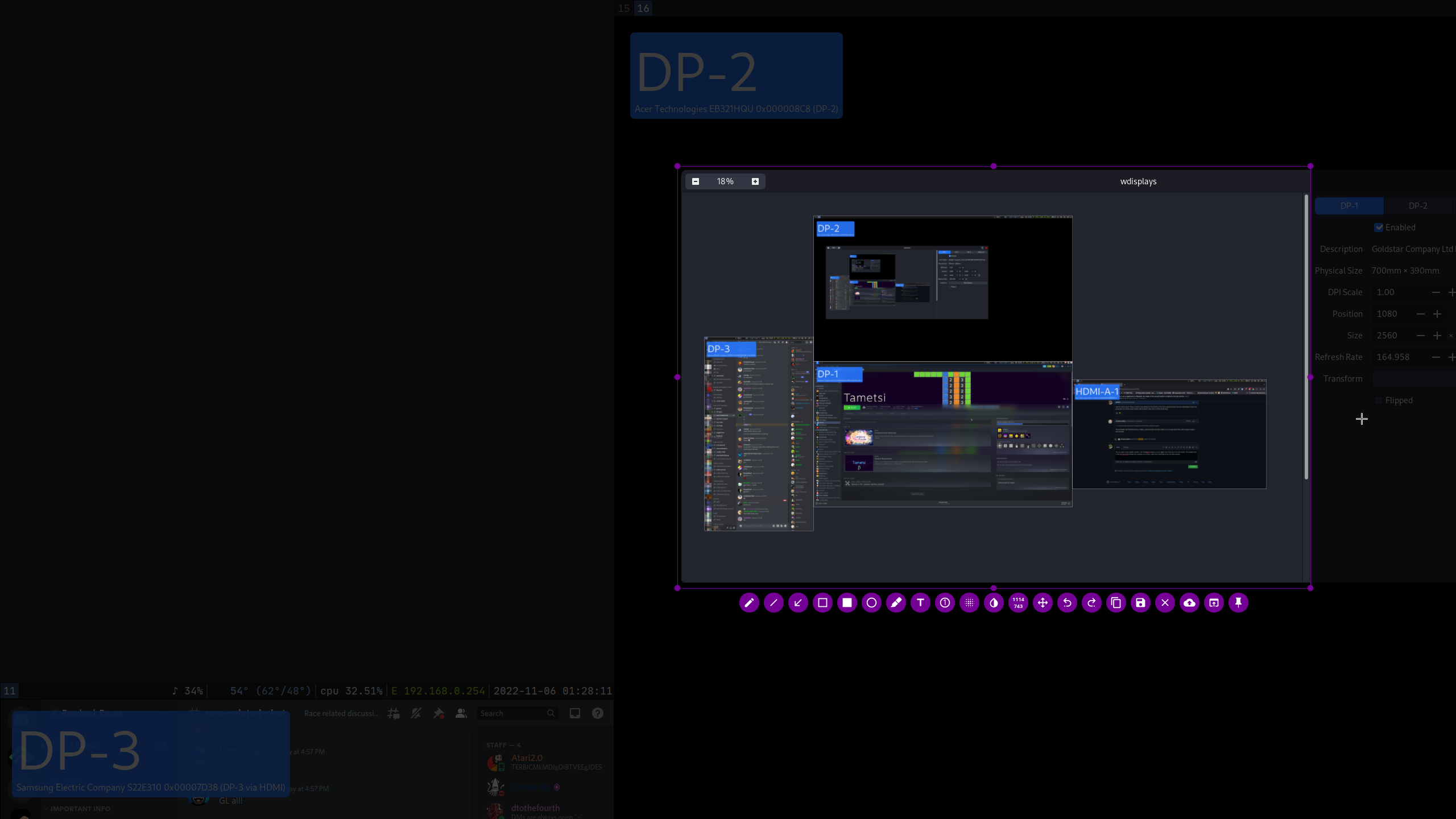
Using Sway, it's possible to work around this by taking Flameshot out of fullscreen and making it floating, then manually moving it into the right spot, but that's a pain to do every single time.
@tjb0607 I didn't say it is not a bug, I only made an statement/clarification/confirmation on one sentence. ;)

This branch looks related, still not in the master tho. https://github.com/flameshot-org/flameshot/compare/master...fix_wayland_multiscreen
Will be great if someone can build from it and check. (I have the same problem on Ubuntu 22.10)

You can fix this in sway by adding this line to your sway config:
for_window [app_id="flameshot"] floating enable, fullscreen disable, move absolute position 0 0, border pixel 0

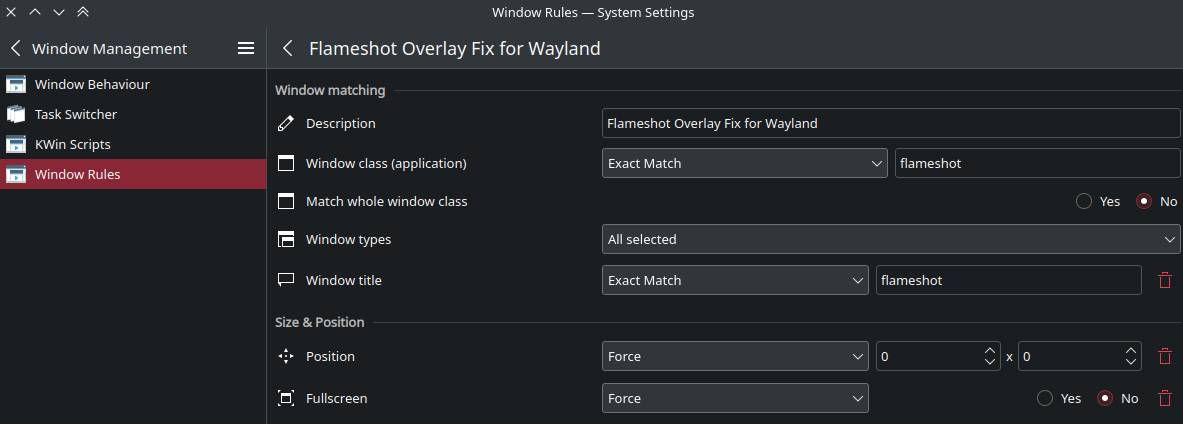
A similar fix for KDE Create a new Window rule with the following properties:
Window class = flameshot
Window title = flameshot (otherwise it would affect the config window)
Position = Force, 0 x 0
Fullscreen = Force, No

A similar fix for KDE Create a new Window rule with the following properties:
Window class = flameshotWindow title = flameshot(otherwise it would affect the config window)Position = Force, 0 x 0Fullscreen = Force, No
Can you please tell me how to do what you just wrote? I think I did everything right, but it's the same for me.
@imLEGR you go to System Settings > Window Management > Window Rules
Create a new rule, name it however you like.
Then add the config like this.
In order to get the Window title you need to add it via "Add property"
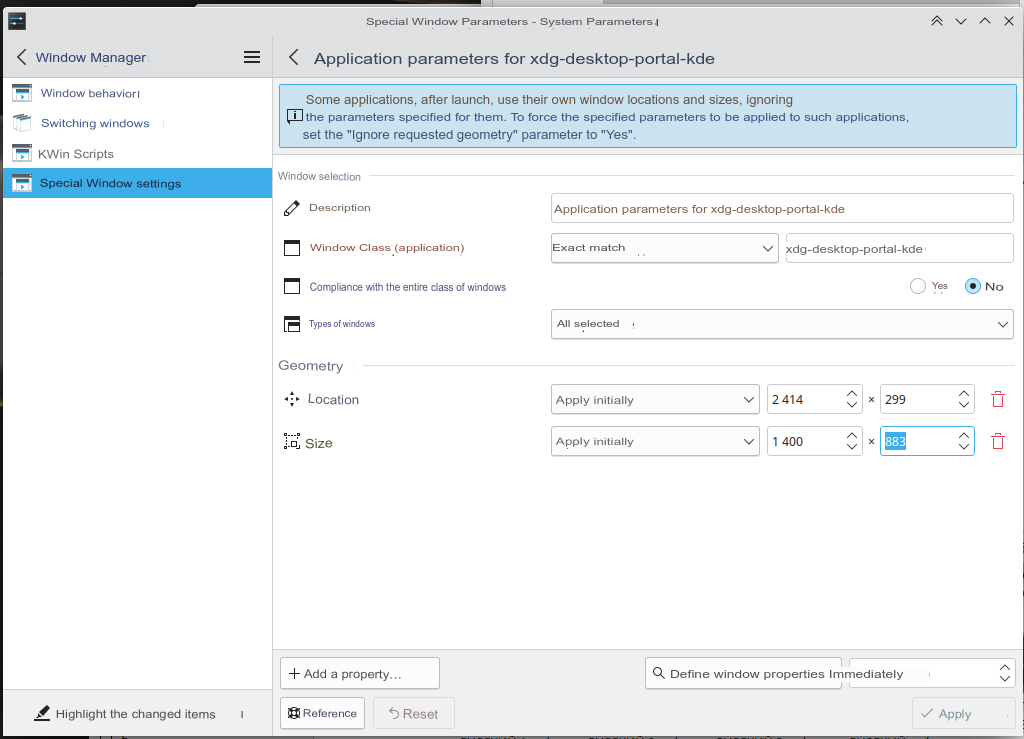
@valeth Thank you so much. Everything works for me now. I also had something else rule, so I removed it. Apparently, the rule on the screenshot also somehow interfered with the correct operation.
You can fix this in sway by adding this line to your sway config:
for_window [app_id="flameshot"] floating enable, fullscreen disable, move absolute position 0 0, border pixel 0
Thank you @bblacher, now I not only understand exactly what the problem is, but also have a workaround! I remember i3 had a fullscreen-accross-all-monitors mode, maybe that could be used instead? Not sure if sway has that. but this is perfect :)

@enzinia have you tried that branch under Sway ? Does it fix the issue ?

A similar fix for KDE Create a new Window rule with the following properties:
Window class = flameshotWindow title = flameshot(otherwise it would affect the config window)Position = Force, 0 x 0Fullscreen = Force, No
Thanks! This really solve my problem!

This started happening to me with NixOS 25.11 on GNOME. Did anybody find a workaround for GNOME?
