

 flameshot-org
New release 11.0 in two screen mode
Flameshot Version
Flameshot 11.0
Installation Type
Linux, MacOS, or Windows Package manager (apt, pacman, eopkg, choco, brew, ...)
Operating System type and version
Windows 10 x64
Description
Hi team, I'm using two screens connected to a machine. When launching the flameshot app, the texts are displayed on the border between two screens. Also, Ctrl+C to copy to clipboard doesn't work.
Steps to reproduce
No response
Screenshots or screen recordings
No response
System Information
Windows 10 x64 Two displays with a machine

@WeiquanWa would you please post your config file and your monitor setup (from system settings).

Could you also please post a picture so I fully understand the problem? I tested on windows 10 before the release and it worked for me.

Have same problem
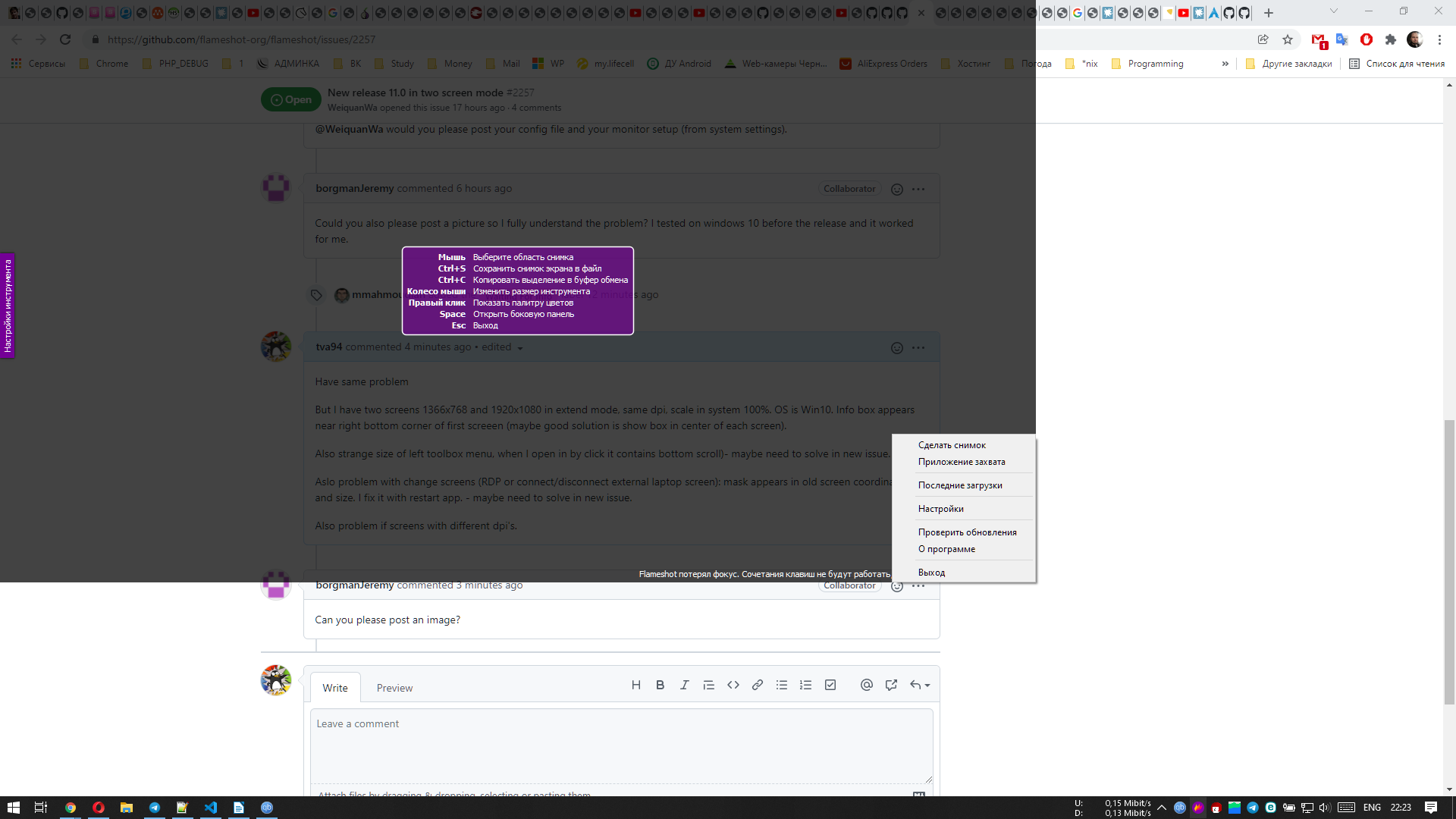
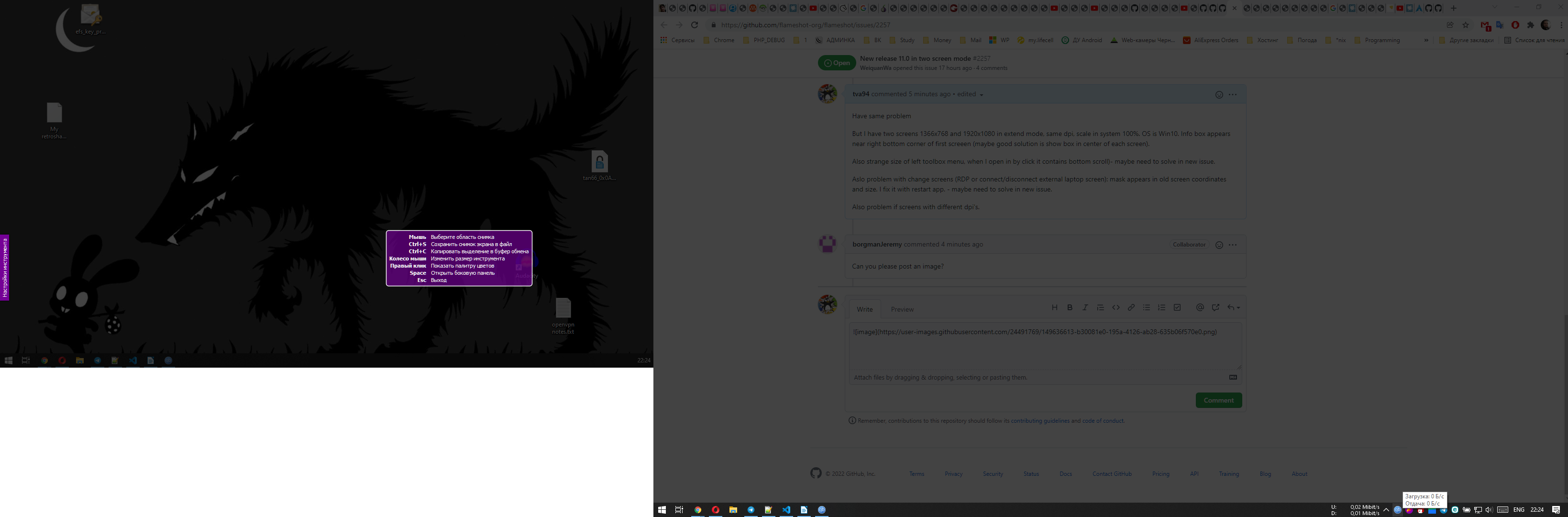
But I have two screens 1366x768 and 1920x1080 in extend mode, same dpi, scale in system 100%. OS is Win10. Info box appears near right bottom corner of first screeen (maybe good solution is show box in center of each screen).
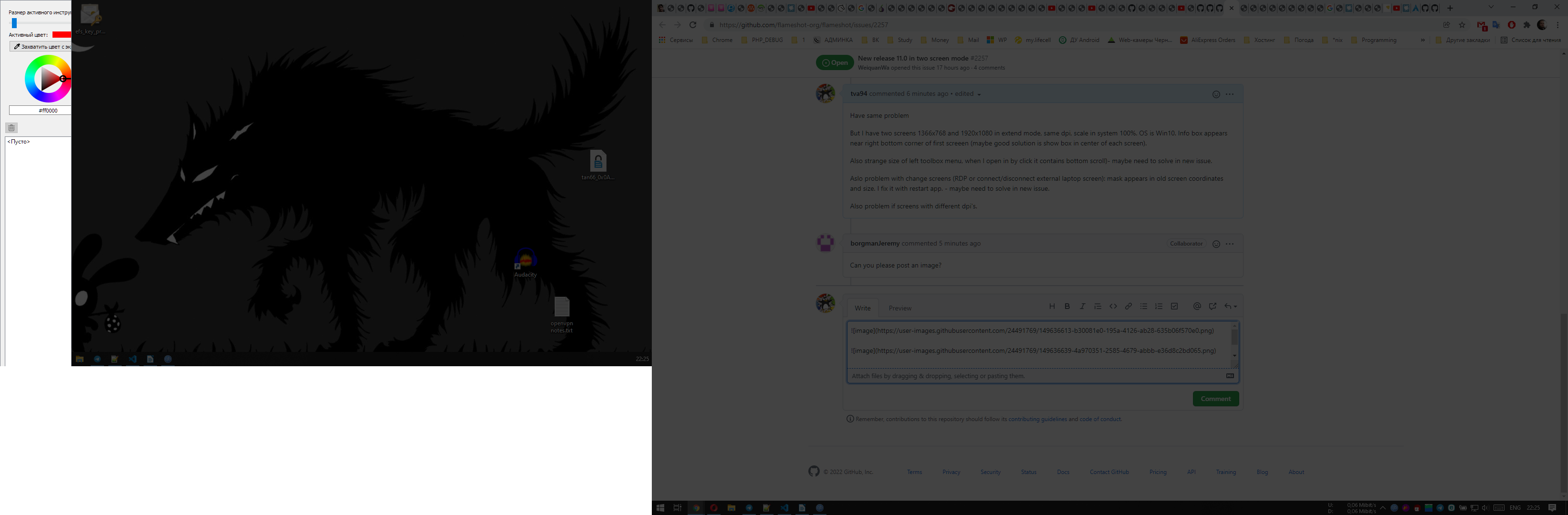
Also strange size of left toolbox menu, when I open in by click it contains bottom scroll)- maybe need to solve in new issue.
Aslo problem with change screens (RDP or connect/disconnect external laptop screen): mask appears in old screen coordinates and size. I fix it with restart app. - maybe need to solve in new issue.
Also problem if screens with different dpi's.

First image -- connect extranal screen without restart program
Second image -- after restart program position of box on mask
Third image -- how left menu looks
sorry for the late posting the image.
here is a photo to capture my issue with two screens.
the right screen is 4K. the left screen is 1920x1080.

Second image -- after restart program position of box on mask
Kinda makes sense I guess. My hypothesis is that the message box is located at the 25% of the total width and 50% of the total height. What I mean is that the two monitors create a large canvas and Flameshot sees there are two monitors, and simply divide the width to two. In the case that both monitors have the same dimensions you wouldn't see the issue (as 25% of width would be exactly in the center of the left monitors), but since your monitors are having different dimensions this issue is recognisable.
Third image -- how left menu looks
The above explanation also explains why you don't see the sidebar's Close button which is located at the bottom of it.