

 flameshot-org
Version 0.9.0 does not show any of buttons around the captured screen - Windows
Flameshot version 0.9.0
Describe the bug After update to version 0.9.0 none of the buttons around the captured screen are visible.
See buttons in the yellow boxes, only the light blue air is shown with the purple border.
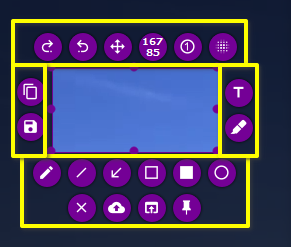
To Reproduce Install 0.9.0 Update flameshot from a working 0.8.0 to 0.9.0 using the msi package. I installed the application in \Programs. Files...\Flameshot as well as in a directory under \user<account>\Downloads. Rebooted my PC as well. In all cases the same behavior, no buttons :(
Expected behavior All buttons are visible
System Information Windows 10.


Can you redownload the msi and do a clean install? It is working for me.

Can you redownload the MSI and do a clean install? It is working for me.
Seems to be working now, indeed.
Good I did not close the issue. The issue is back now. Yesterday I stopped and started Flameshot multiple times, to determine is behavior. It worked all the time,. Now after hibernate and a longer break in between, the issue is back.
Did not reboot, yet...
Issue is back :( After rebooting, flameshot was ok. I stopped and started flameshort sometimes. Hibernated windows, stopped and started flameshot. Now the issue is back, no buttons around the captured area. I don't know the exact sequence of events, to results in flameshot not working correctly.
I also have this problem with the 0.9.0 version.
System Information Windows 10 20H2 19042.867 3840x2160 external screen connected to a Thinkpad laptop with 1920x1080 screen.

I am having the same issue. Image 1 (I have downgraded from the dev branch since this screenshot. Issue persists) image 2
Windows 10 Pro v. 21H1 Build 19043.899
I uninstalled 0.9.0 and installed 0.8.4 and it's working for me.

I have the same issue. I can fiddle around with the tools on the other monitor and sometimes re-draw the rect and they show up.

same issue here with 2 monitors, the left one (which is secondary) draws the buttons fine, the right one forces them to the top left corner of the left monitor instead


On Windows 7 with multi-monitors the controls are missing. It sounds like the common theme is multiple screens:
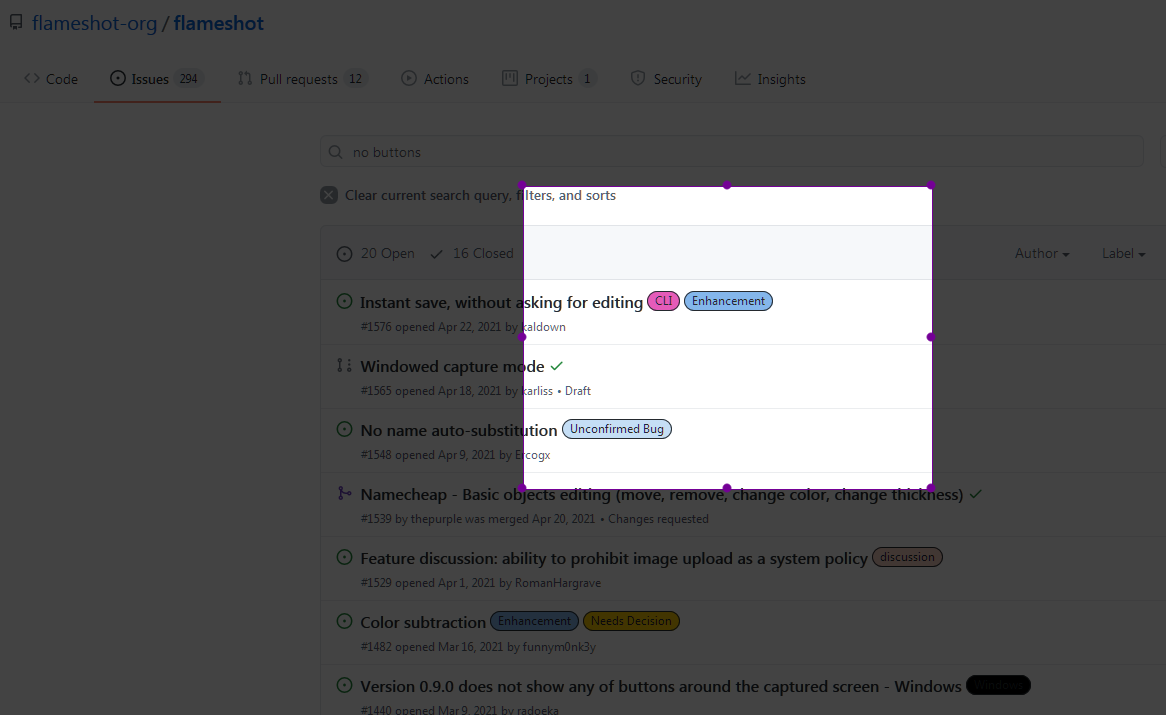

I'm using multi monitors on Windows 10 and I'm experiencing this. I can't recall if I started to encounter it on 0.9.0 or a version before it. But I feel like I didn't start encountering it until around a month or two ago.
I've been able to reproduce it consistently. For me, it happens when I create a rectangular selection in an area of my screen that is close to a corner. If I create a selection towards the middle of my screen it doesn't happen. Another interesting thing I consistently notice is that after making a selection where the buttons don't appear, I can expand the selection, at which point the buttons will appear, and then shrink the selection back down to only what I intended to capture, at which point the buttons reappear, but appear around the larger selection (not around the smaller selection after I shrink the selection).
Here's a screen capture to demonstrate the issue:
https://user-images.githubusercontent.com/7719209/128450538-68084922-9c41-4799-9843-dc0c4c68227d.mp4
Some more info about my system:
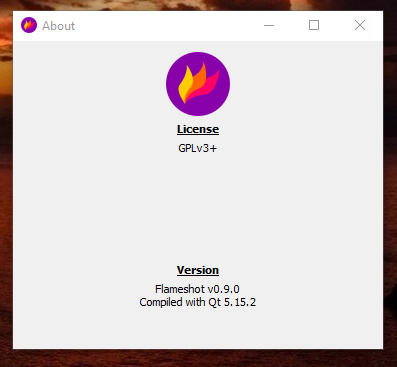
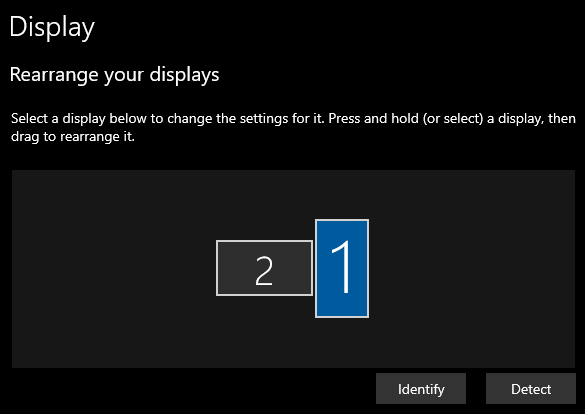
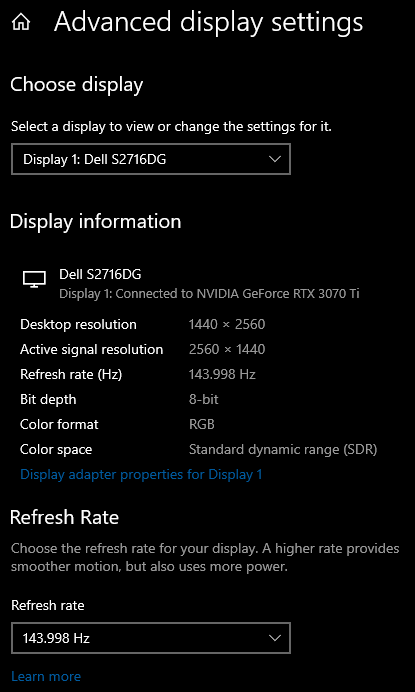
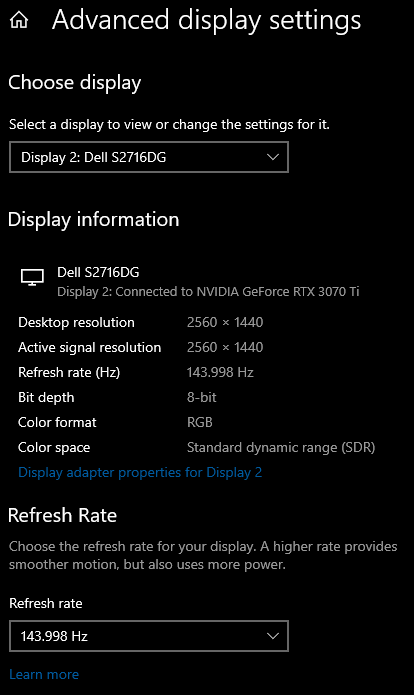

I currently downgrade to 0.8, considering not much feature loss, and on 0.10 doesnt really mention any fix about dual monitor

Just tried downgrading to 0.8.4 (the most recent 0.8 version I could find under releases that had a Windows x64 build) and this was worse for me. When I begin to take a screenshot, only one of my monitors is screenshotable (the one marked "1" in my display settings). Unfortunately, this isn't my main monitor so it's not that useful. Also, it shrinks it down to only half of the available screen real estate, as if it didn't recognize that the monitor was being used vertically. I'm going to stay on 0.9.0 for now because it is useable for me (as long as I do my workaround demonstrated above).
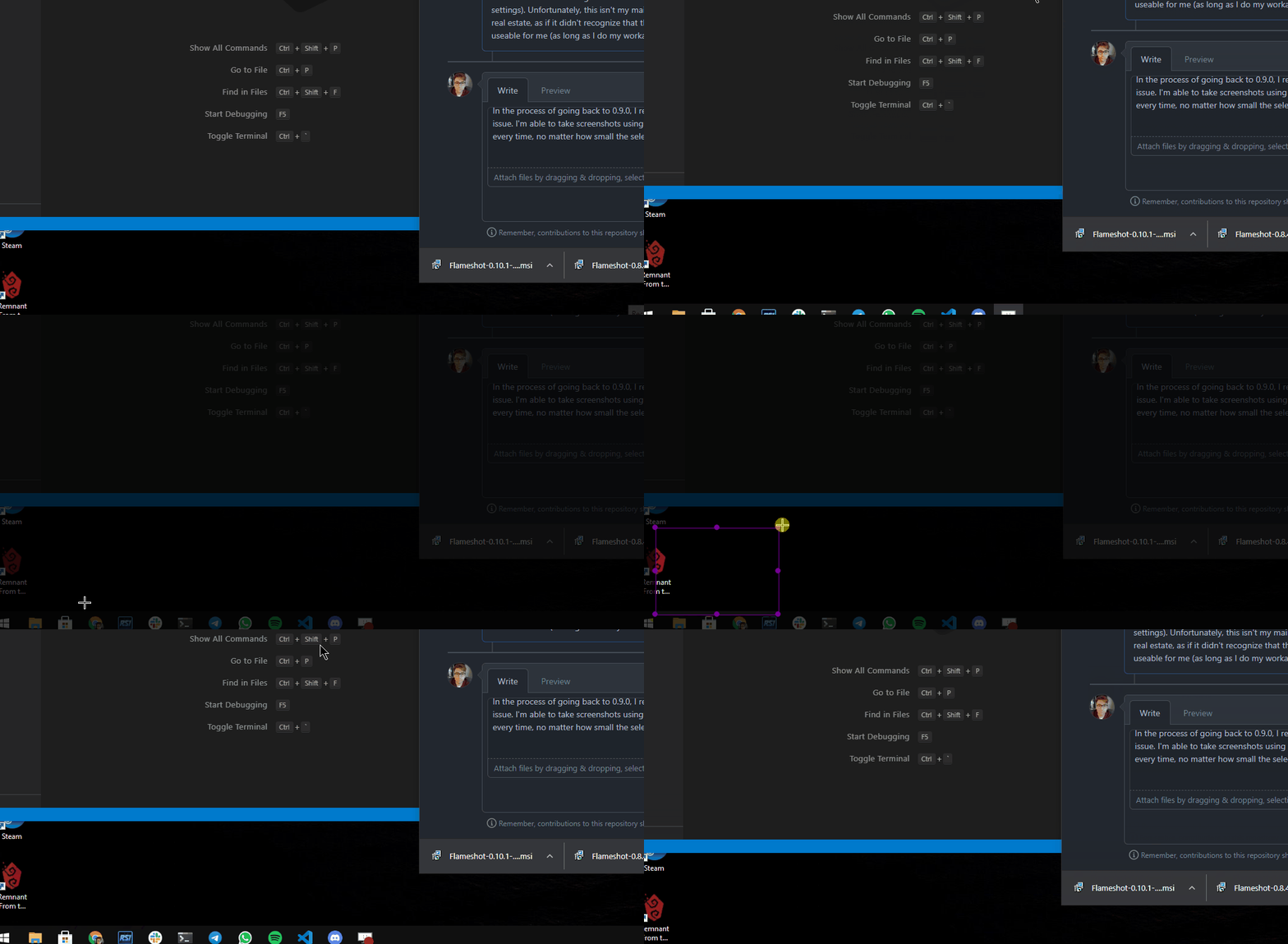
In the process of going back to 0.9.0, I realized the most recent build right now for win64 is 0.10.1. This one actually fixed my issue. I'm able to take screenshots using small rectangular selections in the corners of my screens with the buttons showing up every time, no matter how small the selection is:
Using Ubuntu 18.04, dual monitor with exact same geometry (Dell 23" 1920x1080) and Flameshot 0.10.1
When I use Flameshot on the primary monitor, everything works well
When I use it on the secondary monitor, the tools don't show up and right-clicking to choose color doesn't work.
NOTE: Exact same setup on Windows 10: no problem on either screen!

@jflambert what is your DE? Are you on Xorg or Wayland? If you need help figuring out how to get these, check out here

@mmahmoudian
$ inxi -G -S
System:    Host: xxx Kernel: 4.15.0-154-generic x86_64 bits: 64 Desktop: Gnome 3.28.4
           Distro: Ubuntu 18.04.5 LTS
Graphics:  Card: NVIDIA GM107 [GeForce GTX 745]
           Display Server: x11 (X.Org 1.19.6 ) drivers: nvidia (unloaded: modesetting,fbdev,vesa,nouveau)
           Resolution: [email protected], [email protected]
           OpenGL: renderer: GeForce GTX 745/PCIe/SSE2 version: 4.6.0 NVIDIA 390.144
Incidentally, my version of inxi is 2.3.56-00 (2018-01-17) and the options on your issue-reporting page (--system and --graphics) don't seem to be supported.
I have this on Windows 10 with 2 normal screens and a Wacom One. The issue happens for me when my second screen has been turned off or on a different channel.
The workaround I'm currently using is: Select closer to the edge on the second screen, it will show tools. Then selecting what I want screenshotted. The tools will show where the first selection was made. The screenshot is saved correctly, showing what I selected.
The first screen never gives problems when been turned off, it's only the second.
Restarting or force closing Flameshot does not solve the issue, reinstalling does.

Olá.
Estou passando por uma situação parecida, não consigo tirar print screen utilizando o Flameshot em uma segunda tela. Ele abre apenas na primeira tela e o atalho PrtScr do teclado não funciona.
Flameshot v12.1.0 (96c2c82e) Compiled with Qt 5.15.2 winnt: 10.0.22621 windows: 10
Meu SO Edição Windows 11 Pro Versão 22H2 Instalado em 22/02/2023 Compilação do SO 22621.1992 Experiência Windows Feature Experience Pack 1000.22644.1000.0

I am also experiencing this problem on NixOS Flameshot v12.1.0 (-) Compiled with Qt 5.15.12

@brainrake
I am also experiencing this problem on NixOS Flameshot v12.1.0 (-) Compiled with Qt 5.15.12
I tried the following from Nixos 23.11 and it worked normally on KDE Plasma 5 Wayland:
nix-shell --packages 'flameshot' --command 'flameshot gui'
If you have experimental features for nix-command enabled, this is equivalent:
nix shell 'github:NixOS/nixpkgs/nixos-23.11#flameshot' --command flameshot gui
Can you provide a flakes that can reproduce this issue?
I tested with 23.11 and latest nixpkgs (https://github.com/NixOS/nixpkgs/commit/d691274a972b3165335d261cc4671335f5c67de9), the icons are now present.