

 fission-codes
CLI to browser linking sometimes fails
Summary
Problem
In some cases, linking an account from the CLI to a web browser cannot be completed.
Impact
Some user accounts cannot be linked from the CLI to the browser.
Solution
Unknown.
Detail
Describe the bug
When a user attempts to link from the CLI to the browser, the confirmation code is never displayed in the browser or at the CLI. Linking cannot be completed.
To Reproduce Steps to reproduce the behavior:
- Create an account in the browser
- Link from the browser to the CLI with
fission setup - Delete the user in the browser
- Run
fission loginat the CLI to initiate CLI-to-web linking - Open the auth lobby, and click sign in
- The auth lobby updates to show it is waiting, but the CLI does not respond
Expected behavior
We expect the auth lobby and the CLI to show the confirmation code to allow us to complete the linking process.
Desktop (please complete the following information):
- OS: Ubuntu 18.04
- Browser: Firefox (in a container)
- Version: 2.13.0.0
Additional context
The linking process works in at least one case where the account was initially created at the CLI.

Browser: Firefox (in a container)
@bgins can you tell me more about this? Is FF in a Docker container, or do you mean the page is in a FF Container?

@bgins sorry, I also wanted to check that you're using the same environment for both? This is prod auth.fission.codes and CLI pointed at prod?
Firefox version 88.0. (Regular Firefox, not developer edition or anything special.)
Comparing CLI-to-web linking with an account created at the CLI to the failing case reveals some evidence.
When linking fission login -v, verbose mode reveals that in both cases the CLI gets past the "📞🗣️ Sending over pubsub:" and the log step right after that.
In the successful case, the CLI contiues steps 4 and 5 of linking and through the rest of the process.
In the failing case, no further steps are logged. In addition, the console in the browser logs this error: "Couldn't decrypt message, probably not intended for this device".
Hmmm I'm having a hard time reproducing the issue. I've now linked expede-0404 back and forth several times, wiping the keys from the provider after each round and making them the consumer (this UCAN chain must be enormous!)
In addition, the console in the browser logs this error: "Couldn't decrypt message, probably not intended for this device".
Can you check which version of the auth lobby you have? You can find it with VERSION in the console
One thing to note. The user that is failing to link is the currently signed in user in Firefox outisde of the container. Maybe it would be worth signing them out there?
That's the same as me. Same browser version, also in a FF Container, same version of Drive. I can't reproduce the issue 🤨
Works on my machine:tm:
I wonder what's different 🤔
One thing to note. The user that is failing to link is the currently signed in user in Firefox outisde of the container. Maybe it would be worth signing them out there?
Ooooh, how many auth lobbies do you have open at once? You can only have one at a time
I only had one open when the failure occurred. (Just tried again to be sure.)
Can you try outside of a container?
And just to double check, you're starting this process in the CLI, and afterwards in the browser pressing "sign in" and entering the username, correct?
And just to double check, you're starting this process in the CLI, and afterwards in the browser pressing "sign in" and entering the username, correct?
Yep.
(also this is the yeti account, correct?)
That's right, yeti.
Will sign out outside the container, then attempt to link again from the CLI.
Signing out outside of the container, then attempting to re-link (outside of the container) produces the same error.
Note that this was the context where yeti was originally created in the browser.
The result is:
$ cat ~/.config/fission/ucan/store.json
{"bafybeieghec5m6oa7tj2v6avzf3fnmr3eqeei3j2pf2uv62wfrgj675zca":"Bearer eyJhbGciOiJSUzI1NiIsInR5cCI6IkpXVCIsInVhdiI6IjEuMC4wIn0.eyJhdWQiOiJkaWQ6a2V5OnpTdEVkUTluWUN2dlB2enJTdkM5a3c5UTJDNG5Ua2N4ZTluZldoM20zOEN6ZDRUWXRITnhKR2VESjRlVVNhYWciLCJleHAiOjMyNzIxMzAzNzk3LCJmY3QiOltdLCJpc3MiOiJkaWQ6a2V5OnoxM1YzU29nMllhVUtoZEdDbWd4OVVadVcxbzFTaEZKWWM2RHZHWWU3TlR0Njg5Tm9MNDNTWmVya2ljdjUxclI0ZFJCb2FLTldDVTJBRzlrcE1jVDlMbjJvN0g4Q21kdmVFWU1MVTlQeUQ2OEdpUDVZRk4yTEdLd1lrZXFkUmE0U3Q5N1RuckpTNEd4dWJCVXh0TVFxZlhVUWk5RUw4MlZtQjdGQ044c0NHY1dvcjdoZkt2VGhISFNzcWZCR1IyN0VIVXk1VlQyQzNwUmE4dEJlUHUyVkV4NFlMZVlCd0VnQ3pXVVZBZ1lhTXh1ZVhrNEpRWkd3RjFhV1BUcURocXFVWUp3bnMzVEwxRm1jbjJDdVdOb3NlSm9FMTFZY0NmZ1cyaFpCOUVSVTkzaGJva3lkakU5RlNSaGlQb3ZUc3k0dHBxZHRWbWR2azZ5VTN6allqcXNaZEFucGNNZUV0QTlESzNaeTU5Q0R3ZWlyUTdnbmR3UmtuRTROZndIekZyMTlLTjNFM1pkcUFSRlpUYnNDRjZxNXZZIiwibmJmIjoxNjE3MzAzNzM3LCJwdGMiOiJBUFBFTkQiLCJyc2MiOiIqIn0.u8j5oYKuV5YNtumBdq4cBbYpC6jnq7CAJrninc7Bq9xcTAtFHmCGC10uhNuz_VjudWv3CYxCeYfyu5wbhdARUsg-vuwpWevfd9EBWE_19eVA13urh9V9gXzDYuaE_UuAy3T6HGWmo7xpMUu9kQRNGU_Xx3U8PuH7J2vc-K7n0yw8ExgCUwVany12vAs2LhMfaSve7wQPss6PoKzIru7aHnr7VUsUFbl4CDRQmXOY9oqpFjgu1tjrk2D6Elde2AJ4IwIxxefTGysy-ivRAEOaAoT6rKTaP2_YY_BsXKPaUa2UrE0senWX0_s-asWmZN_d8hI870HaxCfXLtbiIOFVqw"}
Follow up: yeti is an older account, so we're going to wait to see if this is replicatable with newer accounts. I think that it's failing at a bootstrapping step pre-linking, but I'm currently unable to reproduce it on my system, so hard to tell.
That also fails on my machine (Fedora 33, FF).
- Created a fresh account with a new email address on CLI
- opened auth.fission.codes, account linking works
- opened drive.fission.codes, fails with:
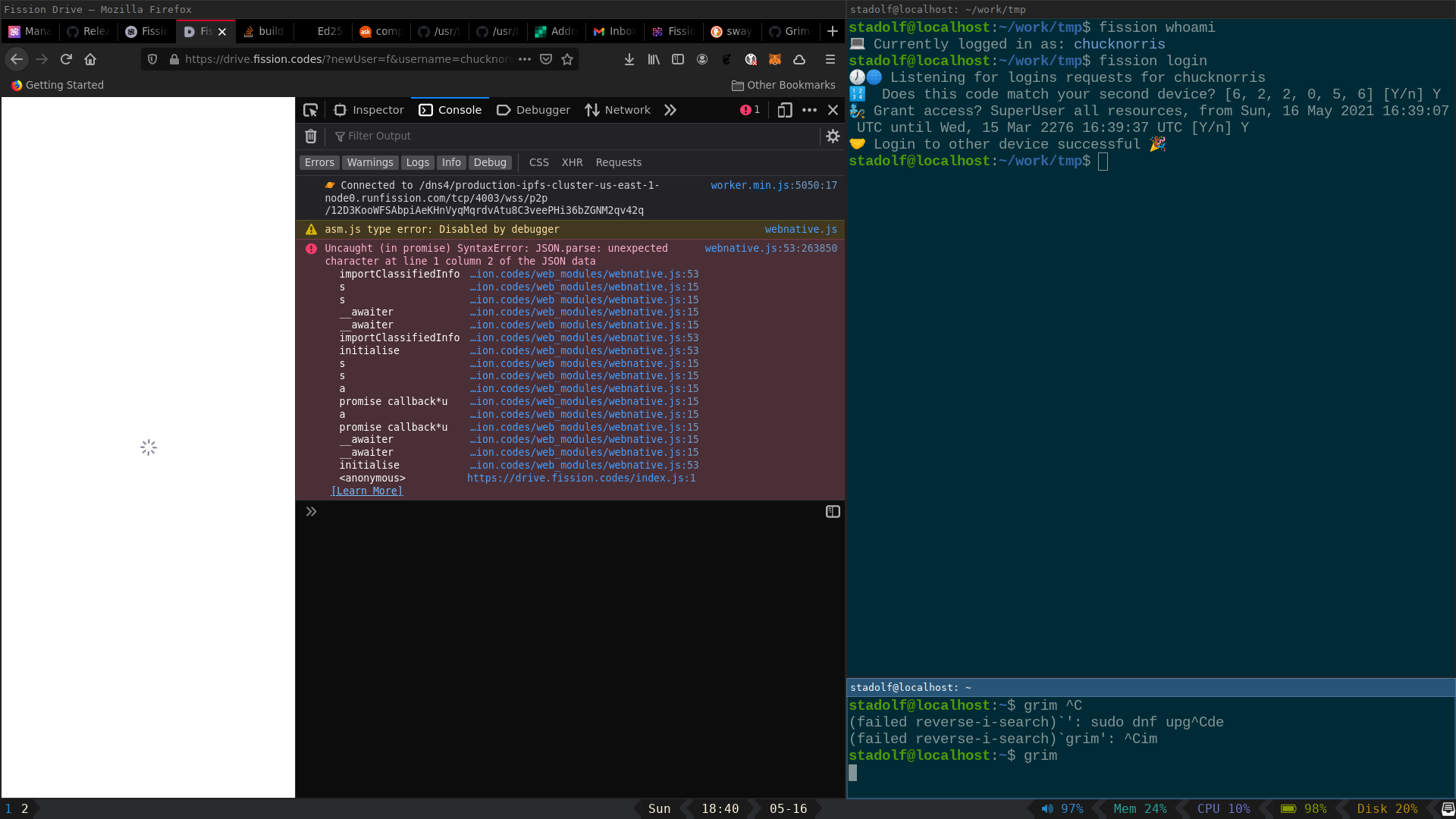
- when trying dashboard.fission.codes it fails with (JS Console)
Uncaught (in promise) Error: `mkdir` only accepts directory paths
just noted: when I create a new account in my FF browser first (without any linking) that also fails... :(

Thanks @elmariachi111 — looks like Drive and Dashboard need some updates.
@matheus23 can you please prioritize / research updates here.

looks like Drive and Dashboard need some updates.
The dashboard is still running webnative v0.23.0 (0.24.1 is the most up-to-date version). The error is actually from the auth lobby not handling backcompatibility correctly in a trickier case. I've created a PR to fix that.
I've already updated the development version of the dashboard to webnative 0.24 (https://dashboard-develop.fission.app) and as we're going to demo it this week & probably publish very soon, I don't want to do the upgrade to 0.24 dance a second time for what's currently published.
Should we maybe already push the big red button and publish the new version of the dashboard with the secure backup feature to dashboard.fission.codes?

opened drive.fission.codes, fails with:
I can't quite reproduce this, however. I've created a new account on the CLI, linked it to my browser's auth lobby at auth.fission.codes, opened drive.fission.codes and was able to log in fine.
From the error message I can see that it could be some very weird edge-case, where the drive is up-to-date when it redirects to the auth lobby, but somehow is not up-to-date when the auth lobby (auth.fission.codes) redirects back to it. One might ask "what, why would it load an older version when it already had a newer one?". I've seen this happen in firefox, where reloading a page with Shift+R will load the up-to-date version, but loading with F5 or via a normal page load will not bypass the service worker and therefore load a possibly stale version.
The 'fix' would be to either (1) wait a couple of seconds while drive.fission.codes is open for the service worker to load the new version and reload or (2) when you get the error just try to hard-reload with Shift+R. I hope that helps.
so, I created several accounts on several machines, and at least one seems to work right now (alternativestadolf, had to reload the drive app twice, then it started working :man_shrugging: :muscle: ). I just published an app using the CLI (fission app register / publish) and it showed up (https://long-junior-blue-kitten.fission.app/) and entered my dashboard which als started working. When I enter the Apps section, runfission.com/app responds with 422 Unprocessable entity, response payload is Signature does not match content.
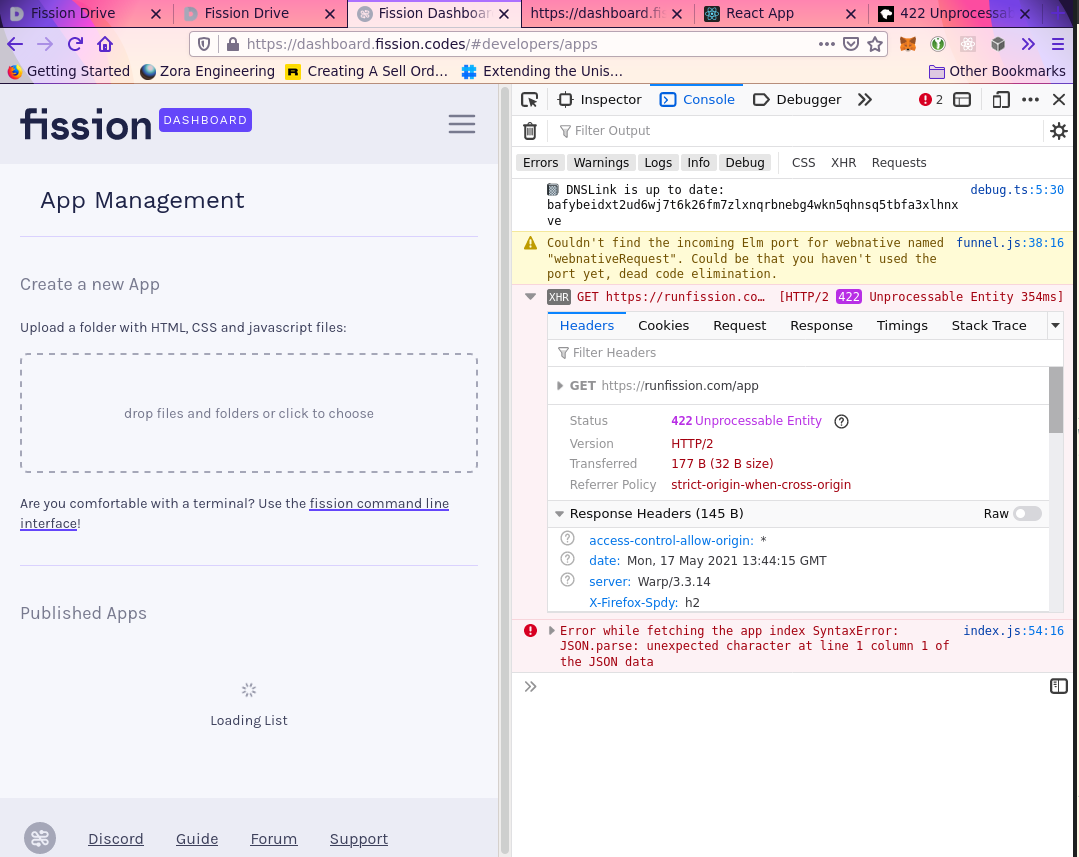
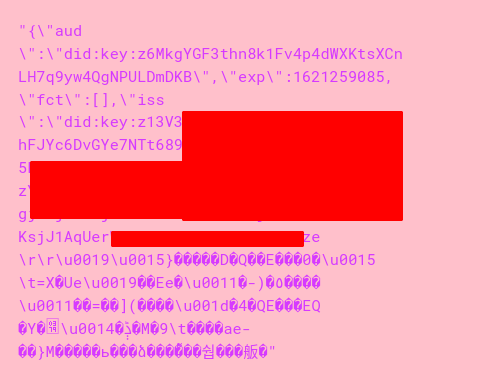
I analysed the authorization header's JWT and its content seems to be a mix of DID & binary data...
Can you try https://dashboard-test2.fission.app @elmariachi111 ?
It's what the new version of the dashboard will be soon.