
profiler
 profiler copied to clipboard
 firefox-devtools
Display "paused ranges" in the UI
See this profile: https://perfht.ml/2nfAMA3
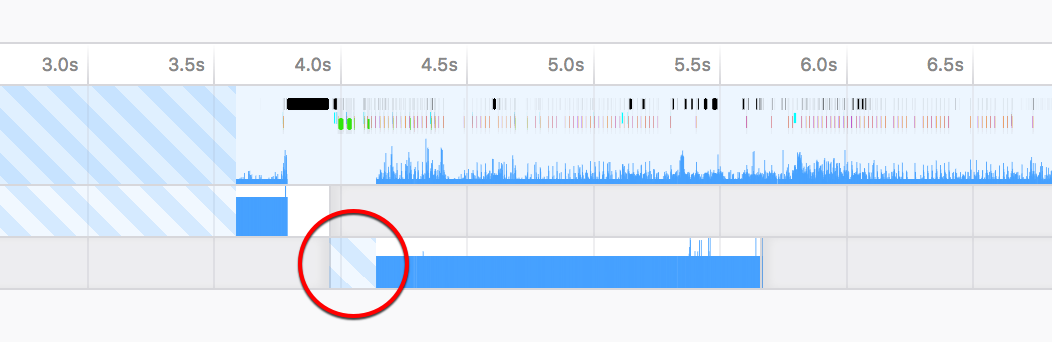
The striped area that I circled in red should not be there - we don't expect to have any data in that range.
This thread was starting while the profiler was paused. During that time, we don't capture any samples. These time ranges are listed in the pausedRanges field on the process / thread. We should take those ranges into account when computing the time at which we expect to start having samples. (And ideally, we should also mark those ranges visually, but that can be done in a separate step.)
┆Issue is synchronized with this Jira Task


Here's another example profile: https://perfht.ml/3eojQjQ
This profile came from Talos, which pauses the profiler during times that do not contribute to the measured numbers. The pausedRanges on the thread tell us that there was a 1.4 second pause. We currently display that pause as "missing samples in buffer".