

 firefox-devtools
Update home screen UI for loading existing profiles from pasting
Right now we only allow for loading in a profile by file:
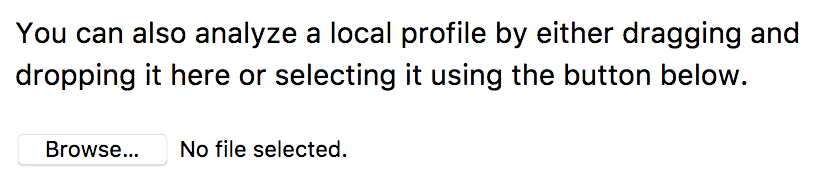
It would be nice to have a button that say something like "Load existing profile" that when clicks loads a dropdown with the option to:
- [x] Load from URL (supported in the code, but not surfaced in the UI)
- [x] Load from File (already existing feature)
- [ ] Load from Clipboard (new feature)
┆Issue is synchronized with this Jira Task

Here is sort of what I have in mind:
diff --git a/src/actions/receive-profile.js b/src/actions/receive-profile.js
index 042ca3a..2579336 100644
--- a/src/actions/receive-profile.js
+++ b/src/actions/receive-profile.js
@@ -561,6 +561,7 @@ export function waitingForProfileFromFile(): Action {
   };
 }

+// Maybe rename this to receiveExternalProfile to make it more generic
 export function receiveProfileFromFile(profile: Profile): ThunkAction<void> {
   return dispatch => {
     dispatch({
diff --git a/src/components/app/Home.js b/src/components/app/Home.js
index 612eabd..dcd4722 100644
--- a/src/components/app/Home.js
+++ b/src/components/app/Home.js
@@ -48,38 +48,6 @@ type InstallButtonProps = {
   className?: string,
 };

-type UploadButtonProps = {
-  retrieveProfileFromFile: File => void,
-};
-
-class UploadButton extends PureComponent {
-  props: UploadButtonProps;
-  _input: HTMLInputElement;
-
-  constructor(props: UploadButtonProps) {
-    super(props);
-    (this: any)._upload = this._upload.bind(this);
-  }
-
-  render() {
-    return (
-      <div>
-        <input
-          type="file"
-          ref={input => {
-            this._input = input;
-          }}
-          onChange={this._upload}
-        />
-      </div>
-    );
-  }
-
-  _upload() {
-    this.props.retrieveProfileFromFile(this._input.files[0]);
-  }
-}
-
 /**
  * Provide a global function for the add-on to to notify this component that it has
  * been installed.
@@ -202,7 +170,7 @@ class Home extends PureComponent {
             You can also analyze a local profile by either dragging and dropping
             it here or selecting it using the button below.
           </p>
-          <UploadButton {...this.props} />
+          <LoadProfileDropdown {...this.props} />
         </div>
       </div>
     );
@@ -229,7 +197,7 @@ class Home extends PureComponent {
             You can also analyze a local profile by either dragging and dropping
             it here or selecting it using the button below.
           </p>
-          <UploadButton {...this.props} />
+          <LoadProfileDropdown {...this.props} />
         </div>
       </div>
     );
@@ -260,7 +228,7 @@ class Home extends PureComponent {
             You can also analyze a local profile by either dragging and dropping
             it here or selecting it using the button below.
           </p>
-          <UploadButton {...this.props} />
+          <LoadProfileDropdown {...this.props} />
         </div>
       </div>
     );
@@ -284,7 +252,7 @@ class Home extends PureComponent {
             saved local profile onto this screen or select it using the button
             below.
           </p>
-          <UploadButton {...this.props} />
+          <LoadProfileDropdown {...this.props} />
         </div>
       </div>
     );
Just a note that I like the fact we need 1 click to start selecting a file; with a dropdown we'd have 1 more click. I think I'd like better 3 aligned buttons.

I'd be up for that. It'd be nice to style them all as equal width buttons so they are clean. The default file upload input is really not very pleasing (at least on mac). You can set the opacity to 0 on them and overlay them over a styled component so they are still clickable once. Then on the url and paste we can use the dropdown.
PR #1338 fixes the look of the input. Once it's merged I think this issue will be actionable.

can you give more details about "Load from URL" button and a design of dropdown please @julienw
About the design you can look at https://github.com/devtools-html/perf.html/issues/463#issuecomment-316741608, this is more 3 aligned buttons that would take the place of the 1 button we have at the moment.
The 3 actions are:
- load profile from file => this is the action we have at the moment
- load profile from URL => see
https://github.com/devtools-html/perf.html/blob/master/docs-developer/loading-in-profiles.md#urlfor more explanation about this. Likely clicking in the button should show an input to enter the actual URL. Or the input could be there already and clicking on the button will load that URL. Then I think that merely navigating to/from-url/URLwill trigger the load. - load profile from pasting: I think we can't control a "paste" from JavaScript but we can react on it. So we should add a "paste" event handler and react on it. A possibility could be that we have a disabled button with the text
Paste some profile data to enable this button, but on paste the button is enabled with the textLoad the pasted profile data. (suggestion welcome)
As I read it, this issue could be done in 2 parts:
- Add a button from the existing functionality
from-url - Add the functionality for "pasting".
I think 1. is easier and well self-contained in <Home>, but will make you know a bit more about how the loading process works, then 2. will be easier to do.
Hey @amelarbab, in response to your message on Slack, here are some more information about how to do the first part.
I think you shouldn't run retrieveProfileOrZipFromUrl directly as it's already run in https://github.com/devtools-html/perf.html/blob/980c1450e3bd28b605128ee03616ea61179791be/src/components/app/Root.js#L113-L115. Instead we should trigger this.
This means you should trigger an action that will change the 2 state properties dataSource and profileUrl in src/reducers/url-state.js. This action could be named TRIGGER_LOADING_FROM_URL for example.
To add this action, here are the steps:
- Add this action to the type in
src/types/actions - Add a new action creator in
src/actions/receive-profile.js - Add code to handle this action in
src/reducers/url-state.jsas said above. - Pass this action creator to the component
Home, by adding it tomapDispatchToPropsat the end of the file.
This is a bit different than what we do for retrieveProfileFromFile, but that's because retrieving from file doesn't come from the URL.
I hope this is clearer now, but please ask if you need anything more!
hey @julienw , is "local" data source related to "Load profile data" or should i define a new data source
I think local is for something else (a profile data stored in a local indexed db)... to be honest I think we should remove this "local" datasource :)
Please add a new data source for this. For example this could be from-string.
yes you can take anything that's valid, for example the text in https://github.com/devtools-html/perf.html/blob/master/src/test/fixtures/upgrades/gecko-13.json
No it should rather be in a <textarea> input, that could be displayed on demand.
To anyone coming here: there's an unfinished PR at https://github.com/firefox-devtools/profiler/pull/1494 that still needs some review. It's sadly quite in conflict right now and it would be useful to know if the conflicts can be easily resolved.
Hey @gregtatum, the work left here is to handle the feature "load from clipboard". The initial work in #1494 handled this through a textarea form element. Maybe another (better) UX is to wait listen for the event keypress and react when ctrl or cmd is pressed to display something, and listen for the paste event.
Anyway, the question is: is it a feature you'd still like to have?
The work in #1494 was pretty well done, I think this could be probably reused. From the UI side, I'd like that we try what I outlined in my previous comment and see how this feels.
